00195982-03_SM_SWS_EN.pdf - 第367页
15 Calibration 15.2 Activation of setup operation at the SWS (hard and software) Service Manual SIPLACE Wafer System (SWS) 11/2018 367 Fig.527: ► After changing the cable connections, the Setup mode is activated ( Setup…
15 Calibration
15.2 Activation of setup operation at the SWS (hard and software)
366 Service Manual SIPLACE Wafer System (SWS) 11/2018
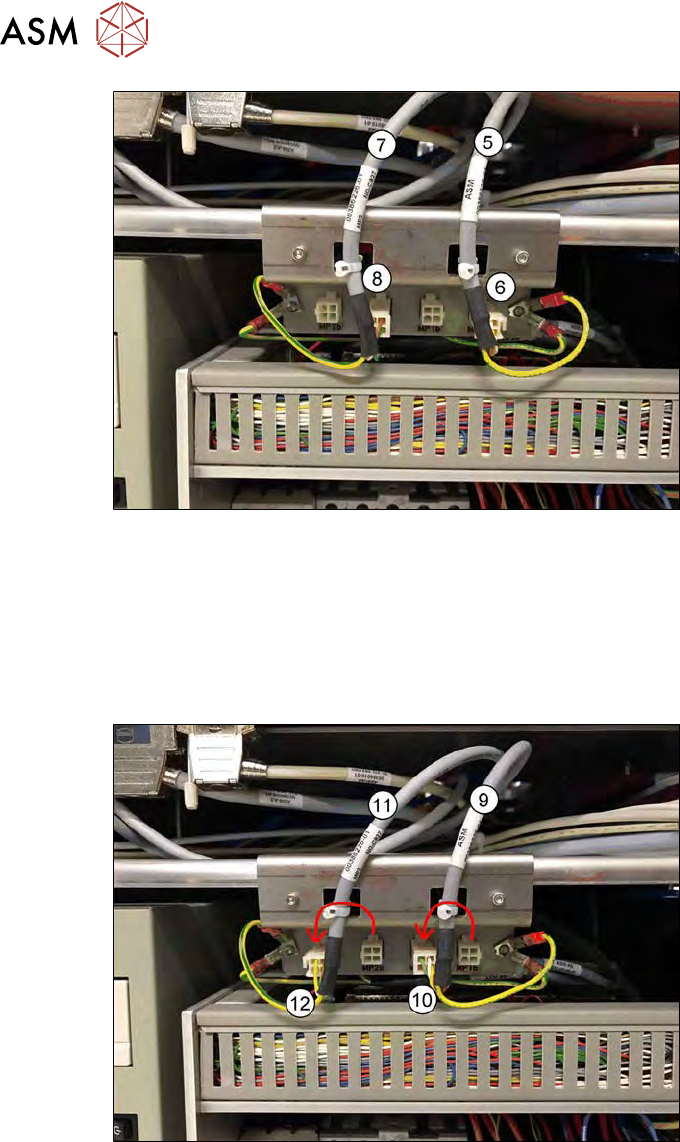
Fig.525:
The figure above shows the setting for the standard production mode (NON setup mode).
●
(5) Cable MP1 is connected to
(6) MP1b
●
(7) Cable MP2 is connected to
(8) MP2b
For the Setup mode, the following modification must be made:
Fig.526:
The figure above shows the setting for the Setup mode (safe mode).
●
(9) Cable MP1 must be connected to
(10) MP1b’
●
(11) Cable MP2 must be connected to
(12) MP2b’
15 Calibration
15.2 Activation of setup operation at the SWS (hard and software)
Service Manual SIPLACE Wafer System (SWS) 11/2018 367
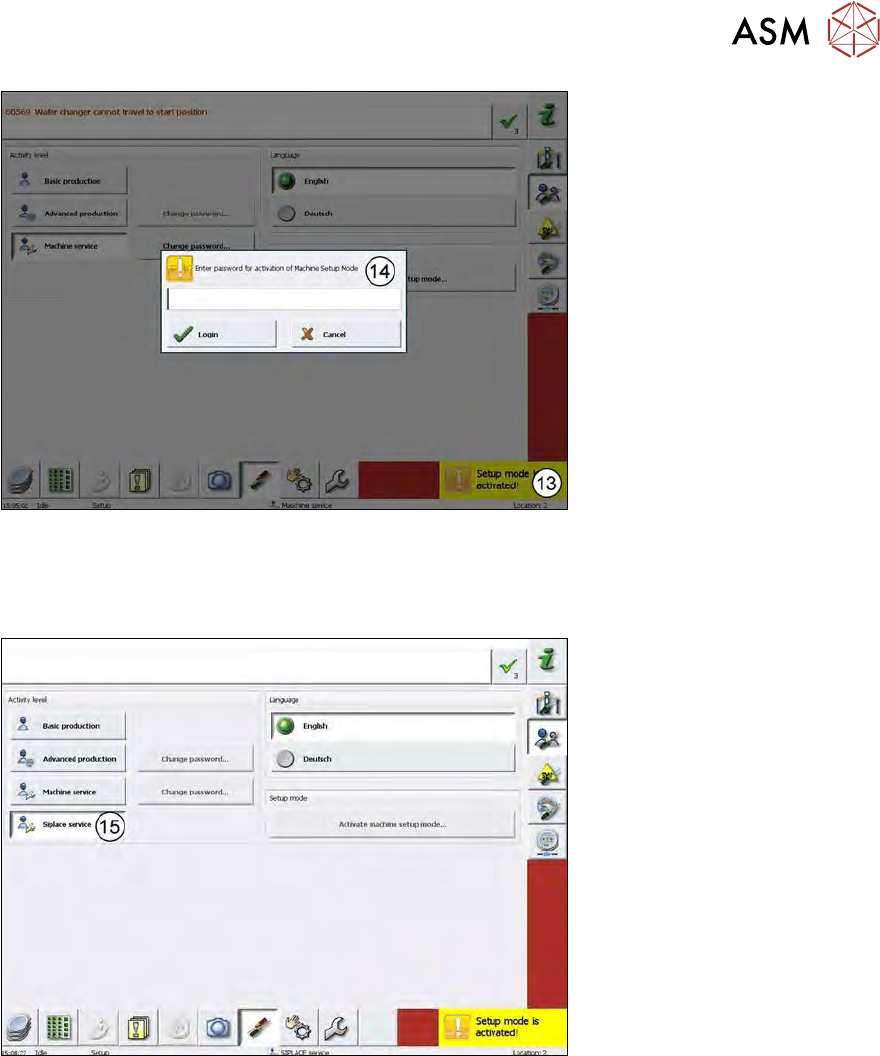
Fig.527:
► After changing the cable connections, the Setup mode is activated (Setup mode is activ-
ated!(13)).
► You have to enter the password (14) for the Setup mode → SetupTools.
Fig.528:
► SIPLACE Service (15) is activated after entering the password!
15 Calibration
15.3 Calibration die handling - flip unit
368 Service Manual SIPLACE Wafer System (SWS) 11/2018
15.2.5 Rules for the Setup mode - safety relevant issue!
HIGH RISK OF SERIOUS INJURIES
► Setup mode must be activated!
NO RISK OF SERIOUS INJURIES
► Setup mode not activated!
Machine covers are closed!
WARNING
► No matter, if the Setup mode is activated or not, the magazine lift must be closed and
folded in, the tower lock screw must be tightened!
► To access the screw, the magazine lift has to be in the change position!
15.3 Calibration die handling - flip unit
15.3.1 Preparation – adjusting the holding cylinder Z axis
Before starting the calibration, the holding cylinder for the flip Z axis and the Die Attach transfer X
motor (optional) must be adjusted!
This is necessary to ensure a smooth moving of the Z axis ball bearing in the DP axis raceway in
powerless condition.
When referencing the flip rotation axis, the flip Z axis and the transfer X axis of the Die Attach Unit
(optional) are powerless.
In this condition, these two axes are held in position by the holding cylinders.
Before initialization of the Z axis and the transfer X axis, the holding cylinder is released and the
axis can move.
Procedure to check for smooth movement
► To check the position of the holding cylinders, open the emergency loop (e.g. push the emer-
gency stop (standalone) or open the cover of the SIPLACE machine (installed SWS)), so that
all axes are powerless.
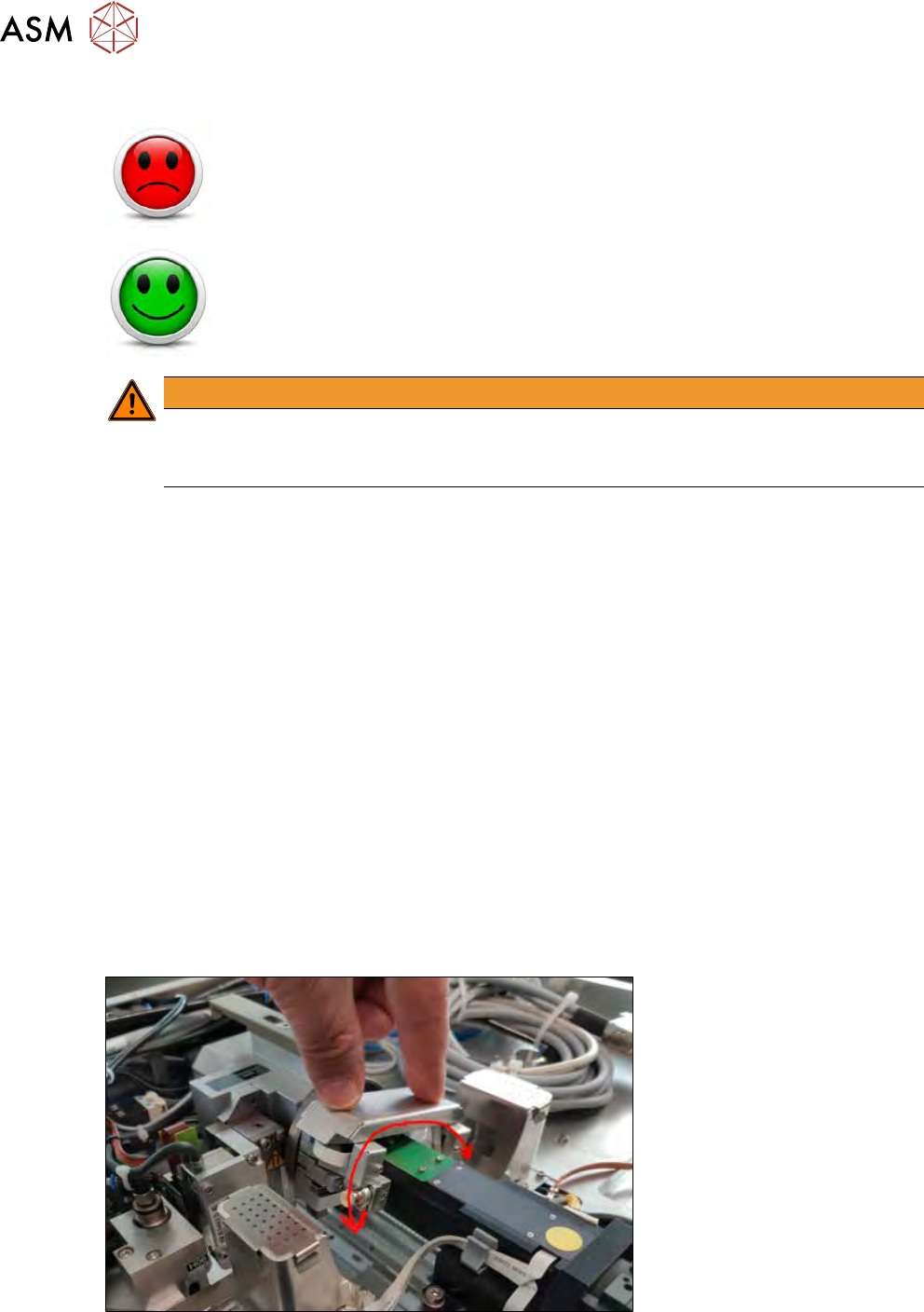
► Then move the rotation axis of the flip head by hand in both directions.
Fig.529:
► Rotate the axis in both directions from one end to the other to ensure that both ball bearings
smoothly move over the transfer position.