00195982-03_SM_SWS_EN.pdf - 第354页
13 BoxPC, GALIL cards and axis control 13.3 Replacing the servo amplifier for the axes 354 Service Manual SIPLACE Wafer System (SWS) 11/2018 Fig.507: ► Screw the four fastening screws and their washers into the four hol…
13 BoxPC, GALIL cards and axis control
13.3 Replacing the servo amplifier for the axes
Service Manual SIPLACE Wafer System (SWS) 11/2018 353
13.3.3 Fitting the servo amplifier AMP-19540 in the SWS frame
Tip for installation
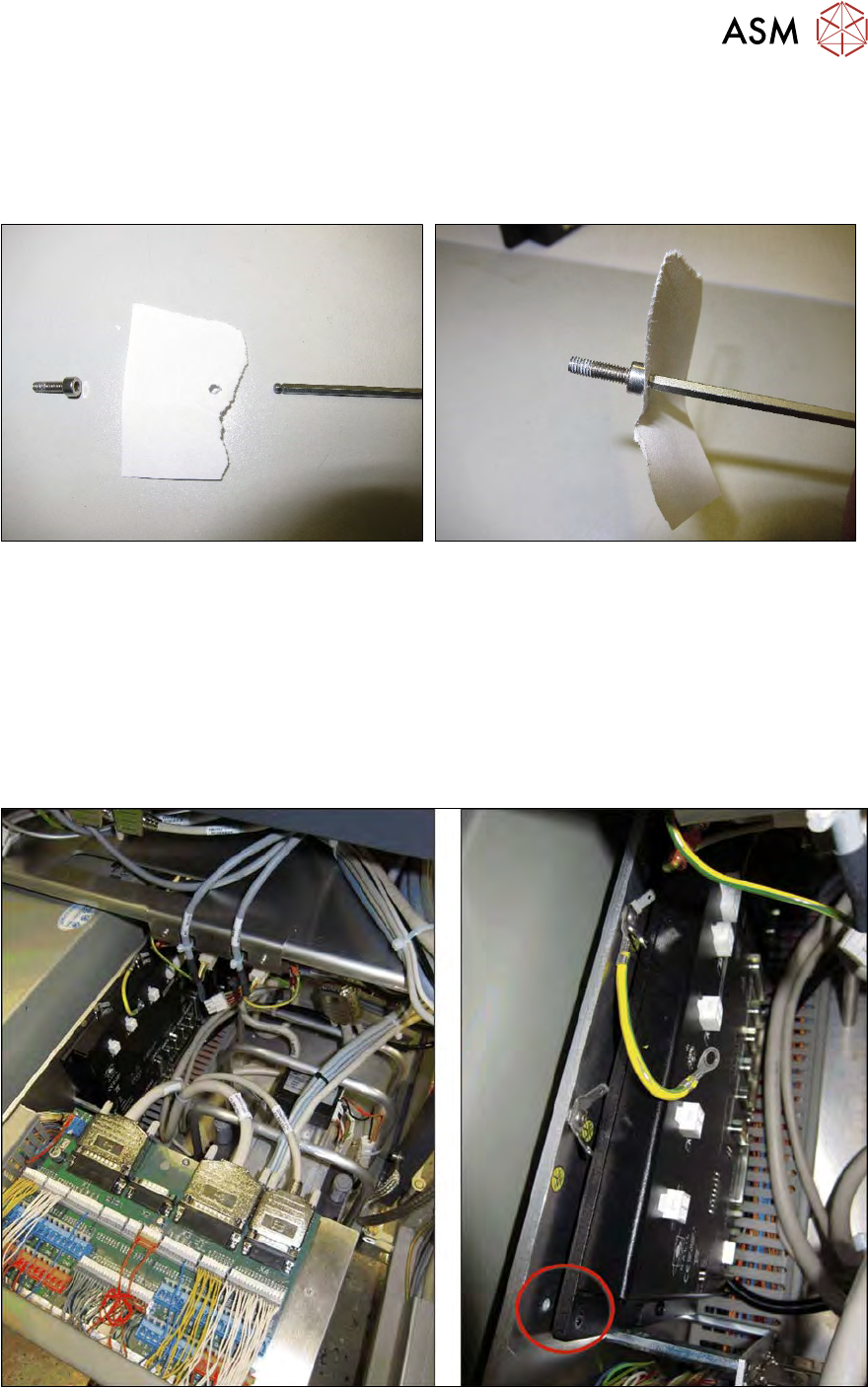
Due to the inaccessibility of the installation position, it is very difficult to screw the GALIL card into
place if the vacuum pump has not been removed (as in our example).
Fig.505:
► Take a sheet (piece) of paper.
► Press the Allen key through this paper and into the Allen key.
► Our example only shows the hole in the paper as a demonstration.
► Use a straight Allen key or spherical head → try and see which works better for you.
ð The screw should then hold on the Allen key and not fall off. This helps when inserting the
screw is places which are not so easily accessible.
Fitting the GALIL card
Fig.506:
► Lift the GALIL card from above into the position provided.
► Align the GALIL card so that that the drilled holes are in a line with one another.
13 BoxPC, GALIL cards and axis control
13.3 Replacing the servo amplifier for the axes
354 Service Manual SIPLACE Wafer System (SWS) 11/2018
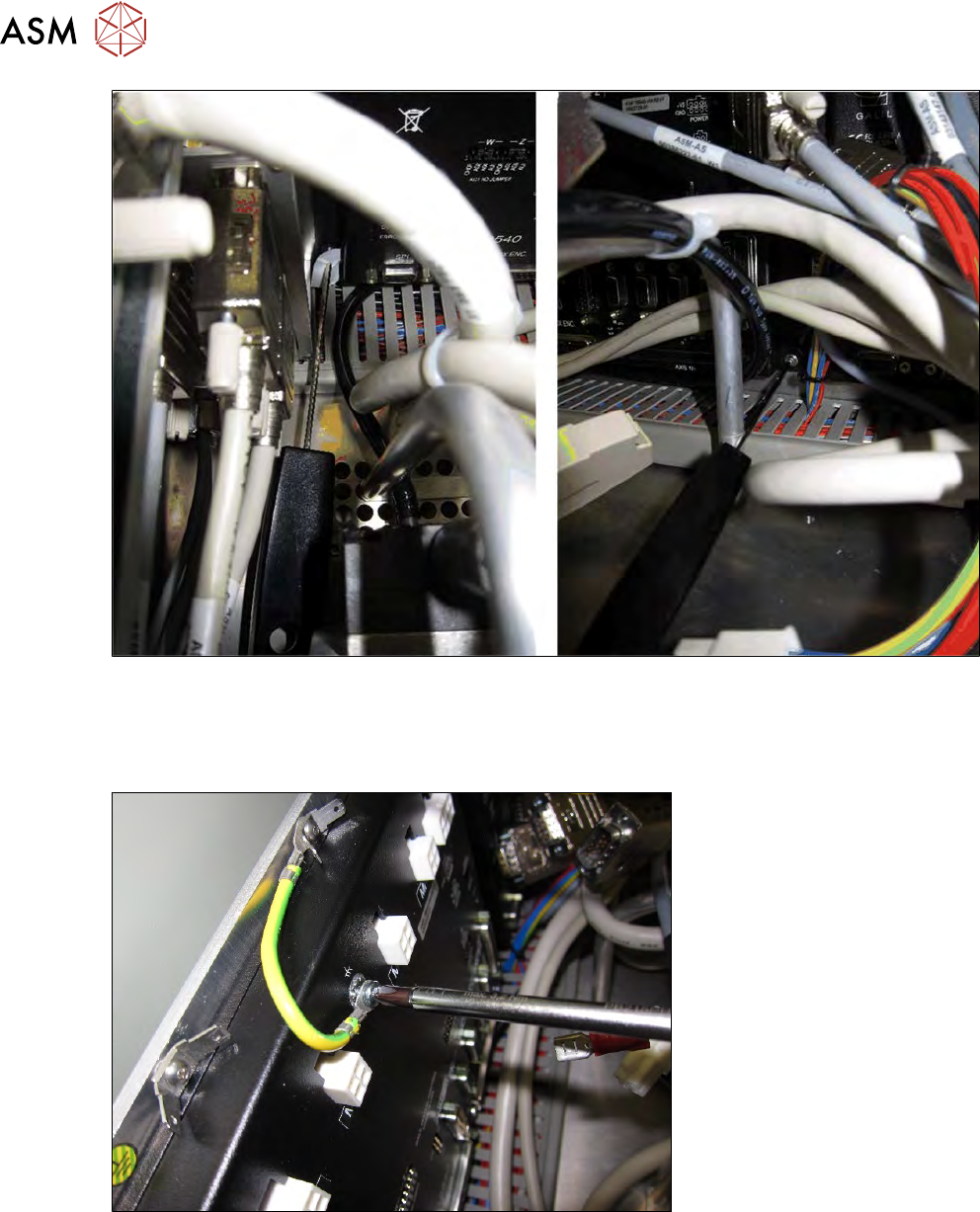
Fig.507:
► Screw the four fastening screws and their washers into the four holes provided.
► Use the paper to fix the screws onto the Allen key.
► Tighten the four screws.
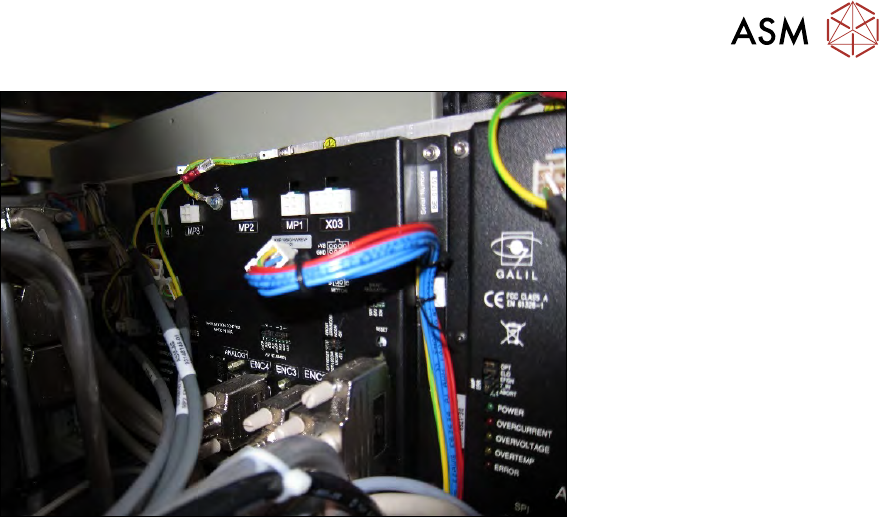
Fig.508:
► Reestablish the ground connection.
13 BoxPC, GALIL cards and axis control
13.3 Replacing the servo amplifier for the axes
Service Manual SIPLACE Wafer System (SWS) 11/2018 355
Fig.509:
► Reestablish all cable connections on the GALIL card.
All cables have the same designation label as the connections on the GALIL card.
► Check whether all cables are connected properly.
Pay particular attention to the 100-pin J1 AXIS1-4 cable, which needs a good connection, oth-
erwise this could cause problems.
► If the vacuum pump and the protective bracket have been removed to give better access to
the GALIL card: refit the vacuum pump and the protective bracket and reestablish the connec-
tion to the SWS.
► Now, or before assembly of the vacuum pump, push the side cover plate back into the SWS
and fix the side cover plate into place with the two screws.
► Complete the SWS.
► Refit the side cover.
► Swivel the wafer lift back into place.
► Refit the SWS in the machine.
ð The SWS should function again without the need for calibration.