00195982-03_SM_SWS_EN.pdf - 第291页
12 Wafer stretcher 12.4 Removing the wafer stretcher Service Manual SIPLACE Wafer System (SWS) 11/2018 291 Fig.409: ► Pull the wafer changer to the middle of the wafer stretcher (1) . ► Remove the four fastening screws …
12 Wafer stretcher
12.4 Removing the wafer stretcher
290 Service Manual SIPLACE Wafer System (SWS) 11/2018
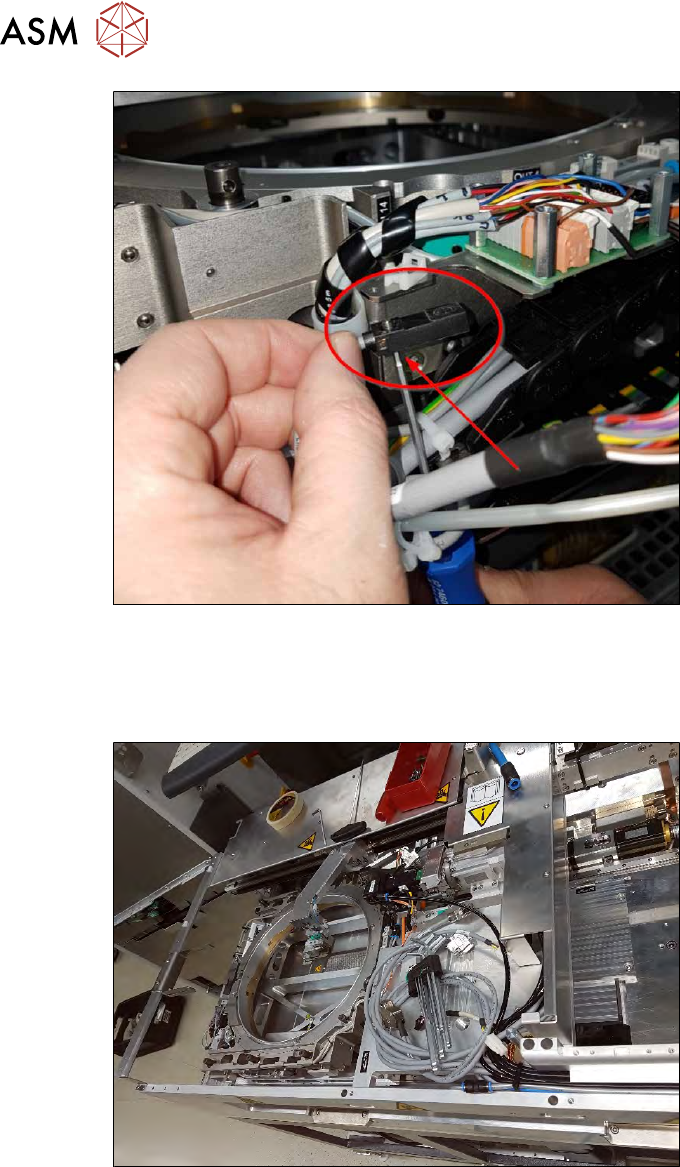
Fig.407:
Dismantle the presence sensor 8"/12" (5) as follows:
► Make a note of the direction in which the sensor is fitted!
► Remove the screw (accessible from below).
Fig.408:
► Carefully pull the wafer stretcher back to the wafer tower side.
Make sure that the previously removed cable does not get caught anywhere.
12 Wafer stretcher
12.4 Removing the wafer stretcher
Service Manual SIPLACE Wafer System (SWS) 11/2018 291
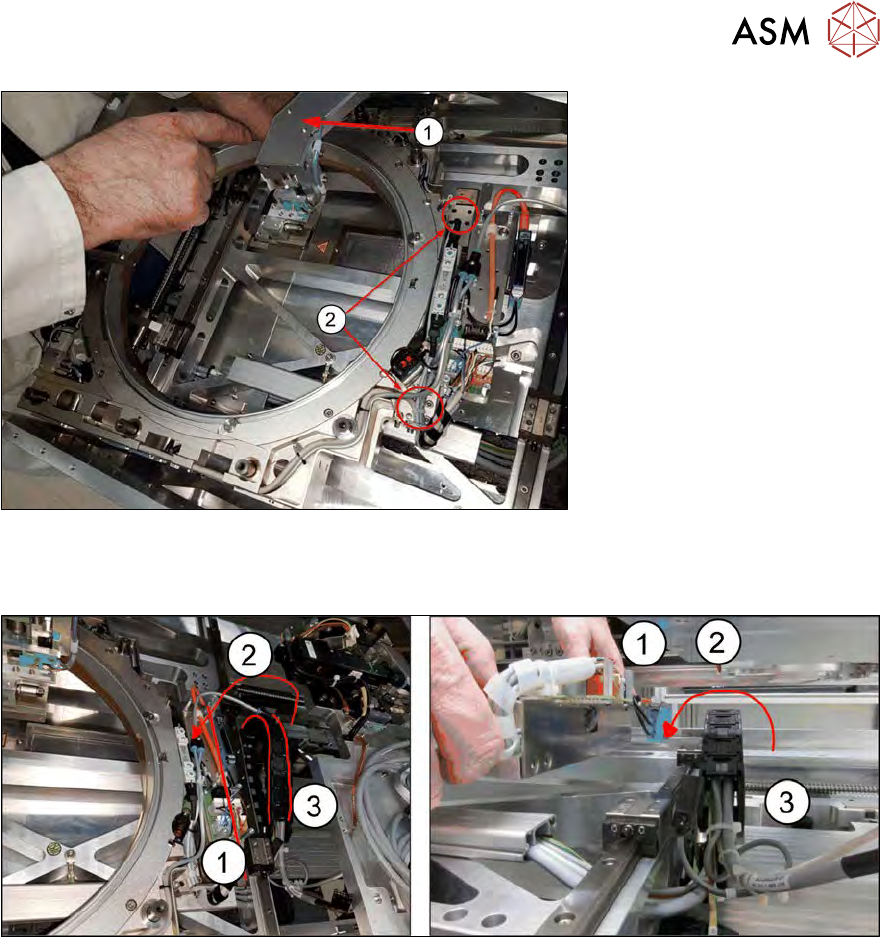
Fig.409:
► Pull the wafer changer to the middle of the wafer stretcher (1).
► Remove the four fastening screws (2) from the guide trolleys beneath.
Fig.410:
► Now carefully lift the wafer stretcher, with the metal edge and blue valve (1), over the power
chain (3)!
Take care that the wafer stretcher does not hit the upper assemblies (2) when it is lifted out.
Tip: roll out the power chain so you do not need to lift the wafer stretcher so high.
12 Wafer stretcher
12.4 Removing the wafer stretcher
292 Service Manual SIPLACE Wafer System (SWS) 11/2018
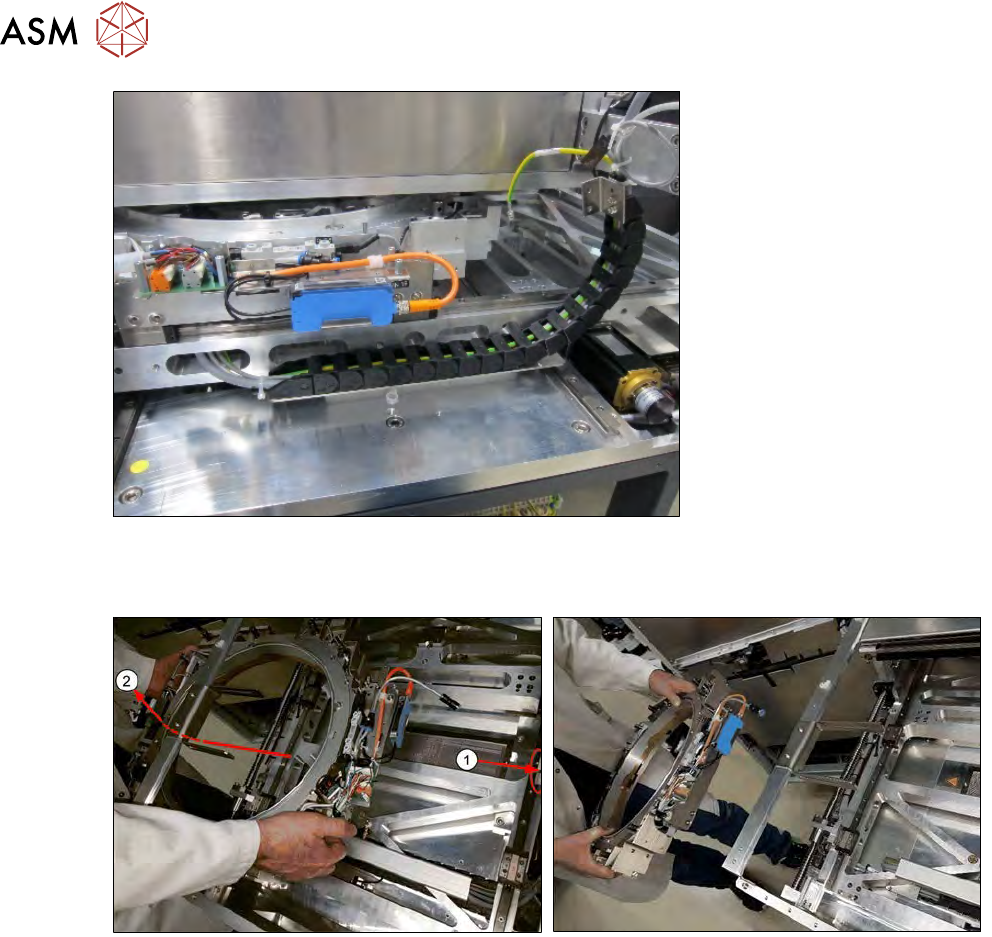
Fig.411:
► Take care when pushing the wafer stretcher in the Y direction. The cable of the rolled out
power chain could get caught on the upper assemblies.
Fig.412:
► Push the wafer changer to a back position (1) and unthread the wafer stretcher carefully,
under and out through the frame (2).