00195982-03_SM_SWS_EN.pdf - 第31页
2 Overview of the SIPLACE wafer system (SWS) 2.4 Description of SWS assemblies Service Manual SIPLACE Wafer System (SWS) 11/2018 31 Wafer support The wafer support is fitted to the X/Y unit and is therefore part of the w…
2 Overview of the SIPLACE wafer system (SWS)
2.4 Description of SWS assemblies
30 Service Manual SIPLACE Wafer System (SWS) 11/2018
2.4.1.2 Wafer camera system
The wafer camera is aligned to the wafer surface. The camera image is used by the Vision system
to recognize the defined pattern for the die to be placed (also known as reference die), for ink spot
recognition (for operation without wafer map), for calculation of the die position and for wafer edge
recognition. After positioning the wafer on the next die to be ejected, the Vision model is checked
and the die position determined. If the deviation from the target value is too great (tolerance can be
defined) the wafer table will be repositioned to optimize the ejection position.
Wafer edge recognition is needed to compensate any deviation of the wafer position relative to the
wafer frame, between different wafers of the same type.
Specification for standard camera system
The standard camera system is used for dies of size 1 to 12 mm. The camera's field of vision is
around 10.5 x 6.7 mm.
Specification for high-resolution camera system
The high-resolution camera system is part of the small die kit and is used for die sizes below 1mm.
The camera's field of vision is around 16.0 x 12.8 mm.
2.4.1.3 Wafer table
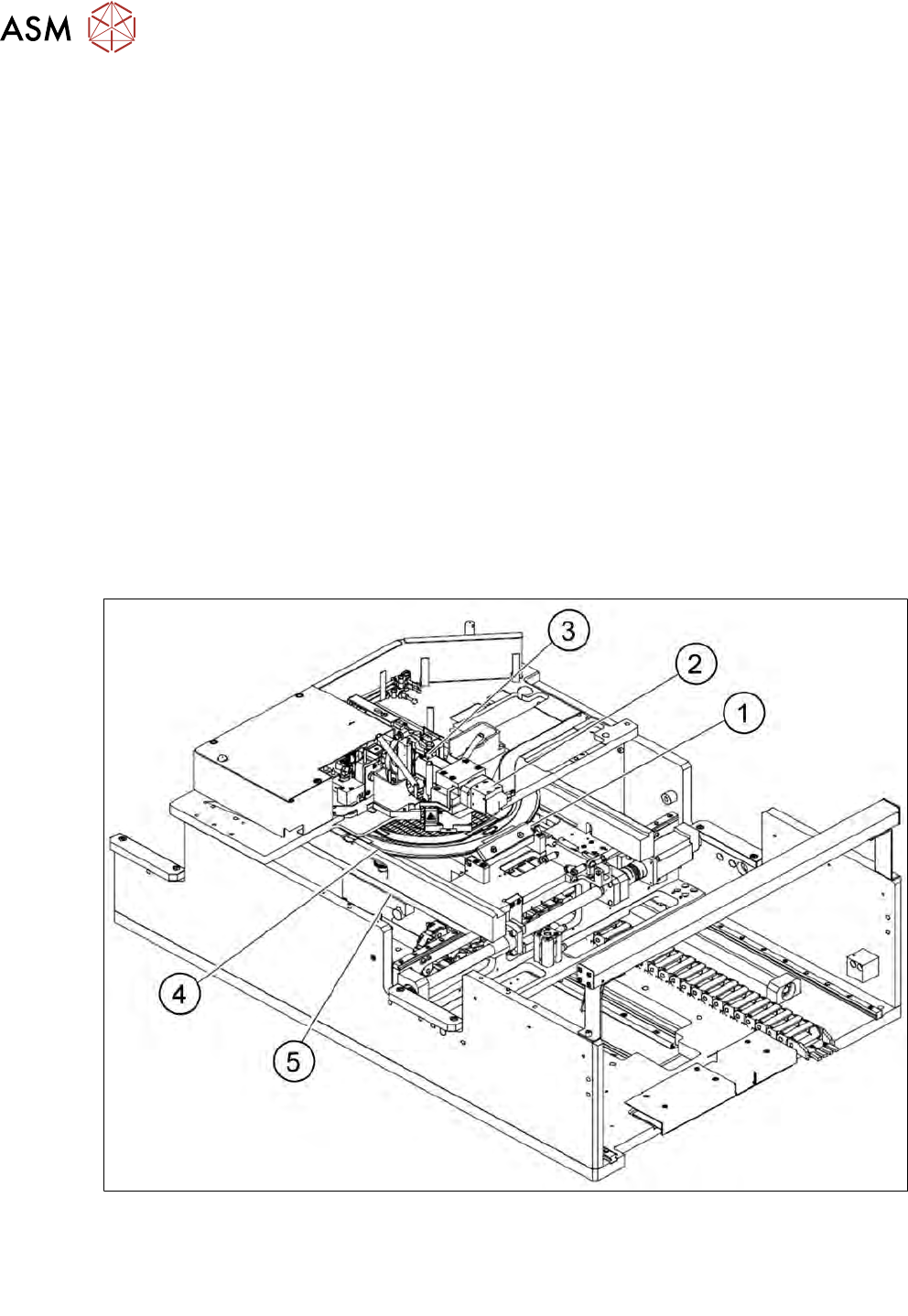
The wafer table consists of an X/Y unit (movement system with two linear axes) and the wafer sup-
port. The wafer table moves the wafer support with the wafer to the required positions in the pro-
cessing area.
Fig.11: Wafer table
1 Clamping unit 2 Wafer camera
3 Flip unit 4 Wafer support
5 Guidance
2 Overview of the SIPLACE wafer system (SWS)
2.4 Description of SWS assemblies
Service Manual SIPLACE Wafer System (SWS) 11/2018 31
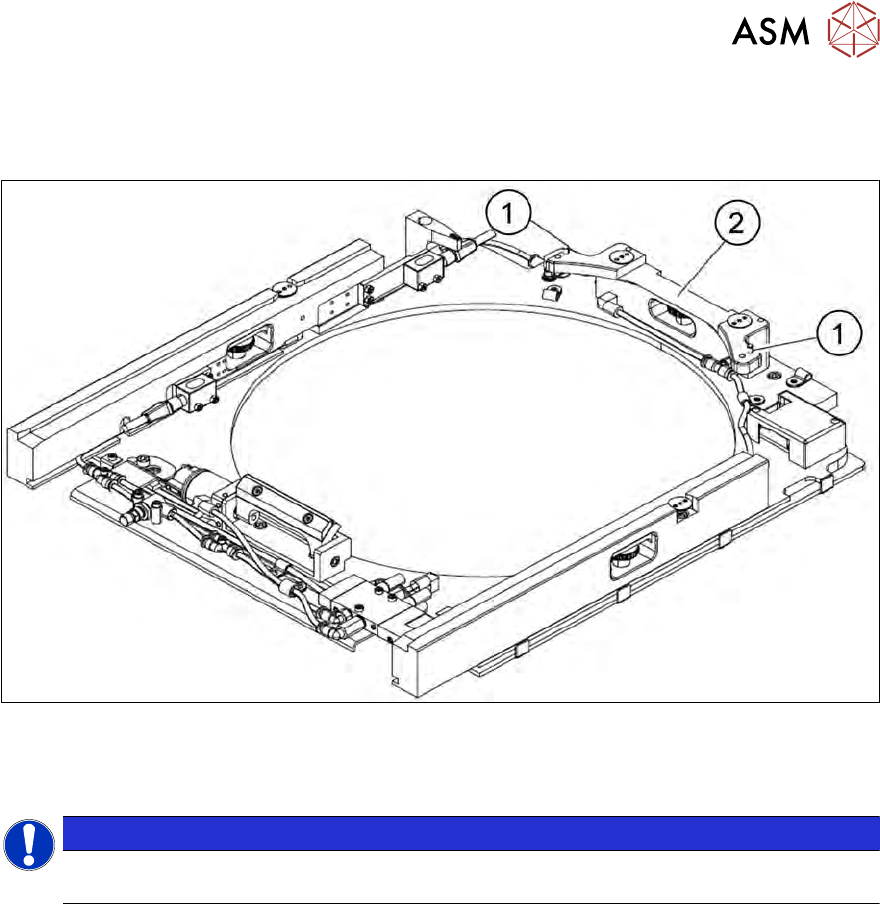
Wafer support
The wafer support is fitted to the X/Y unit and is therefore part of the wafer table. The wafers are
fixed to this for the ejection procedure.
Fig.12: Wafer support without wafer inserted (example for 12")
1. Pin for locking and position detection of 12" wafers
2. Wafer locking strip
NOTICE
► To process 8" wafers, you need to change the wafer support. Frames for 6" wafers
can be processed with the relevant adapters.
2 Overview of the SIPLACE wafer system (SWS)
2.4 Description of SWS assemblies
32 Service Manual SIPLACE Wafer System (SWS) 11/2018
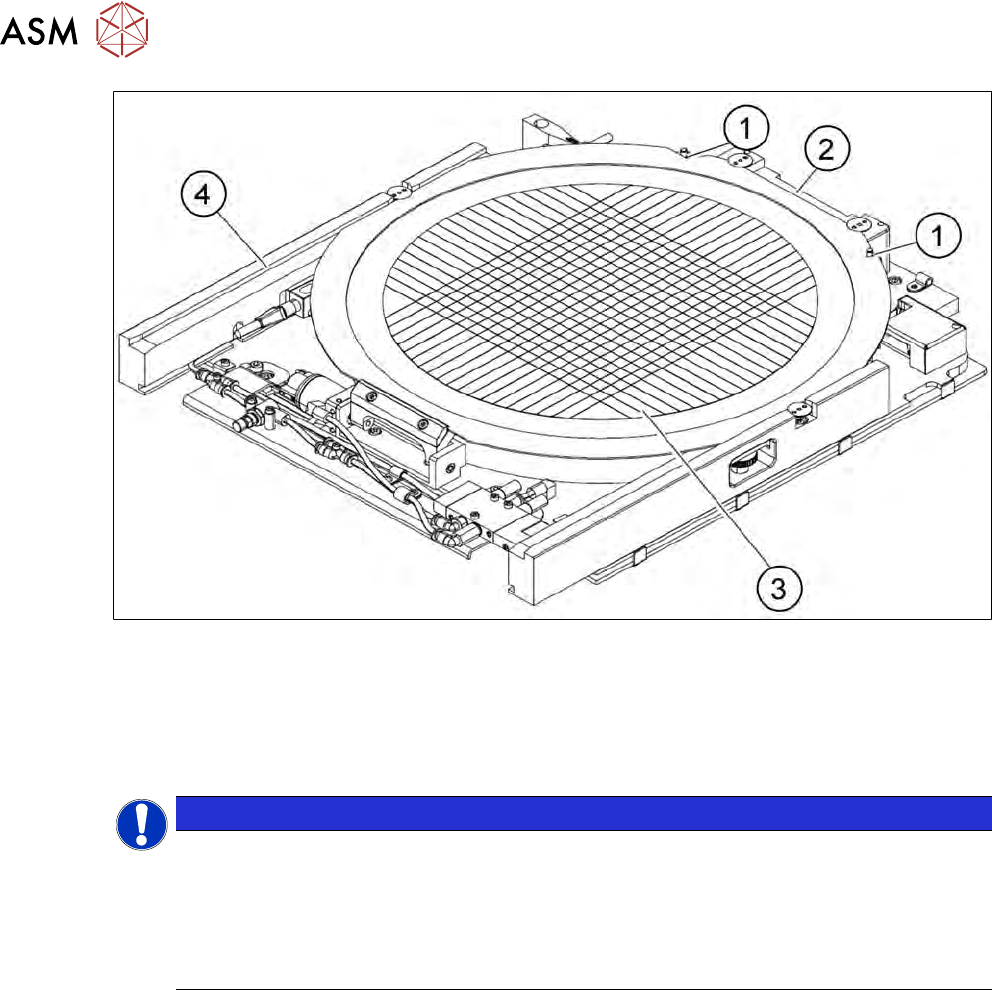
Fig.13: Wafer support with wafer inserted (example for 12")
1. Recess for the defined positioning on the pins of the locking strip
2. Wafer locking strip
3. Wafer
4. Rail
NOTICE
Problems recognizing frames during clamping
If the wafer locking strip (2) has been incorrectly attached, the frame will not be recognized
correctly during clamping.
► When using 8" wafer supports, observe the following: make sure that the wafer locking
strip (2) is attached in a manner that allows the pins of the locking strip to engage with
the recess on the wafer frame.