00195982-03_SM_SWS_EN.pdf - 第140页
7 Die ejector 7.3 Replacing spare parts 140 Service Manual SIPLACE Wafer System (SWS) 11/2018 Fig.169: ► To make sure that the dual light barrier is fitted in the correct position on the assembly bracket, loosen the two…
7 Die ejector
7.3 Replacing spare parts
Service Manual SIPLACE Wafer System (SWS) 11/2018 139
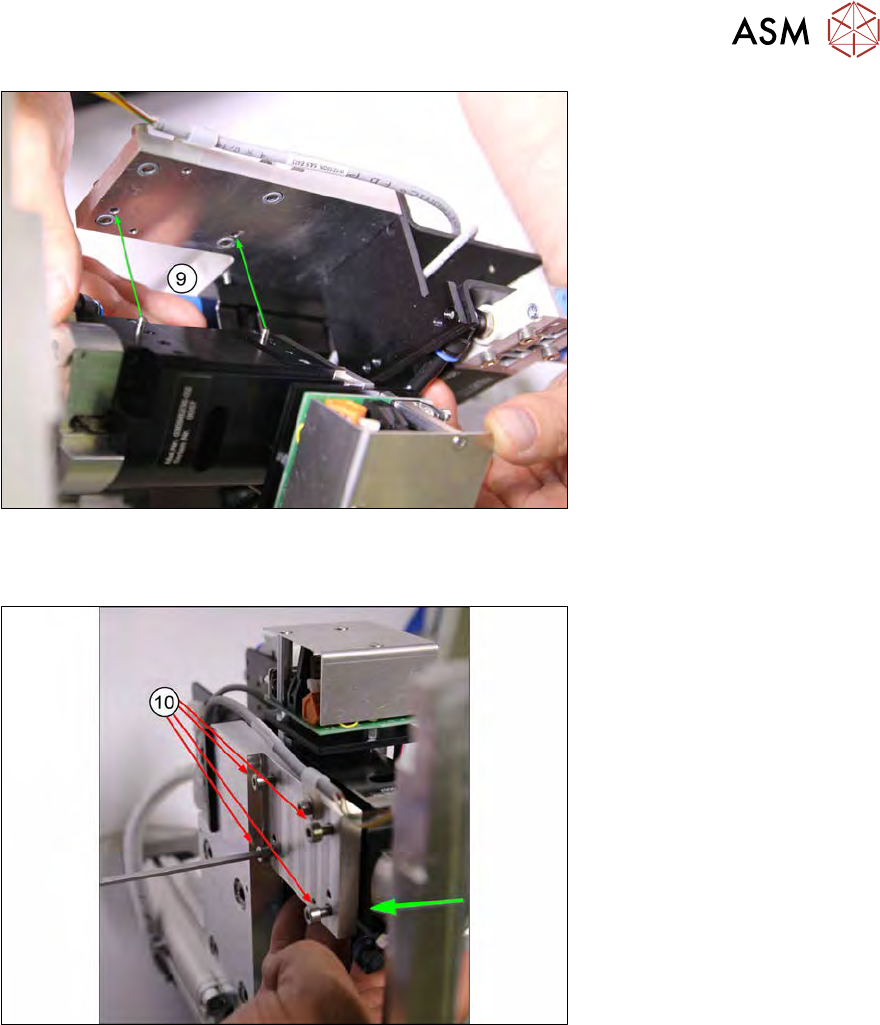
Fig.167:
► Position the Z axis die ejector on the support plate, with its two pins in the corresponding
holes of the support plate(9).
Fig.168:
► Press the Z axis die ejector against the carrier and tighten the four fastening screws(10) an.
► If not already done, now remove the fork light barrier from the Z axis die ejector.
7 Die ejector
7.3 Replacing spare parts
140 Service Manual SIPLACE Wafer System (SWS) 11/2018
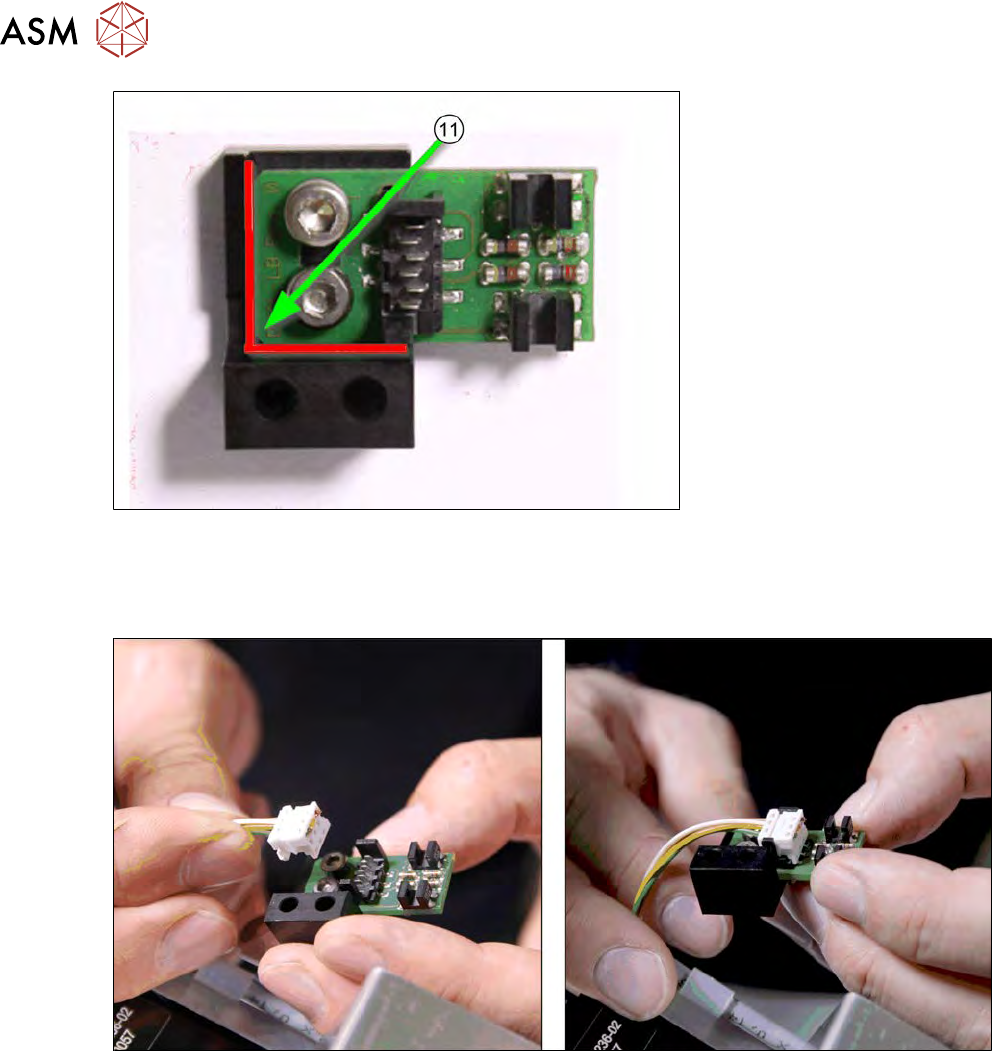
Fig.169:
► To make sure that the dual light barrier is fitted in the correct position on the assembly
bracket, loosen the two fastening screws.
► Press the board against the edges (red in the diagram) and tighten the screws.
Fig.170:
► Connect the cable to the board (observe the connector orientation).
7 Die ejector
7.3 Replacing spare parts
Service Manual SIPLACE Wafer System (SWS) 11/2018 141
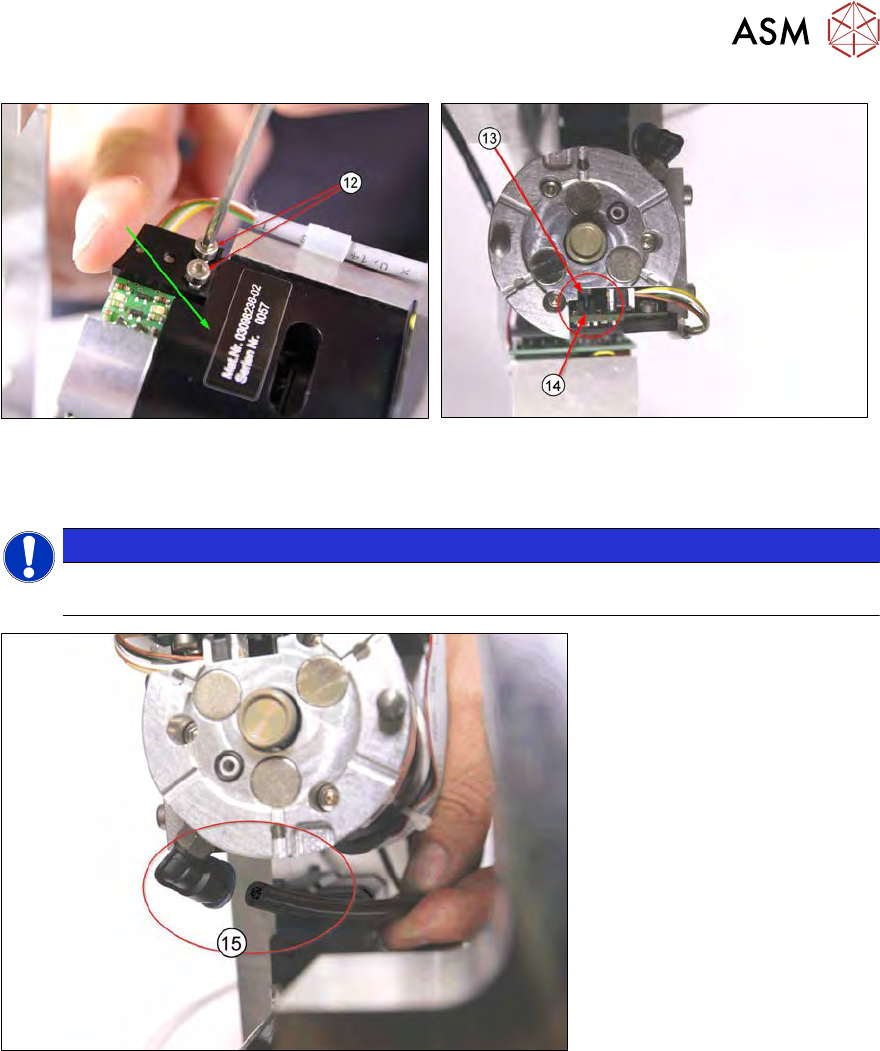
Fig.171:
► Press the fork light barrier "into the corner" (downwards and forwards) and screw into
place(12).
NOTICE
► Make sure that the switch flag of the Z axis die ejector(13) is between the fork light
barriers(14).
Fig.172:
► Connect the vacuum hose(15).