00195982-03_SM_SWS_EN.pdf - 第283页
12 Wafer stretcher 12.4 Removing the wafer stretcher Service Manual SIPLACE Wafer System (SWS) 11/2018 283 Fig.392: The cover plate for the clamping unit must now be removed as follows: Fig.393: ► Remove the four Phill…
12 Wafer stretcher
12.4 Removing the wafer stretcher
282 Service Manual SIPLACE Wafer System (SWS) 11/2018
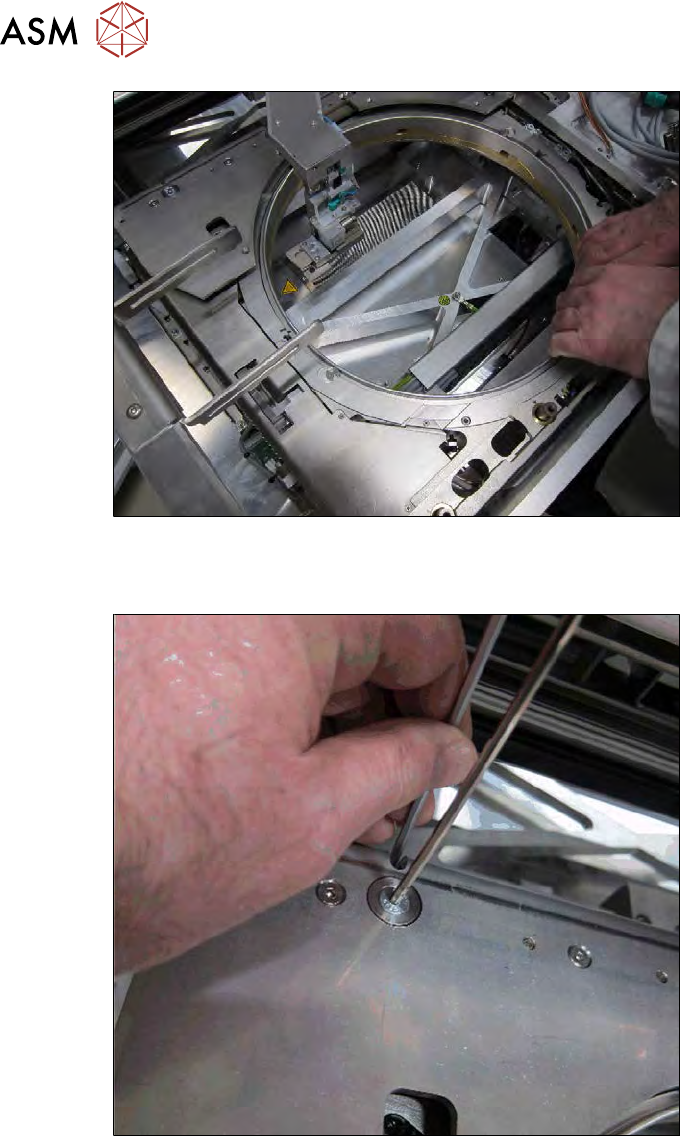
Fig.390:
► Now move the wafer stretcher to a suitable position which gives you access to the four screws
fastening the left downholder plate.
Fig.391:
► Remove the four fastening screws from the left downholder plate (4) (see above) and carefully
remove the downholder plate.
12 Wafer stretcher
12.4 Removing the wafer stretcher
Service Manual SIPLACE Wafer System (SWS) 11/2018 283
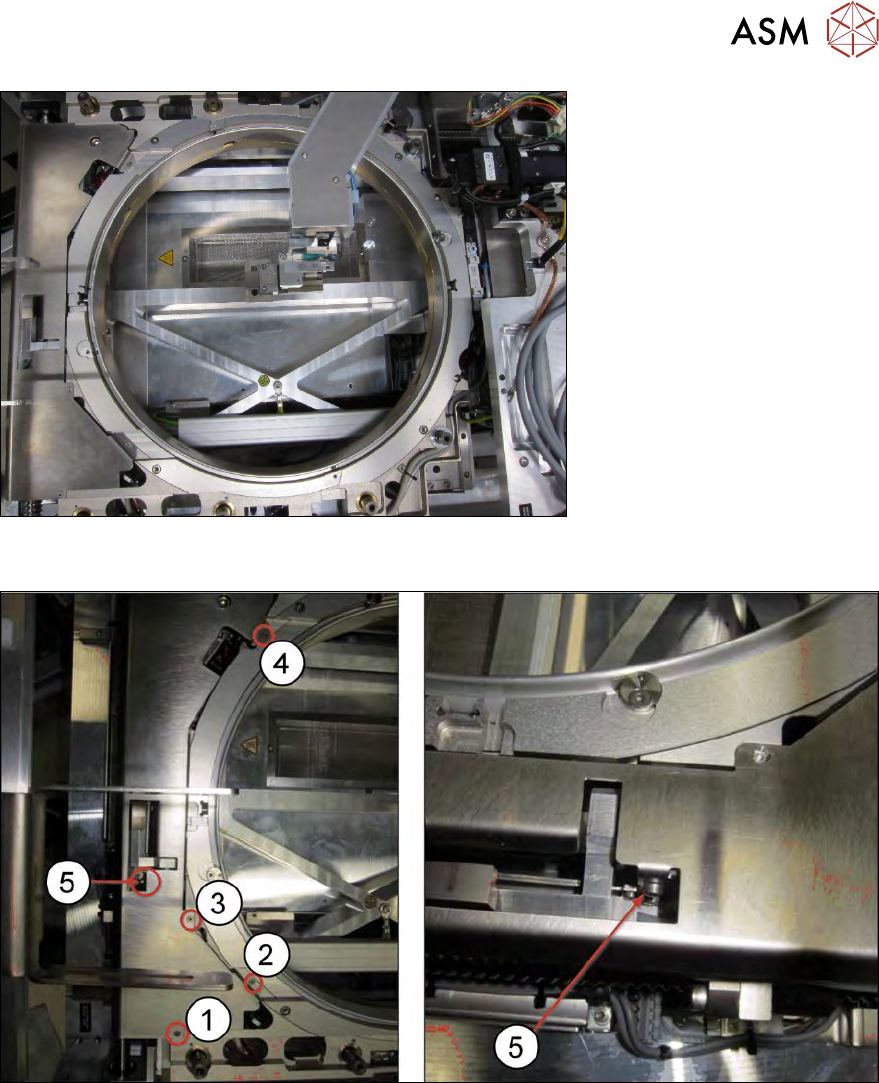
Fig.392:
The cover plate for the clamping unit must now be removed as follows:
Fig.393:
► Remove the four Phillips screws (1) to (4) and the Allen screw (5). The Allen screw is also
used to fasten the clamping cylinder under the cover plate.
12 Wafer stretcher
12.4 Removing the wafer stretcher
284 Service Manual SIPLACE Wafer System (SWS) 11/2018
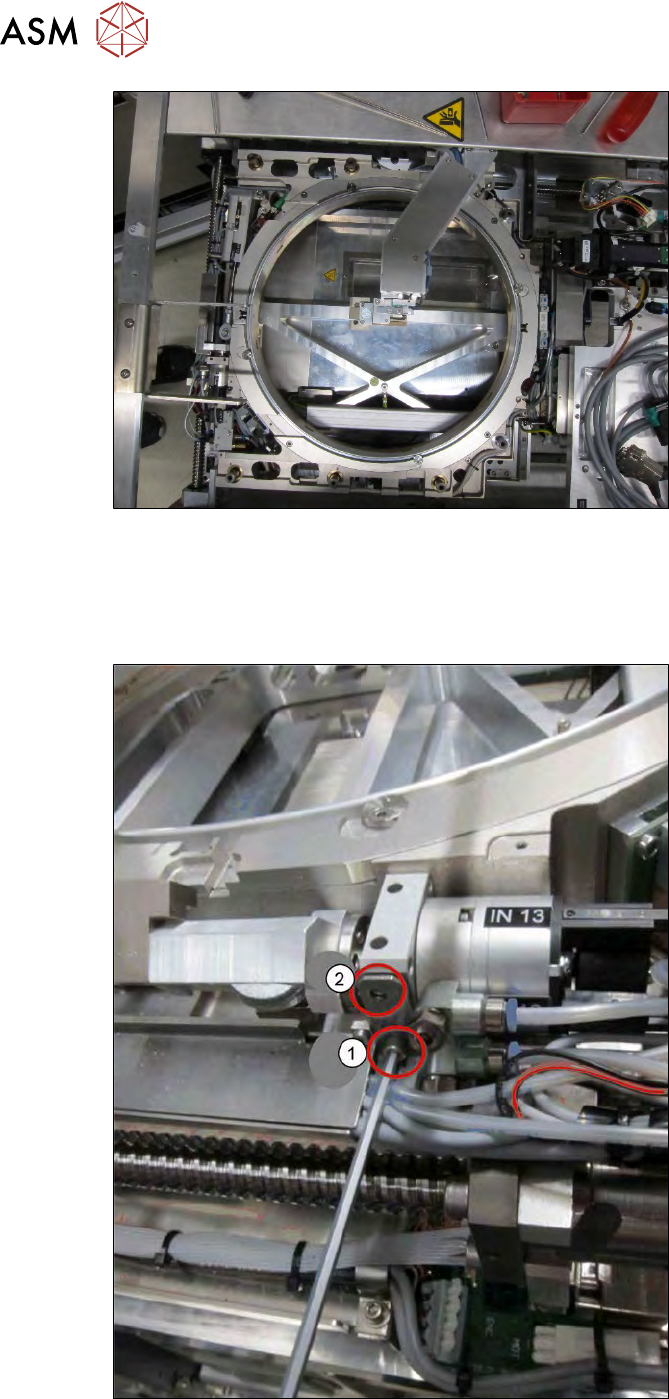
Fig.394:
► Remove the cover plate.
12.4.3 Removal on the clamping and lifting cylinder side
For further removal of the wafer stretcher, you need to gain access to the 4x4 fastening screws.
Fig.395:
► Remove the screw fastening the clamping cylinder (1).
The top fastening screw (2) was already removed while dismantling the cover plate.