00195982-03_SM_SWS_EN.pdf - 第337页
13 BoxPC, GALIL cards and axis control 13.1 Removing and replacing the BoxPC Service Manual SIPLACE Wafer System (SWS) 11/2018 337 Number Connection Connection on back Type 6 AXIS 9-10 (to wafer handler and lift) AXIS 9-…
13 BoxPC, GALIL cards and axis control
13.1 Removing and replacing the BoxPC
336 Service Manual SIPLACE Wafer System (SWS) 11/2018
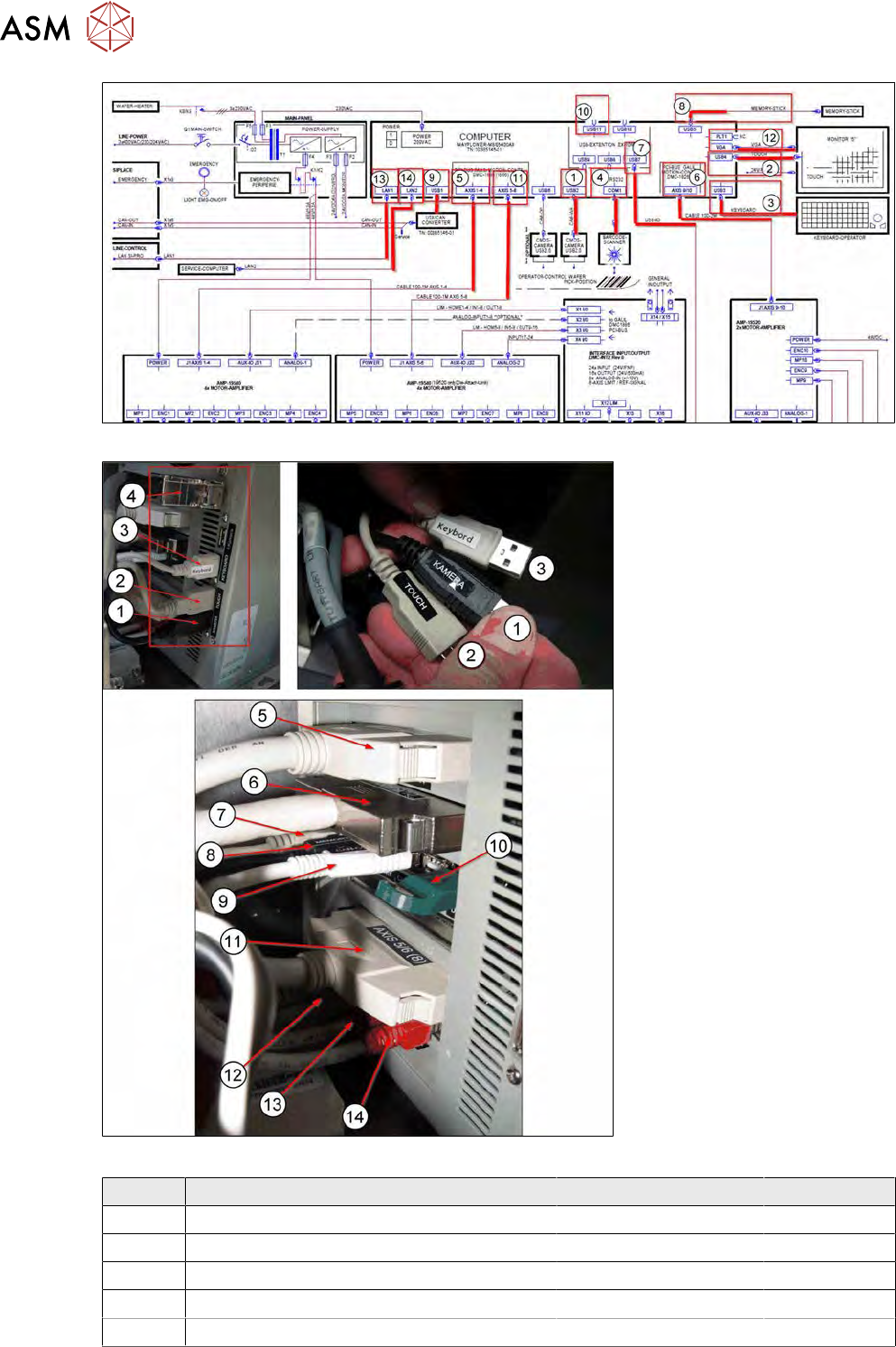
Fig.479:
Fig.480:
Number Connection Connection on back Type
1 CMOS camera wafer pick position USB 2 USB2.0
2 Touchscreen monitor USB 4 USB2.0
3 Keyboard USB 3 USB2.0
4 Barcode scanner COM1 RS232
5 AXIS 1-4 (to wafer X/Y and die ejector) AXIS 1-4 100pin cable
13 BoxPC, GALIL cards and axis control
13.1 Removing and replacing the BoxPC
Service Manual SIPLACE Wafer System (SWS) 11/2018 337
Number Connection Connection on back Type
6 AXIS 9-10 (to wafer handler and lift) AXIS 9-10 100pin cable
7 USB-IO (analog IO from flip unit and die at-
tach)
USB 7 USB2.0
8 Memory stick connection (on keyboard) USB 5 USB2.0
9 USB can converter (CAN in / CAN out from
CA)
USB 1 USB2.0
10 Vision dongle (always remains on the SWS!) USB 10 Green dongle
11 AXIS 5-8 (to slip unit and die attach) AXIS 5/6 (8) 100pin cable
12 VGA to monitor VGA VGA
13 LAN cable to line control LAN1 Cat5 red
14 LAN cable to service computer LAN2 Cat5 red
●
All cables are labeled.
●
All the allocated terminals on the BoxPC have the same designations.
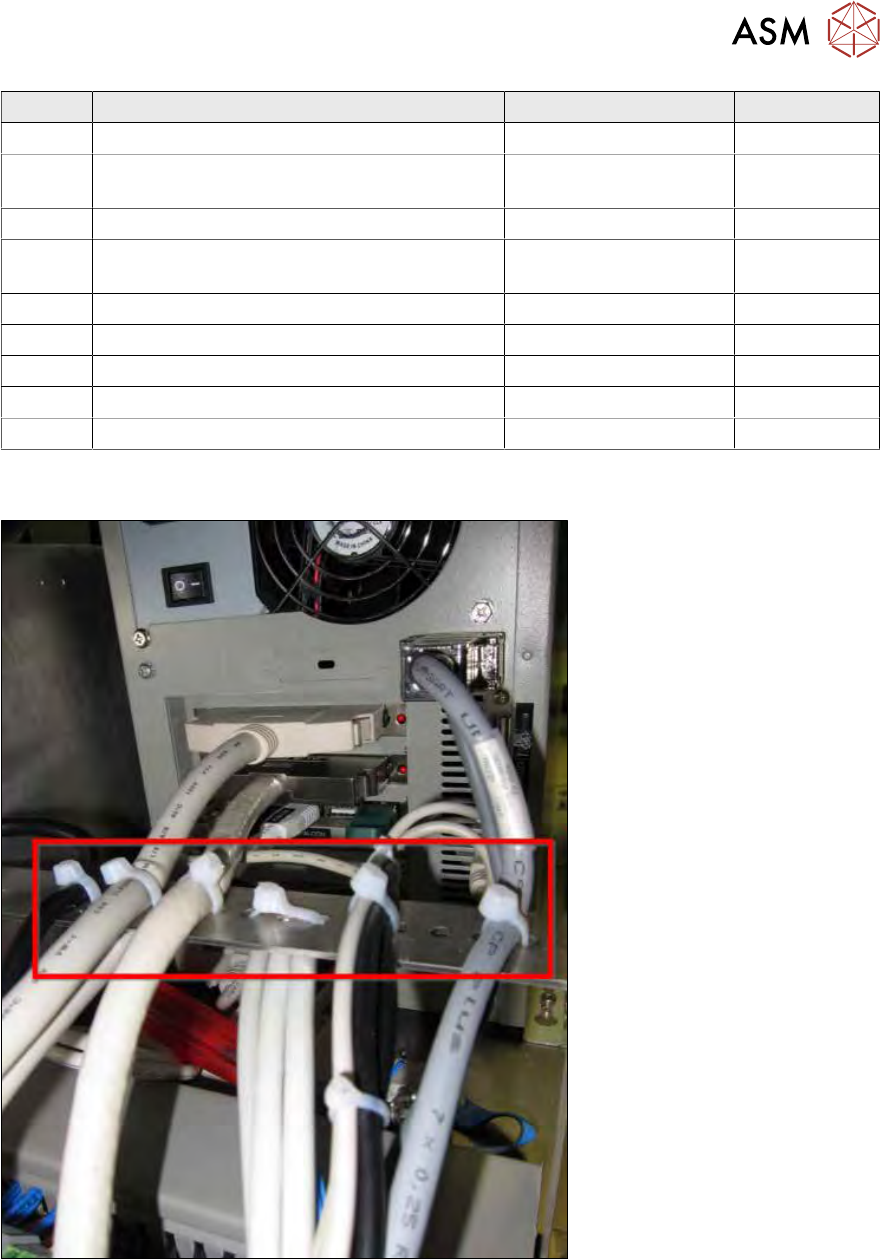
Fig.481:
► If disconnecting or connecting the cables causes problems, open the cable ties.
► After successfully replacing and connecting all cables, you must fix them properly into place
with cable ties.
These fixtures serve as strain relief.
The 100 pin connectors (5, 6 und 11) are particularly sensitive to vibration and changes in
tension.
13 BoxPC, GALIL cards and axis control
13.1 Removing and replacing the BoxPC
338 Service Manual SIPLACE Wafer System (SWS) 11/2018
13.1.3 Removing the BoxPC
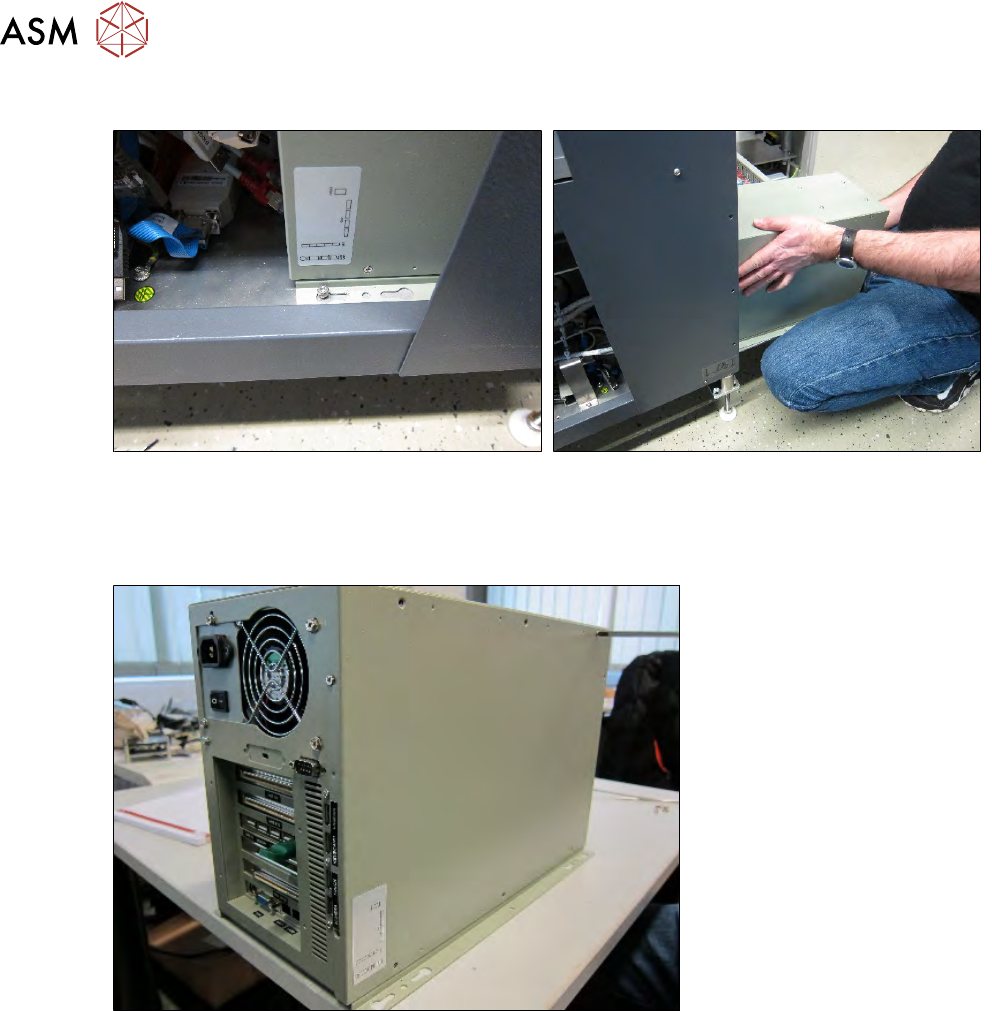
Fig.482:
► First push the BoxPC slightly towards the back, until the head of the screw is on the drilled
hole.
► Now lift the BoxPC up and remove it from the SWS.
Fig.483:
► Place the BoxPC down again.