00195982-03_SM_SWS_EN.pdf - 第357页
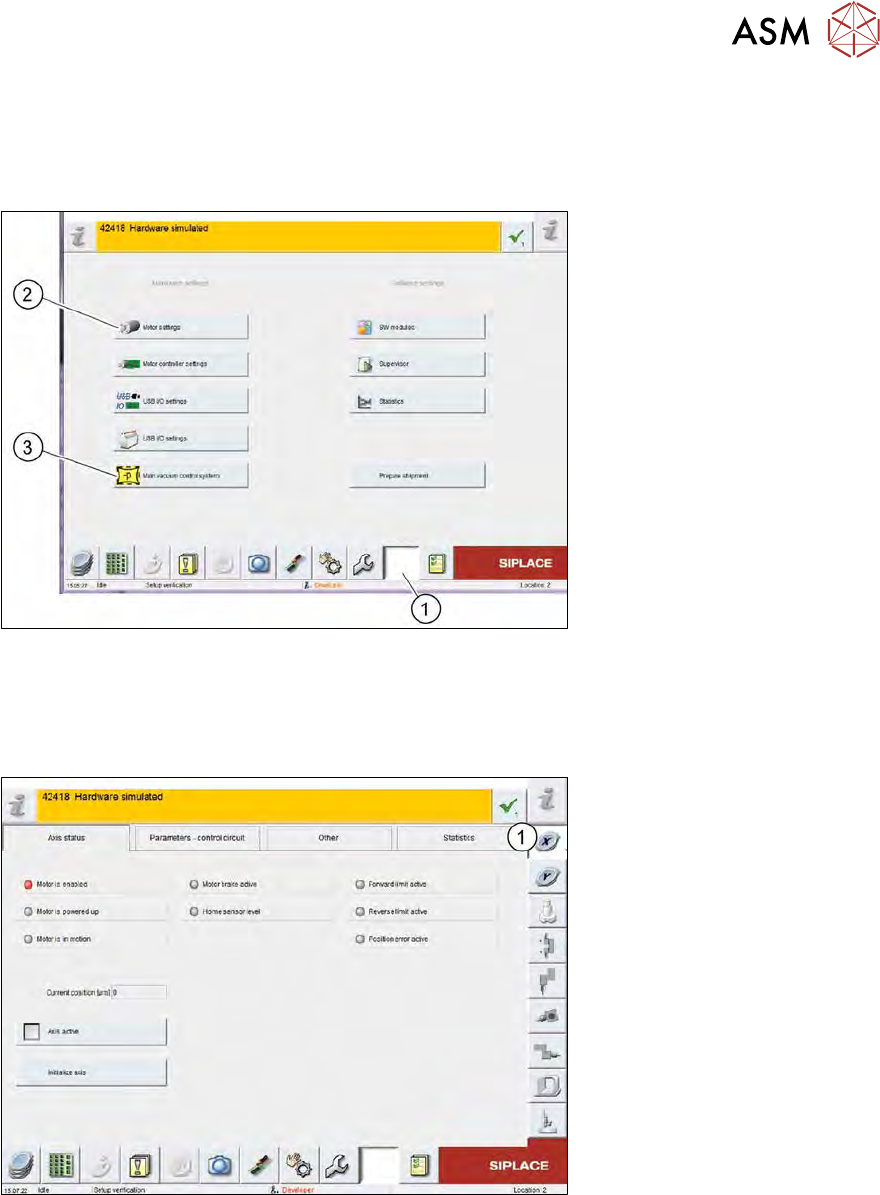
14 Settings and tests 14.1 SWS GUI - service settings Service Manual SIPLACE Wafer System (SWS) 11/2018 357 14 Settings and tests 14.1 SWS GUI - service settings Fig.510: SWS GUI - service settings menu ► Select the (1)…

13 BoxPC, GALIL cards and axis control
13.3 Replacing the servo amplifier for the axes
356 Service Manual SIPLACE Wafer System (SWS) 11/2018
14 Settings and tests
14.1 SWS GUI - service settings
Service Manual SIPLACE Wafer System (SWS) 11/2018 357
14 Settings and tests
14.1 SWS GUI - service settings
Fig.510: SWS GUI - service settings menu
► Select the (1) Service Settings button.
► Select Motor settings (2) or Main vacuum control system (3).
Motor settings
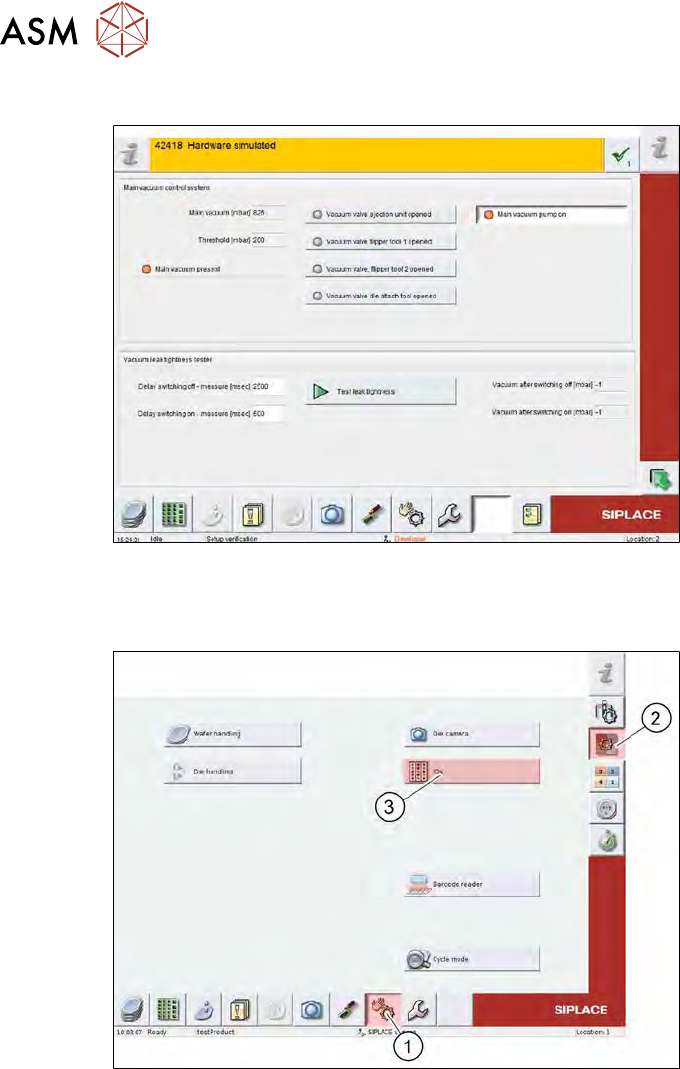
Fig.511: SWS GUI - motor settings
► Select the relevant assembly (1) to move the motor concerned and to view the corresponding
status of the axes or end position switches.
The information for each assembly is available in the tabs:
●
Axis status
●
Parameters - control unit
●
Other
●
Statistics
14 Settings and tests
14.2 Manual settings
358 Service Manual SIPLACE Wafer System (SWS) 11/2018
Main vacuum control system
Fig.512: SWS GUI - motor settings
14.2 Manual settings
Fig.513: SWS GUI - manual settings
► Select the (1) Manual Settings button.
► Select Manual Subsystems (2) and then IOs (3).