00195982-03_SM_SWS_EN.pdf - 第313页
12 Wafer stretcher 12.7 Wafer stretcher - configuration changes Service Manual SIPLACE Wafer System (SWS) 11/2018 313 Removing the lifting ring for the 8" wafer stretcher The lifting ring for the relevant wafer supp…
12 Wafer stretcher
12.7 Wafer stretcher - configuration changes
312 Service Manual SIPLACE Wafer System (SWS) 11/2018
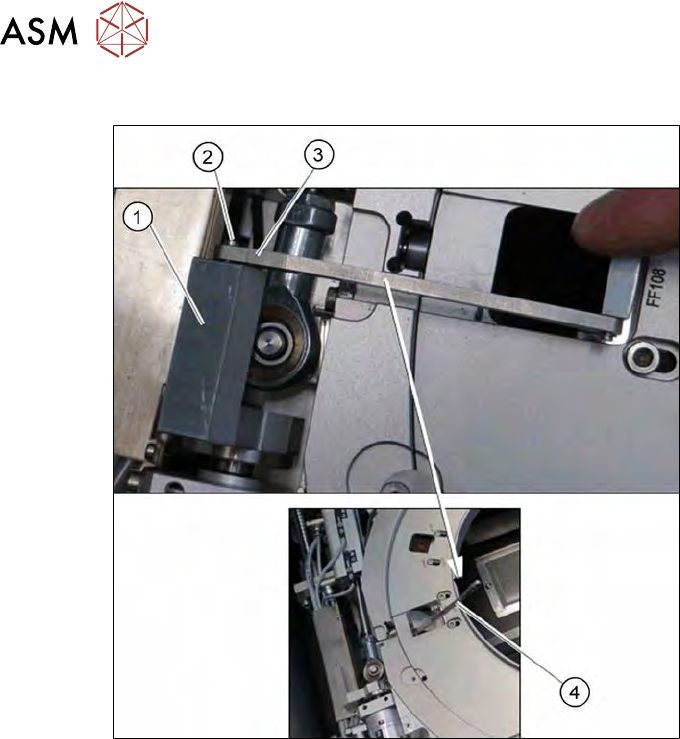
Releasing the clamp
Fig.441:
► Remove the circlip on the shaft (2) of the clamp (1).
► Unhook the clamp, so that the clamping lever (3) is free (4).
12 Wafer stretcher
12.7 Wafer stretcher - configuration changes
Service Manual SIPLACE Wafer System (SWS) 11/2018 313
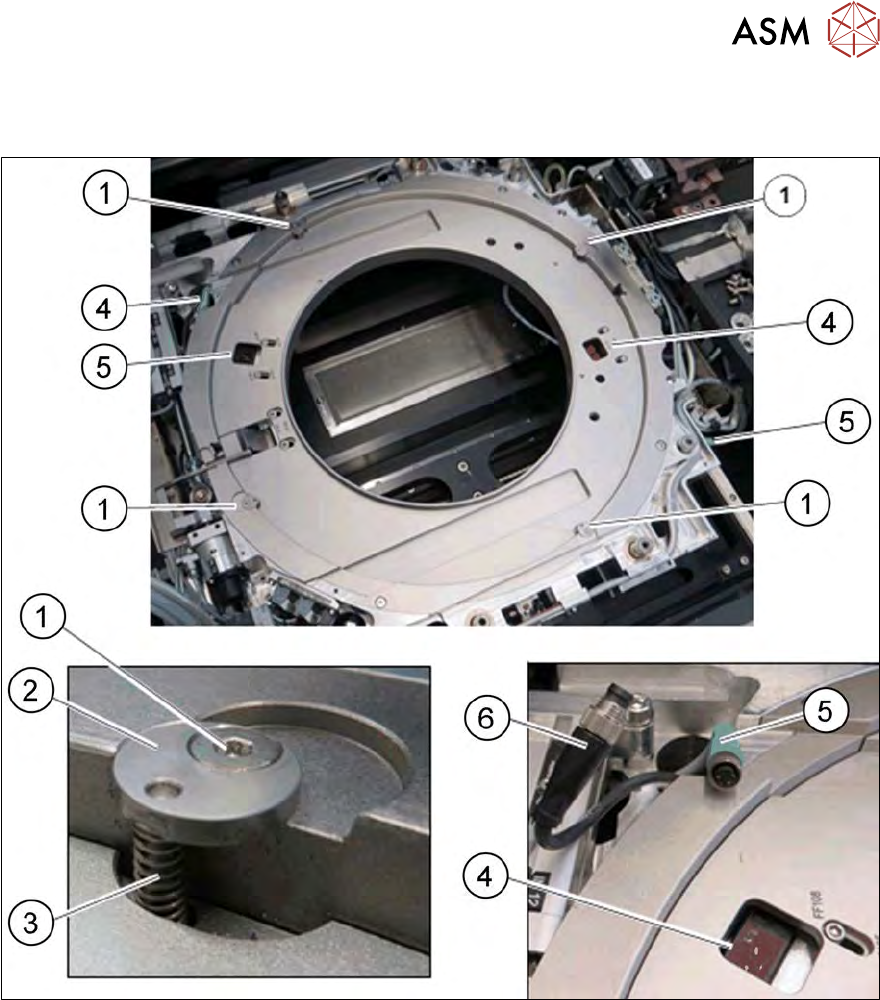
Removing the lifting ring for the 8" wafer stretcher
The lifting ring for the relevant wafer support needs to be replaced.
Fig.442: Wafer support - removing the lifting ring
► Remove the four screws (1) (fixing the lifting ring).
► Remove the fixing disk (2) and the spring (3). Take care that the fixing disk (2) and the
spring (3) are not lost, as you will need them later on for refitting.
► Disconnect the two sensors (4) by unplugging the connector (5) for the cable extension (6).
► Remove the lifting ring.
12 Wafer stretcher
12.7 Wafer stretcher - configuration changes
314 Service Manual SIPLACE Wafer System (SWS) 11/2018
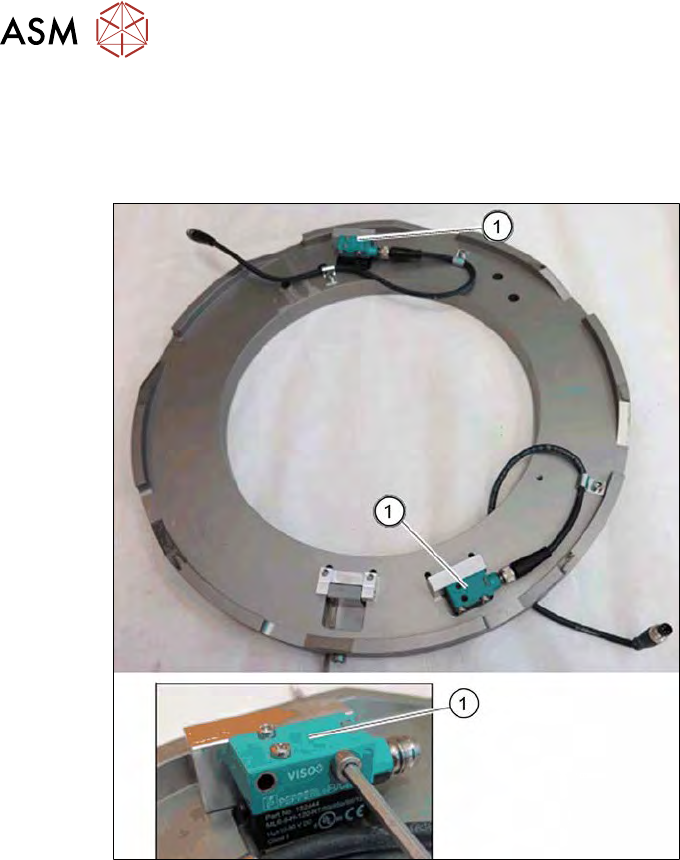
Removing the sensors for the 8" lifting ring
The sensors for the 8" wafer support are fastened to the lifting ring. These sensors need to be dis-
mantled in order to refit the 8" lifting ring later on. The two sensors for the 12" wafer support are fit-
ted to the wafer support in the SWS with the help of the brackets provided.
Fig.443: Wafer support - 8" lifting ring removed
► Dismantle the heat shield panels attached over the sensors.
► Remove the two sensors (1) from the mounting brackets of the lifting ring.
► Remove the two sensors and fit them on the two mounting brackets from the 12" retrofit kit.