00195982-03_SM_SWS_EN.pdf - 第224页
10 Option Die Attach Unit SWS 10.1 Installing the Option Die Attach Unit SWS 224 Service Manual SIPLACE Wafer System (SWS) 11/2018 Fig.293: ► Remove the lower safety screws (7) of the vacuum valve Y6. Loosen the upper s…
10 Option Die Attach Unit SWS
10.1 Installing the Option Die Attach Unit SWS
Service Manual SIPLACE Wafer System (SWS) 11/2018 223
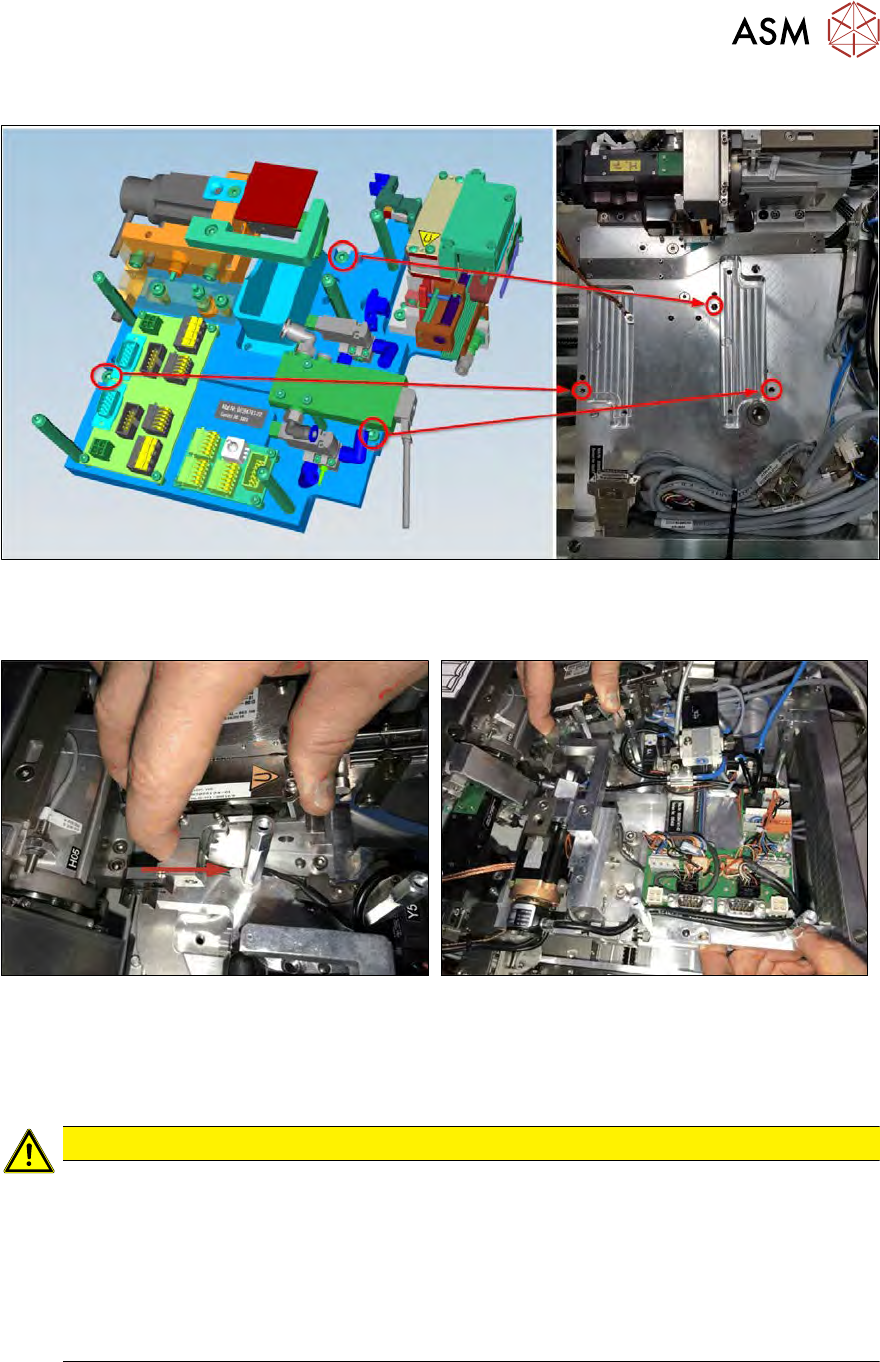
Installation position of Die Attach Unit in the SWS
Fig.291: Fastening screws
The Die Attach Unit is fastened (M5x16) to the ground plate of the SWS with three screws as
shown!
Fig.292:
► Carefully place the Die Attach Unit into that position!
► The transfer X-axis must not hit the raceway of the Flip-Unit!
► Pull back the transfer X axis and place the Die Attach Unit on the ground plate.
CAUTION
When placing the Die Attach Unit on the ground plate, observe the following points:
► Hold back the transfer X axis.
► Place the Die Attach Unit on the ground plate of the SWS and align the Die Attach
Unit with the screw positions.
► Carefully insert the transfer X axis in the raceway of the flip head (cutout in the race-
way).
ð Otherwise, the transfer X axis can be damaged.
10 Option Die Attach Unit SWS
10.1 Installing the Option Die Attach Unit SWS
224 Service Manual SIPLACE Wafer System (SWS) 11/2018
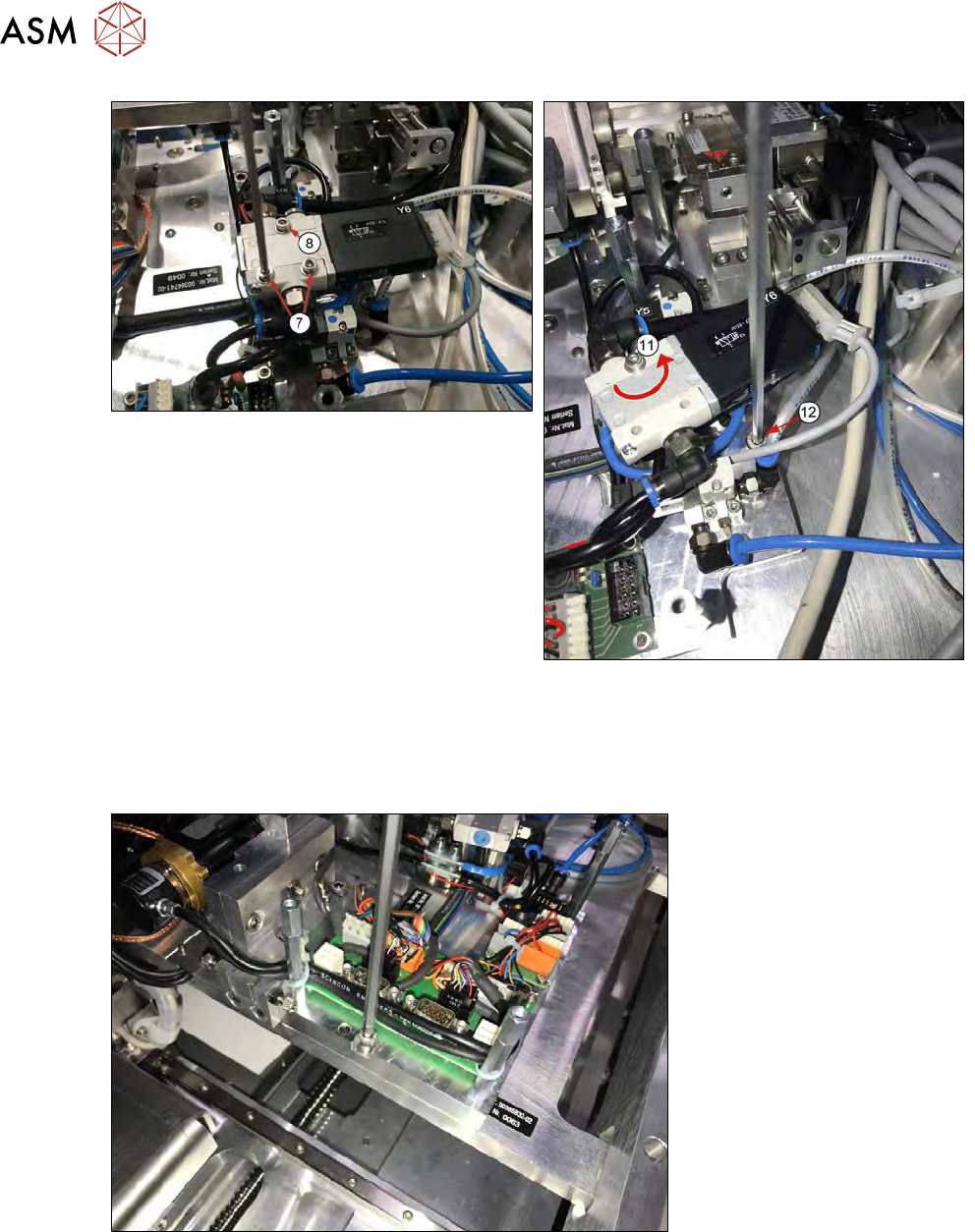
Fig.293:
► Remove the lower safety screws (7) of the vacuum valve Y6. Loosen the upper screw (8) and
rotate the valve Y6 (11) around the position of the locking screw No.1(12) (M5x16) to get
access to the Die Attach Unit.
► Insert the Die Attach safety screw but do not tighten it yet.
Fig.294:
► Insert the safety screw No. 2 (M5x16) of the Die Attach Unit and slightly tighten it.
10 Option Die Attach Unit SWS
10.1 Installing the Option Die Attach Unit SWS
Service Manual SIPLACE Wafer System (SWS) 11/2018 225
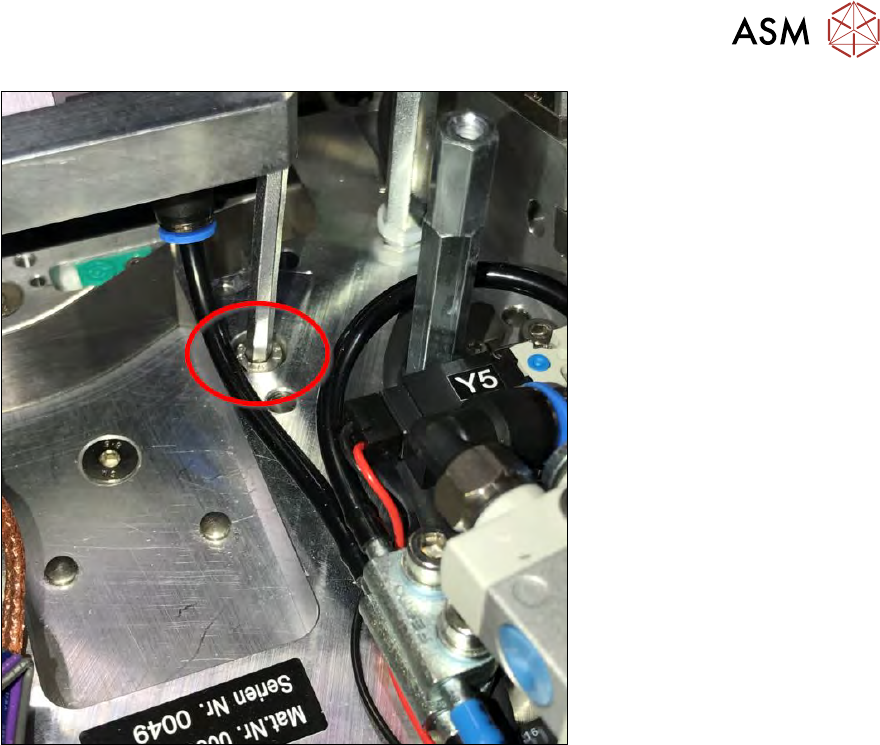
Fig.295:
► Insert the safety screw No. 3 (M5x16) of the Die Attach Unit and slightly tighten it.
► Check whether the transfer X axis of the Die Attach Unit can smoothly be moved by hand.
– If not or if the jaw of the transfer X axis is slightly twisted, loosen all three safety screws
again.
– Move the Die Attach Unit, then press it down. Tighten the three safety screws stepwise.
– Sometimes, the Die Attach Unit is stuck on the alignment bolt. As a result, the Die Attach
Unit is slightly tilted and cannot be placed down onto the ground plate completely. In this
case the jaw of the transfer X axis is misaligned.
– Now fully tighten all three safety screws of the Die Attach Unit.
– Move the transfer X axis manually.
If the jaw is touching the raceway of the flip head, loosen the three safety screws of the Die
Attach Unit.
Move the Die Attach Unit, then press it down.
Tighten the three safety screws stepwise.
Sometimes, the Die Attach Unit is stuck on the alignment bolt and cannot be placed down
on the ground plate completely.