00195982-03_SM_SWS_EN.pdf - 第248页
10 Option Die Attach Unit SWS 10.2 Dissambling Die-Attach-Unit SWS 248 Service Manual SIPLACE Wafer System (SWS) 11/2018 Fig.335: ► Remove the Die Attach Unit safety screw (14) . CAUTION Before you can lift out the Die …
10 Option Die Attach Unit SWS
10.2 Dissambling Die-Attach-Unit SWS
Service Manual SIPLACE Wafer System (SWS) 11/2018 247
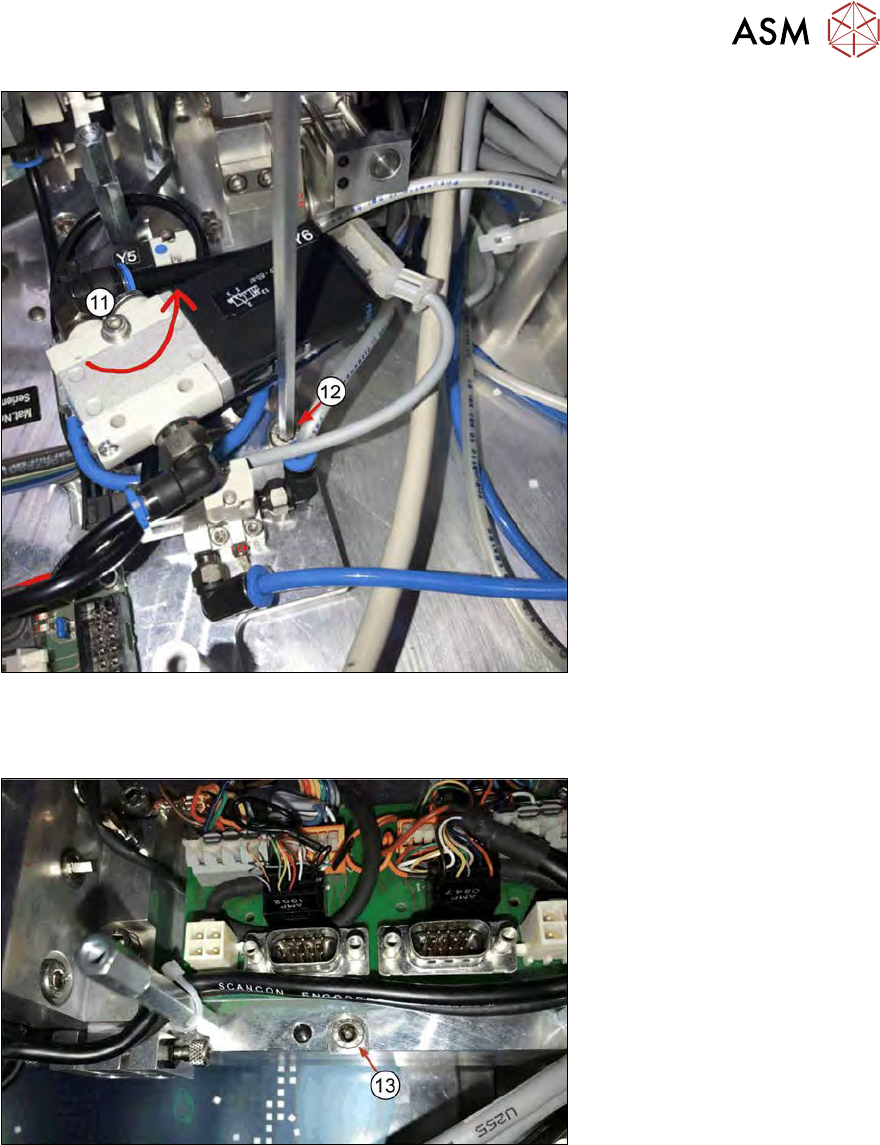
Fig.333:
► Rotate valve Y8 to access the Die Attach Unit safety screw (11).
► Remove the safety screw (12).
Fig.334:
► Remove the safety screw (13).
10 Option Die Attach Unit SWS
10.2 Dissambling Die-Attach-Unit SWS
248 Service Manual SIPLACE Wafer System (SWS) 11/2018
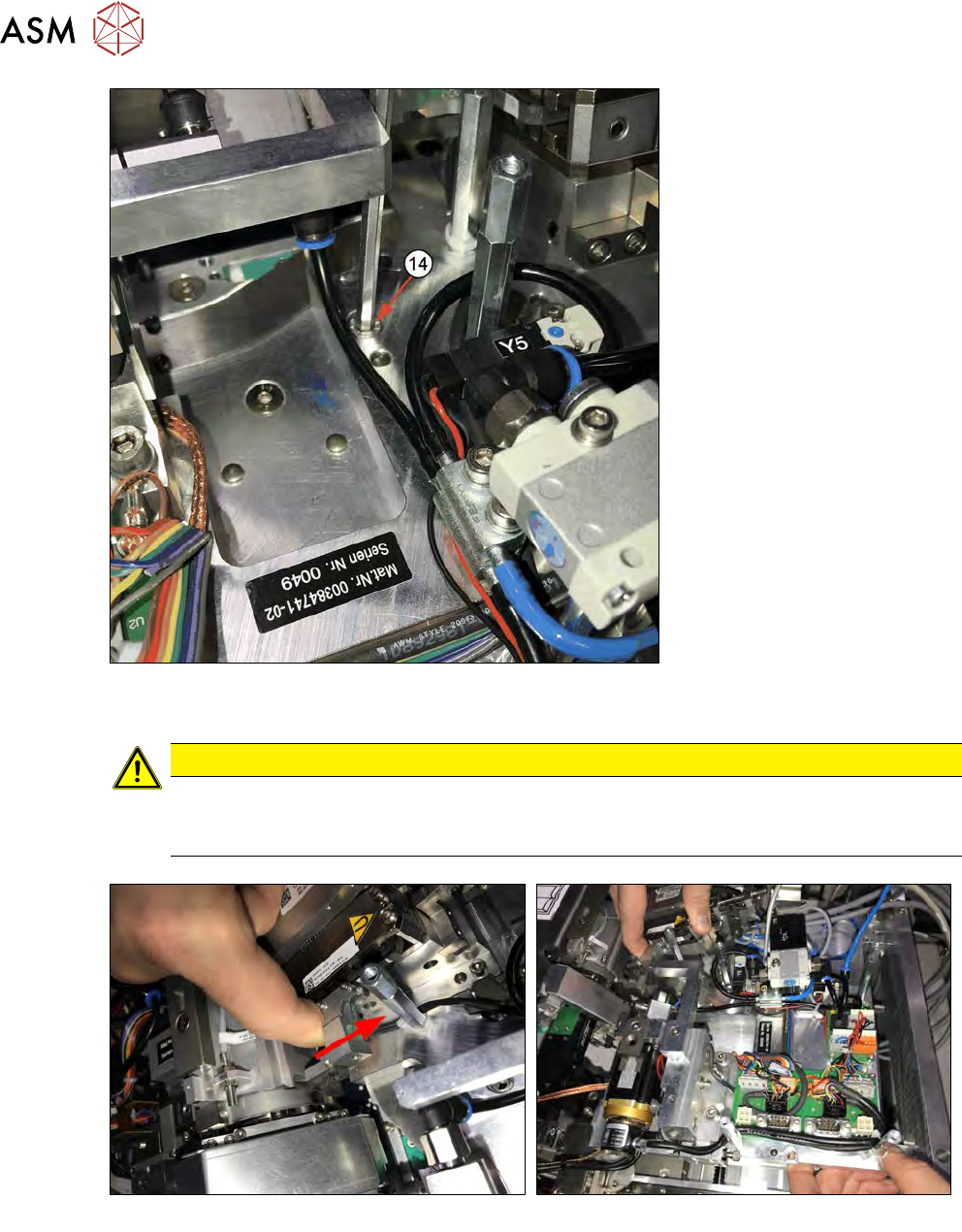
Fig.335:
► Remove the Die Attach Unit safety screw (14).
CAUTION
Before you can lift out the Die Attach Unit, you must pull the transfer X axis back (see the
figure below and section 10.1.3 "Installing the Option Die Attach Unit in SWS" [}219]).
Otherwise, the axis will be bent and damaged!
Fig.336:
► Before you can remove the Die Attach Unit, you must pull the transfer X axis back to have the
jaw moved out of the flip head raceway!
► Lift the Die Attach Unit out.
10 Option Die Attach Unit SWS
10.2 Dissambling Die-Attach-Unit SWS
Service Manual SIPLACE Wafer System (SWS) 11/2018 249
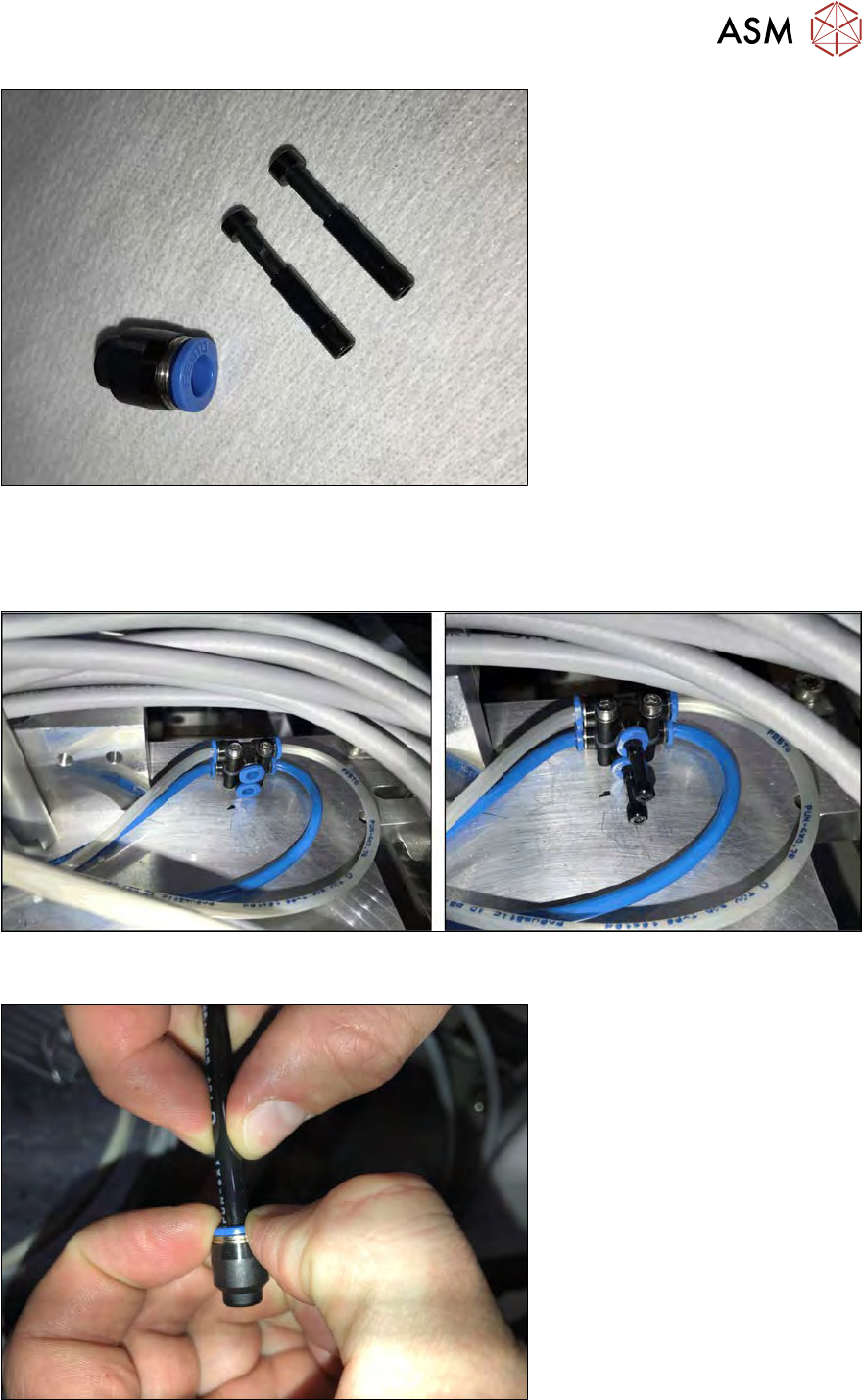
Fig.337: Parts
The parts in the following figure are needed to close the open compressed air and vacuum connec-
tions.
The sealing cap and the sealing plugs are delivered with the Die Attach Unit.
Fig.338: Plugs
► Plug the sealing plugs into the open compressed air connections.
Fig.339:
► Put the sealing cap onto the open vacuum tube.