00195982-03_SM_SWS_EN.pdf - 第336页
13 BoxPC, GALIL cards and axis control 13.1 Removing and replacing the BoxPC 336 Service Manual SIPLACE Wafer System (SWS) 11/2018 Fig.479: Fig.480: Number Connection Connection on back Type 1 CMOS camera wafer pick po…
13 BoxPC, GALIL cards and axis control
13.1 Removing and replacing the BoxPC
Service Manual SIPLACE Wafer System (SWS) 11/2018 335
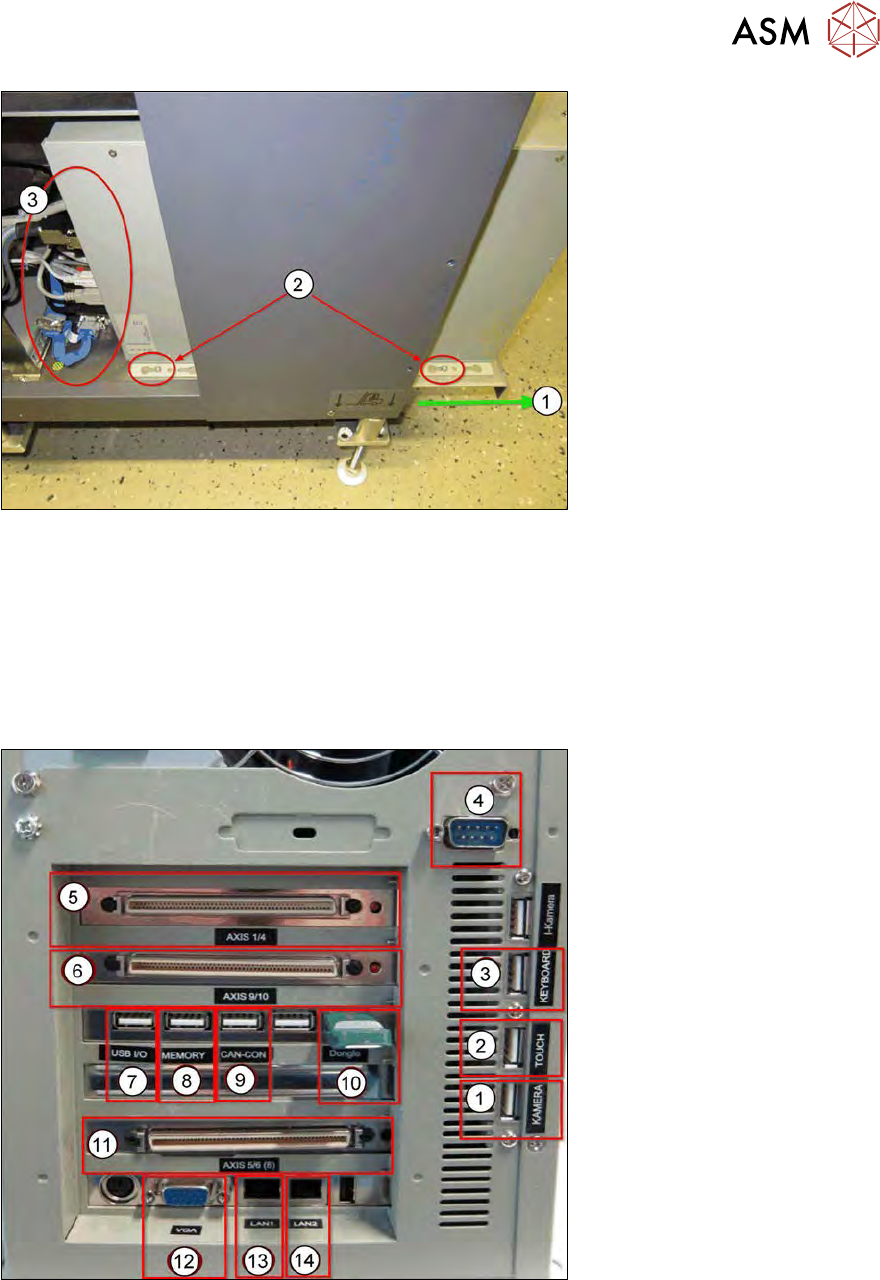
Fig.477:
► Pull the side cover plate out of its frame, until the back and front retaining screws (1) on the
BoxPC can be accessed.
► Loosen the two screws(2), so that the BoxPC can be moved on the side cover plate.
Before pulling out the BoxPC, unplug all connections(3) as follows:
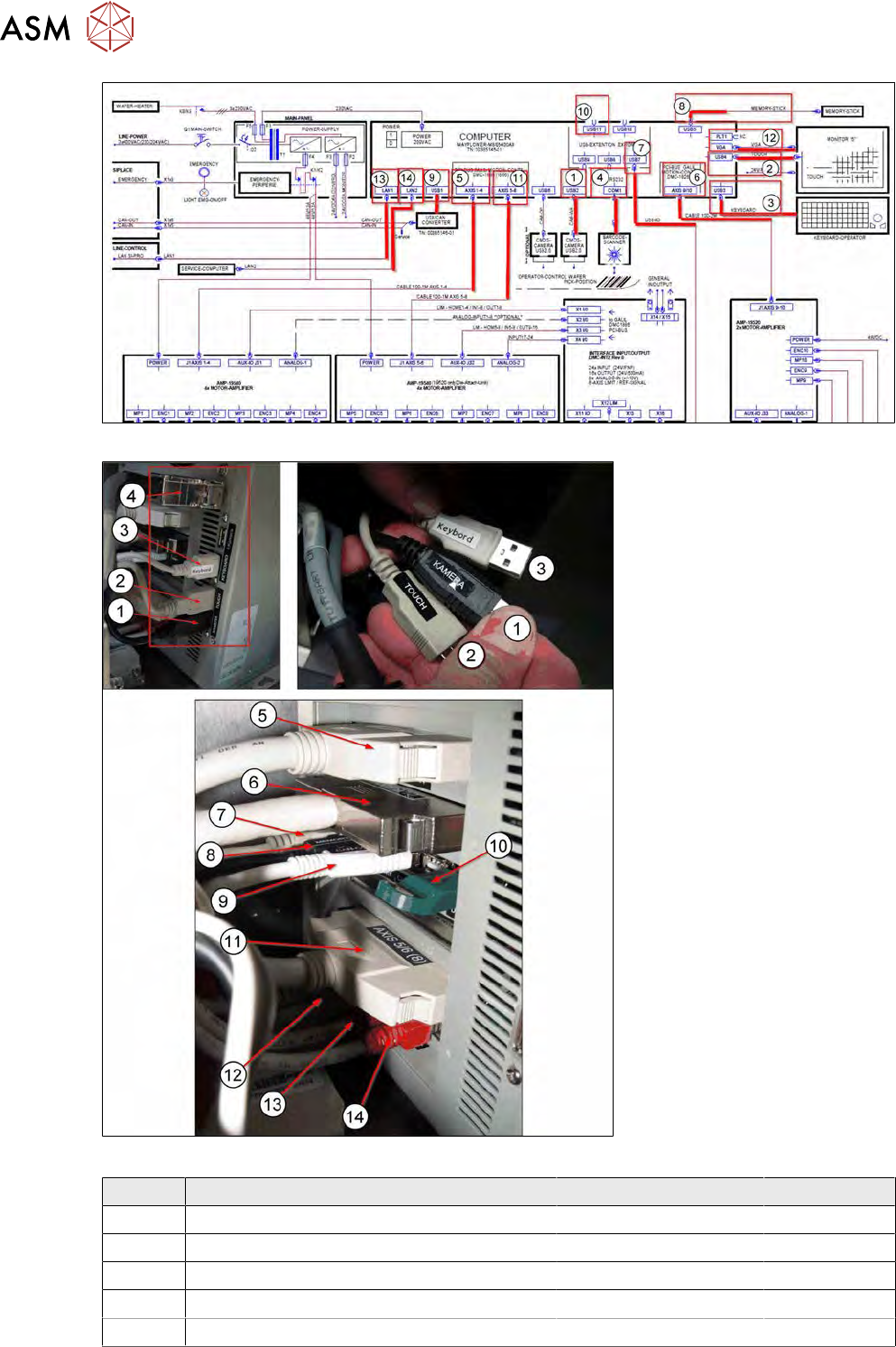
13.1.2.1 Cable connections on the back of the BoxPC
The following connections are on the back of the BoxPC:
Fig.478:
13 BoxPC, GALIL cards and axis control
13.1 Removing and replacing the BoxPC
336 Service Manual SIPLACE Wafer System (SWS) 11/2018
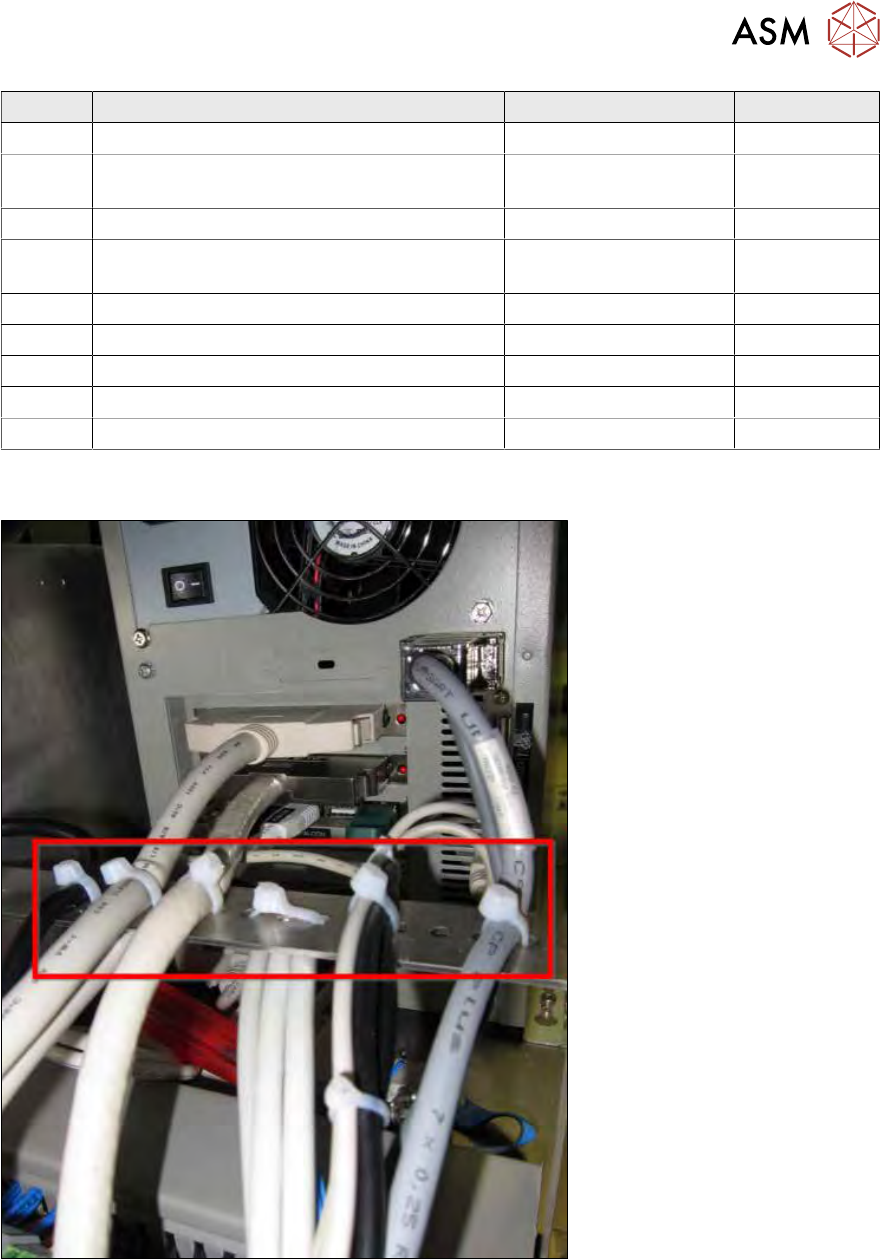
Fig.479:
Fig.480:
Number Connection Connection on back Type
1 CMOS camera wafer pick position USB 2 USB2.0
2 Touchscreen monitor USB 4 USB2.0
3 Keyboard USB 3 USB2.0
4 Barcode scanner COM1 RS232
5 AXIS 1-4 (to wafer X/Y and die ejector) AXIS 1-4 100pin cable
13 BoxPC, GALIL cards and axis control
13.1 Removing and replacing the BoxPC
Service Manual SIPLACE Wafer System (SWS) 11/2018 337
Number Connection Connection on back Type
6 AXIS 9-10 (to wafer handler and lift) AXIS 9-10 100pin cable
7 USB-IO (analog IO from flip unit and die at-
tach)
USB 7 USB2.0
8 Memory stick connection (on keyboard) USB 5 USB2.0
9 USB can converter (CAN in / CAN out from
CA)
USB 1 USB2.0
10 Vision dongle (always remains on the SWS!) USB 10 Green dongle
11 AXIS 5-8 (to slip unit and die attach) AXIS 5/6 (8) 100pin cable
12 VGA to monitor VGA VGA
13 LAN cable to line control LAN1 Cat5 red
14 LAN cable to service computer LAN2 Cat5 red
●
All cables are labeled.
●
All the allocated terminals on the BoxPC have the same designations.
Fig.481:
► If disconnecting or connecting the cables causes problems, open the cable ties.
► After successfully replacing and connecting all cables, you must fix them properly into place
with cable ties.
These fixtures serve as strain relief.
The 100 pin connectors (5, 6 und 11) are particularly sensitive to vibration and changes in
tension.