00195982-03_SM_SWS_EN.pdf - 第396页
15 Calibration 15.4 Calibration of the complete wafer handling 396 Service Manual SIPLACE Wafer System (SWS) 11/2018 Fig.576: (1) Wafer table rail (2) Magazine plate (3) Metal ruler ► Place a metal ruler (3) on the guid…
15 Calibration
15.4 Calibration of the complete wafer handling
Service Manual SIPLACE Wafer System (SWS) 11/2018 395
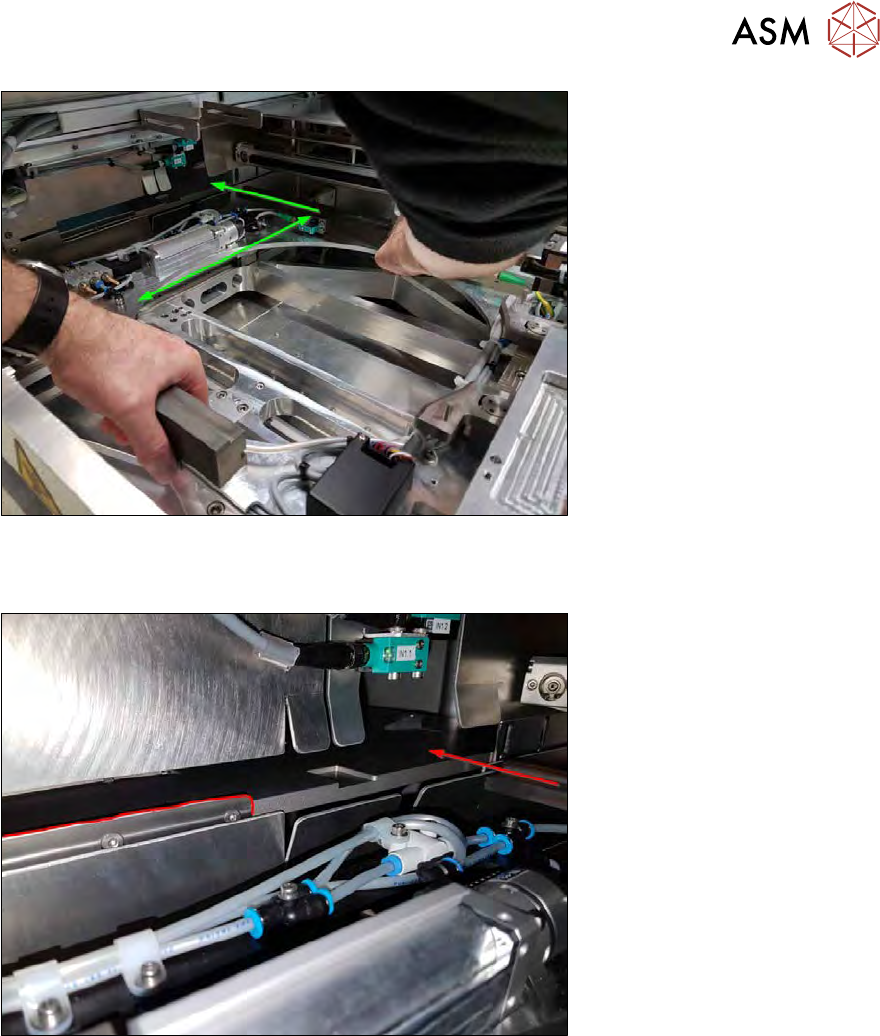
Fig.574:
► Move the wafer table manually to a position, where one rail has a direct transfer position to
the magazine plate.
Fig.575:
► Search for a free area without stopper plates.
15 Calibration
15.4 Calibration of the complete wafer handling
396 Service Manual SIPLACE Wafer System (SWS) 11/2018
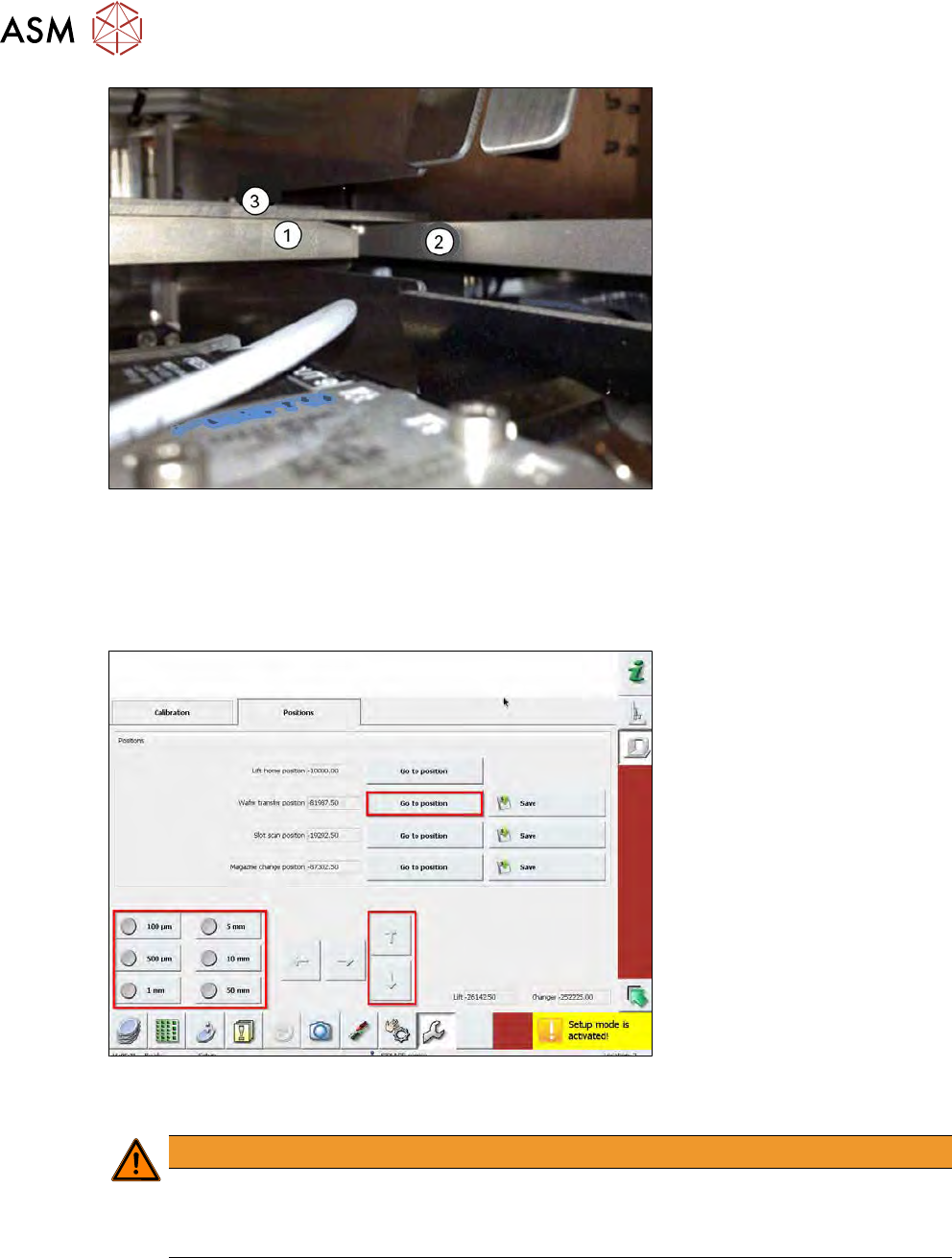
Fig.576:
(1) Wafer table rail
(2) Magazine plate
(3) Metal ruler
► Place a metal ruler (3) on the guide rail.
Fig.577:
► Use the manipulator and move the wafer lift slowly until they are on the same level.
WARNING
Mind the moving lifting axis!
► Never put your fingers into the lift area.
► Always use a metal ruler!
► Use small steps (e.g. 100µm or 500µm) to adjust the wafer transfer position.
► Choose Save next to Wafer transfer position to save the position.
15 Calibration
15.4 Calibration of the complete wafer handling
Service Manual SIPLACE Wafer System (SWS) 11/2018 397
15.4.1.4 Calibrating the wafer lift position – magazine change position
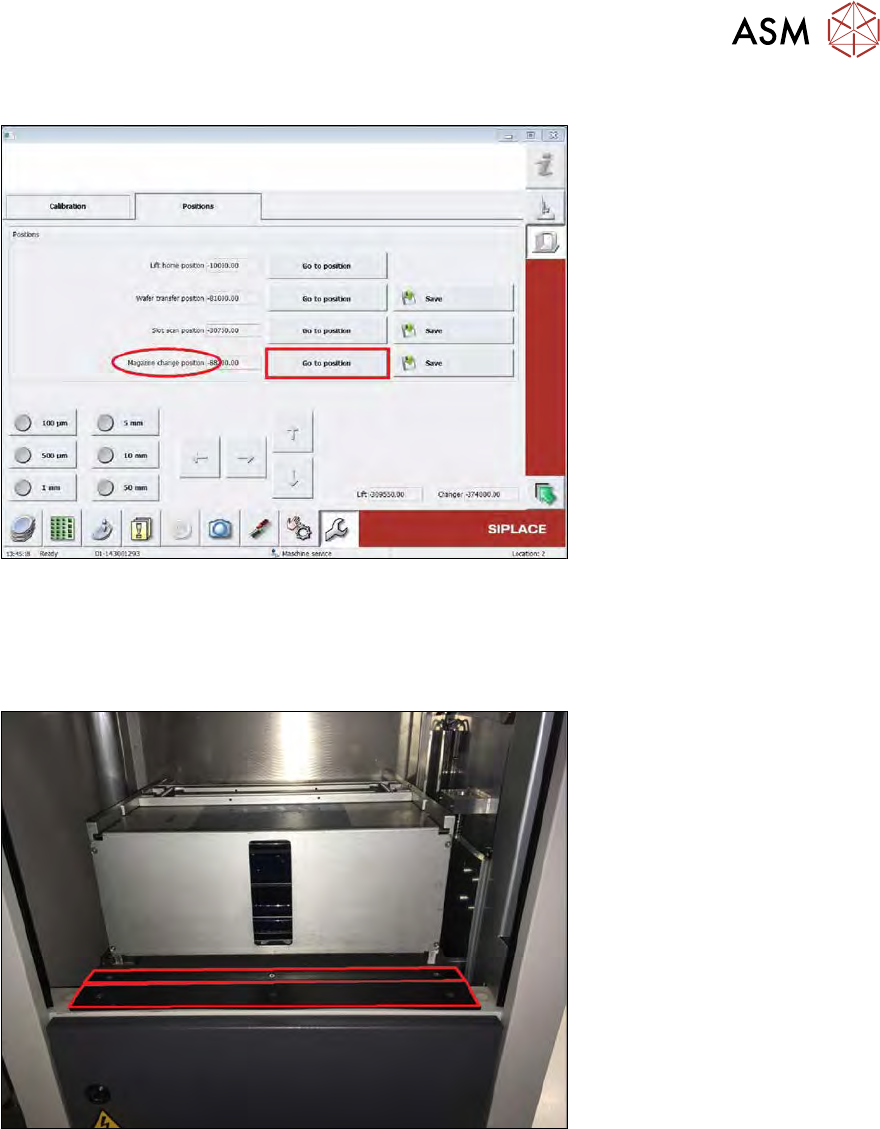
Fig.578:
► (1) Choose the Go to position button next to Magazine change position to move the lifting
axis into this position.
► (2) The plastic rail on the magazine plate and the one on the lift frame should now be on the
same level (see figure below).
Fig.579:
► (3) If not, correct the position with the up and down arrow keys after choosing the appropriate
step size.