00195982-03_SM_SWS_EN.pdf - 第132页
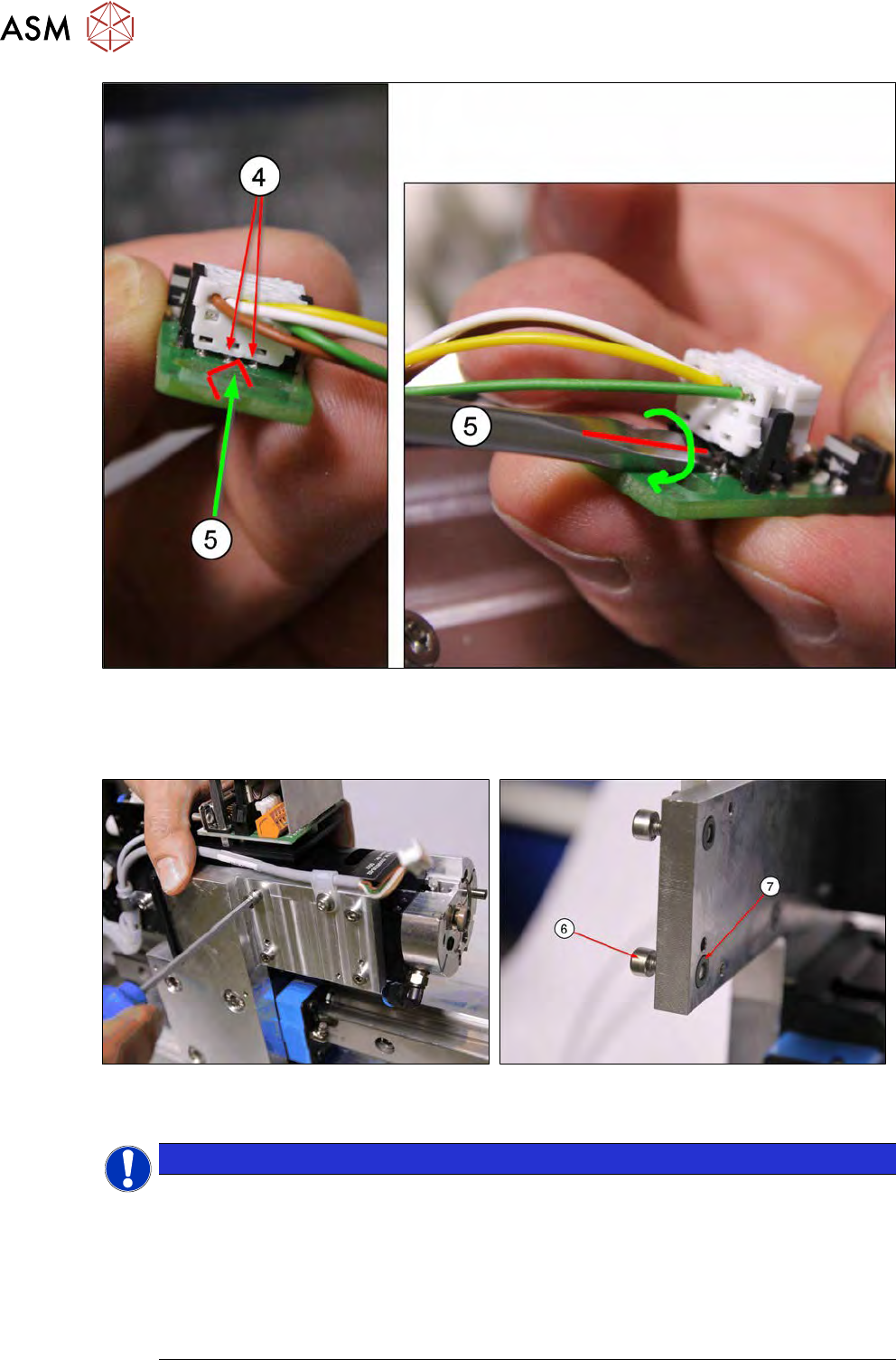
7 Die ejector 7.3 Replacing spare parts 132 Service Manual SIPLACE Wafer System (SWS) 11/2018 Fig.153: ► Option 2: Push the tip of a screwdriver (5) sideways between the two connection pins on the connector (4) . Turn …
7 Die ejector
7.3 Replacing spare parts
Service Manual SIPLACE Wafer System (SWS) 11/2018 131
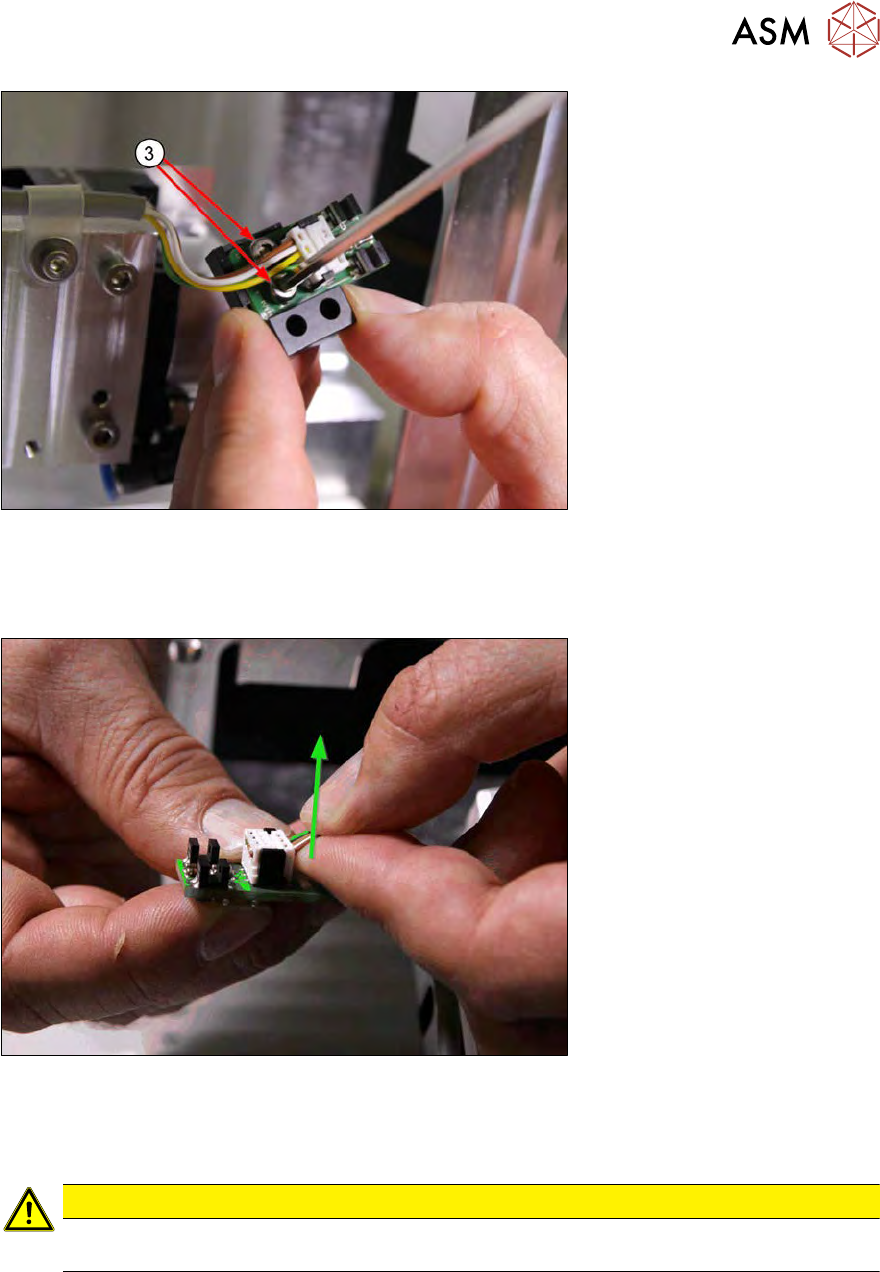
Fig.151:
► Remove the two screws (3) and take the board off the support block.
Unplug the connector from the dual light barrier board [00385741-xx]. There are two options for un-
plugging the connector:
Fig.152:
► Option 1: Try to pull the connector up and off with as little effort as possible, as shown in the
diagram. It is helpful if the index finger has contact with the white housing of the pug and the
cable is held by the thumb.
CAUTION
► Only use minimum effort on the connector. If this is not possible, proceed as follows
(option 2):
7 Die ejector
7.3 Replacing spare parts
132 Service Manual SIPLACE Wafer System (SWS) 11/2018
Fig.153:
► Option 2: Push the tip of a screwdriver (5) sideways between the two connection pins on the
connector(4).
Turn slightly to lever the connector out of the holder.
Fig.154:
► Loosen the four screws fastening the Z axis die ejector.
NOTICE
The four fastening screws (6) each have a loss prevention lock [03075495‑xx](7). This loss
prevention lock is located between the support plate and the Z axis die ejector, in a shallow
sink. The fastening screws(6) do not need to be completely removed as they can be held
by the last turns of the thread in the loss prevention lock(7).
The lock thread is at the base of the shallow sink, meaning that there is about 2 mm lock
thread before the screw could fall out.
► However, if the screws are removed completely, make sure that these loss prevention
locks are not lost when the Z axis die ejector is removed.
7 Die ejector
7.3 Replacing spare parts
Service Manual SIPLACE Wafer System (SWS) 11/2018 133
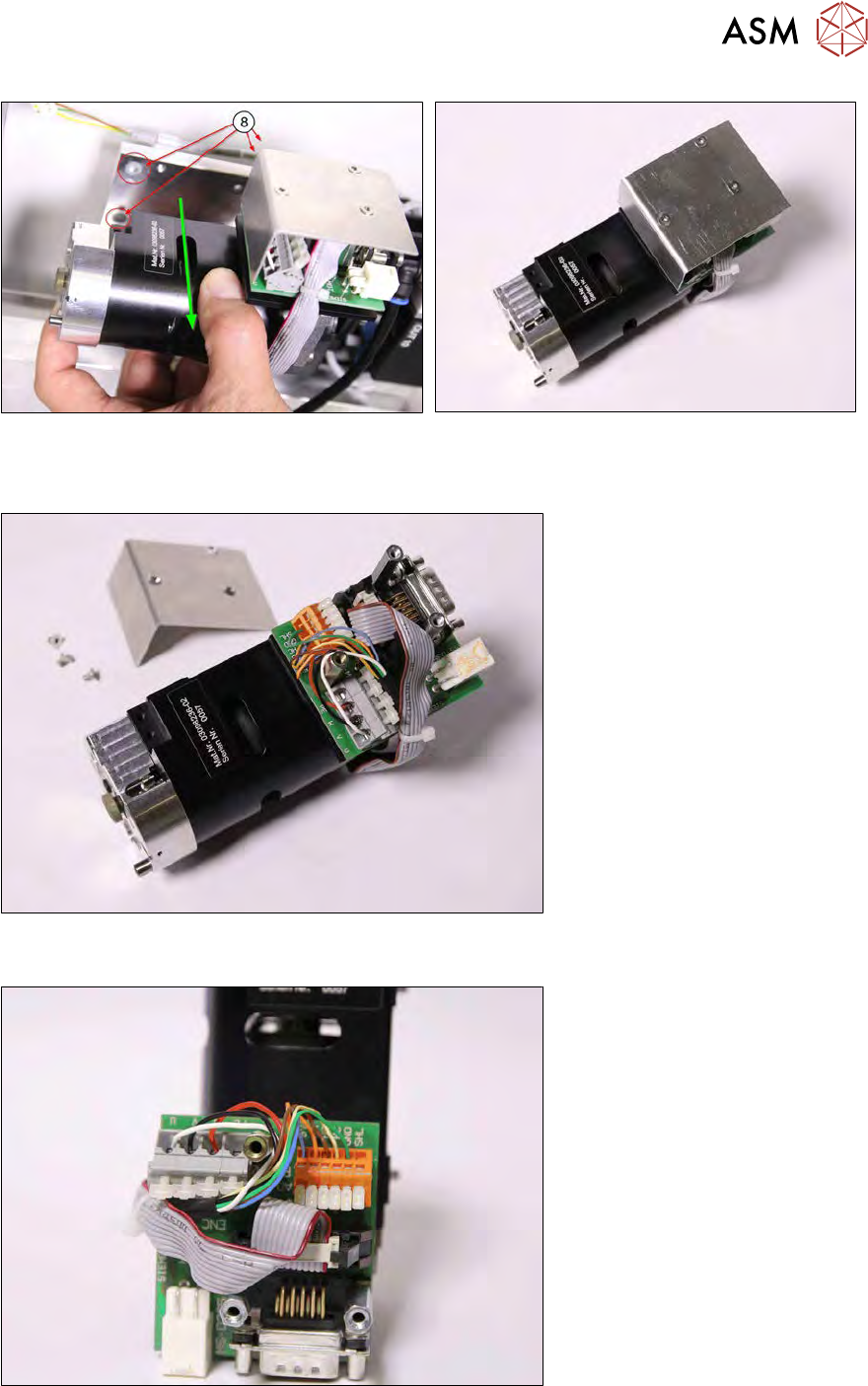
Fig.155: Pulling off
Fig.156: Dismantled Z axis die ejector
► Pull off the Z axis die ejector. Make sure that the four loss prevention locks (8) do not fall out
(diagram shows two visible and two covered).
Fig.157:
► Remove the board cover.
Fig.158:
► Disconnect all cables (small screwdriver).
► Disconnect the encoder signal (ENC).