00195982-03_SM_SWS_EN.pdf - 第304页
12 Wafer stretcher 12.6 Fitting the wafer stretcher 304 Service Manual SIPLACE Wafer System (SWS) 11/2018 Fig.436: The wafer stretcher has now been completely fitted. Perform the necessary calibrations.
12 Wafer stretcher
12.6 Fitting the wafer stretcher
Service Manual SIPLACE Wafer System (SWS) 11/2018 303
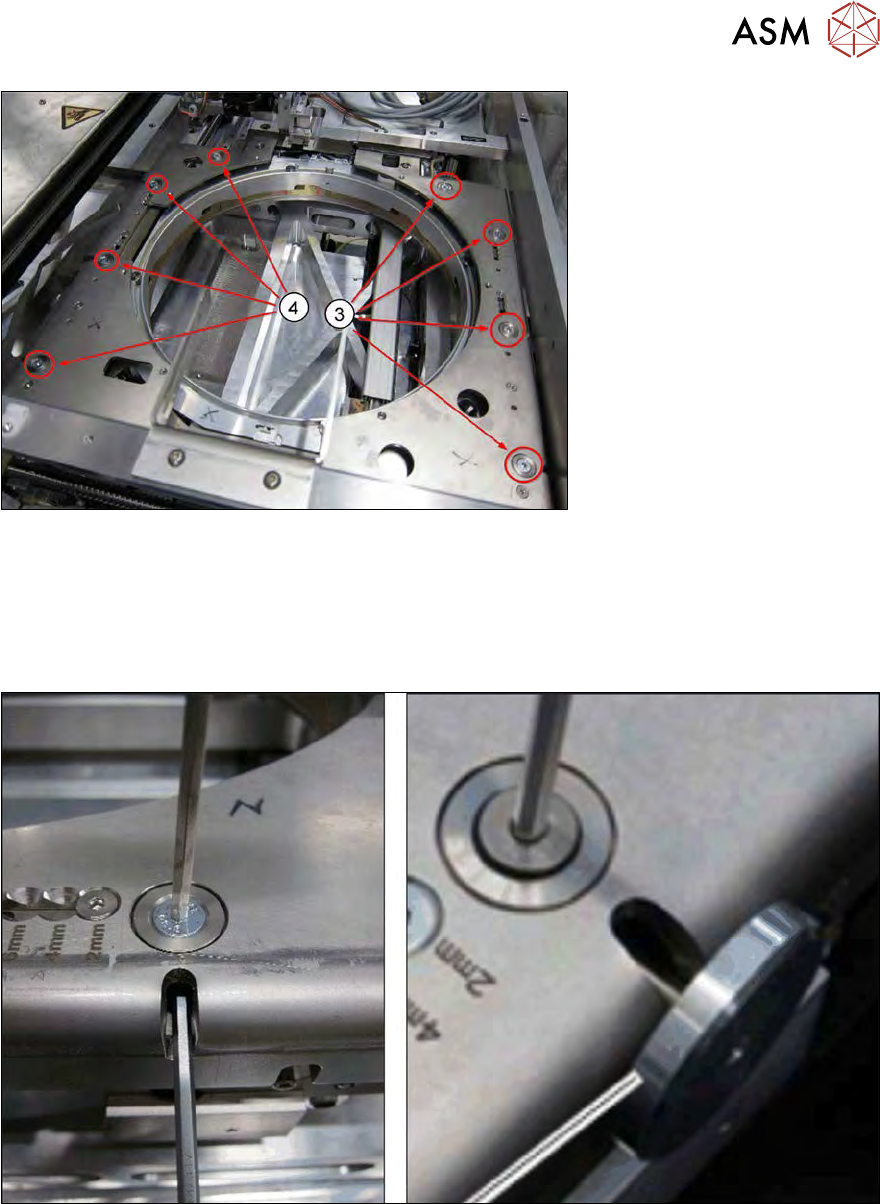
Fig.434:
► Now fit the left (3) and right downholder plates (4) with the four screws in each case, including
the conical fixing disk.
First only tighten the screws slightly.
► Align the downholder plates.
Tighten the screws as follows:
Fig.435:
► Use the mushroom-shaped tool or an Allen key for tightening, to stop the lifting piston turning.
12 Wafer stretcher
12.6 Fitting the wafer stretcher
304 Service Manual SIPLACE Wafer System (SWS) 11/2018
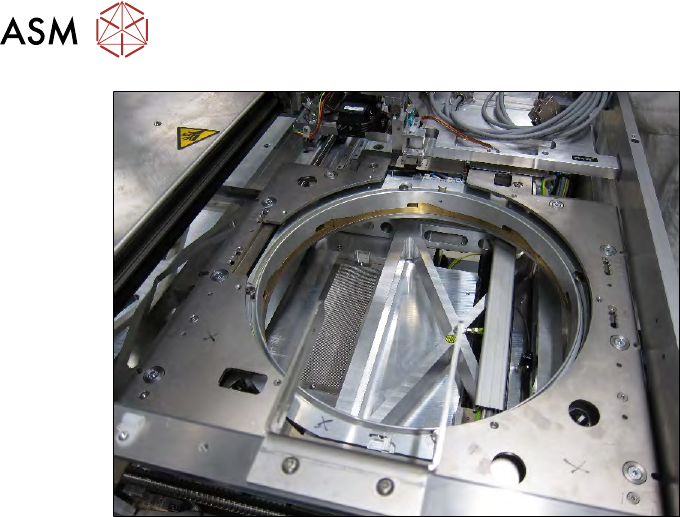
Fig.436:
The wafer stretcher has now been completely fitted.
Perform the necessary calibrations.
12 Wafer stretcher
12.7 Wafer stretcher - configuration changes
Service Manual SIPLACE Wafer System (SWS) 11/2018 305
12.7 Wafer stretcher - configuration changes
12.7.1 Mechanically setting the stretch factor
The stretch factor can be mechanically set in four steps on the SIPLACE SWS wafer stretcher. You
need to adjust the settings accordingly at six points.
12.7.1.1 Preparations
► Perform the measures in accordance with section 12.3 "Preparatory measures for working on
the wafer stretcher" [}278].
► Finish all ongoing processes in the SWS module.
► Move the wafer table to the change position.
► From the view, select Manual Operation -> Wafer Handling Systems -> Go to Change Po-
sition.
► Open the clamp.
► From the view, select Manual Operation -> Wafer Handling Systems -> Open Wafer
Clamp.
ð The clamping ring will open and the expansion ring will move downwards.
► Open the expander.
► From the view, select Manual Operation -> Wafer Handling Systems -> Release Ex-
pander.
ð The downholder plate will move upwards.
► From the view, select Production -> Miscellaneous and click the red "off" button there.
ð Shut down the SWS GUI and Linux properly.
► Switch off the SWS at the main switch.
CAUTION
Avoid damage to the gripper
When working on the wafer support, the gripper could be damaged.
► Push the gripper towards the wafer lift and out of the working area for the wafer sup-
port.
See also
2 1.1 "Safety instructions" [}13]
2 1.2 "Preparatory work..." [}15]