00195982-03_SM_SWS_EN.pdf - 第182页
8 Flip unit 8.3 Replacing spare parts 182 Service Manual SIPLACE Wafer System (SWS) 11/2018 8.3.4.2 Replacing the dark field illumination board Fig.236: Replacing the dark field illumination board ► Dismantle the wafer …
8 Flip unit
8.3 Replacing spare parts
Service Manual SIPLACE Wafer System (SWS) 11/2018 181
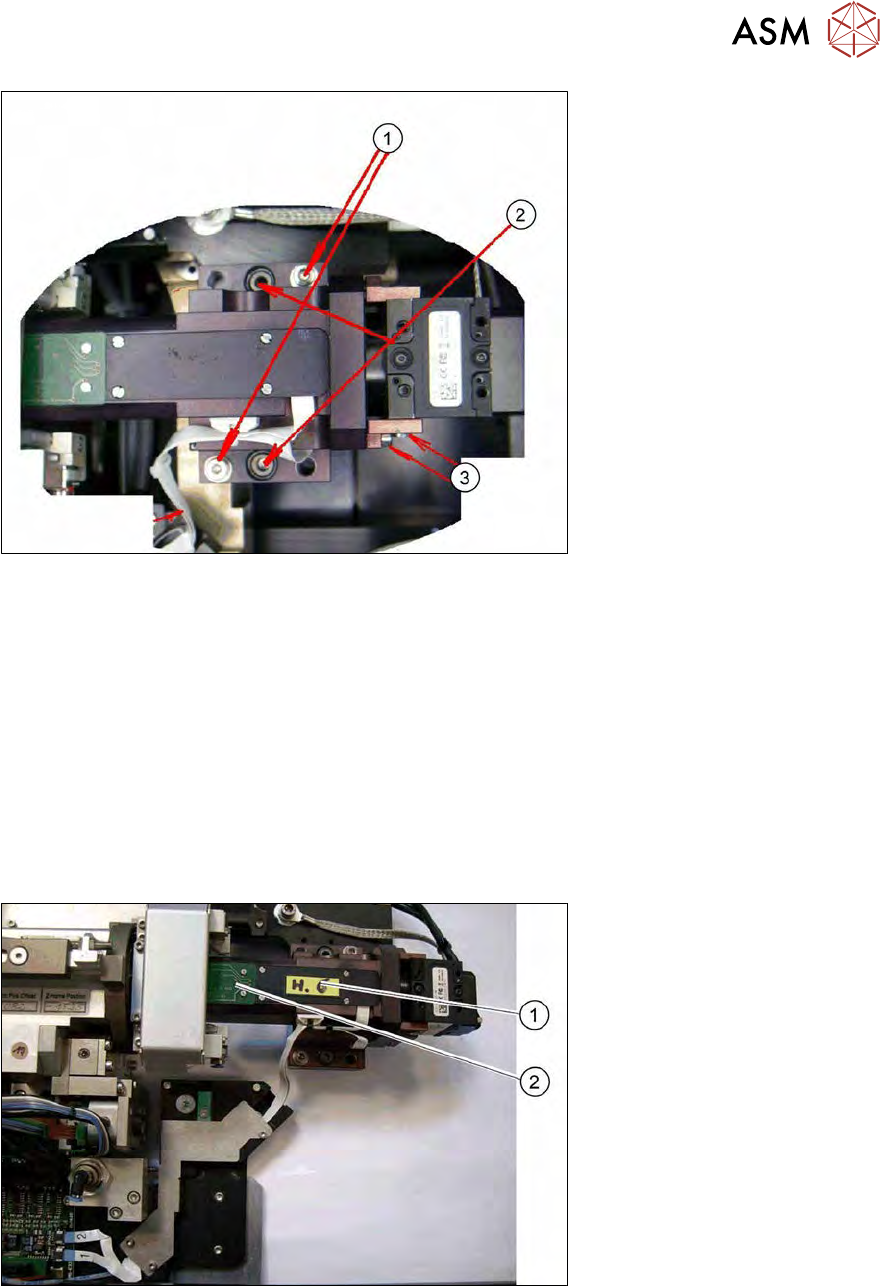
Fig.234: Removing the wafer camera
► Remove the two screws (1) holding the wafer camera. The three screws fastening the camera
(3) are sealed and may not be loosened.
► Pull the camera up and off. The camera is positioned on two locating pins (2).
► Insert the new wafer camera and fix it with the two screws which you removed before.
► Fit the camera connector. The central screw on the camera connector is still clamping a shield
into place.
► Connect connections 1 and 2 to the USB board.
► Thread in the two flat ribbon cables again (connections 1 and 2) and connect these to the
USB board. Make sure that the contacts are at the bottom.
8.3.4.1 Replacing the bright field illumination board
Fig.235: Replacing the bright field illumination board
► Remove the cover (1) with the four fastening screws.
► Remove the two screws on the board (2). Pay attention to the diffusing plate below.
► Pull the flat ribbon cable off the board (2).
► Fit the new board.
8 Flip unit
8.3 Replacing spare parts
182 Service Manual SIPLACE Wafer System (SWS) 11/2018
8.3.4.2 Replacing the dark field illumination board
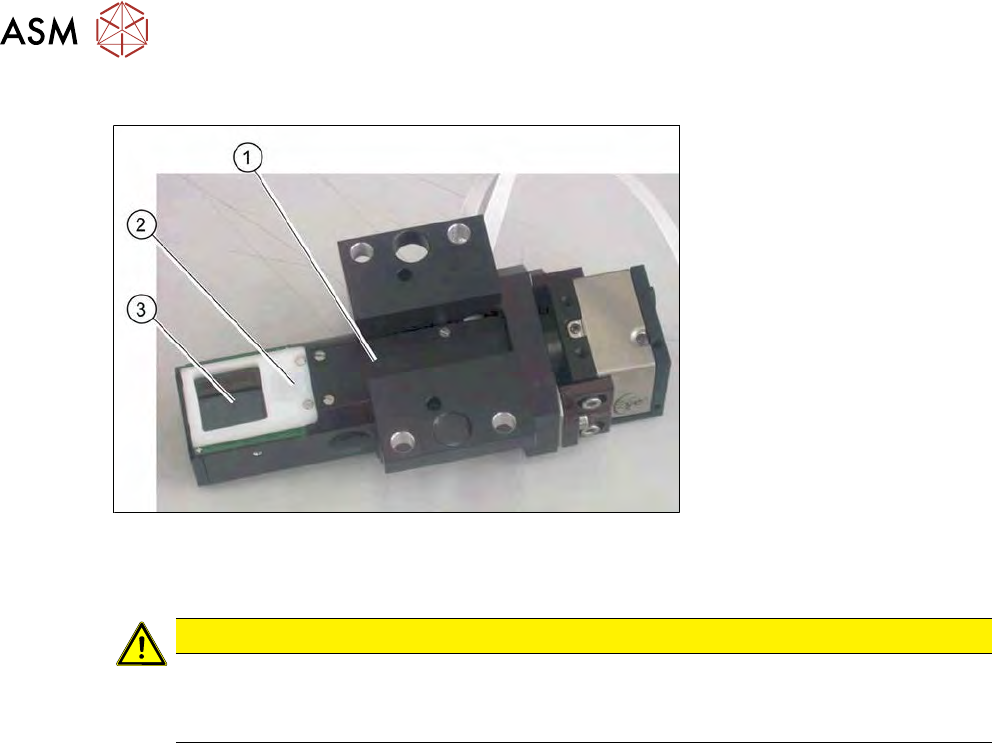
Fig.236: Replacing the dark field illumination board
► Dismantle the wafer camera so you can place it down when turned over (see8.3.4 "Removing
the wafer camera on the flip unit" [}180]).
CAUTION
Do not touch the prism mirror
The prism mirror (3) should not be touched.
► If the prism mirror is dirty, clean it with a lint-free cloth.
► Remove the four screws on the cover plate (1).
► Remove the two screws fastening the dispersion plate (2) and then lift off the dispersion plate.
► Remove the two screws on the board.
► Pull the flat ribbon cable off the board.
► Fit the new board.
8 Flip unit
8.4 Calibration – flip unit
Service Manual SIPLACE Wafer System (SWS) 11/2018 183
8.4 Calibration – flip unit
8.4.1 Tools and equipment required
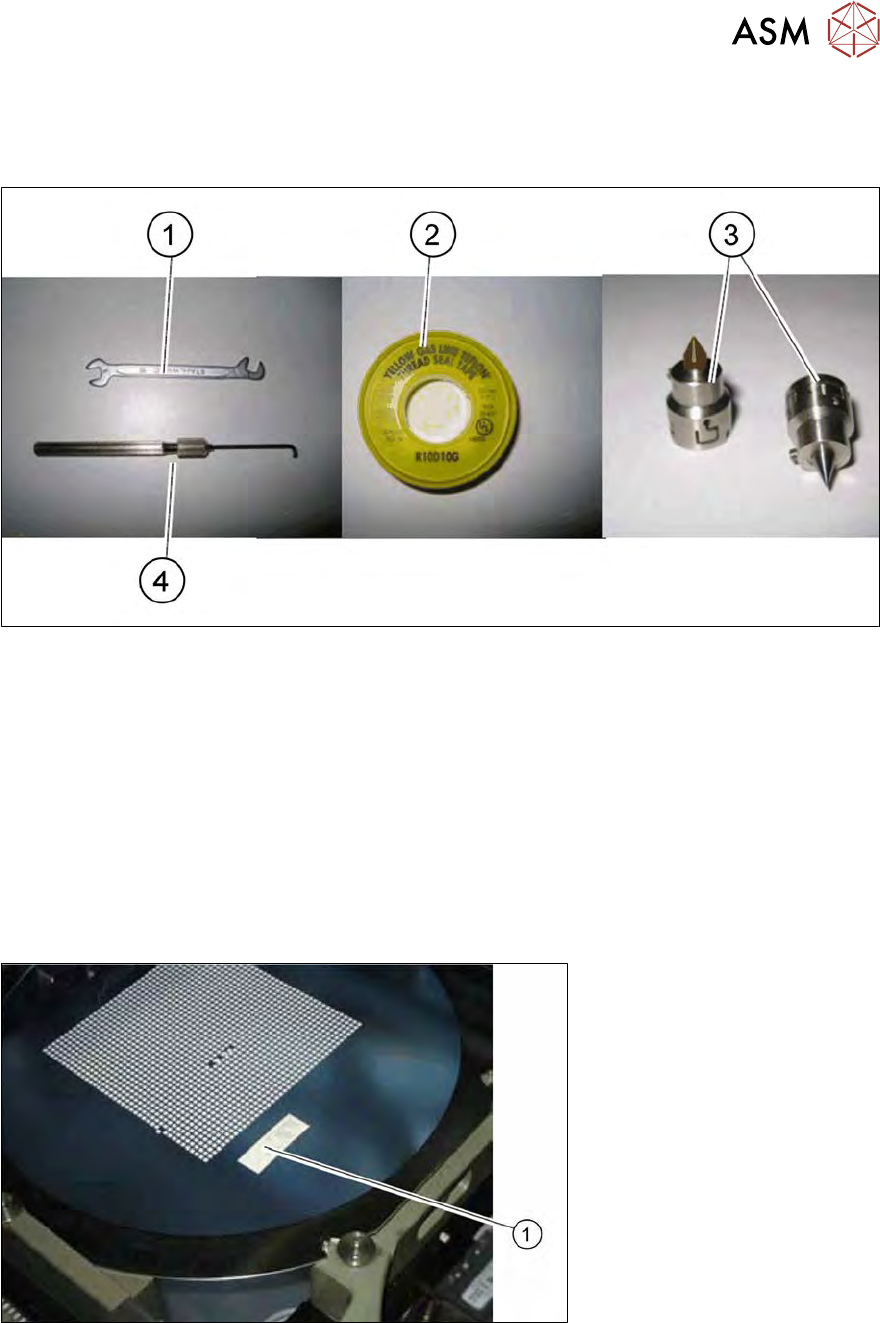
Fig.237: Tools and equipment required
1. Fork wrench, 5 mm
2. Teflon tape
3. Calibration nozzle, 905 or 906 nozzle
4. Allen key 1.5 mm, shortened
8.4.2 Preparation
► Place a calibration nozzle on each of the two segments. Alternatively, you can use a very
pointed standard nozzle (e.g. 905, 906).
► Load a wafer on the wafer table.
► Move the table into the wafer change position.
Fig.238: Teflon tape on wafer foil
► Stick a piece of Teflon tape (1) onto the wafer foil.