00195982-03_SM_SWS_EN.pdf - 第99页
5 Basic frame – X/Y unit 5.3 Replacing parts Service Manual SIPLACE Wafer System (SWS) 11/2018 99 Fig.101: ► Fasten the second downholder into place. Fig.102: ► Fasten the flat ribbon cable to the cables with cable tie…
5 Basic frame – X/Y unit
5.3 Replacing parts
98 Service Manual SIPLACE Wafer System (SWS) 11/2018
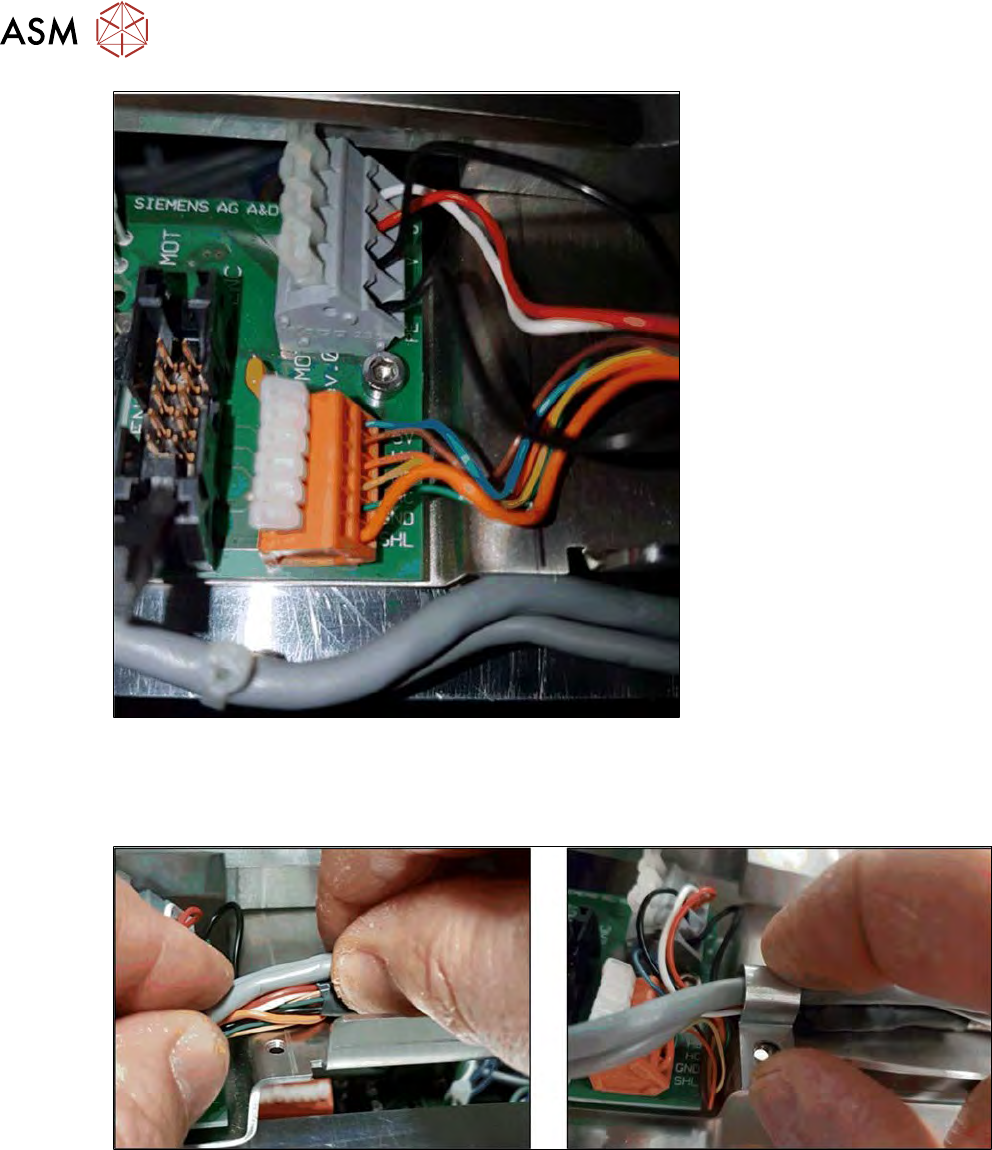
Fig.99:
► Wire the Hall sensor cable and power supply cable to the X motor.
Pay attention to the correct wiring (see 5.3.2.1 "Removing the X motor and coupling" [}85]).
► Connect the flat ribbon cable to the encoder.
Fig.100:
► Position the cable and fix it into place with a cable downholder.
► Screw the cable downholder into place. Make sure that you do not squash any cables!
5 Basic frame – X/Y unit
5.3 Replacing parts
Service Manual SIPLACE Wafer System (SWS) 11/2018 99
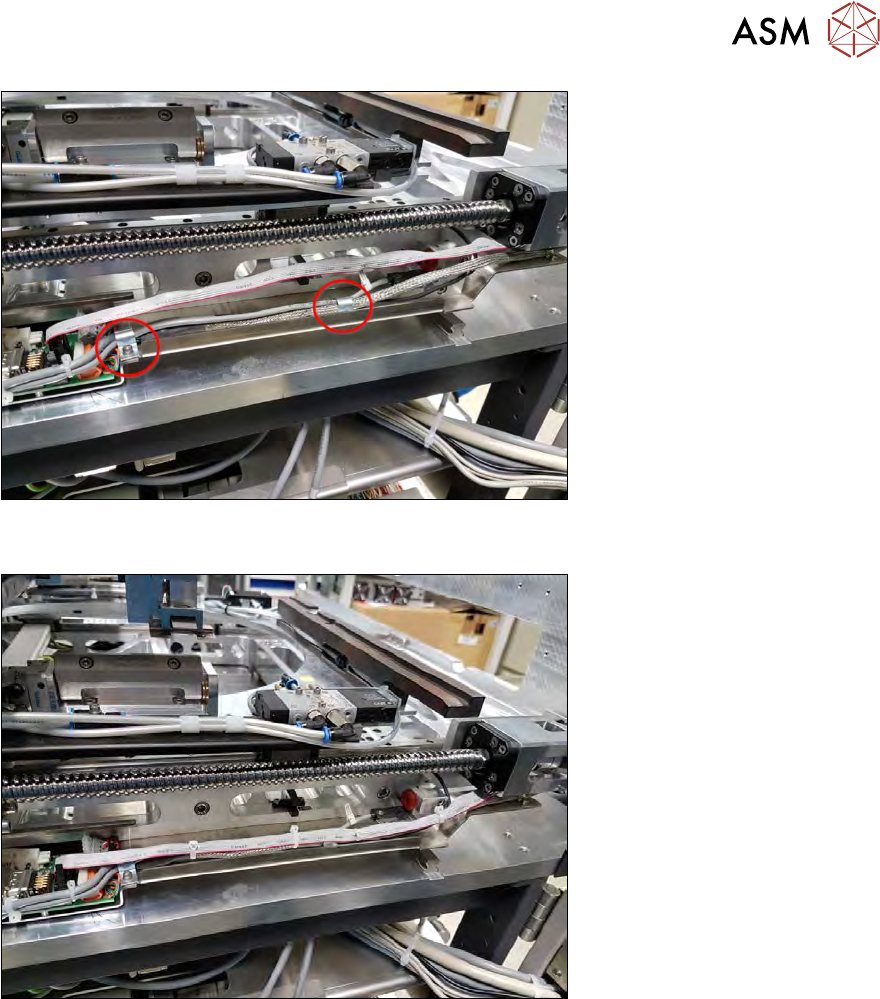
Fig.101:
► Fasten the second downholder into place.
Fig.102:
► Fasten the flat ribbon cable to the cables with cable ties.
5 Basic frame – X/Y unit
5.3 Replacing parts
100 Service Manual SIPLACE Wafer System (SWS) 11/2018
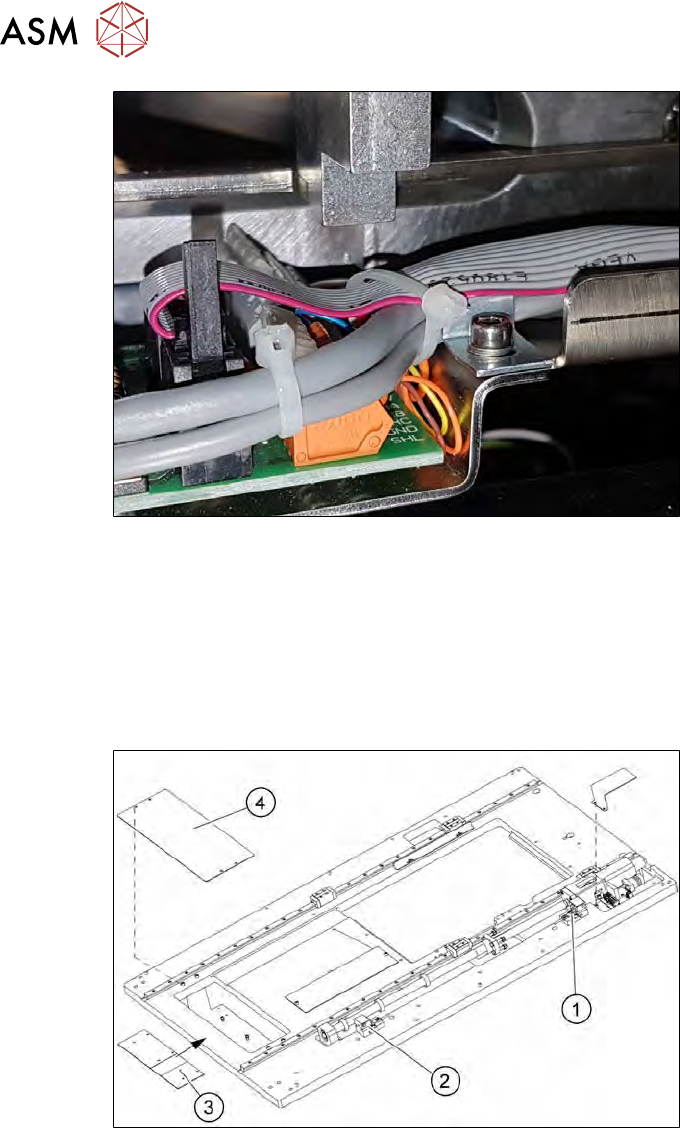
Fig.103:
► Move the wafer table across the whole travel range of the X axis.
► Make sure that the mechanical stop of the X axis has enough space towards the cables. If ne-
cessary, carefully fix the entire cable bunch (see diagram)!
5.3.3 Replacing the Y axis sensors
The two proximity switches monitor the front and back end position stops for the Y axis of the wafer
table. The cable for the relevant proximity switch is connected to the wafer table adapter board.
Fig.104:
1. Proximity switch for Reverse Limit (RL2)
2. Proximity switch for Forward Limit (FL2)
3. Adapter board for wafer table
4. Adapter board cover
For information about wiring, see section 5.2.3 "Overview of sensors" [}70].
► Remove the cover (4) from the wafer table adapter board.