00195982-03_SM_SWS_EN.pdf - 第340页
13 BoxPC, GALIL cards and axis control 13.1 Removing and replacing the BoxPC 340 Service Manual SIPLACE Wafer System (SWS) 11/2018 Fig.485: ► Thread the BoxPC over the Allen screws and pull the BoxPC backwards. ► Tighte…
13 BoxPC, GALIL cards and axis control
13.1 Removing and replacing the BoxPC
Service Manual SIPLACE Wafer System (SWS) 11/2018 339
13.1.4 Fitting the new BoxPC
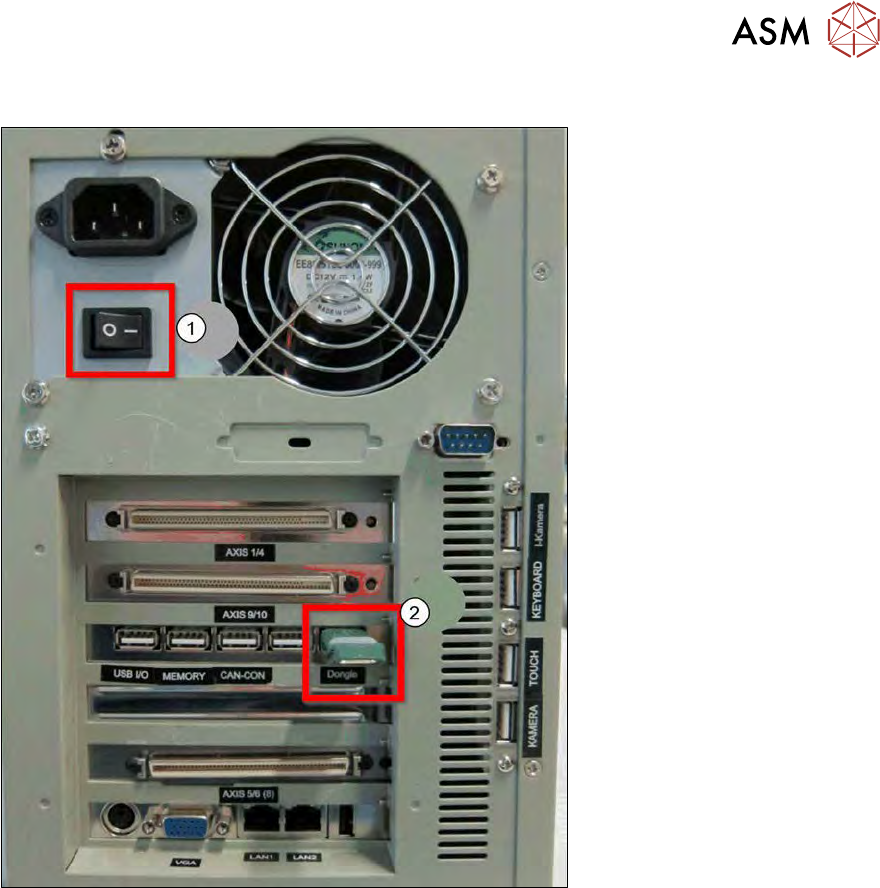
Fig.484:
► Set the main switch (1) to ON - I - !
This is important because the main switch will no longer be accessible once the SWS has
been fitted in the CA machine!
► Insert the Vision dongle into the USB slot (2) provided.
The Vision dongle always remains with the SWS, it may never be exchanged for that from an-
other SWS.
ð After importing the BoxPC backup, the corresponding license is imported to the BoxPC
and the dongle releases this software for use!
► After this, refit the BoxPC into the position provided on the side cover plate.
13 BoxPC, GALIL cards and axis control
13.1 Removing and replacing the BoxPC
340 Service Manual SIPLACE Wafer System (SWS) 11/2018
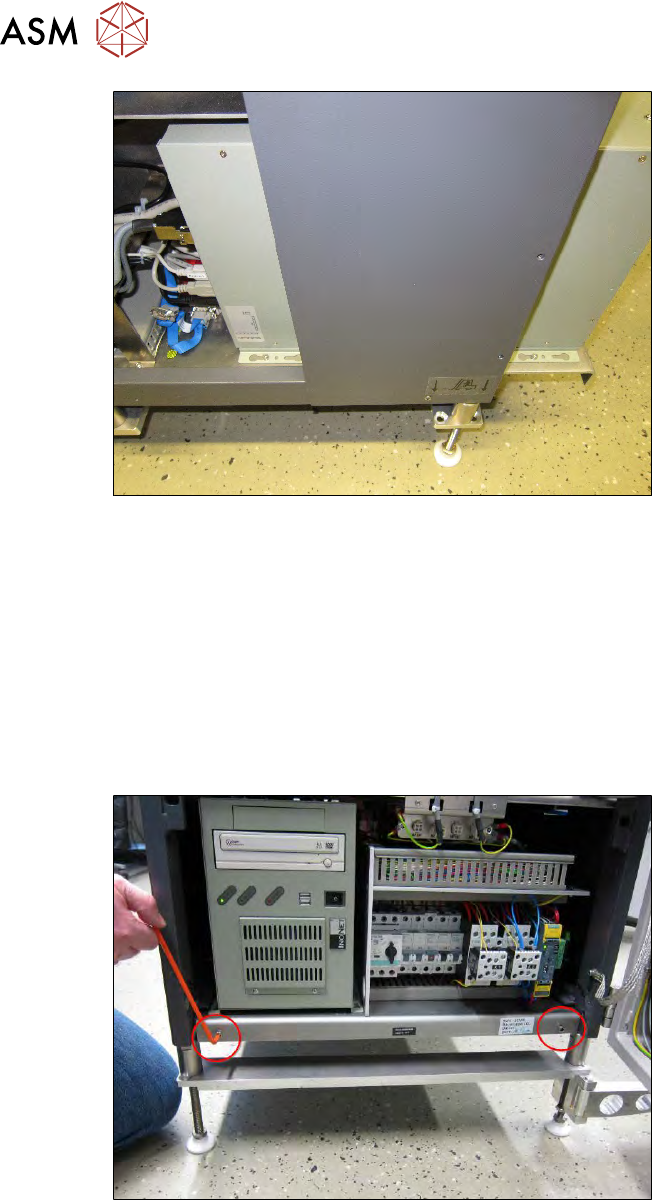
Fig.485:
► Thread the BoxPC over the Allen screws and pull the BoxPC backwards.
► Tighten the Allen screws.
13.1.4.1 Connecting the new BoxPC
► Connect all cables on the back of the BoxPC (see 13.1.2.1 "Cable connections on the back of
the BoxPC" [}335]).
All cables and terminals are labeled.
► If the cable ties for the strain relief have been undone, you will need to do them up again.
13.1.4.2 Final work after installation
Fig.486:
► Push the side cover plate towards the back.
► Tighten the side cover plate with the two Allen screws.
► Fit the left side cover panel.
► Refit the SWS in the CA machine.
► Switch the SWS on.
► Install the required software.
Use the recovery DVD you created before for this (see 13.1.1.1 "Data backup" [}333]).
► Reference the SWS.
ð The SWS is now ready for operation.
13 BoxPC, GALIL cards and axis control
13.2 GALIL cards in the BoxPC
Service Manual SIPLACE Wafer System (SWS) 11/2018 341
13.2 GALIL cards in the BoxPC
13.2.1 General information about the GALIL cards
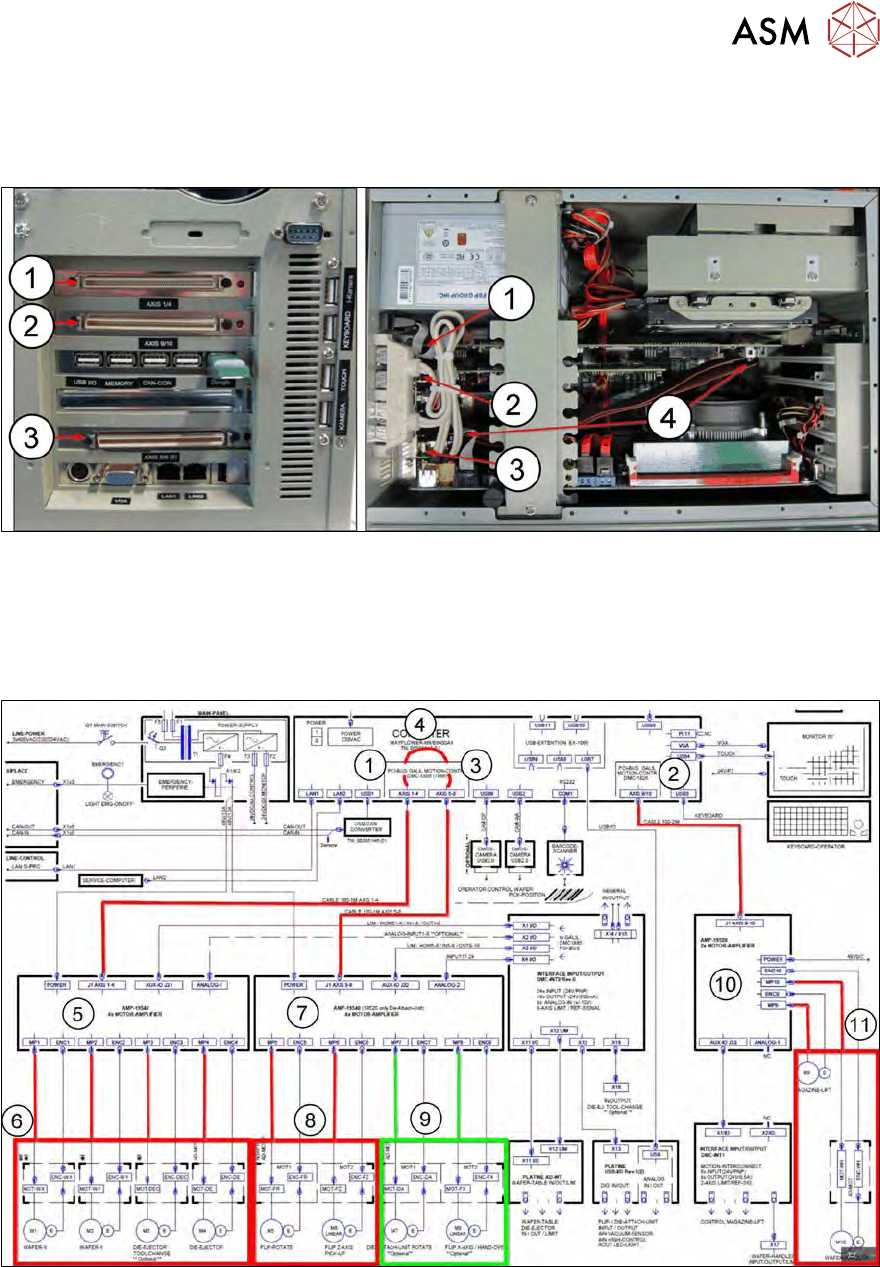
Fig.487:
1. AXIS 1/4 → PCI bus GALIL motion controller DMC-1886
2. AXIS 9/10 → PCI bus GALIL motion controller DMC-1826
3. AXIS 5/6 (8) → PCI bus GALIL motion controller extension
4. Connection → connection to the additional four axis outputs
Fig.488: