00195982-03_SM_SWS_EN.pdf - 第470页
16 Software 16.4 Restoring an old software version (GUI) 470 Service Manual SIPLACE Wafer System (SWS) 11/2018 Fig.735: Software configuration menu ► Press ESC . Fig.736: Setup tool menu ► Press ESC . Fig.737: Message…
16 Software
16.4 Restoring an old software version (GUI)
Service Manual SIPLACE Wafer System (SWS) 11/2018 469
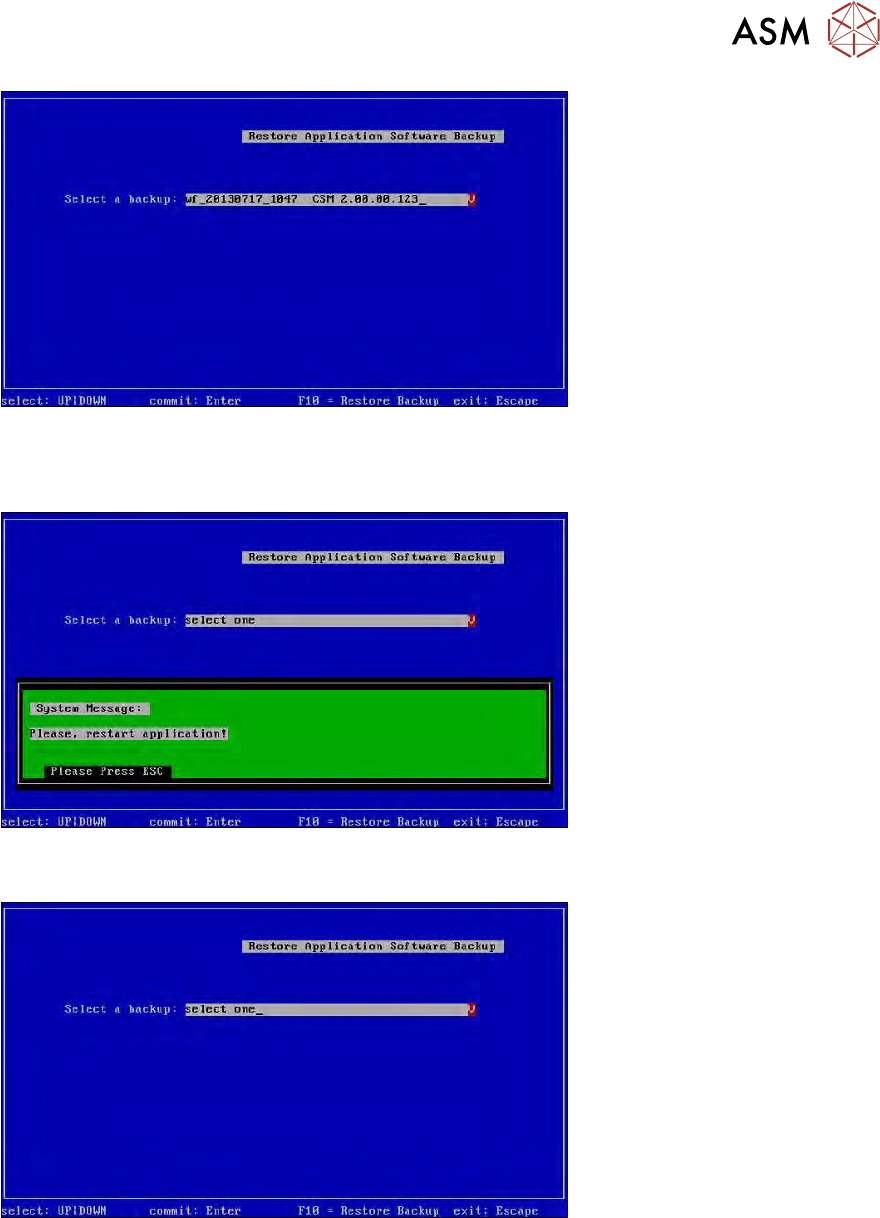
Fig.732: Selected backup
► Press F10.
► Wait until the backup has been restored
Fig.733: Message: restart the application
► Press ESC.
Fig.734: Restore menu
► Press ESC.
16 Software
16.4 Restoring an old software version (GUI)
470 Service Manual SIPLACE Wafer System (SWS) 11/2018
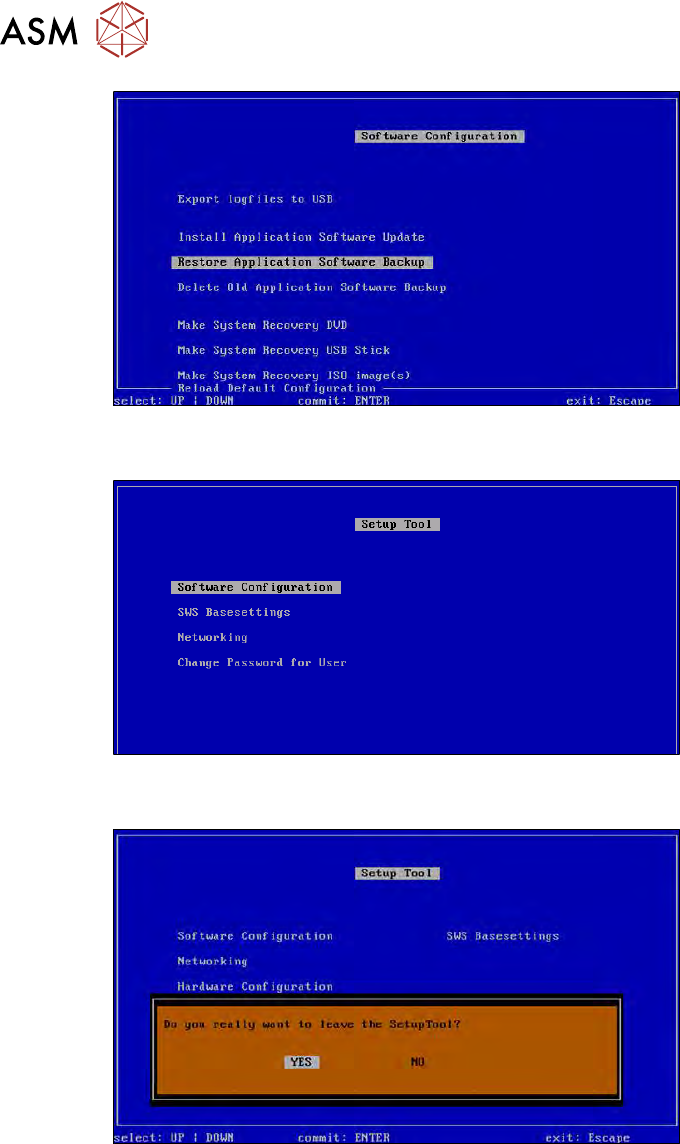
Fig.735: Software configuration menu
► Press ESC.
Fig.736: Setup tool menu
► Press ESC.
Fig.737: Message: exiting the setup tool
► Confirm YES with Enter.
17 Tips and tricks
17.1 Moving the Z axis for die ejector downwards in the switched off and removed SWS
Service Manual SIPLACE Wafer System (SWS) 11/2018 471
17 Tips and tricks
17.1 Moving the Z axis for die ejector downwards in the
switched off and removed SWS
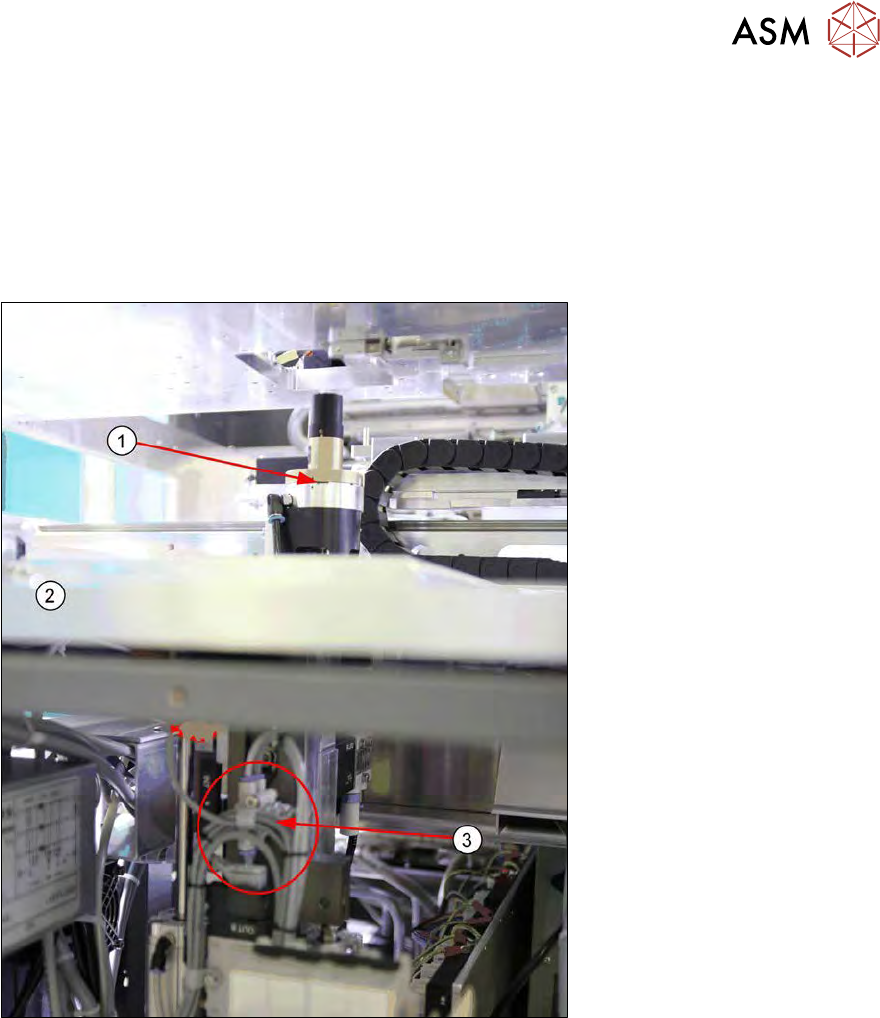
If the Z axis of the die ejector is still in the top position after the SWS has been switched off and re-
moved, you can move this axis to the down position as follows:
Fig.738:
1. Die ejector in top position
2. Base plate
3. Pneumatic connection for die ejector