00195982-03_SM_SWS_EN.pdf - 第117页
6 Supply unit 6.3 Settings Service Manual SIPLACE Wafer System (SWS) 11/2018 117 Fig.129: 1. Front cover 2. Side cover (unplug air connections from manometer → observe assignment) 3. Terminal block input voltage for tra…
6 Supply unit
6.3 Settings
116 Service Manual SIPLACE Wafer System (SWS) 11/2018
6.3 Settings
6.3.1 Setting the compressed air monitor
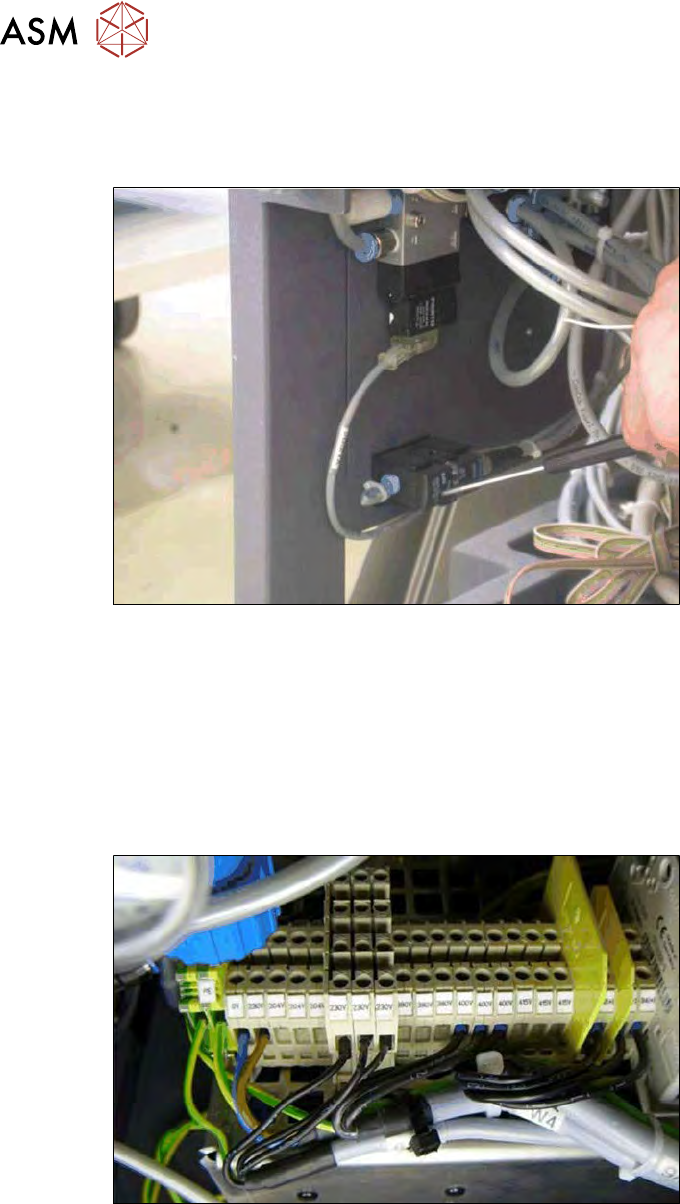
Fig.127: Setting the compressed air monitor
After replacement, you need to check the setting on the compressed air monitor.
► Depressurize the valve by pressing the monitor once.
► Supply pressure of 5 bar to the valve by pressing one more time.
► Turn the manometer down to 2.5 bar (average value) and check whether the LED turns off.
► Check whether the value was correctly saved.
6.3.2 Creating connection voltages at the mains transformer
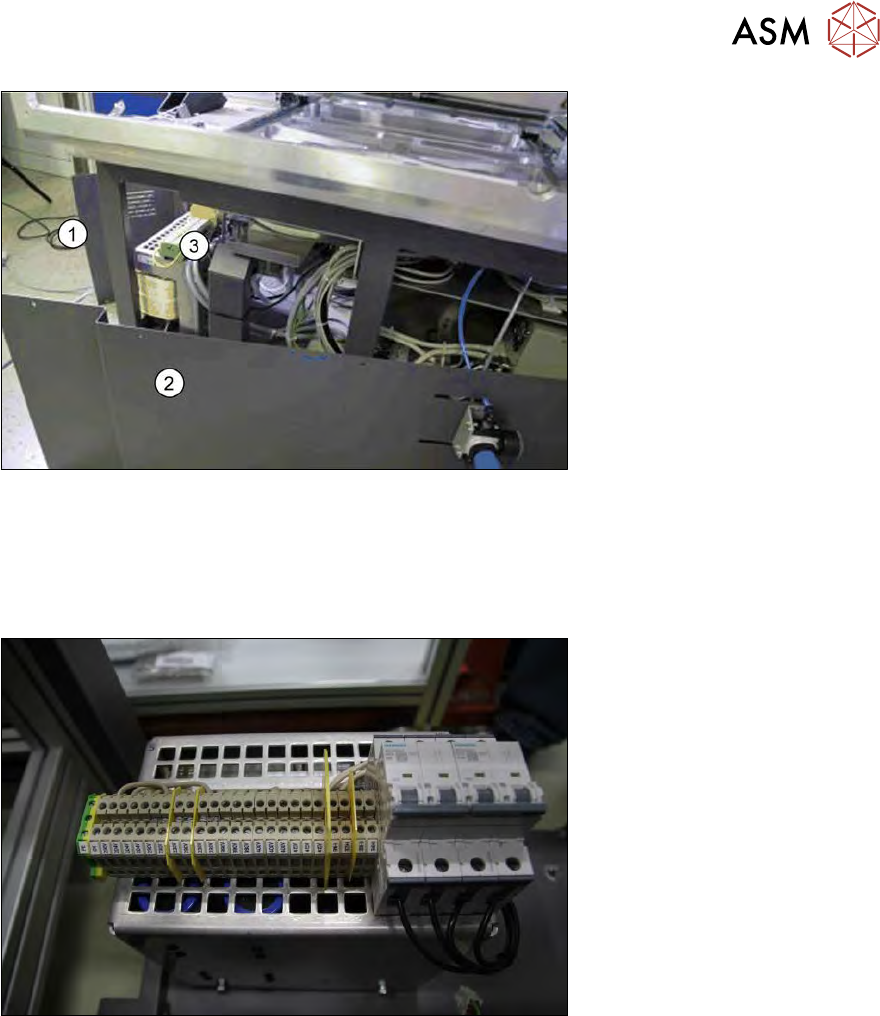
Fig.128: Supply voltage at mains transformer
The various mains voltages are input here at the mains transformer terminals. See also the circuit
diagrams ([00195960-04]-DC-SWS-EN.pdf Page (SWS Line-Power Power-Input SWS-No.1-4) for
the machine.
► Dismantle and remove the SWS from the machine (see 4.1 "Removing the SWS" [}59]).
6 Supply unit
6.3 Settings
Service Manual SIPLACE Wafer System (SWS) 11/2018 117
Fig.129:
1. Front cover
2. Side cover (unplug air connections from manometer → observe assignment)
3. Terminal block input voltage for transformer
► Remove the side and front covers
Fig.130: Terminal block input voltage for transformer viewed from the front
► Wire the incoming lines at the terminal block input voltage for the transformer in accordance
with the input voltage specifications (observe the correct wiring assignment L1-L2-L3 → see
circuit diagram).
6 Supply unit
6.3 Settings
118 Service Manual SIPLACE Wafer System (SWS) 11/2018
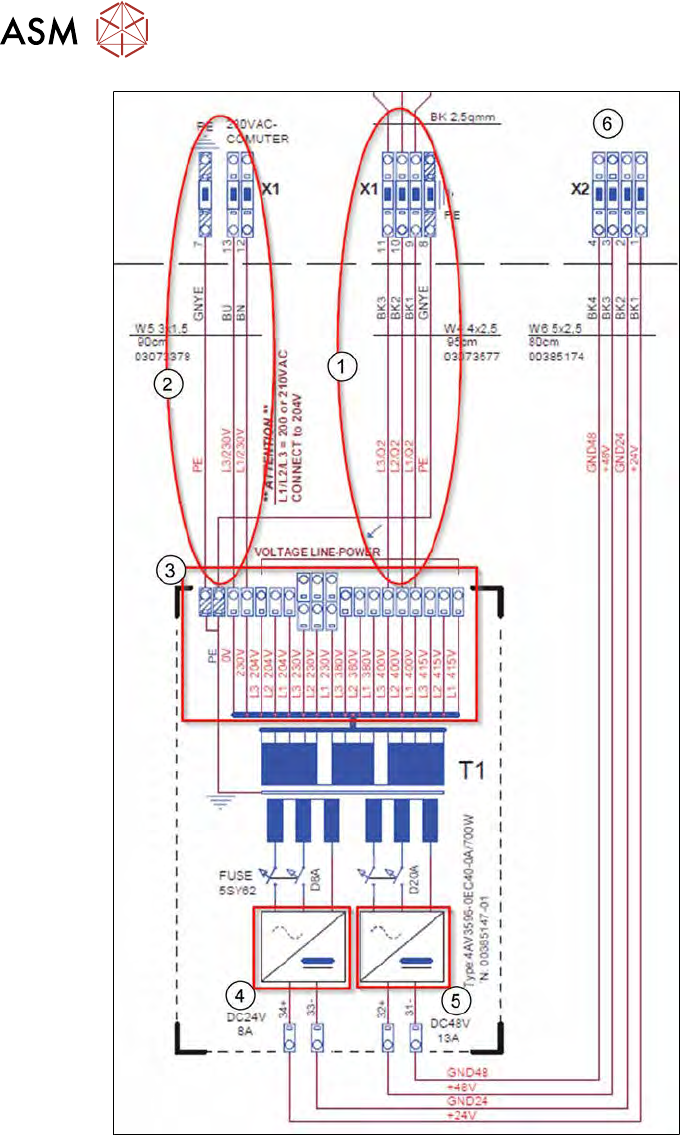
Fig.131: Connection input for transformer
1. Power input from terminal panel X1
2. Output PC
3. Terminal block input voltage for transformer
4. Fuse 24V
5. Fuse 48V
6. Output voltage to terminal panel X2
► Connect the pneumatic hoses to the manometer (observe assignment).
► Fit the side and front covers.
► Fit the SWS into the machine.