00195982-03_SM_SWS_EN.pdf - 第245页
10 Option Die Attach Unit SWS 10.2 Dissambling Die-Attach-Unit SWS Service Manual SIPLACE Wafer System (SWS) 11/2018 245 Fig.329: ► Remove the screws of the encoder cables (5) for Die Attach segment motor and transfer X…
10 Option Die Attach Unit SWS
10.2 Dissambling Die-Attach-Unit SWS
244 Service Manual SIPLACE Wafer System (SWS) 11/2018
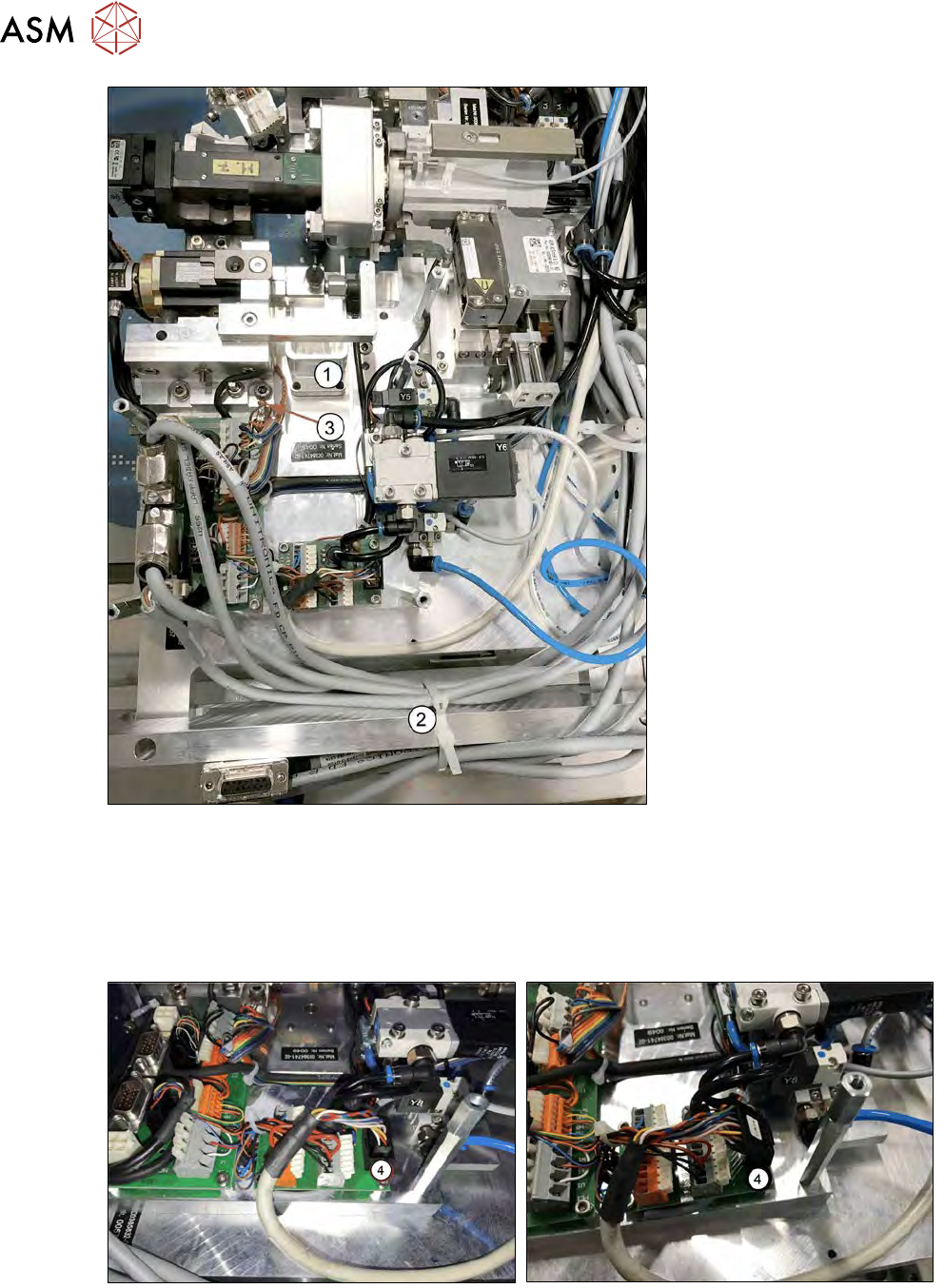
Fig.327:
► Remove the reject bin (1) of the Die Attach segment (see 10.1.3 "Installing the Option Die At-
tach Unit in SWS" [}219]).
► Remove the cable ties (2) that binds together the cables for the Die Attach Segment and
transfer X motor (see 10.1.3 "Installing the Option Die Attach Unit in SWS" [}219]).
► Remove the grounding cable (3).
Fig.328:
► Remove the control/power (4) cable of Die Attach Unit.
10 Option Die Attach Unit SWS
10.2 Dissambling Die-Attach-Unit SWS
Service Manual SIPLACE Wafer System (SWS) 11/2018 245
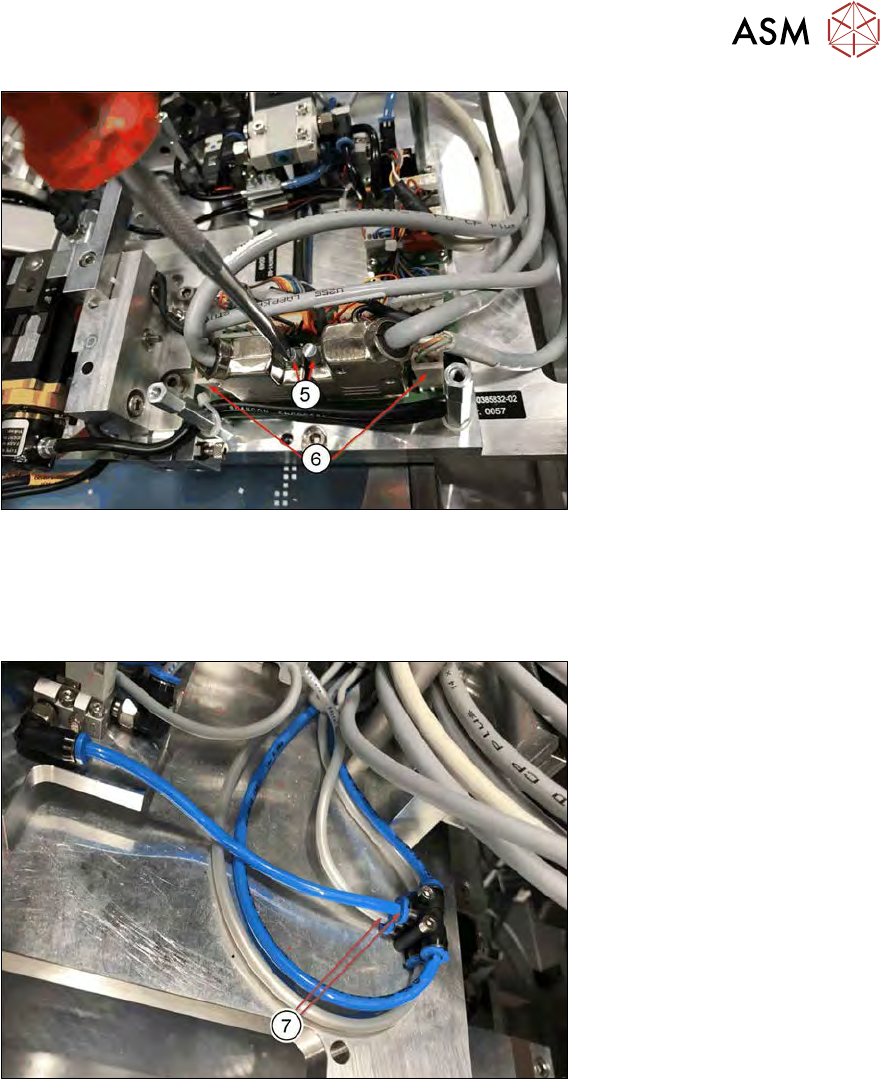
Fig.329:
► Remove the screws of the encoder cables (5) for Die Attach segment motor and transfer X
motor and disconnect the connectors.
► Unplug the power connectors of the encoder cables (6) for the Die Attach segment motor and
the transfer X motor.
Fig.330:
► Disconnect the blue and the grey tube (7).
Blue tube: Connected to valve Y8, air pressure control for the Die Attach segment air kiss
Grey tube: 5bar for releasing the transfer X motor.
10 Option Die Attach Unit SWS
10.2 Dissambling Die-Attach-Unit SWS
246 Service Manual SIPLACE Wafer System (SWS) 11/2018
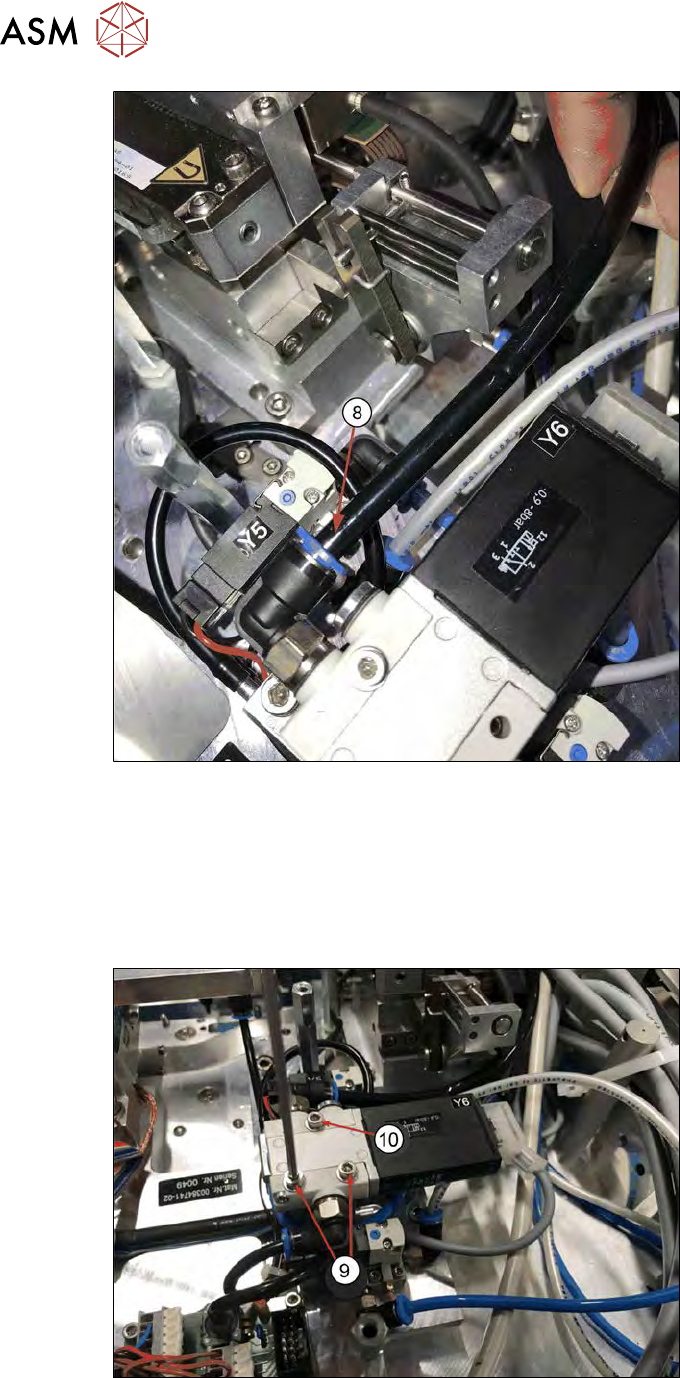
Fig.331:
► Disconnect the black vacuum tube (8) from valve Y6 (valve Y6 switches the vacuum for the
Die Attach segment).
► Remove the three safety screws of the Die Attach Unit and lift it out.
One screw is covered by the vacuum valve Y6. In order to access the screw, the valve must
be rotated.
Continue with the following steps:
Fig.332:
► Remove the two lower safety screws of valve Y6 (9).
► Loosen (don't remove) the single upper screw (10).