00195982-03_SM_SWS_EN.pdf - 第220页
10 Option Die Attach Unit SWS 10.1 Installing the Option Die Attach Unit SWS 220 Service Manual SIPLACE Wafer System (SWS) 11/2018 Fig.286: ► Store the filling piece by mounting it on the Die Attach Unit as shown. Fig.…
10 Option Die Attach Unit SWS
10.1 Installing the Option Die Attach Unit SWS
Service Manual SIPLACE Wafer System (SWS) 11/2018 219
10.1.3 Installing the Option Die Attach Unit in SWS
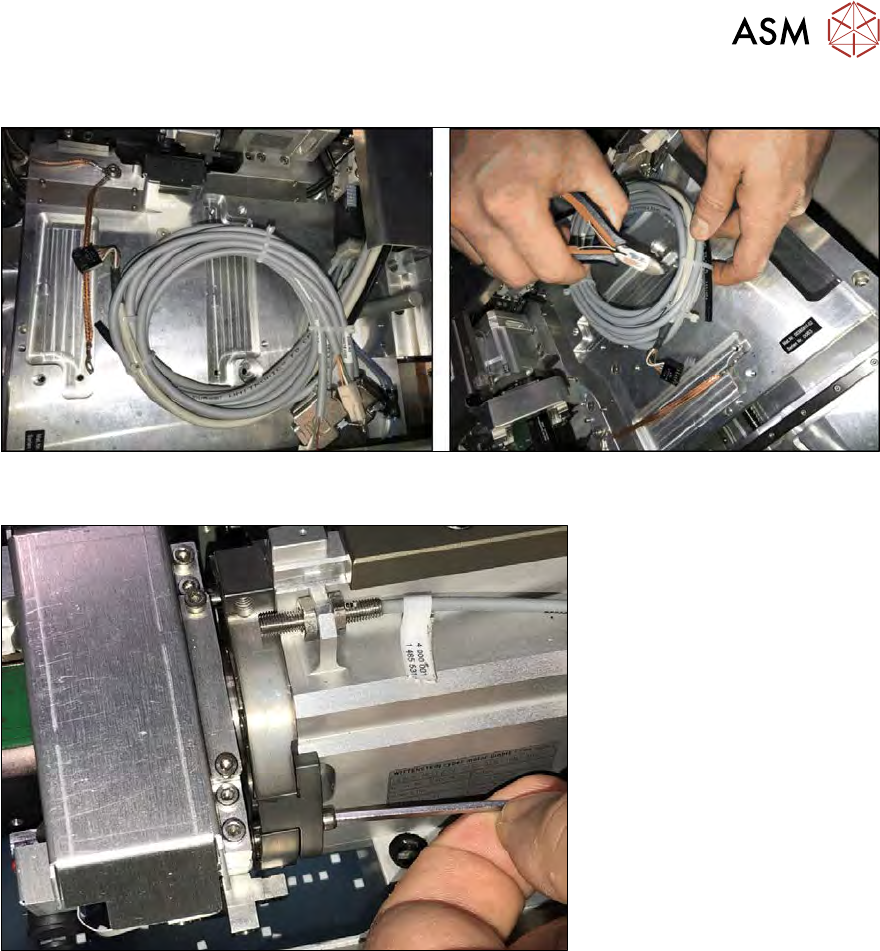
Fig.284:
► Remove the cable ties of the Die Attach cables.
Fig.285:
► Remove the two screws and take out the filling piece on the raceway of the flip head. To pre-
vent any loss of the screws, lay a sheet of paper underneath (not shown in the figure)!
At this position the transfer X axis of the Die Attach Unit is inserted. The transfer X axis moves seg-
ment 1 of the flip head towards the Die Attach segment.
10 Option Die Attach Unit SWS
10.1 Installing the Option Die Attach Unit SWS
220 Service Manual SIPLACE Wafer System (SWS) 11/2018
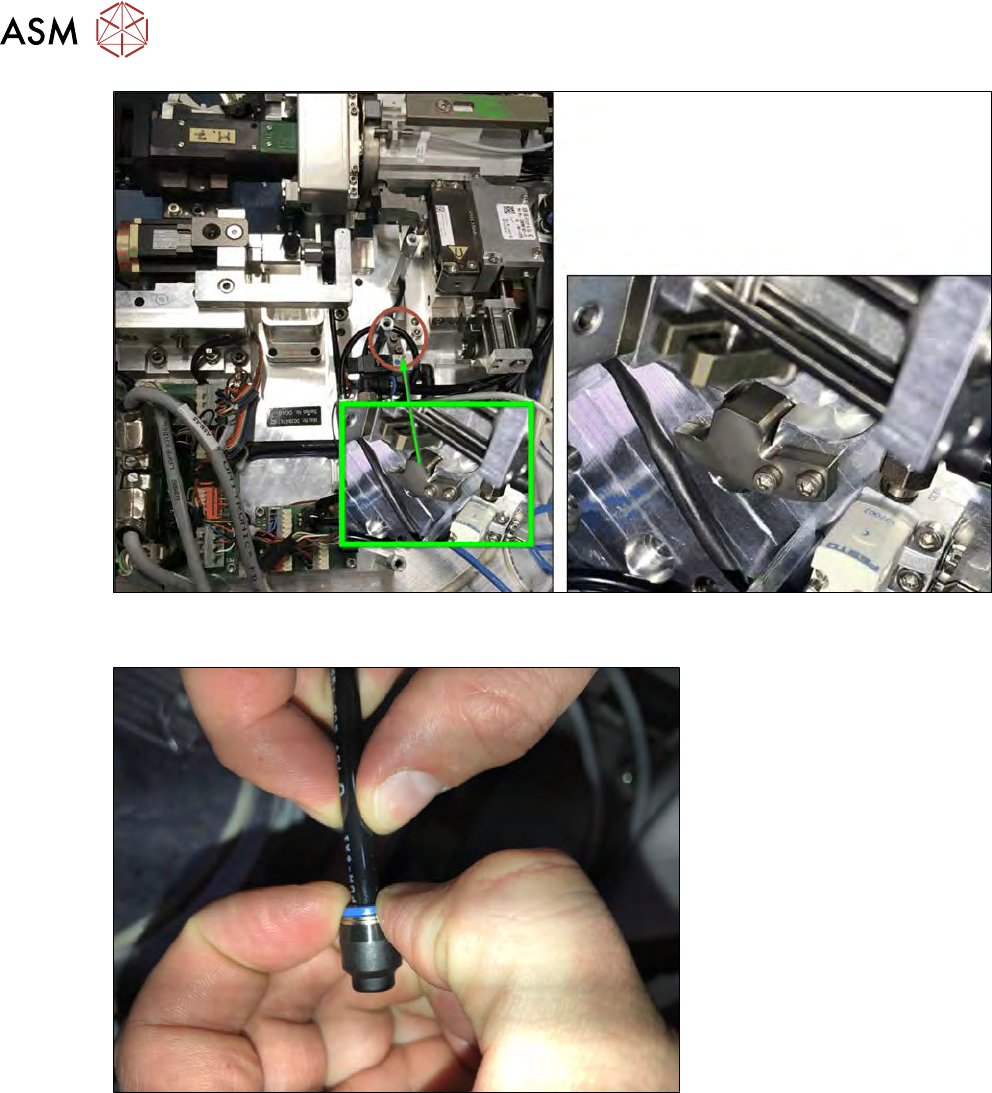
Fig.286:
► Store the filling piece by mounting it on the Die Attach Unit as shown.
Fig.287:
► Remove the sealing cap from the black vacuum tube.
10 Option Die Attach Unit SWS
10.1 Installing the Option Die Attach Unit SWS
Service Manual SIPLACE Wafer System (SWS) 11/2018 221
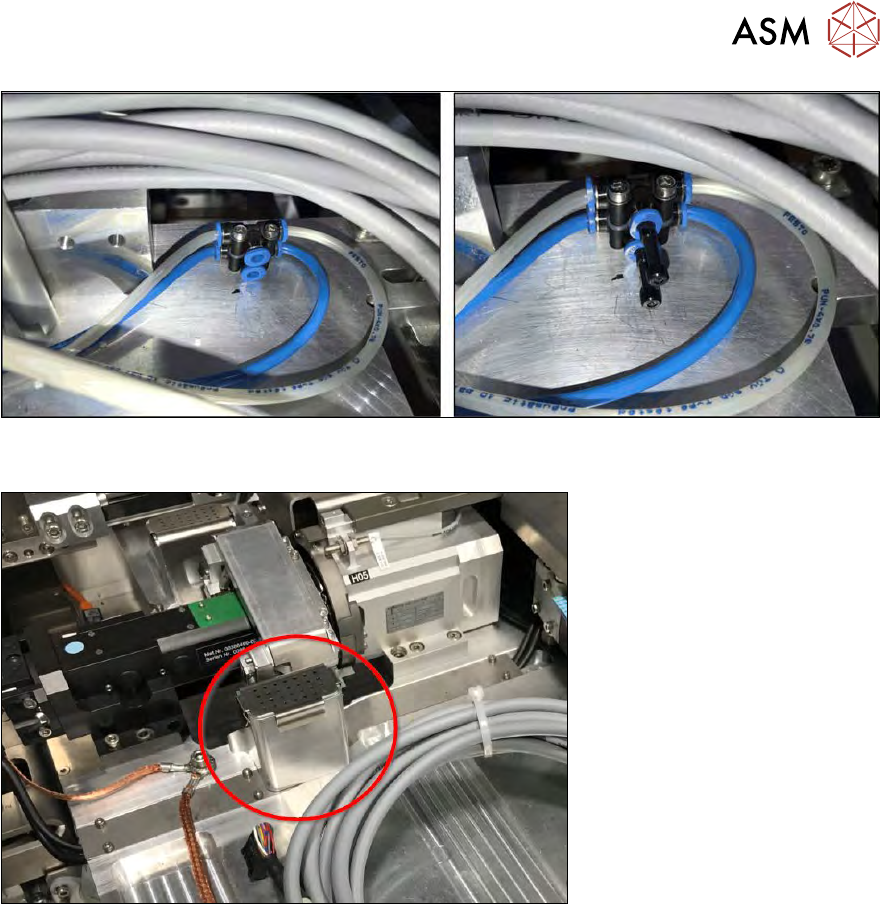
Fig.288:
► Remove the sealing plugs from the compressed air connections.
Fig.289:
► Take the flip chip reject bin for segment 1 out.