00195982-03_SM_SWS_EN.pdf - 第356页
13 BoxPC, GALIL cards and axis control 13.3 Replacing the servo amplifier for the axes 356 Service Manual SIPLACE Wafer System (SWS) 11/2018
13 BoxPC, GALIL cards and axis control
13.3 Replacing the servo amplifier for the axes
Service Manual SIPLACE Wafer System (SWS) 11/2018 355
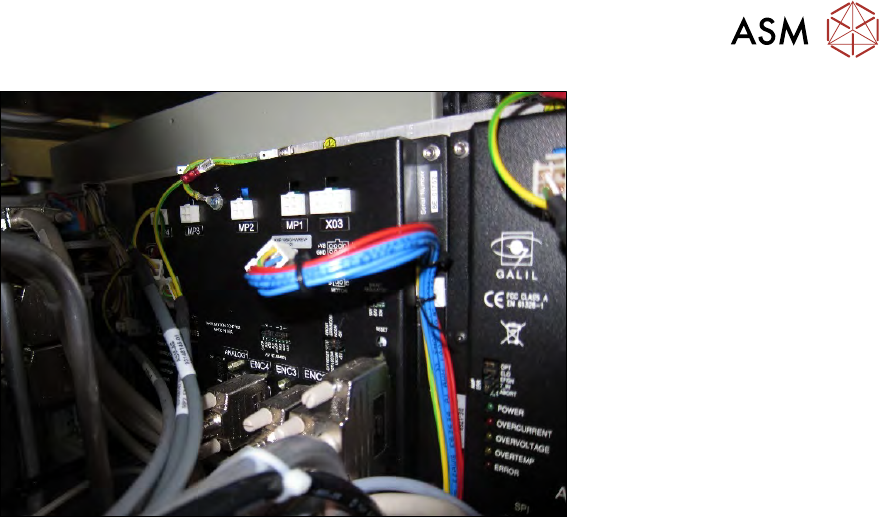
Fig.509:
► Reestablish all cable connections on the GALIL card.
All cables have the same designation label as the connections on the GALIL card.
► Check whether all cables are connected properly.
Pay particular attention to the 100-pin J1 AXIS1-4 cable, which needs a good connection, oth-
erwise this could cause problems.
► If the vacuum pump and the protective bracket have been removed to give better access to
the GALIL card: refit the vacuum pump and the protective bracket and reestablish the connec-
tion to the SWS.
► Now, or before assembly of the vacuum pump, push the side cover plate back into the SWS
and fix the side cover plate into place with the two screws.
► Complete the SWS.
► Refit the side cover.
► Swivel the wafer lift back into place.
► Refit the SWS in the machine.
ð The SWS should function again without the need for calibration.

13 BoxPC, GALIL cards and axis control
13.3 Replacing the servo amplifier for the axes
356 Service Manual SIPLACE Wafer System (SWS) 11/2018
14 Settings and tests
14.1 SWS GUI - service settings
Service Manual SIPLACE Wafer System (SWS) 11/2018 357
14 Settings and tests
14.1 SWS GUI - service settings
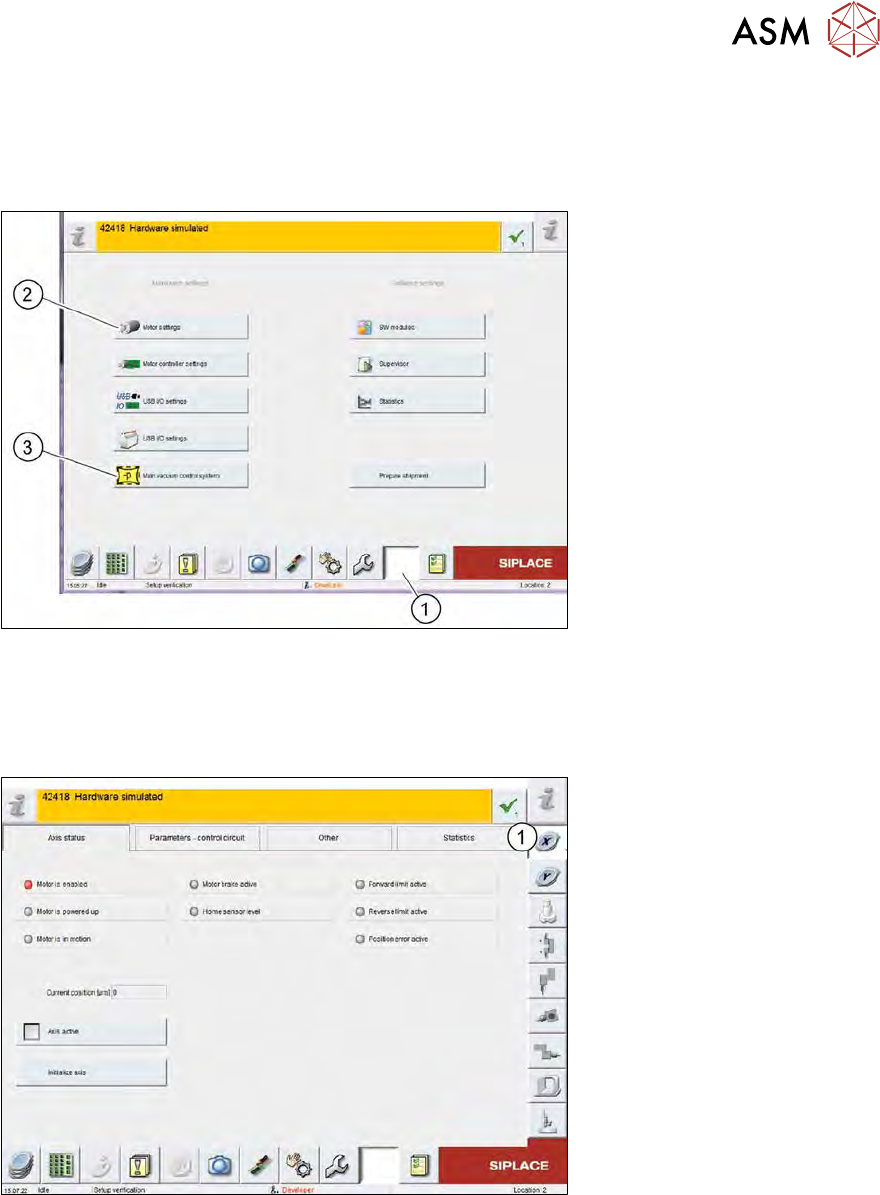
Fig.510: SWS GUI - service settings menu
► Select the (1) Service Settings button.
► Select Motor settings (2) or Main vacuum control system (3).
Motor settings
Fig.511: SWS GUI - motor settings
► Select the relevant assembly (1) to move the motor concerned and to view the corresponding
status of the axes or end position switches.
The information for each assembly is available in the tabs:
●
Axis status
●
Parameters - control unit
●
Other
●
Statistics