00195982-03_SM_SWS_EN.pdf - 第141页
7 Die ejector 7.3 Replacing spare parts Service Manual SIPLACE Wafer System (SWS) 11/2018 141 Fig.171: ► Press the fork light barrier "into the corner" (downwards and forwards) and screw into place (12) . NOT…
7 Die ejector
7.3 Replacing spare parts
140 Service Manual SIPLACE Wafer System (SWS) 11/2018
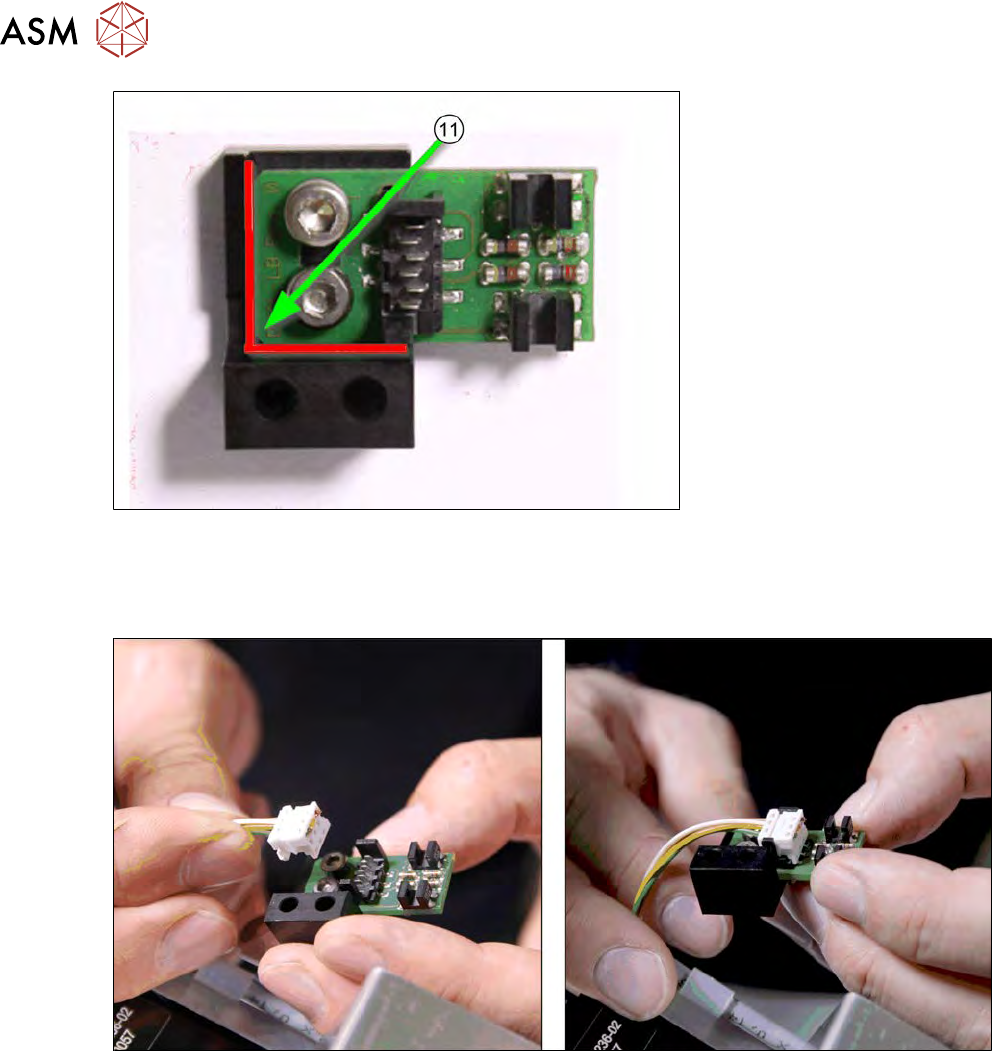
Fig.169:
► To make sure that the dual light barrier is fitted in the correct position on the assembly
bracket, loosen the two fastening screws.
► Press the board against the edges (red in the diagram) and tighten the screws.
Fig.170:
► Connect the cable to the board (observe the connector orientation).
7 Die ejector
7.3 Replacing spare parts
Service Manual SIPLACE Wafer System (SWS) 11/2018 141
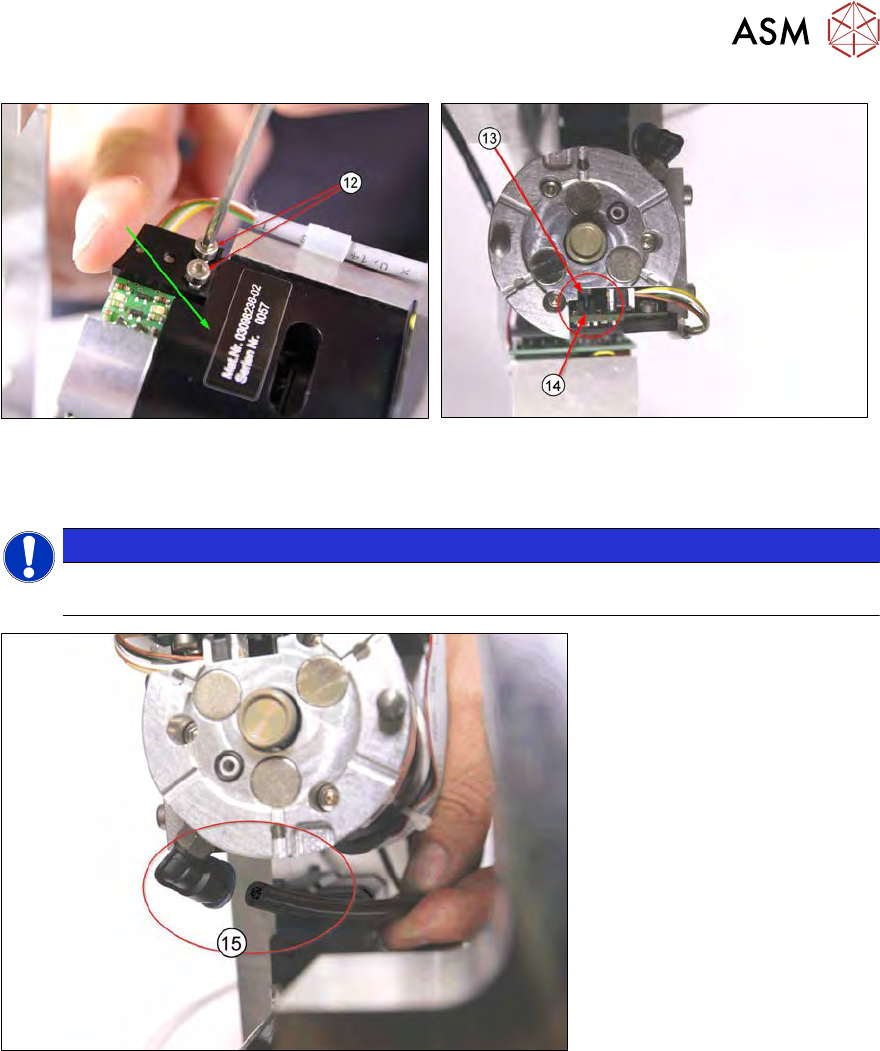
Fig.171:
► Press the fork light barrier "into the corner" (downwards and forwards) and screw into
place(12).
NOTICE
► Make sure that the switch flag of the Z axis die ejector(13) is between the fork light
barriers(14).
Fig.172:
► Connect the vacuum hose(15).
7 Die ejector
7.3 Replacing spare parts
142 Service Manual SIPLACE Wafer System (SWS) 11/2018
7.3.5 Fitting the complete die ejector unit into the SWS
Preconditions
●
SWS removed from machine
●
SWS disconnected from the power supply
Procedure
To fit the complete die ejector unit into the SWS, follow the removal instructions in reverse order
(see 7.3.2 "Removing the complete die ejector unit from the SWS" [}122]).
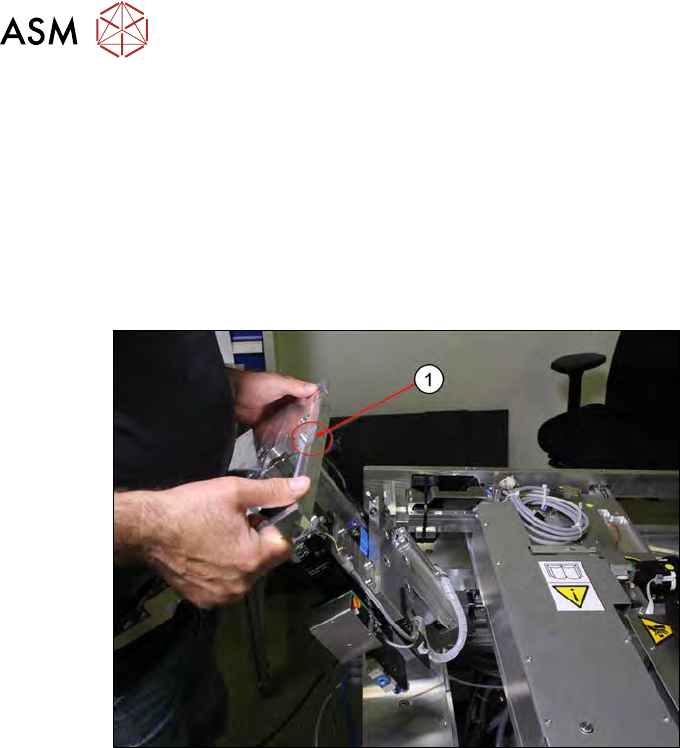
Fig.173:
► Insert the base plate into the SWS. Make sure that the recess for the omega spring(1) is al-
ways at the front.