00195982-03_SM_SWS_EN.pdf - 第334页
13 BoxPC, GALIL cards and axis control 13.1 Removing and replacing the BoxPC 334 Service Manual SIPLACE Wafer System (SWS) 11/2018 13.1.2 Preparing removal of the BoxPC Fig.475: ► Remove the two screws fastening the sid…
13 BoxPC, GALIL cards and axis control
13.1 Removing and replacing the BoxPC
Service Manual SIPLACE Wafer System (SWS) 11/2018 333
13 BoxPC, GALIL cards and axis control
13.1 Removing and replacing the BoxPC
13.1.1 Preparatory tasks
13.1.1.1 Data backup
► Create a recovery DVD for the BoxPC.
► Perform a machine data backup run.
► Run a process data backup.
► Generate a bug report.
This data, generated multiple times, are stored in case any data loss occurs.
13.1.1.2 Preparing the SWS
► Move the wafer lift to the magazine removal position (Press Remove Magazine).
► Shut down the SWS software.
► Disconnect the SWS from the mains power supply.
► Dismantle and remove the SWS from the CA machine.
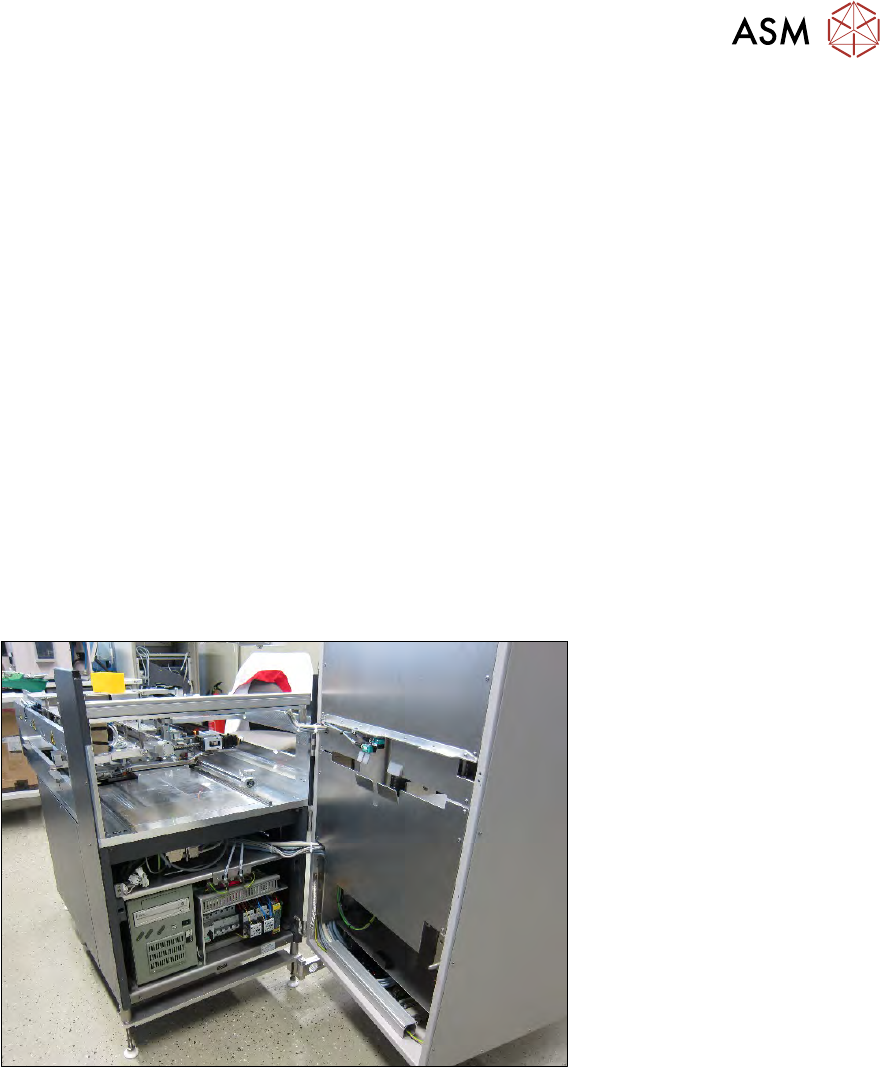
Fig.474:
► Fold the wafer lift to the side, so that you can access the BoxPC with obstructions (see also
4.3 "Swinging up the magazine lift" [}65]).
13 BoxPC, GALIL cards and axis control
13.1 Removing and replacing the BoxPC
334 Service Manual SIPLACE Wafer System (SWS) 11/2018
13.1.2 Preparing removal of the BoxPC
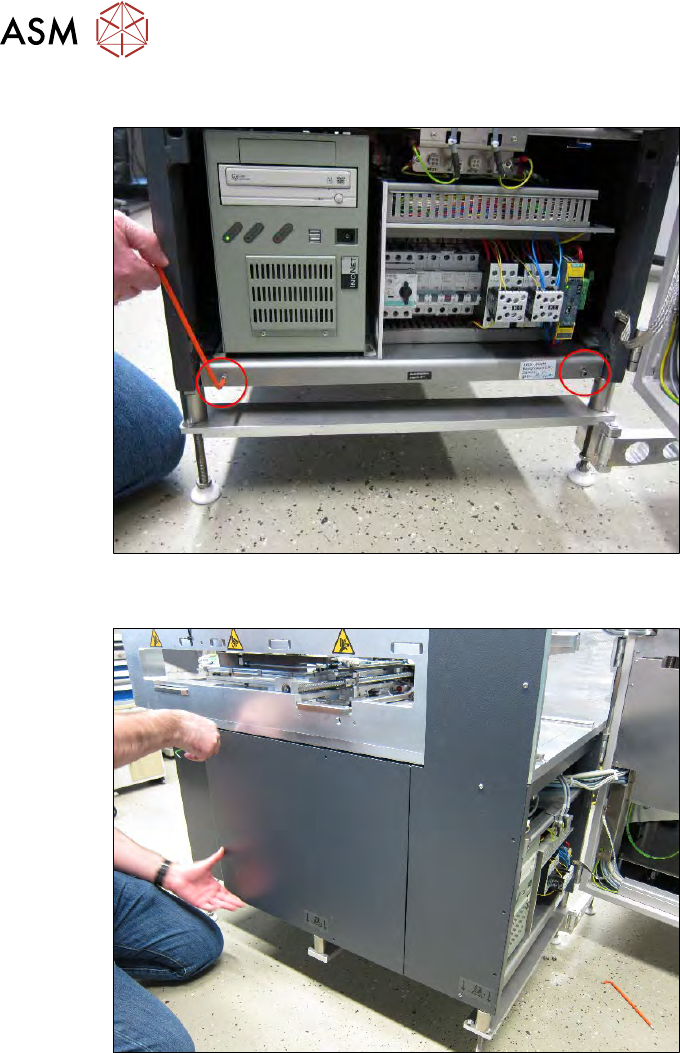
Fig.475:
► Remove the two screws fastening the side cover plate.
Fig.476:
► Dismantle the left cover plate and unplug the ground cable from the SWS.
13 BoxPC, GALIL cards and axis control
13.1 Removing and replacing the BoxPC
Service Manual SIPLACE Wafer System (SWS) 11/2018 335
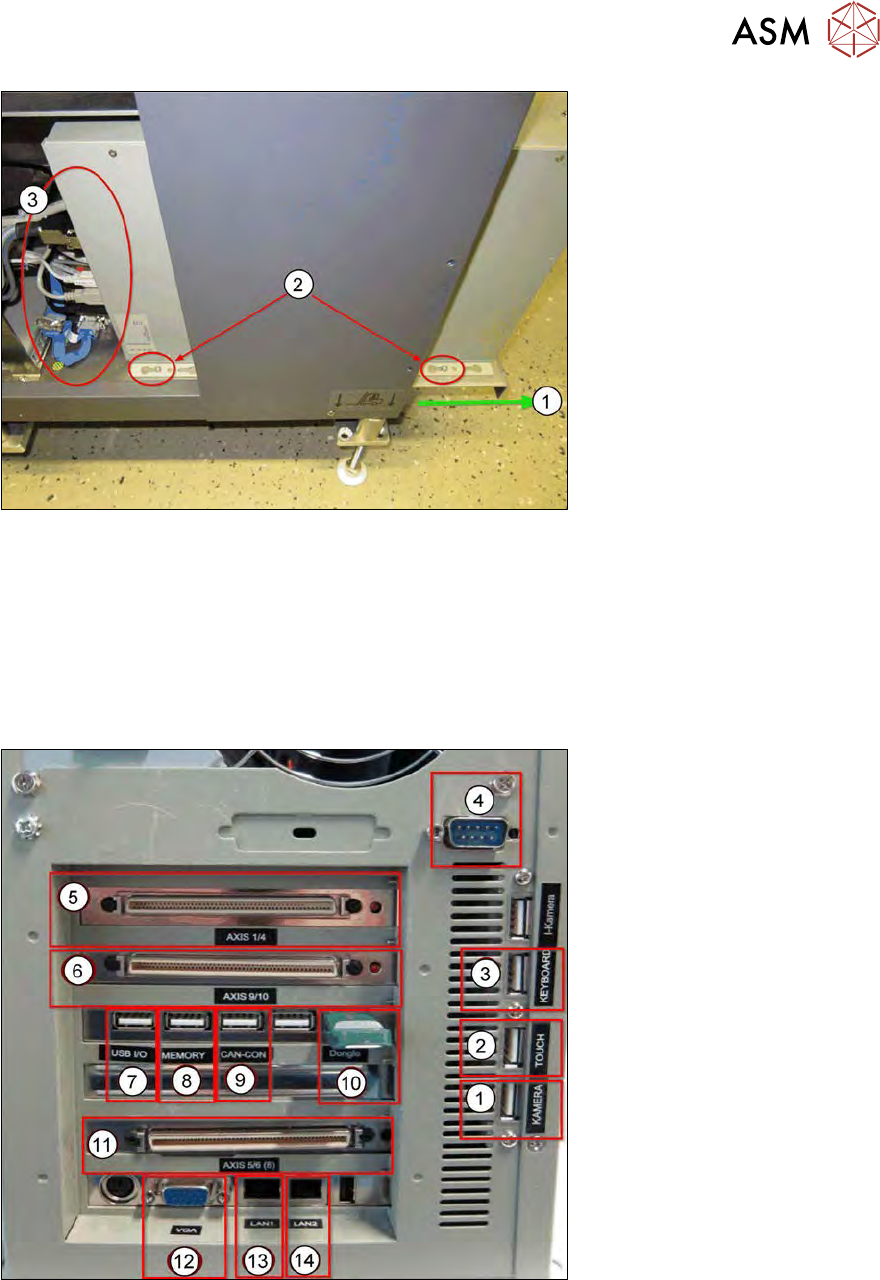
Fig.477:
► Pull the side cover plate out of its frame, until the back and front retaining screws (1) on the
BoxPC can be accessed.
► Loosen the two screws(2), so that the BoxPC can be moved on the side cover plate.
Before pulling out the BoxPC, unplug all connections(3) as follows:
13.1.2.1 Cable connections on the back of the BoxPC
The following connections are on the back of the BoxPC:
Fig.478: