00195982-03_SM_SWS_EN.pdf - 第222页
10 Option Die Attach Unit SWS 10.1 Installing the Option Die Attach Unit SWS 222 Service Manual SIPLACE Wafer System (SWS) 11/2018 Fig.290: ► Put the removed parts into a bag and store the bag in the flip chip reject bi…
10 Option Die Attach Unit SWS
10.1 Installing the Option Die Attach Unit SWS
Service Manual SIPLACE Wafer System (SWS) 11/2018 221
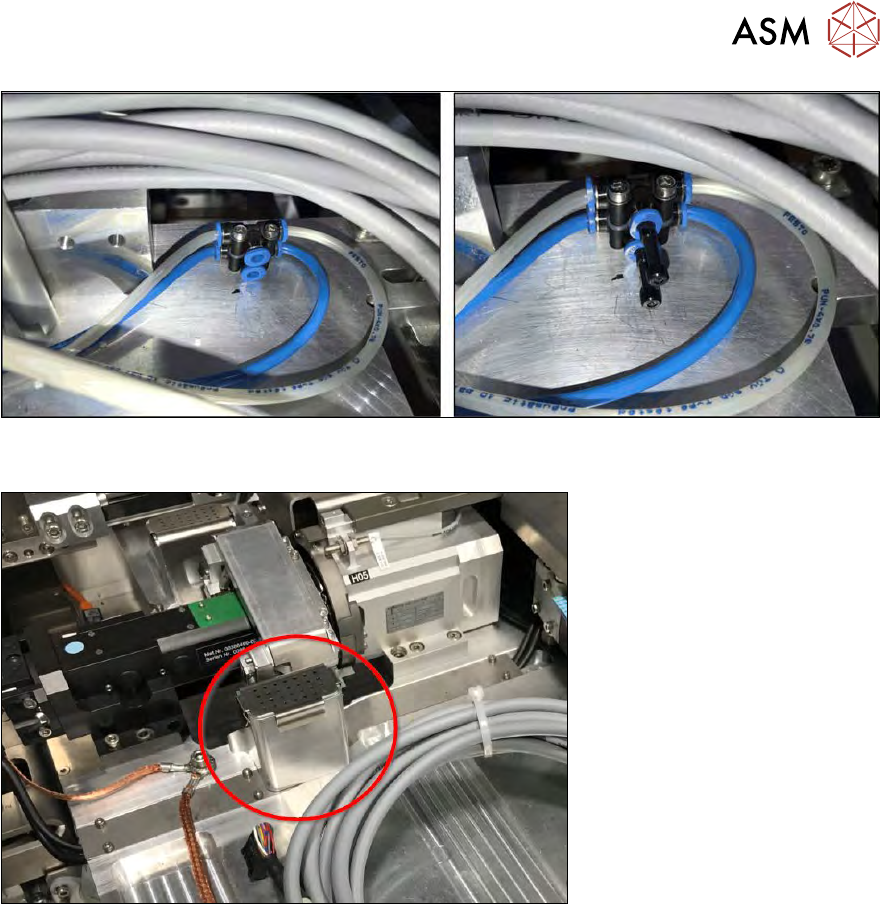
Fig.288:
► Remove the sealing plugs from the compressed air connections.
Fig.289:
► Take the flip chip reject bin for segment 1 out.
10 Option Die Attach Unit SWS
10.1 Installing the Option Die Attach Unit SWS
222 Service Manual SIPLACE Wafer System (SWS) 11/2018
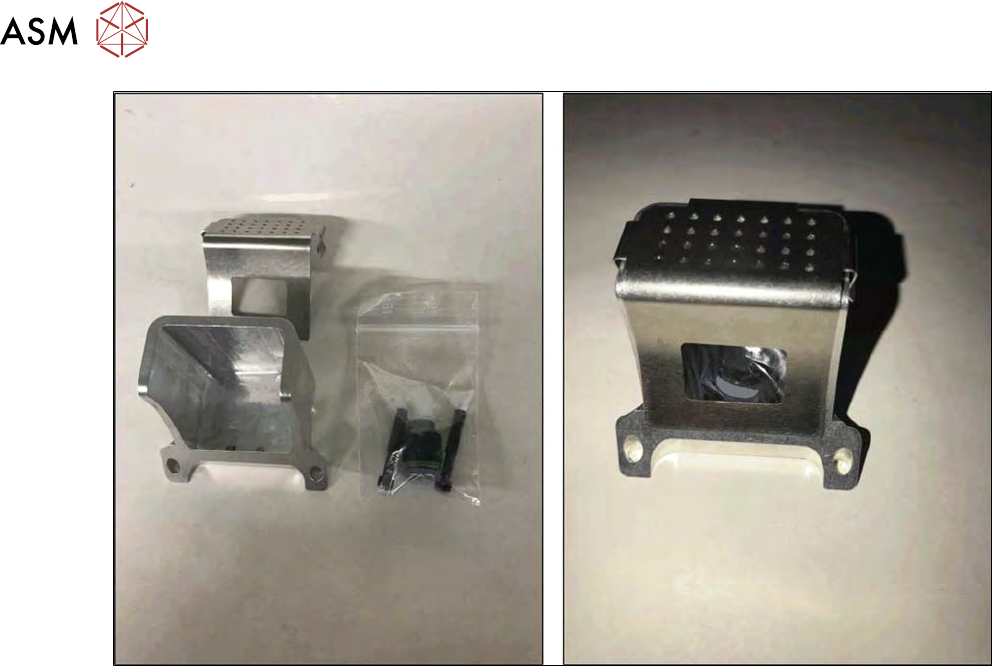
Fig.290:
► Put the removed parts into a bag and store the bag in the flip chip reject bin. Store all parts in-
side the SWS service box to have them available when removing the Die Attach Unit again.
10 Option Die Attach Unit SWS
10.1 Installing the Option Die Attach Unit SWS
Service Manual SIPLACE Wafer System (SWS) 11/2018 223
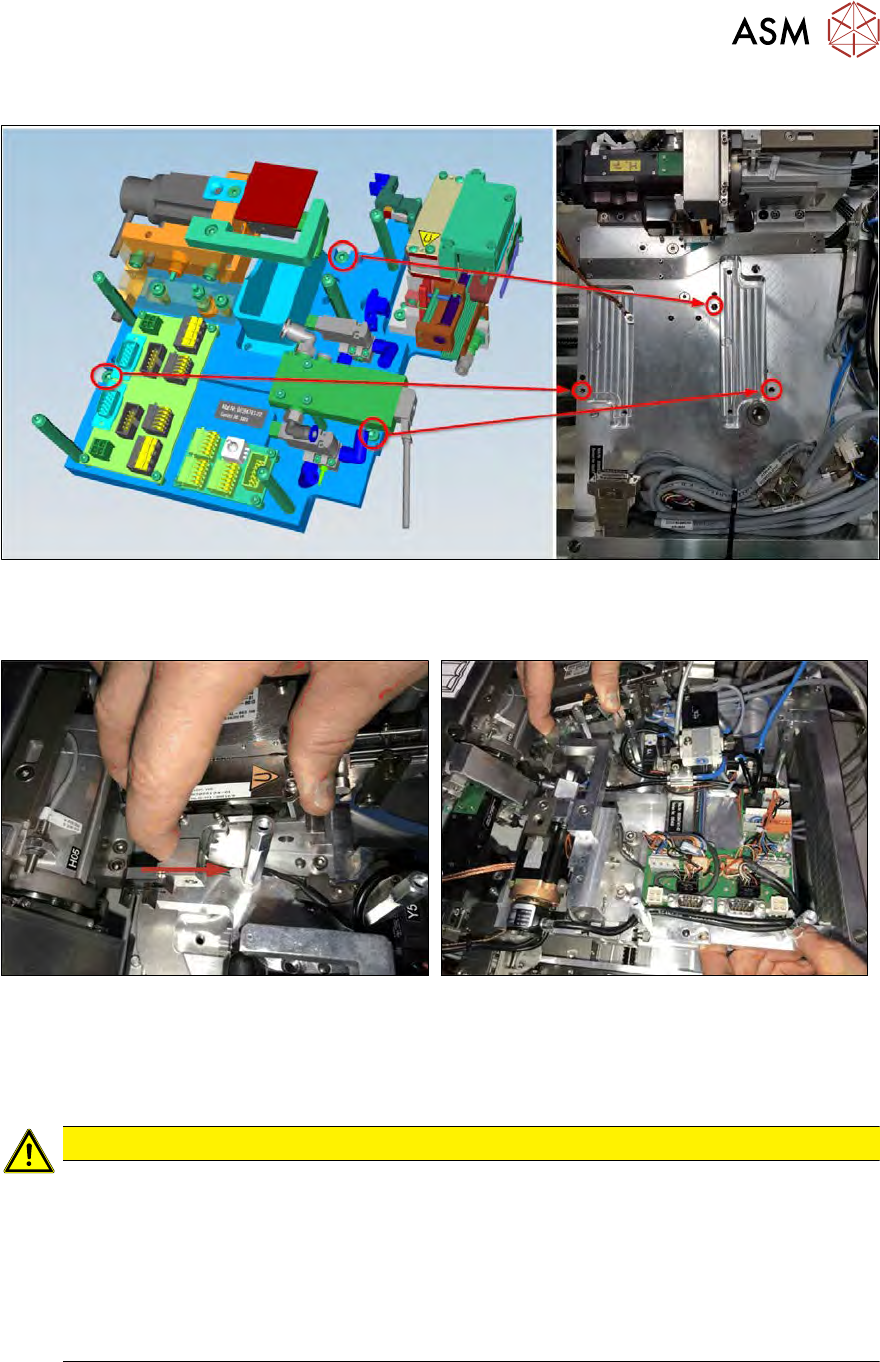
Installation position of Die Attach Unit in the SWS
Fig.291: Fastening screws
The Die Attach Unit is fastened (M5x16) to the ground plate of the SWS with three screws as
shown!
Fig.292:
► Carefully place the Die Attach Unit into that position!
► The transfer X-axis must not hit the raceway of the Flip-Unit!
► Pull back the transfer X axis and place the Die Attach Unit on the ground plate.
CAUTION
When placing the Die Attach Unit on the ground plate, observe the following points:
► Hold back the transfer X axis.
► Place the Die Attach Unit on the ground plate of the SWS and align the Die Attach
Unit with the screw positions.
► Carefully insert the transfer X axis in the raceway of the flip head (cutout in the race-
way).
ð Otherwise, the transfer X axis can be damaged.