00195982-03_SM_SWS_EN.pdf - 第73页
5 Basic frame – X/Y unit 5.3 Replacing parts Service Manual SIPLACE Wafer System (SWS) 11/2018 73 5.3.1 Replacing the Y motor with coupling To replace the Y motor, the die ejector must be in the bottom secure position an…
5 Basic frame – X/Y unit
5.3 Replacing parts
72 Service Manual SIPLACE Wafer System (SWS) 11/2018
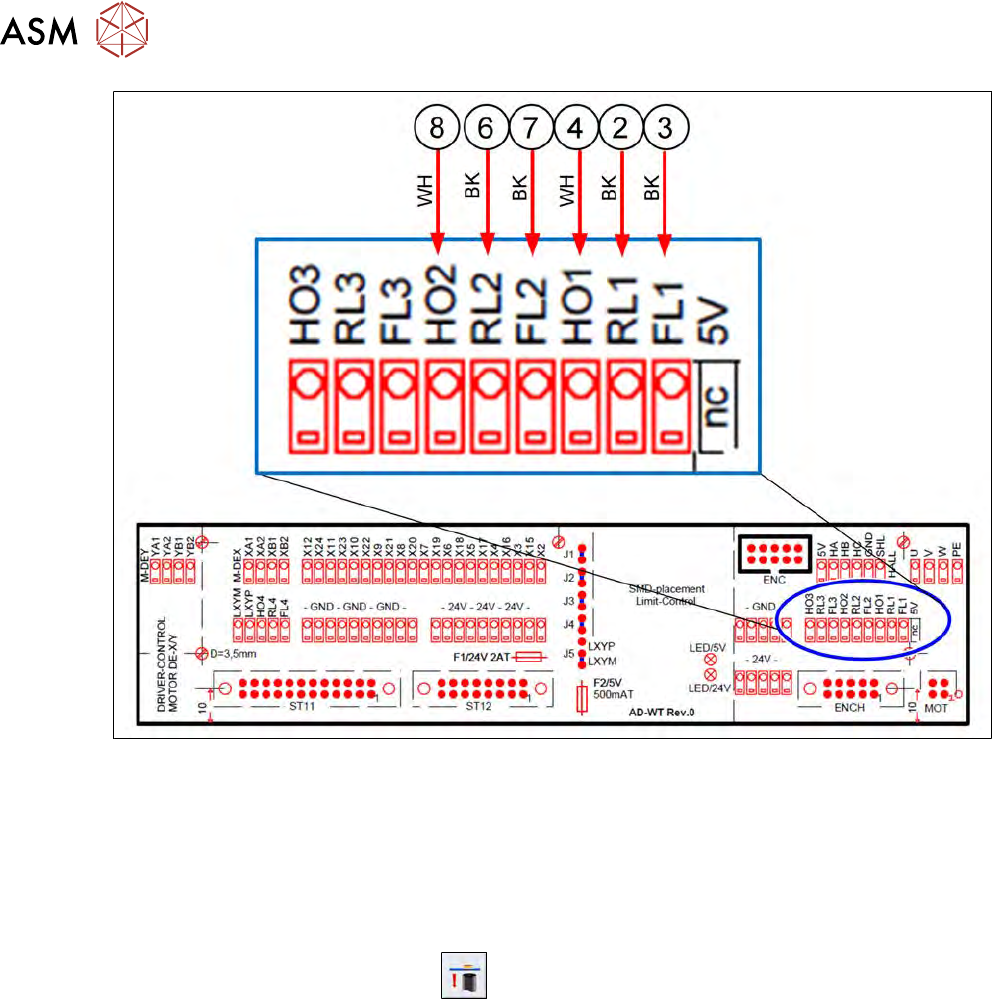
Fig.50:
24V and GND are run on the supply connections (disordered).
5.3 Replacing parts
Preparation
► Use the software to move the die ejector to the bottom position.
► Use the software button for this
.
► Then shut down the SWS using the Shut Down machinebutton and switch it off.
Tools
●
Standard tooling
●
Cable tie
●
Detailed circuit diagrams folder
●
[00334892-xx] Loctite 243 screw locking varnish, medium strength
Special auxiliary equipment
●
T-Allen key 2.5mm
●
Allen key 3mm, shortened
5 Basic frame – X/Y unit
5.3 Replacing parts
Service Manual SIPLACE Wafer System (SWS) 11/2018 73
5.3.1 Replacing the Y motor with coupling
To replace the Y motor, the die ejector must be in the bottom secure position and the SWS must be
switched off.
► Disconnect the SWS from the power supply!
► Manually move the whole wafer table until you have access to the Y motor on the base unit
and the wafer table is in the next position to the wafer lift (Y axis wafer lift stop)!
This ensures that the spindle and the bearing are as freely accessible as possible towards the Y
motor. This enables you to later lift the motor-coupling unit for removal purposes.
5.3.1.1 Removing the Y motor with coupling
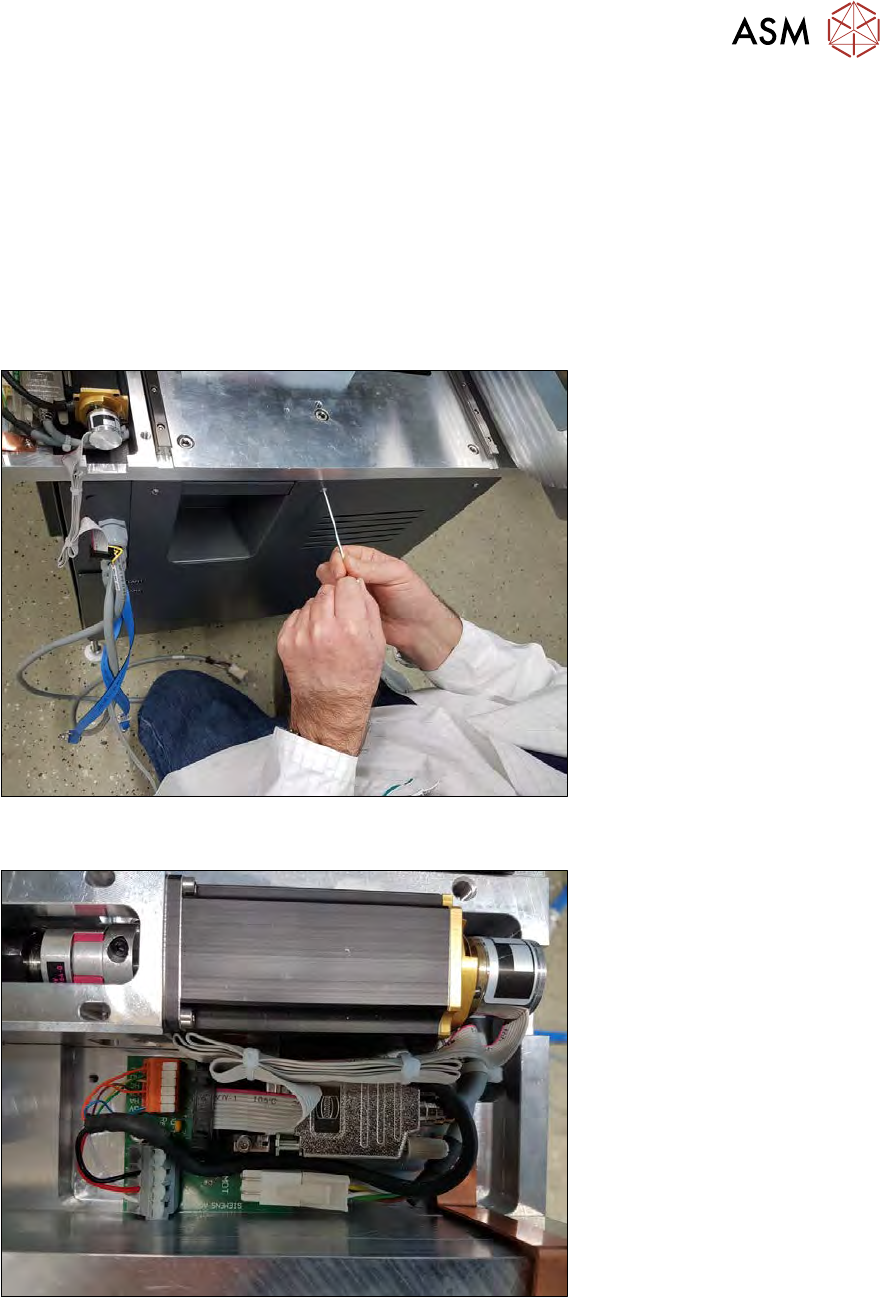
Fig.51:
► Remove the front plate and disconnect the internal CAT5 cable.
Fig.52:
► Remove the cover plate on the "AD-MOT Rev.0 Sub-D board = angled", next to the Y motor.
5 Basic frame – X/Y unit
5.3 Replacing parts
74 Service Manual SIPLACE Wafer System (SWS) 11/2018
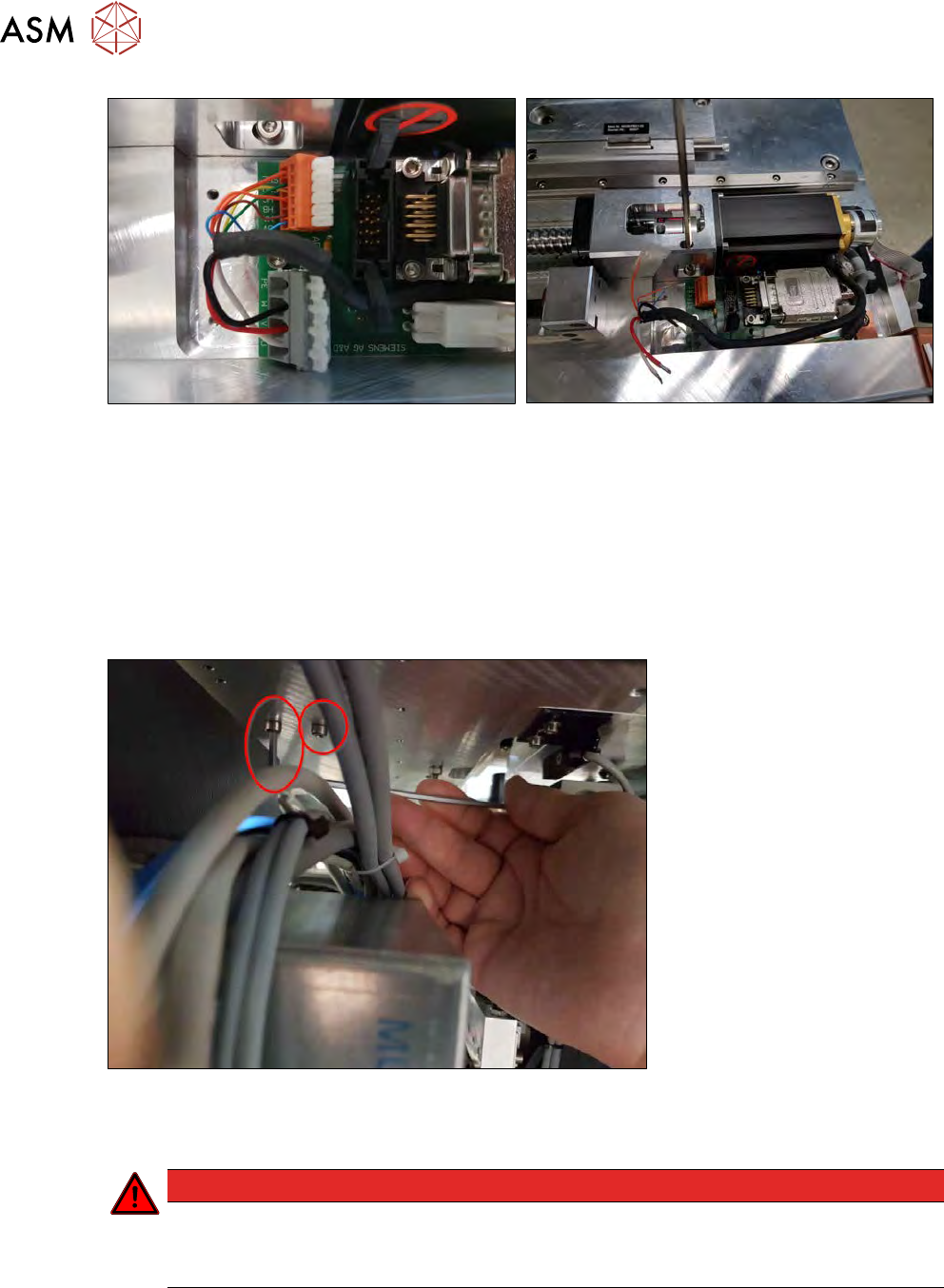
Fig.53:
► Disconnect all connection cables (9-pin sub-D) and individual wires.
► Make a note of the connections, mark the two orange single wires SHL (see left diagram) and
HB , to avoid confusion! (The diagram on the right marks the orange SHL wire with adhesive
tape.)
► Remove the two screws fastening the coupling plate from above.
If there is a nozzle changer fitted, there are two options:
– Remove the nozzle changer, to gain access for further removal work.
– Use suitable, short hexagonal screwdrivers.
Fig.54:
► Remove the two screws fastening the coupling plate from below.
You can reach the screws via the opening for the front plate which you already removed!
DANGER
Electric shock
Work is being performed next to the power supply transformer.
► Make sure that the device is disconnected from the mains power supply.