00195982-03_SM_SWS_EN.pdf - 第241页
10 Option Die Attach Unit SWS 10.1 Installing the Option Die Attach Unit SWS Service Manual SIPLACE Wafer System (SWS) 11/2018 241 Fig.322: Fig.323: ► Mount the gauge back at its the original position. ► Choose Next . …
10 Option Die Attach Unit SWS
10.1 Installing the Option Die Attach Unit SWS
240 Service Manual SIPLACE Wafer System (SWS) 11/2018
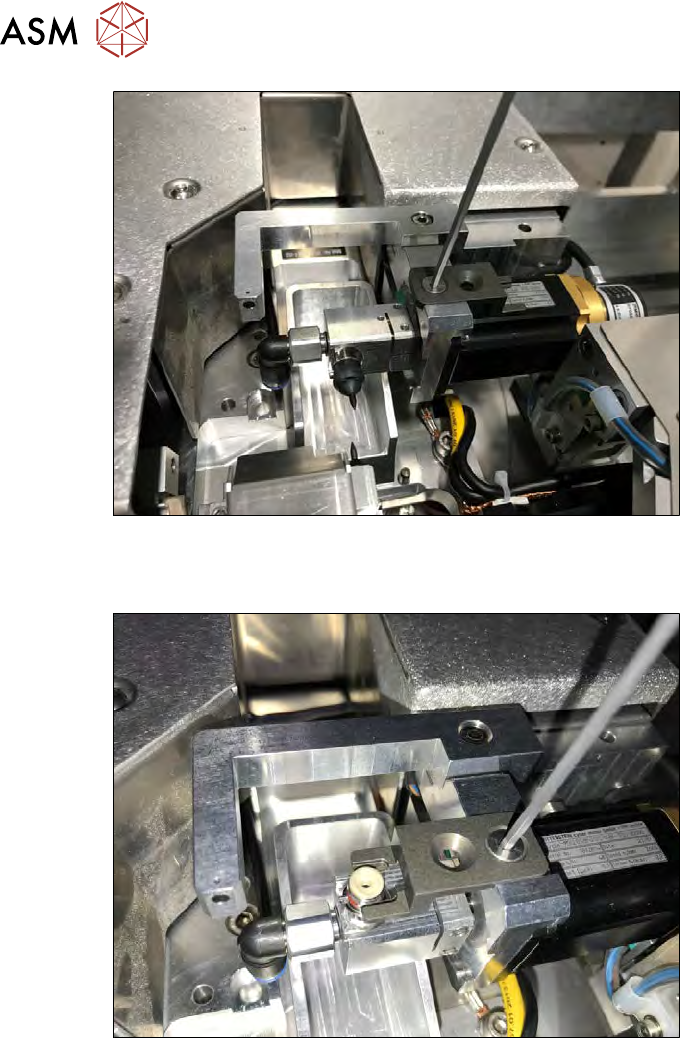
Fig.320:
► Remove the calibration tool from the Die Attach drive. Remove the fastening screw for this
(see figure).
Fig.321:
► Remove the nozzle from the Die Attach segment and turn the segment in the upper transfer
position. Fit the gauge (see figure).
► Choose Next.
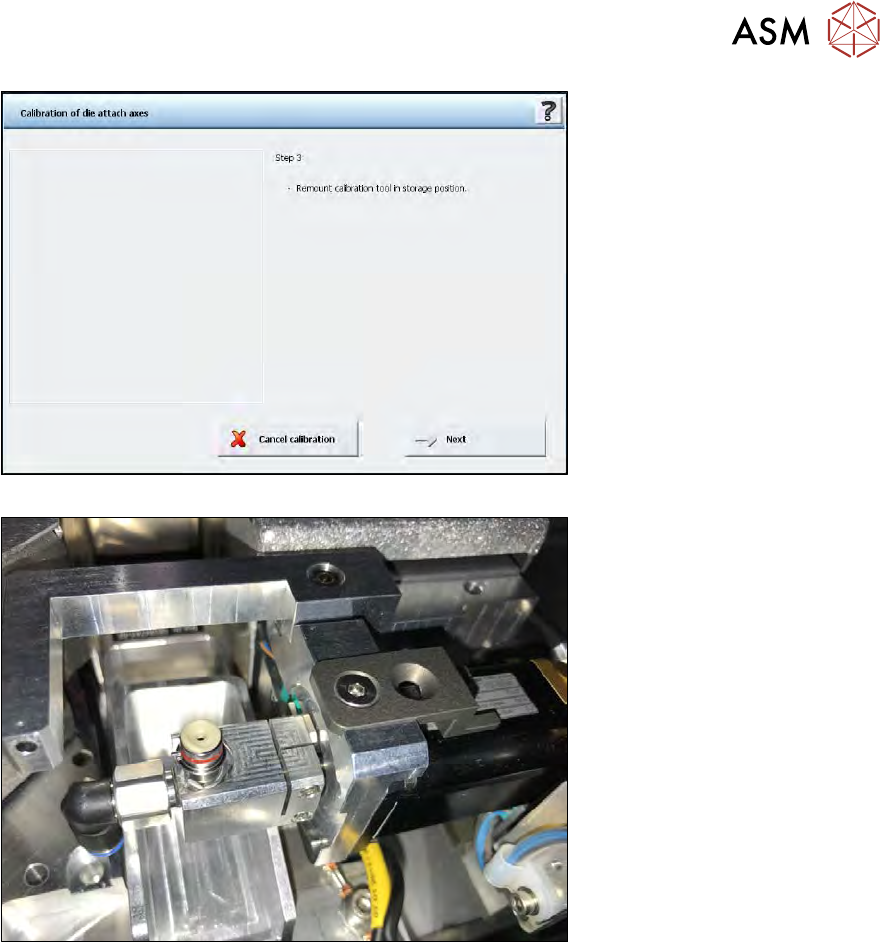
ð After successful calibration, the window with Step 3 is displayed.
10 Option Die Attach Unit SWS
10.1 Installing the Option Die Attach Unit SWS
Service Manual SIPLACE Wafer System (SWS) 11/2018 241
Fig.322:
Fig.323:
► Mount the gauge back at its the original position.
► Choose Next.
ð The following window with Step 4 is displayed.
10 Option Die Attach Unit SWS
10.1 Installing the Option Die Attach Unit SWS
242 Service Manual SIPLACE Wafer System (SWS) 11/2018
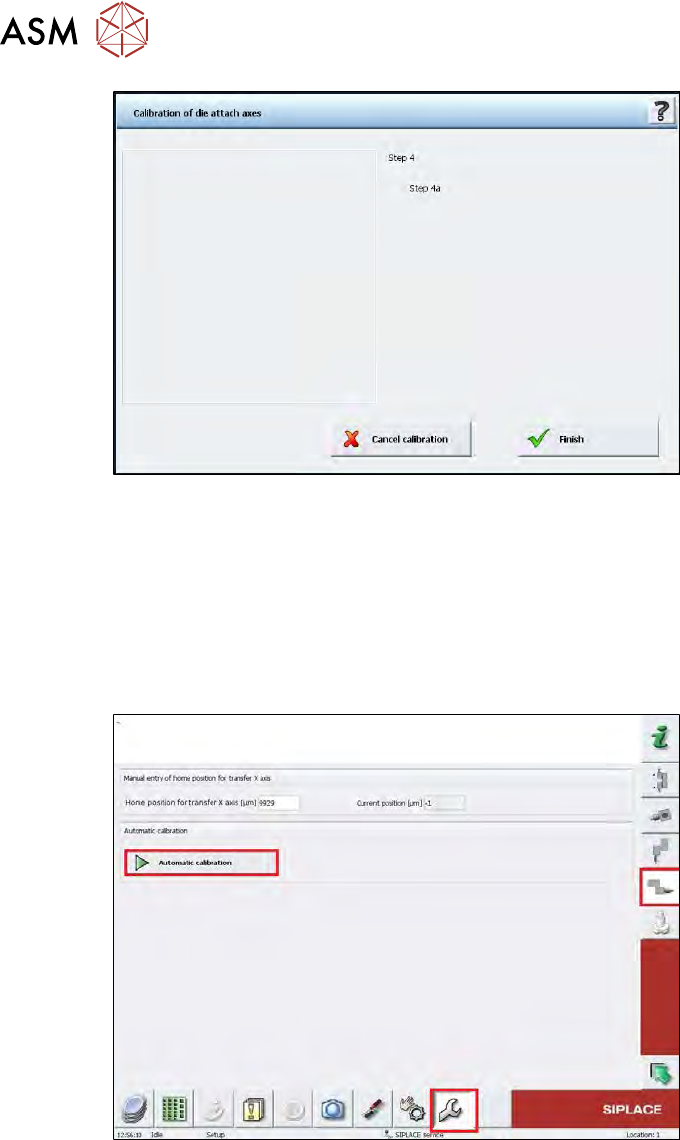
Fig.324:
► Choose Finish.
ð The die attach rotation axis is initialized.
ð If the calibration was done correctly, the segment must be in the upper transfer position
after the initialization.
10.1.5.2 Calibration of the Die Attach Transfer X Axis
► Change to the operator level Service.
Fig.325:
► Choose the Service menu and then choose the button for the transfer X axis.
► Choose the Automatic calibration button.
ð The calibration of the transfer X home position is done automatically.