00195982-03_SM_SWS_EN.pdf - 第384页
15 Calibration 15.3 Calibration die handling - flip unit 384 Service Manual SIPLACE Wafer System (SWS) 11/2018 Fig.556: ► You can see the stamp mark for segment1 (1) , after moving the Teflon tape by hand. ► Choose St…
15 Calibration
15.3 Calibration die handling - flip unit
Service Manual SIPLACE Wafer System (SWS) 11/2018 383
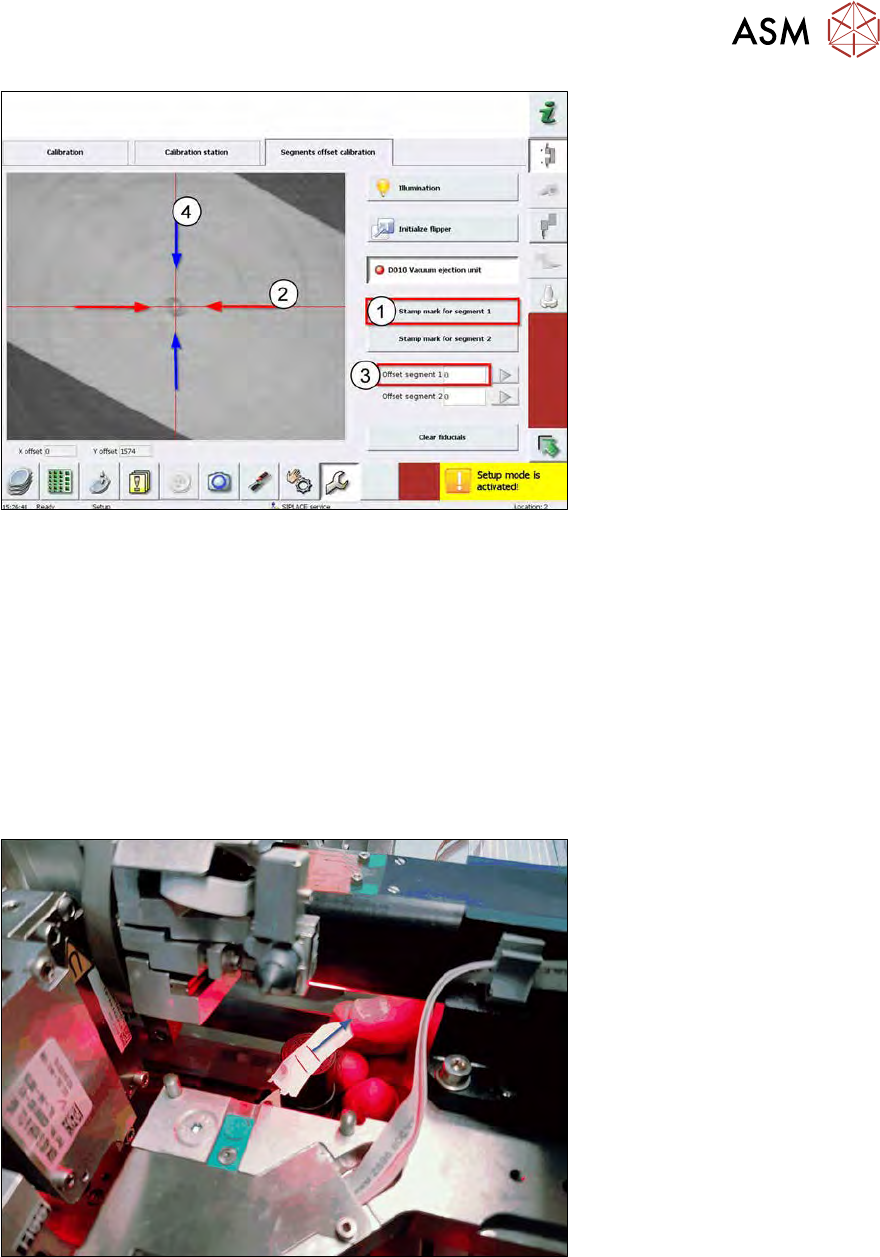
Fig.554:
► Choose Stamp mark for segment 1 (1).
► Segment 1 moves down and leaves a visible imprint on the Teflon tape.
In the example, it is exactly over the red cross (center) of the camera, therefore the nozzle
center is exactly over the die ejector needle.
► In this case, there is an offset between the stamp mark and the red cross.
You have to shift in X direction (2).
► Insert an offset (3).
(1 cm on the screen = 500µm offset)
At the end of this chapter, you find a table with offset directions.
It is not possible to adjust an offset in Y direction (4) using the software (see the information at
the beginning of this section).
Fig.555:
► Move the Teflon tape by some millimeters.
→ The vacuum is still activated!
15 Calibration
15.3 Calibration die handling - flip unit
384 Service Manual SIPLACE Wafer System (SWS) 11/2018
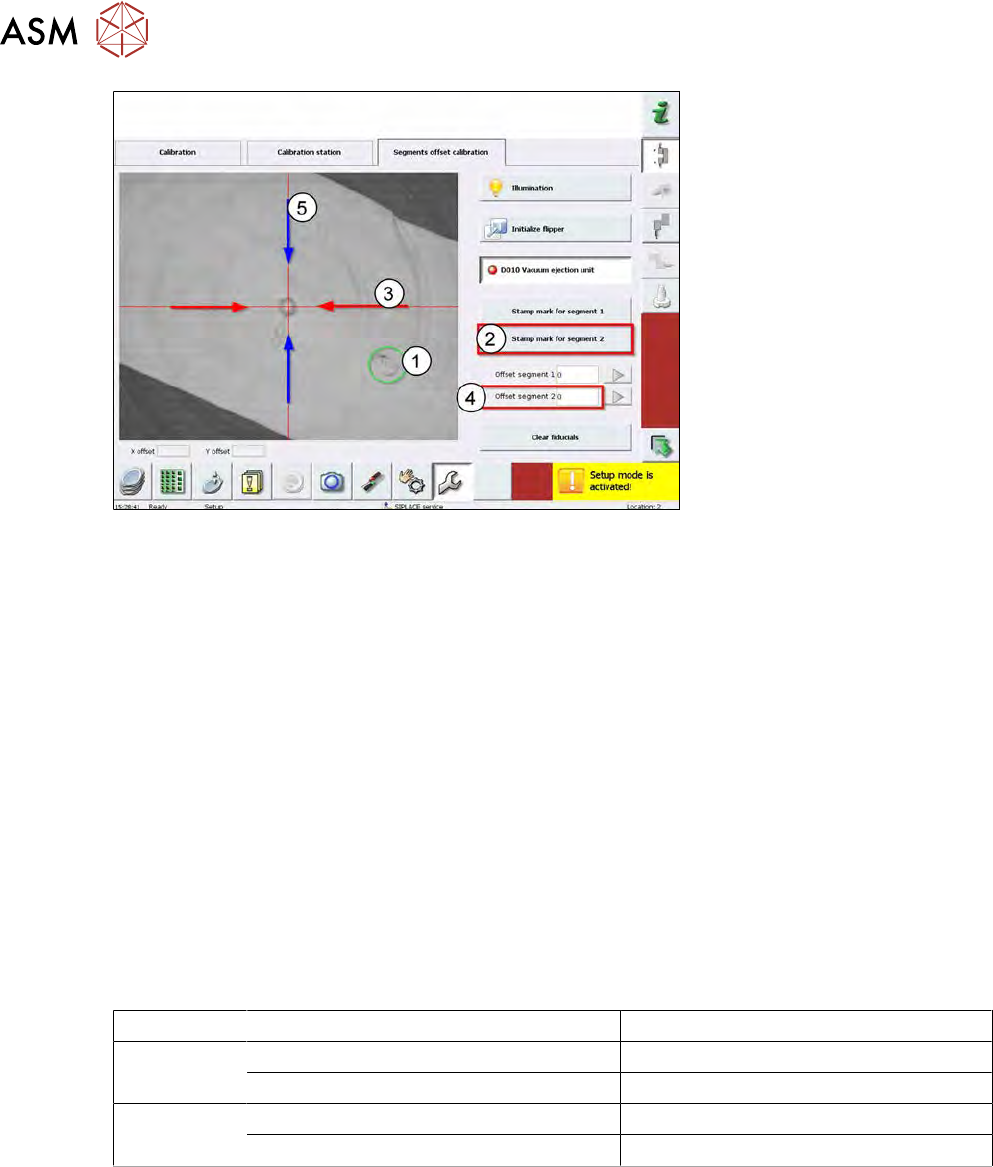
Fig.556:
► You can see the stamp mark for segment1(1), after moving the Teflon tape by hand.
► Choose Stamp mark for segment 2.
► Segment 2 moves down and leaves a visible imprint on the Teflon tape.
In the example, it is exactly over the red cross (center) of the camera, therefore the nozzle
center is exactly over the die ejector needle.
► In this case, there is an offset between the stamp mark and the red cross, you have to shift in
X direction (3).
► Insert an offset (4).
(1 cm on the screen = 500µm offset)
At the end of this chapter, you find a table with offset directions.
It is not possible to adjust an offset in Y direction (5) using the software (see the information at
the beginning of this section).
► Deactivate (switch off) the vacuum at the die ejector unit.
► Take off the Teflon tape from die ejector.
► Move the die ejector down using the software!
Software correction of the X offset by entry in GUI
Segment Shifting the nozzle imprint Correction value in the software
1 Shifting to the right (x) Entering a negative value
Shifting to the left (x) Entering a positive value
2 Shifting to the right (x) Entering a negative value
Shifting to the left (x) Entering a positive value
15 Calibration
15.3 Calibration die handling - flip unit
Service Manual SIPLACE Wafer System (SWS) 11/2018 385
15.3.2.5 Calibration – die ejector needle
HIGH RISK OF SERIOUS INJURIES
► Setup mode must be activated!
●
The die ejector needle lifts the die component off from the wafer!
●
The needle is moved up and down by a threating spindle.
●
The die ejector needle must be adjusted exactly to the surface of the die ejector!
●
This is the zero point correction for the die ejector needle, which is called the needle down
position.
●
Each different die type requires a different needle height to be ejected!
●
This height is calculated from the zero point correction (needle down position).
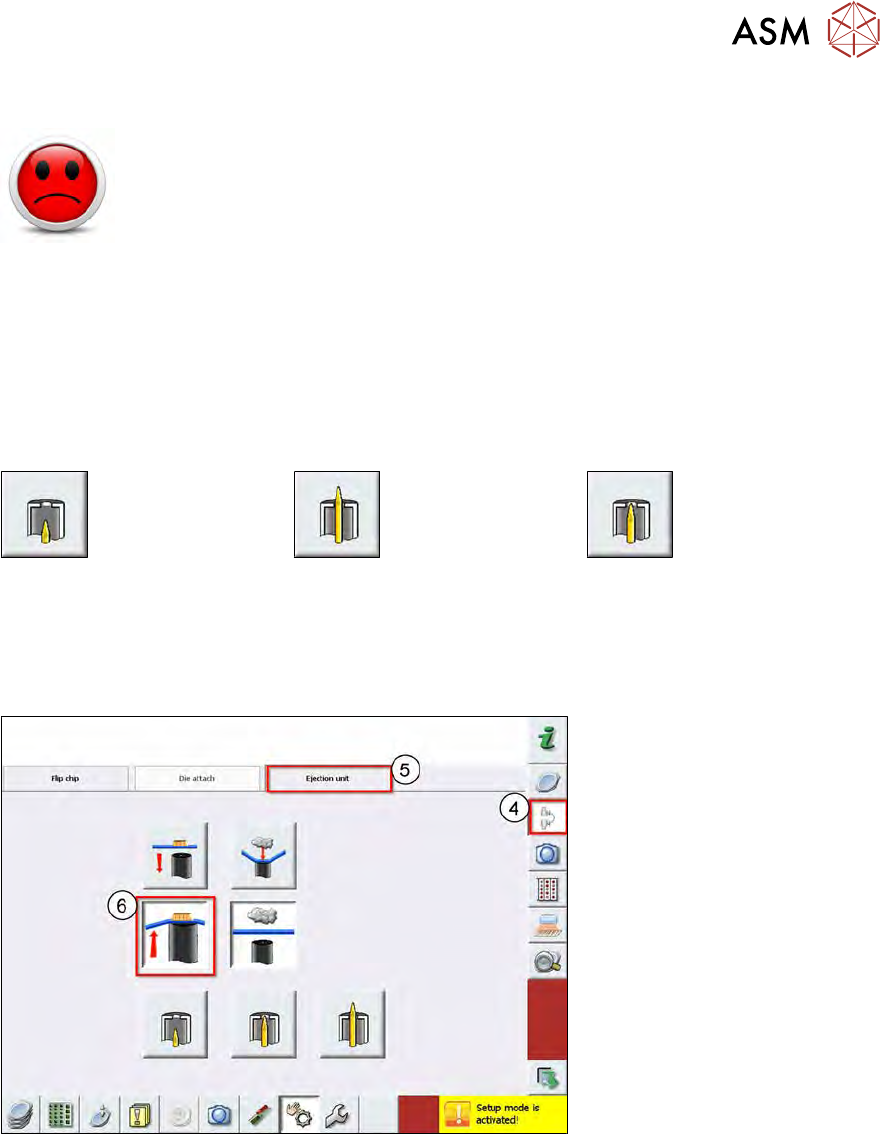
Needle down position
→ TOO LOW
Needle down position
→ TOO HIGH
Needle down position
→ The needle must be flush
with the die ejector
→ OK.
Finding the needle down position
Fig.557:
► Move the die ejector in the upper position.