00195982-03_SM_SWS_EN.pdf - 第247页
10 Option Die Attach Unit SWS 10.2 Dissambling Die-Attach-Unit SWS Service Manual SIPLACE Wafer System (SWS) 11/2018 247 Fig.333: ► Rotate valve Y8 to access the Die Attach Unit safety screw (11) . ► Remove the safety s…
10 Option Die Attach Unit SWS
10.2 Dissambling Die-Attach-Unit SWS
246 Service Manual SIPLACE Wafer System (SWS) 11/2018
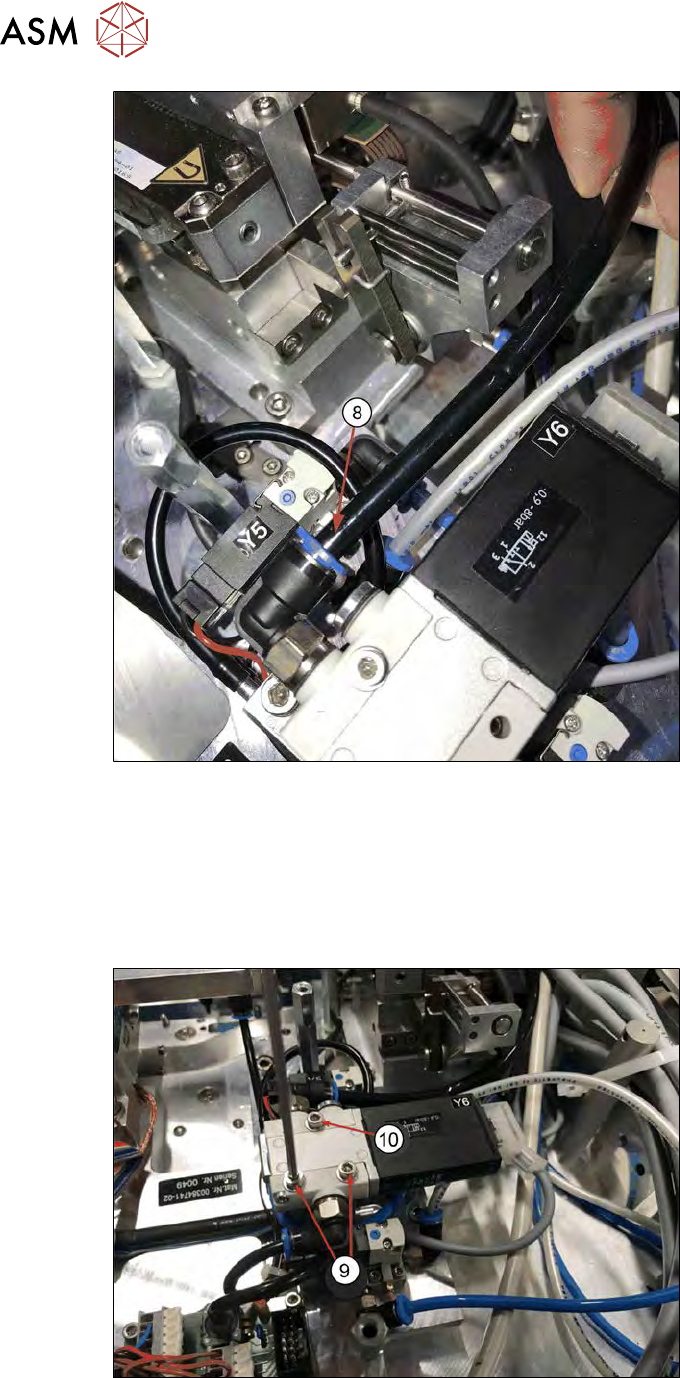
Fig.331:
► Disconnect the black vacuum tube (8) from valve Y6 (valve Y6 switches the vacuum for the
Die Attach segment).
► Remove the three safety screws of the Die Attach Unit and lift it out.
One screw is covered by the vacuum valve Y6. In order to access the screw, the valve must
be rotated.
Continue with the following steps:
Fig.332:
► Remove the two lower safety screws of valve Y6 (9).
► Loosen (don't remove) the single upper screw (10).
10 Option Die Attach Unit SWS
10.2 Dissambling Die-Attach-Unit SWS
Service Manual SIPLACE Wafer System (SWS) 11/2018 247
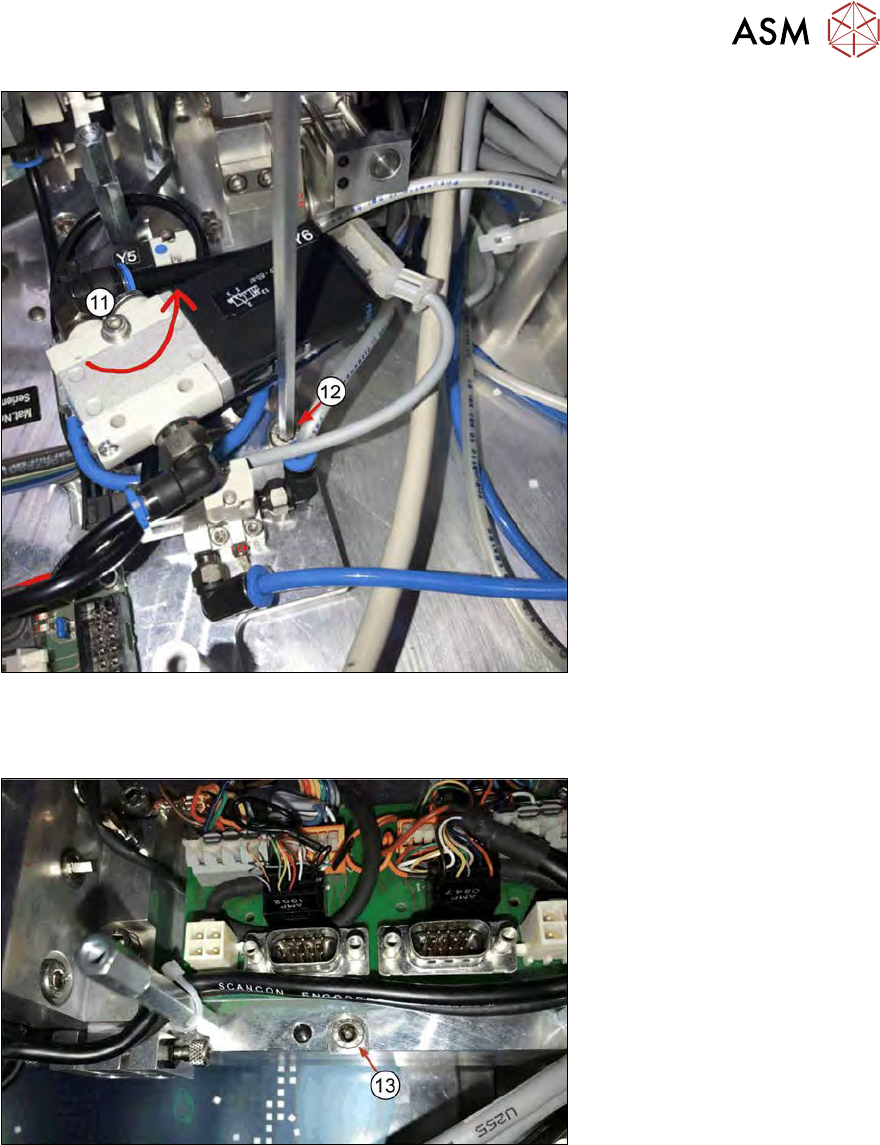
Fig.333:
► Rotate valve Y8 to access the Die Attach Unit safety screw (11).
► Remove the safety screw (12).
Fig.334:
► Remove the safety screw (13).
10 Option Die Attach Unit SWS
10.2 Dissambling Die-Attach-Unit SWS
248 Service Manual SIPLACE Wafer System (SWS) 11/2018
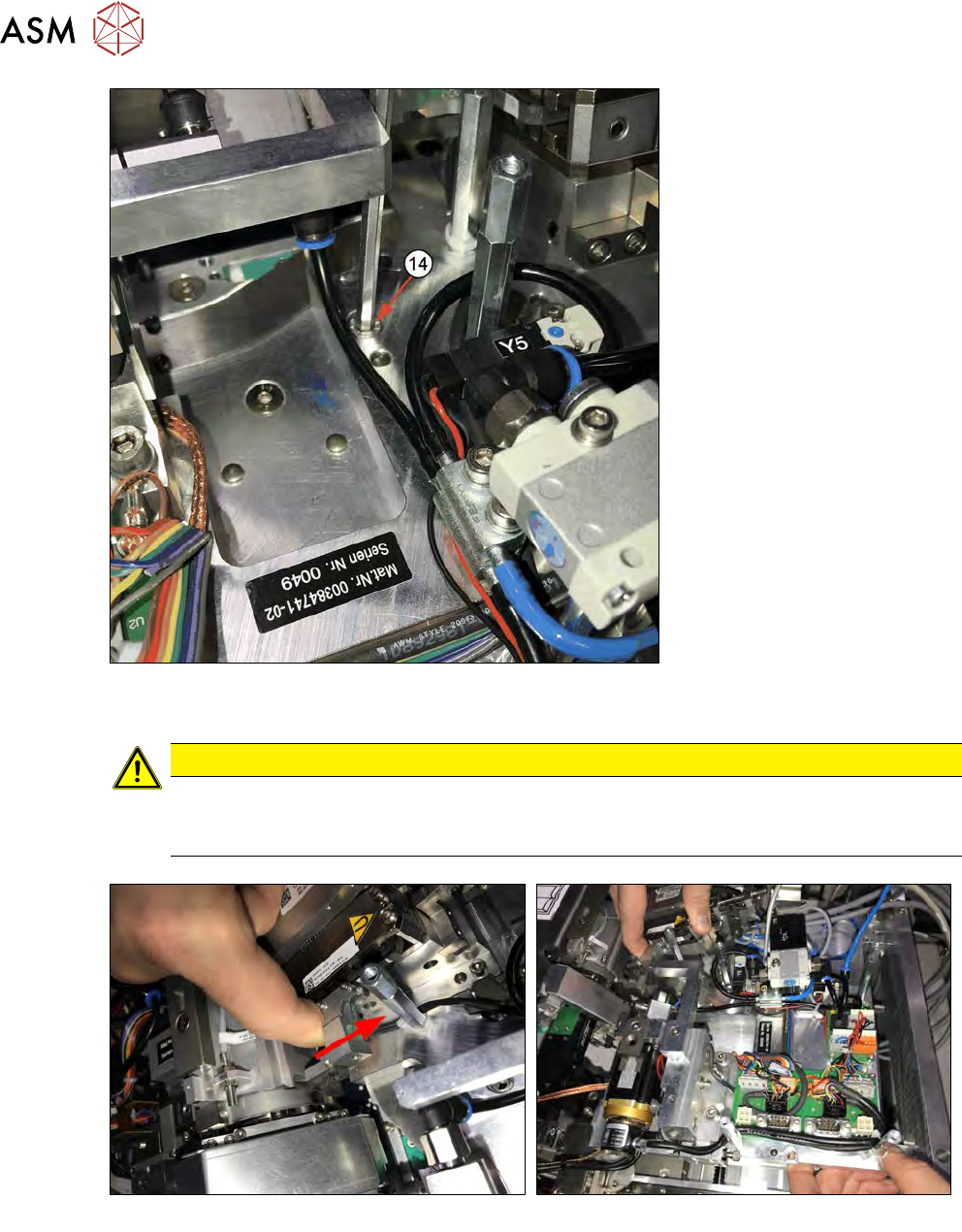
Fig.335:
► Remove the Die Attach Unit safety screw (14).
CAUTION
Before you can lift out the Die Attach Unit, you must pull the transfer X axis back (see the
figure below and section 10.1.3 "Installing the Option Die Attach Unit in SWS" [}219]).
Otherwise, the axis will be bent and damaged!
Fig.336:
► Before you can remove the Die Attach Unit, you must pull the transfer X axis back to have the
jaw moved out of the flip head raceway!
► Lift the Die Attach Unit out.