00195982-03_SM_SWS_EN.pdf - 第407页
15 Calibration 15.4 Calibration of the complete wafer handling Service Manual SIPLACE Wafer System (SWS) 11/2018 407 Fig.597: ► Choose Calibrate lift and wafer table position . ð The following positions are calibrated: …
15 Calibration
15.4 Calibration of the complete wafer handling
406 Service Manual SIPLACE Wafer System (SWS) 11/2018
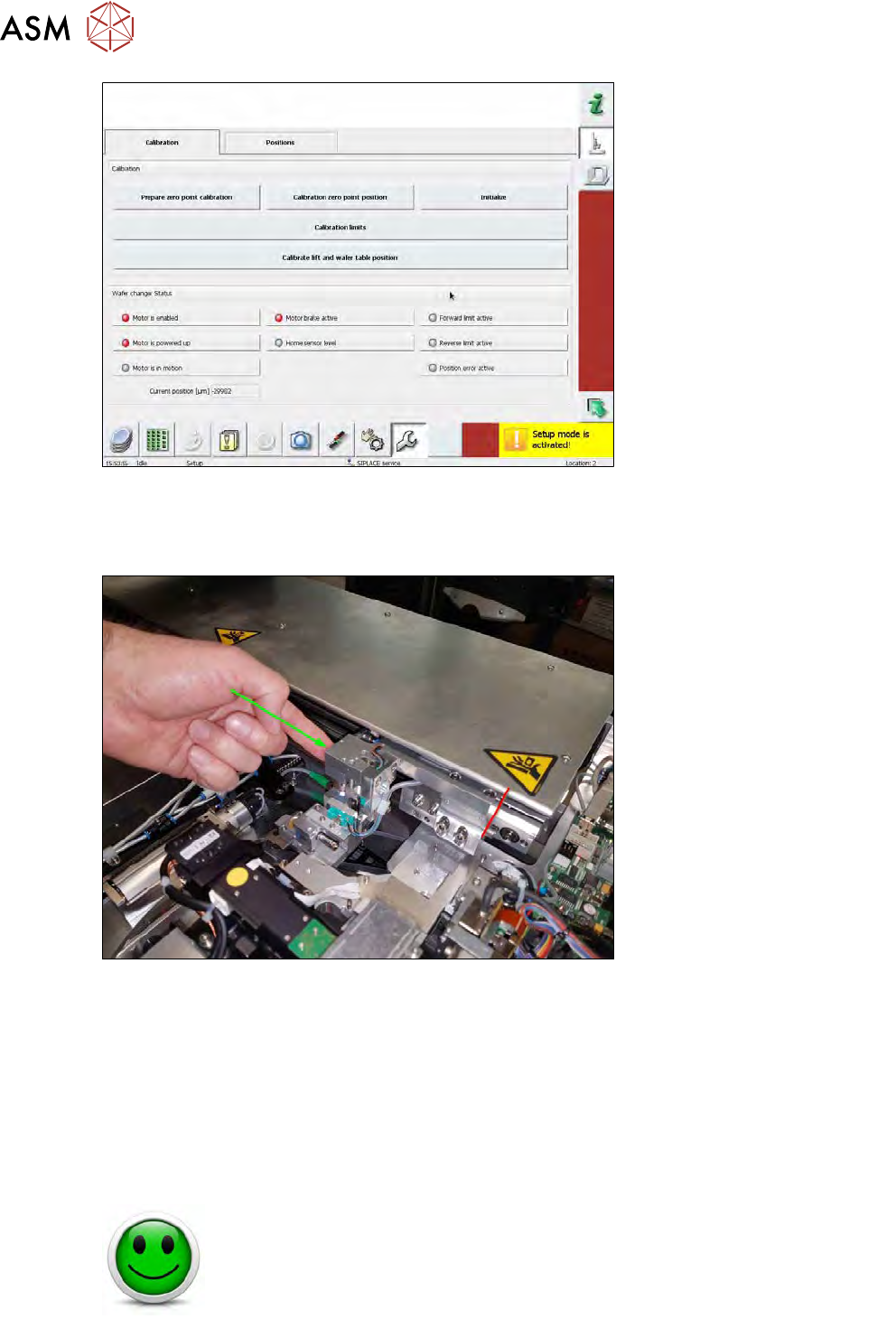
Fig.595:
► Choose Prepare zero point calibration
The power of the wafer changer axis is initialized and then switched off. As a result, the wafer
changer can be moved.
Fig.596:
► Manually move the powerless wafer changer to the mechanical lock next to the nozzle
changer.
► Choose Calibrate zero point position. With this, the zero point position is saved.
► Choose Initialize. After that, the axis is initialized and the calibration data are transferred to
the software.
► Choose Calibration limits.
► Deactivate the Setup mode.
For this calibration, the wafer table has to be moved into a defined position using the software.
NO RISK OF SERIOUS INJURIES
► Setup mode not activated!
Machine covers are closed!
15 Calibration
15.4 Calibration of the complete wafer handling
Service Manual SIPLACE Wafer System (SWS) 11/2018 407
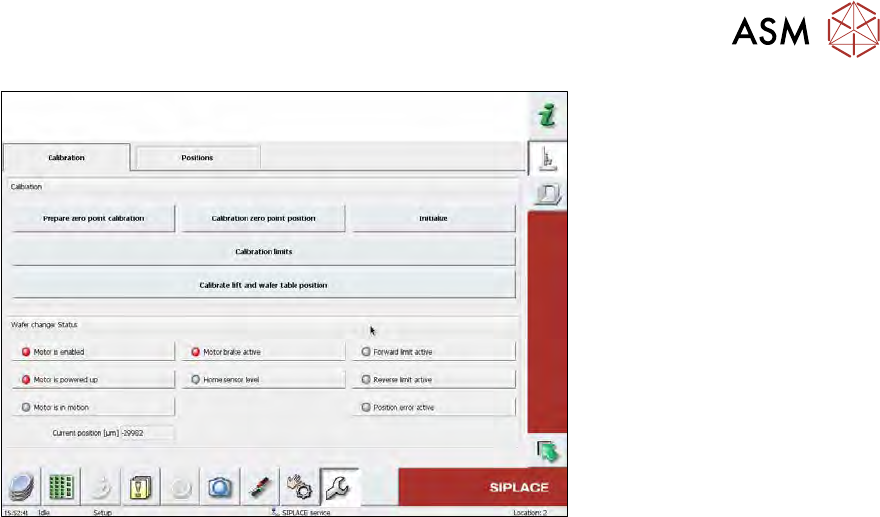
Fig.597:
► Choose Calibrate lift and wafer table position.
ð The following positions are calibrated:
– The gripper position in front of the lift
The magazine plate is touched by the gripper.
– The frame holder pin position
The frame holder on the wafer table is touched by the gripper.
15 Calibration
15.5 SWS data backup and restore
408 Service Manual SIPLACE Wafer System (SWS) 11/2018
15.5 SWS data backup and restore
15.5.1 Machine data
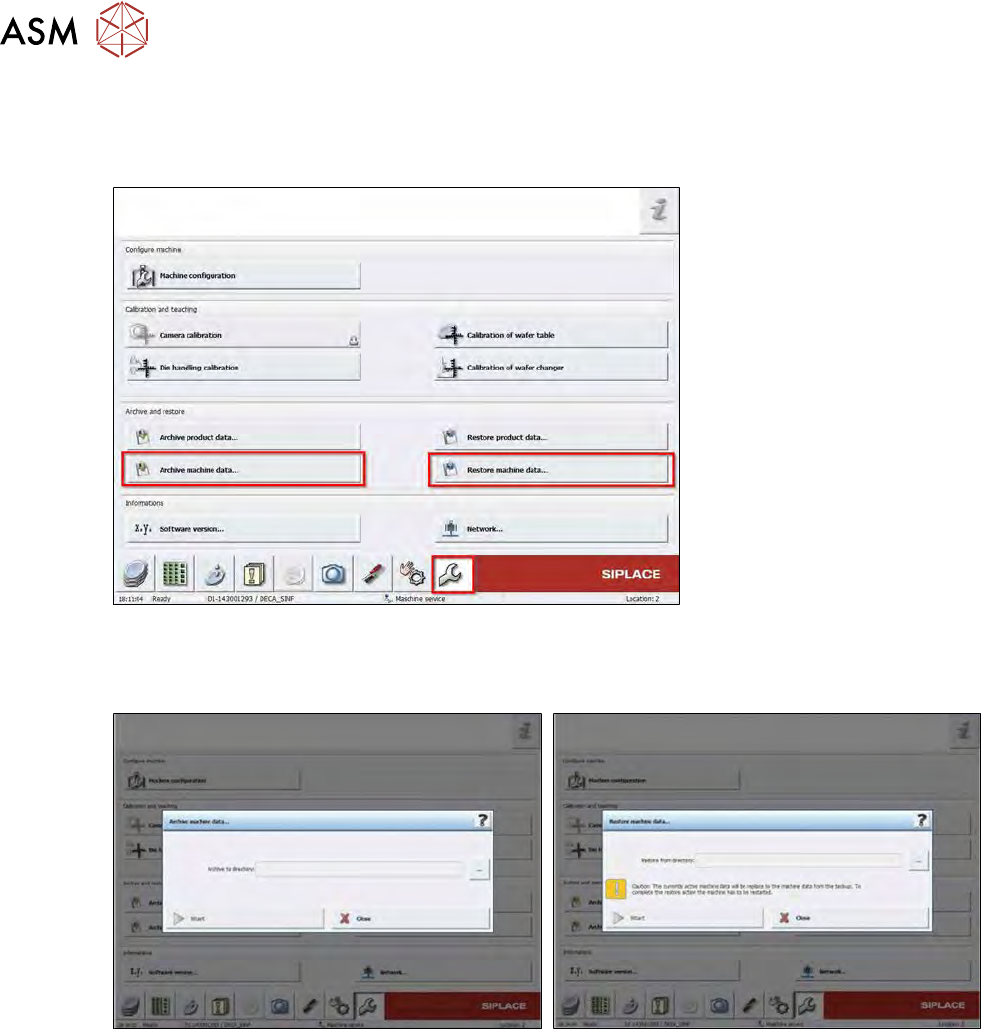
Fig.598:
The machine data comprise the calibration data of all machine sub systems.
► With Archive machine data… you can save these data to a flash drive.
Fig.599:
► To restore the backup choose Restore machine data….
► Plug in the flash drive and select the desired backup file.
► Choose Start.