00195982-03_SM_SWS_EN.pdf - 第325页
12 Wafer stretcher 12.8 Setting the sag sensor IN 19 Service Manual SIPLACE Wafer System (SWS) 11/2018 325 Fig.458: ► Remove both screws from the transmitter S. If the screws cannot be accessed from the side, use a shor…
12 Wafer stretcher
12.8 Setting the sag sensor IN 19
324 Service Manual SIPLACE Wafer System (SWS) 11/2018
12.8.2.2 Preparatory tasks
► Move the table to the change position (GUI function).
► Move the expansion plate upwards (GUI function).
► Lower the expansion ring. → expansion ring in lowest position (GUI function).
► Make sure that the die ejector has been lowered.
► Switch off the SWS and the SIPLACE CA.
► Dismantle and remove the SWS.
► Remove the two expansion plates.
► Reconnect the SWS to the power supply.
► An air connection is not needed.
► Switch the SWS on.
The following tasks can be performed in emergency OFF mode.
12.8.2.3 Adjusting (aligning) the sag sensor
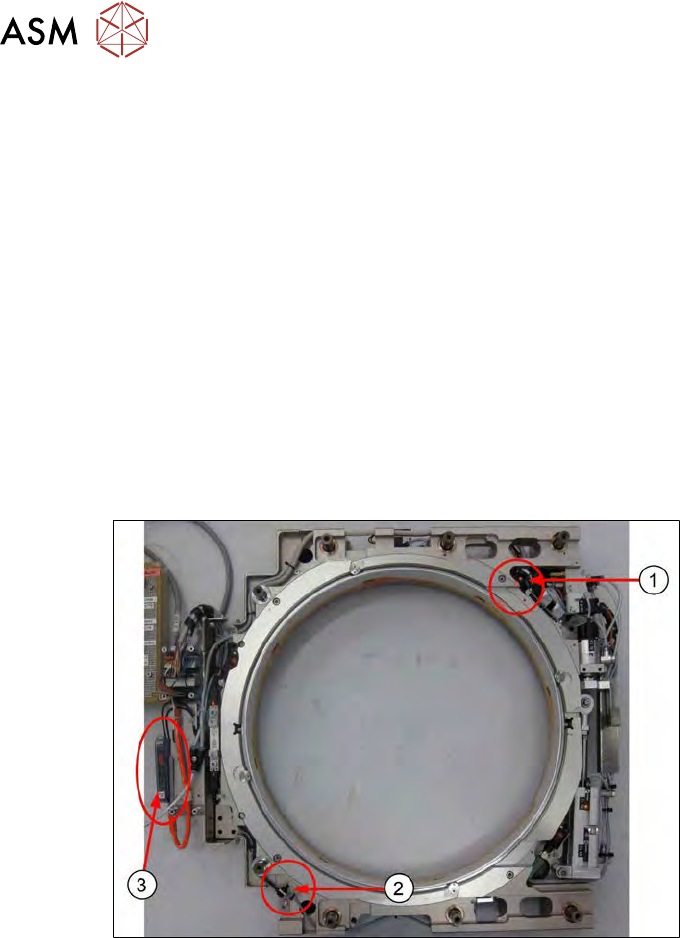
Fig.457:
The sag sensor assembly is present as shown in the diagram. The expansion plates have been
dismantled.
1. Transmitter S
2. Receiver R
3. Sensick WLL180T analysis unit
12 Wafer stretcher
12.8 Setting the sag sensor IN 19
Service Manual SIPLACE Wafer System (SWS) 11/2018 325
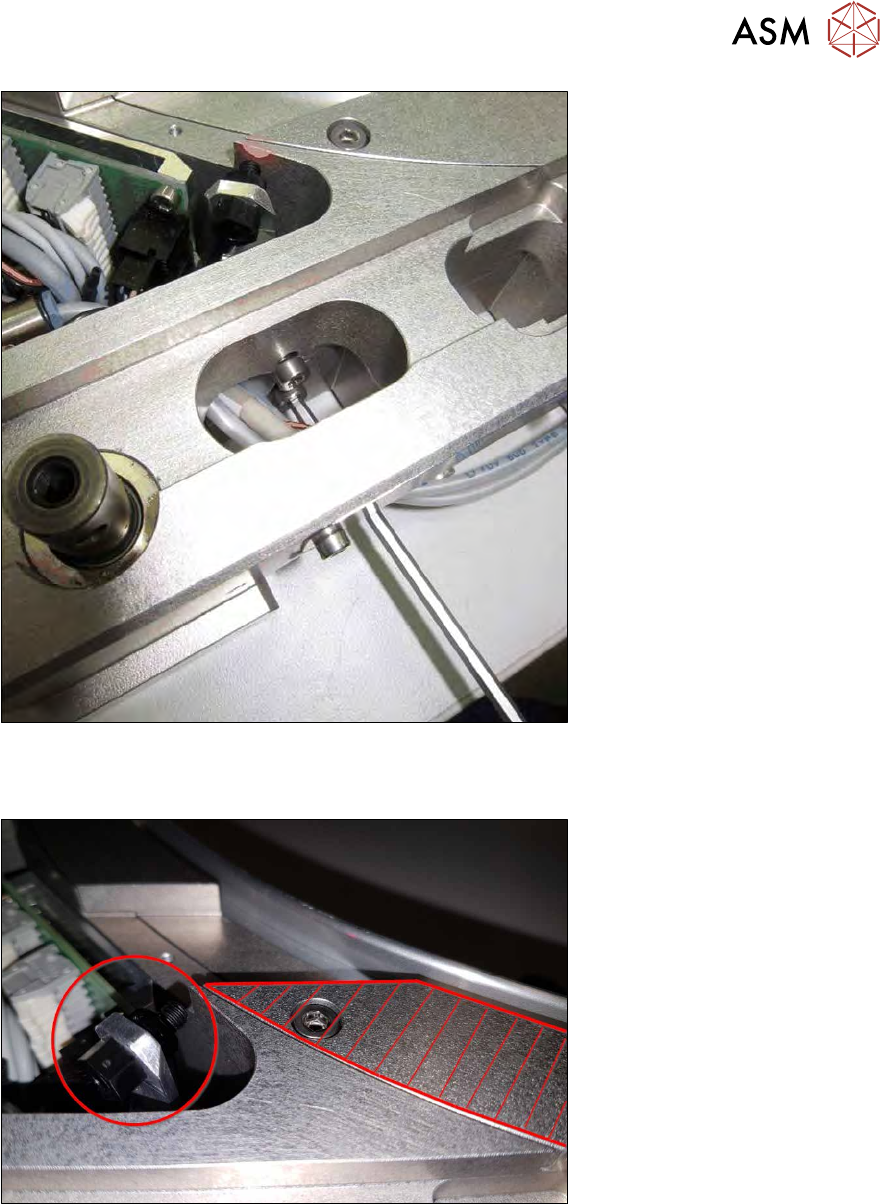
Fig.458:
► Remove both screws from the transmitter S.
If the screws cannot be accessed from the side, use a shortened Allen key from above.
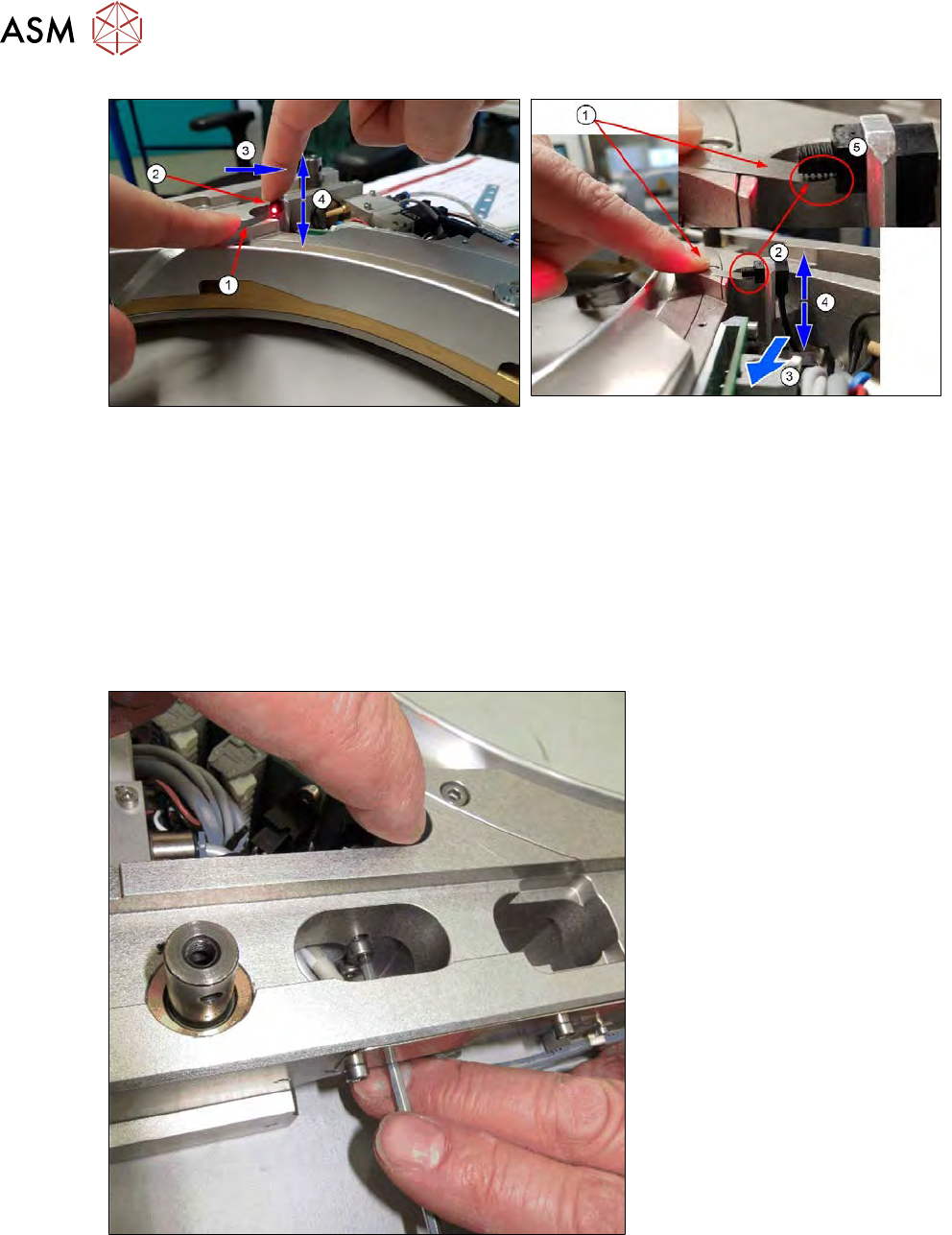
Fig.459:
► Use the reference surface (shaded in red) to align the transmitter assembly height.
12 Wafer stretcher
12.8 Setting the sag sensor IN 19
326 Service Manual SIPLACE Wafer System (SWS) 11/2018
Fig.460:
► You should, where possible, enlist the help of a second person for the following steps.
► Press the feeler gauge 0.1mm (1) with the finger onto the reference surface. The end of the
feeler gauge should be under the transmitter S (2).
► With the other finger, press the transmitter in the direction shown (3) (left when viewed from
the outside). While doing so, adjust the height of the transmitter S (4), until the transmitter S
(2) is slightly set against the feeler gauge or with a very narrow gap to it.
ð The important thing is that the transmitter only very slightly touches the feeler gauge (1)
and that the feeler gauge is not bent downwards!
ð A tiny gap between the feeler gauge and the transmitter S is also acceptable (5).
Fig.461:
► A second person should now tighten the screws on transmitter S.
► If needed, use the shortened Allen key if you are unable to access the screw from the side.
► After the setting, check with the feeler gauge.
●
Due to their mechanical construction, transmitter S and receiver R are not totally flush.
●
By pressing transmitter S towards the left, you reach the best starting point for preadjustment
purposes.