00195982-03_SM_SWS_EN.pdf - 第87页
5 Basic frame – X/Y unit 5.3 Replacing parts Service Manual SIPLACE Wafer System (SWS) 11/2018 87 Fig.77: Fig.78: ► Carefully loosen the cable downholder under the X motor coupling plate. Due to the lack of space, you …
5 Basic frame – X/Y unit
5.3 Replacing parts
86 Service Manual SIPLACE Wafer System (SWS) 11/2018
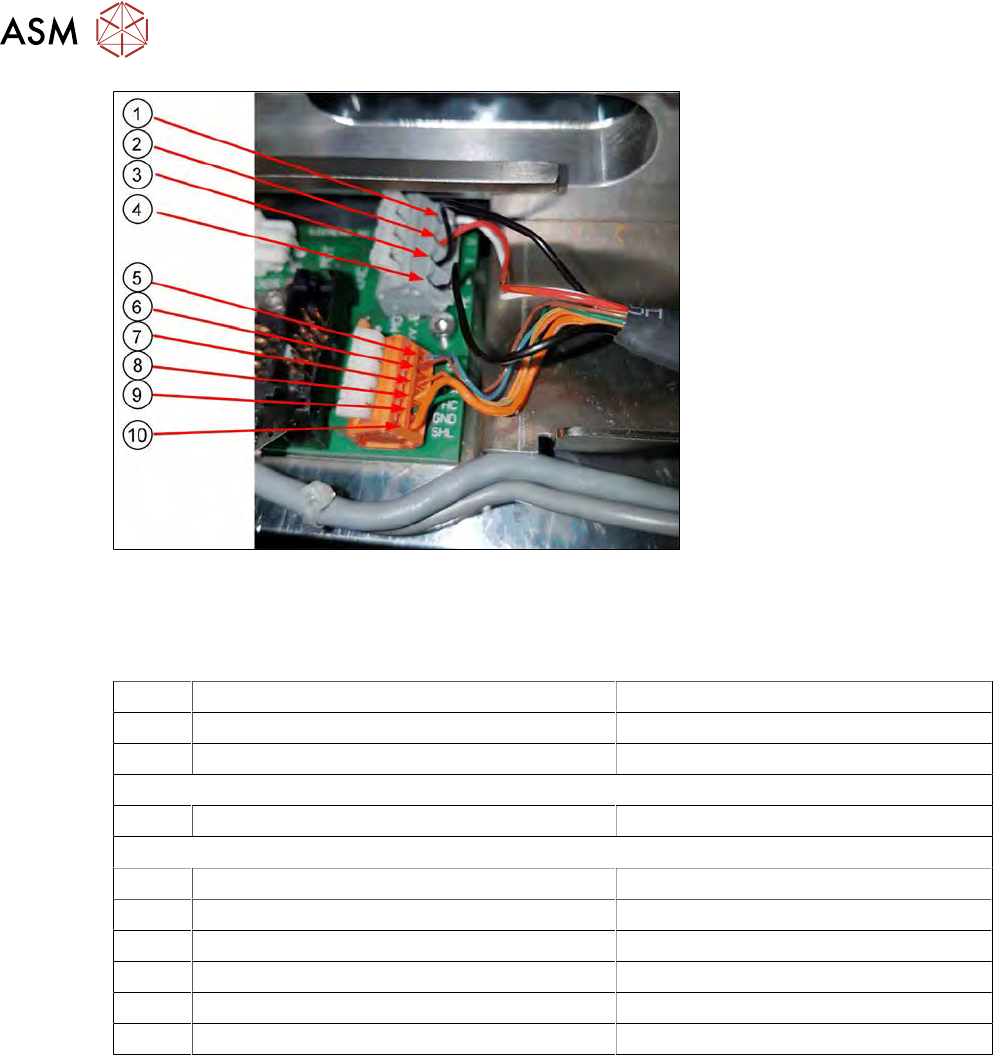
Fig.76:
► Unplug the flat ribbon cable from the encoder unit of the X motor.
► Unplug the motor cable from the board (AD-MOT Rev.0 Sub-D board = angled
[00384600‑xx]).
1 Motor cable U White (WH)
2 Motor cable V Red (RD)
3 Motor cable W Black (BK) (thin and shiny)
The motor cables (1, 2 and 3) come out of the heat-shrinkable sleeve in a group.
4 PE cable motor Black (BK) (thicker and matt)
The PE motor cable comes separately out of the heat-shrinkable sleeve.
5 5V supply cable Hall sensor Blue (BU)
6 HA track signal Hall sensor Brown (BN)
7 HB track signal Hall sensor Orange (OR) (thin)
8 HC track signal Hall sensor Yellow (YE)
9 GND Hall sensor Green (GN)
10 Shield cover on Hall sensor Orange (OR) (thick)
5 Basic frame – X/Y unit
5.3 Replacing parts
Service Manual SIPLACE Wafer System (SWS) 11/2018 87
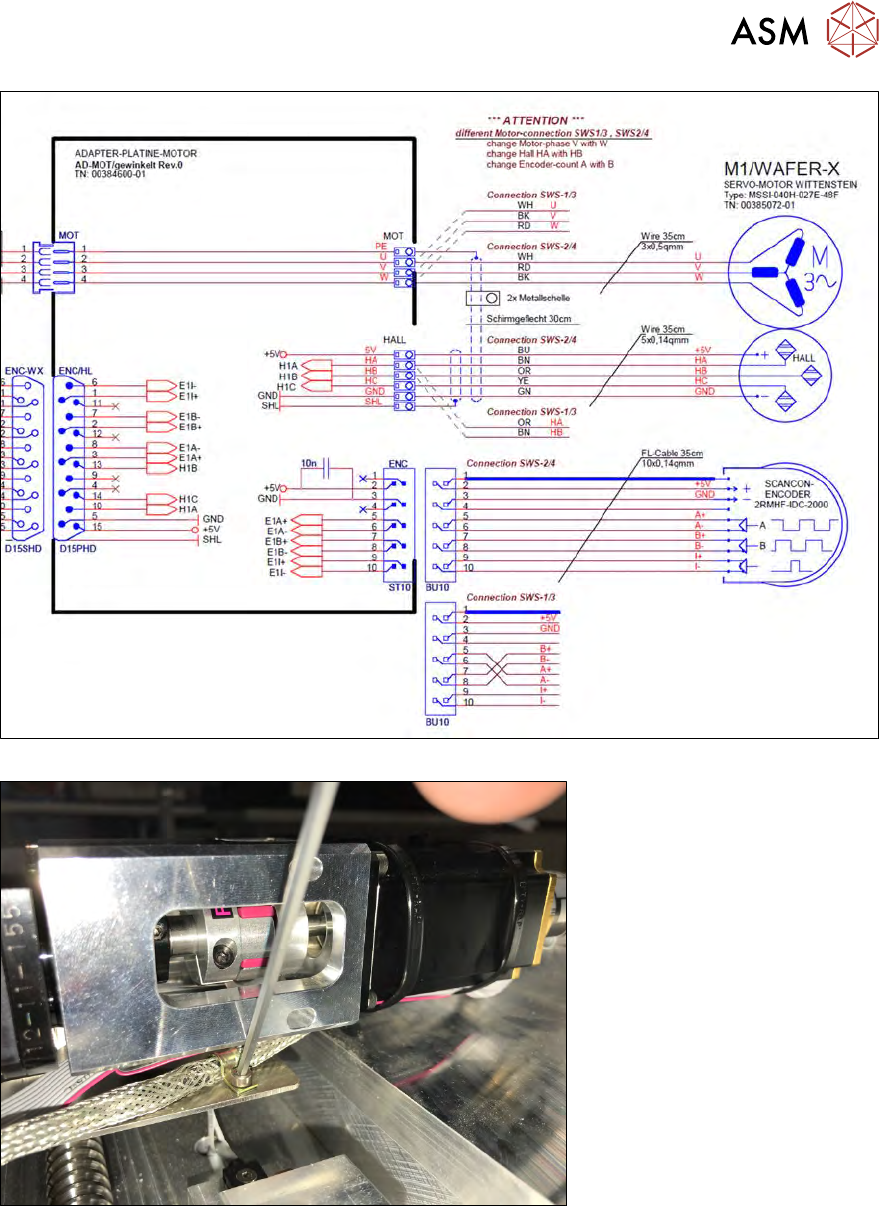
Fig.77:
Fig.78:
► Carefully loosen the cable downholder under the X motor coupling plate.
Due to the lack of space, you will need to work with the ball head of an Allen key.
Take care not to damage the screw!
► Do not fully remove the cable downholder screw. Swivel the cable downholder away from the
shielding cable.
5 Basic frame – X/Y unit
5.3 Replacing parts
88 Service Manual SIPLACE Wafer System (SWS) 11/2018
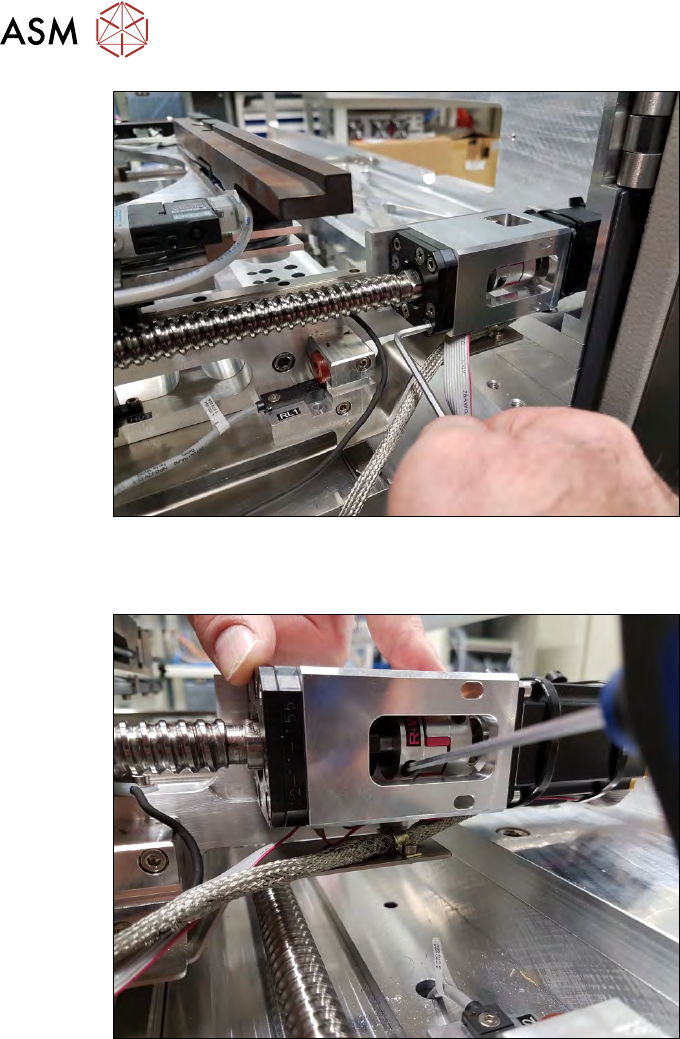
Fig.79:
► Remove the four Allen key fastening screws (not the Phillips screws) from the coupling plate,
together with the spindle plate.
Fig.80:
► Remove the two clamping screws from the coupling.