00195982-03_SM_SWS_EN.pdf - 第71页
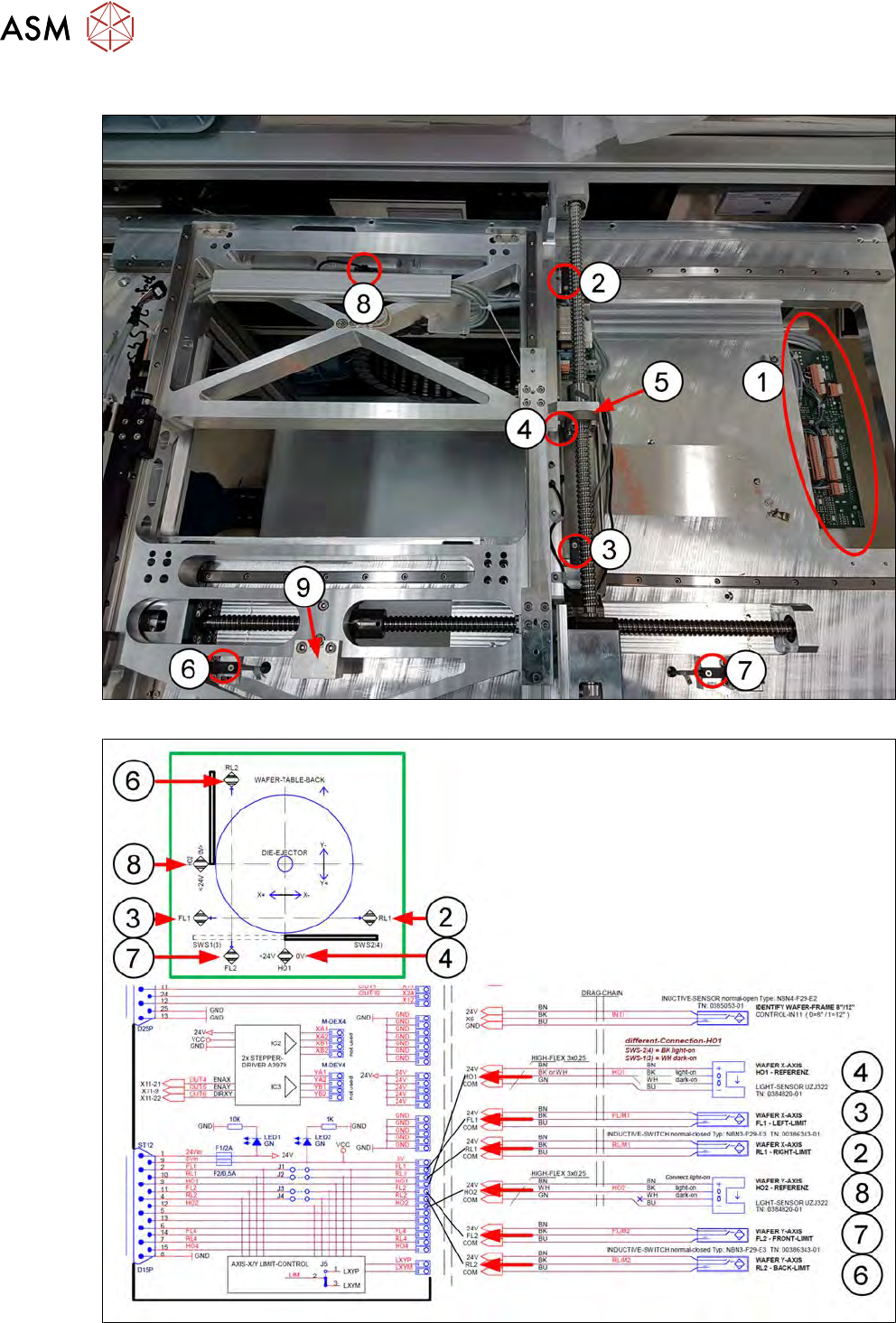
5 Basic frame – X/Y unit 5.2 Complete overview Service Manual SIPLACE Wafer System (SWS) 11/2018 71 Item Item no. Designation Comments 1 00379046-xx Adapter board wafer table AD-WT Rev.0 2 00386343-xx Proximity switch, i…
5 Basic frame – X/Y unit
5.2 Complete overview
70 Service Manual SIPLACE Wafer System (SWS) 11/2018
5.2.3 Overview of sensors
Fig.47:
Fig.48:
5 Basic frame – X/Y unit
5.2 Complete overview
Service Manual SIPLACE Wafer System (SWS) 11/2018 71
Item Item no. Designation Comments
1 00379046-xx Adapter board wafer table AD-WT Rev.0
2 00386343-xx Proximity switch, inductive, PNP/1OE RL1
3 00386343-xx Proximity switch, inductive, PNP/1OE FL1
4 00384820-xx Fork light barrier (home sensor X axis) HO1
5 Actuator for proximity switch X axis
6 00386343-xx Proximity switch, inductive, PNP/1OE RL2
7 00386343-xx Proximity switch, inductive, PNP/1OE FL2
8 00384820-xx Fork light barrier (home sensor Y axis) HO2
9 Actuator for proximity switch Y axis
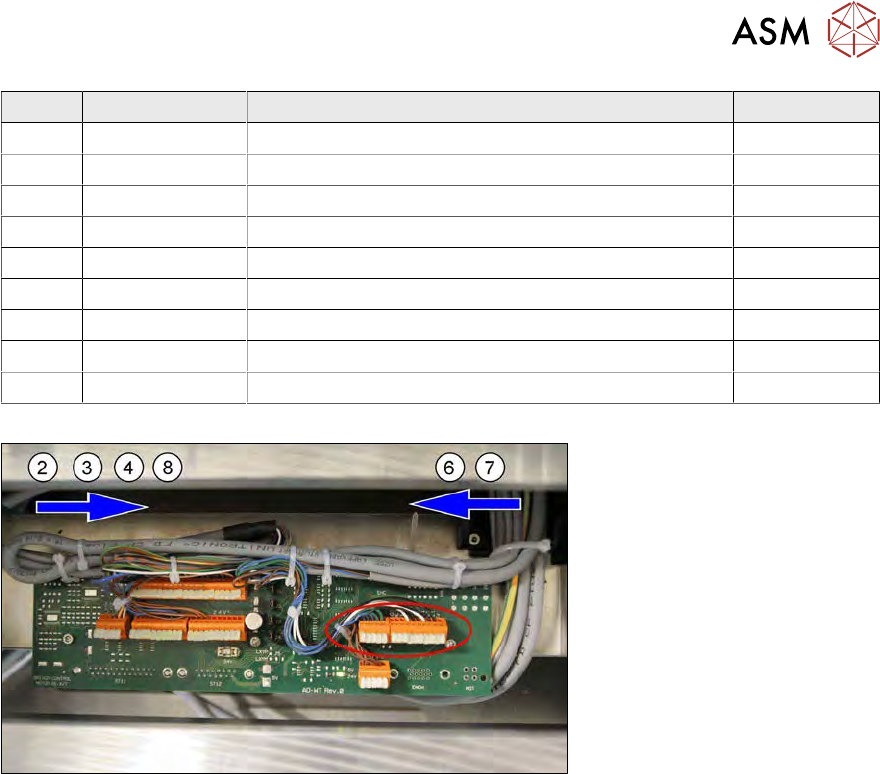
The sensors run together on the wafer table adapter board AD-WT REv.0 [00379046-xx].
Fig.49:
The proximity switches RL1 and FL1 and the two home sensors HO1 and HO2 come from one side
(from the left in the example SWS 2/4).
The proximity switches RL2 and FL come from one side (from the right in the example SWS 2/4).
The sensor cables run under the thick base plate.
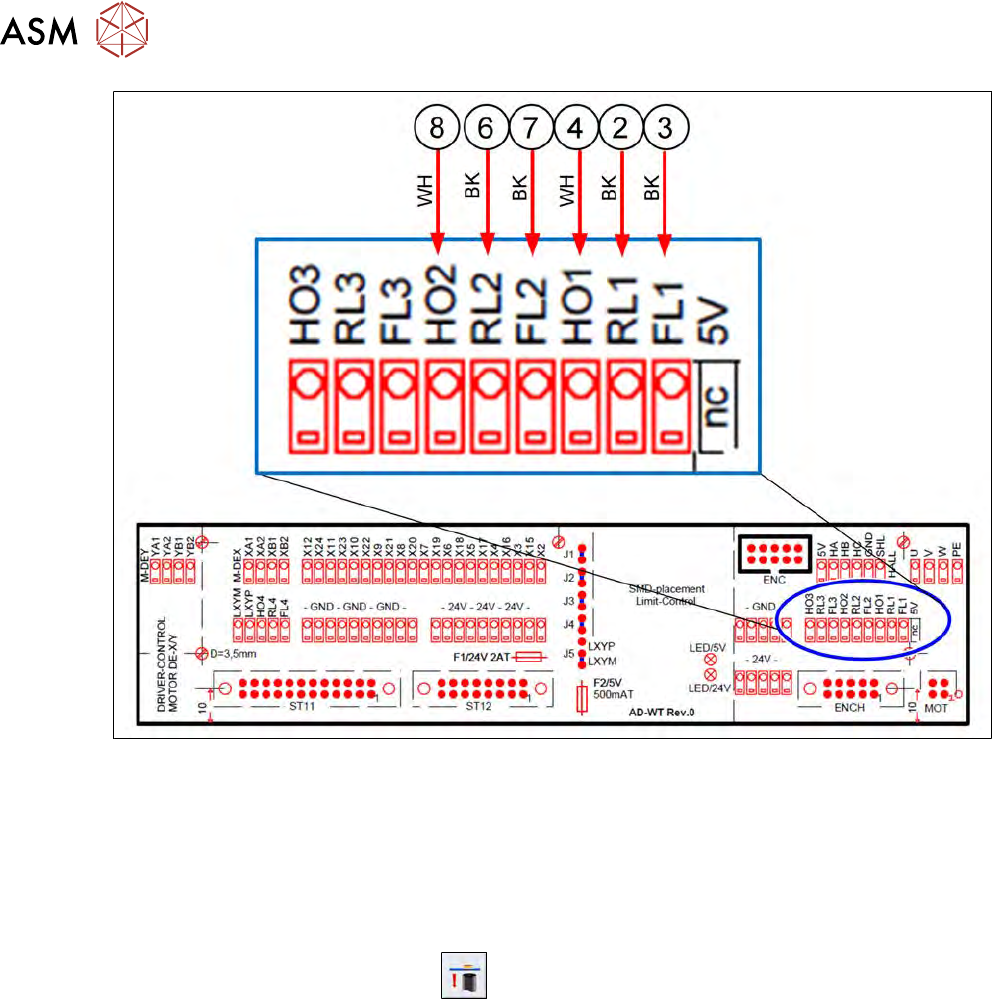
The sensor cables are connected as follows:
5 Basic frame – X/Y unit
5.3 Replacing parts
72 Service Manual SIPLACE Wafer System (SWS) 11/2018
Fig.50:
24V and GND are run on the supply connections (disordered).
5.3 Replacing parts
Preparation
► Use the software to move the die ejector to the bottom position.
► Use the software button for this
.
► Then shut down the SWS using the Shut Down machinebutton and switch it off.
Tools
●
Standard tooling
●
Cable tie
●
Detailed circuit diagrams folder
●
[00334892-xx] Loctite 243 screw locking varnish, medium strength
Special auxiliary equipment
●
T-Allen key 2.5mm
●
Allen key 3mm, shortened