00195982-03_SM_SWS_EN.pdf - 第312页
12 Wafer stretcher 12.7 Wafer stretcher - configuration changes 312 Service Manual SIPLACE Wafer System (SWS) 11/2018 Releasing the clamp Fig.441: ► Remove the circlip on the shaft (2) of the clamp (1) . ► Unhook the cl…
12 Wafer stretcher
12.7 Wafer stretcher - configuration changes
Service Manual SIPLACE Wafer System (SWS) 11/2018 311
12.7.3.3 Removing the 8" wafer support
Removing the downholder plate
See also the sections 12.4 "Removing the wafer stretcher" [}279] and 12.6 "Fitting the wafer
stretcher" [}293].
The downholder plate for the relevant wafer support needs to be replaced.
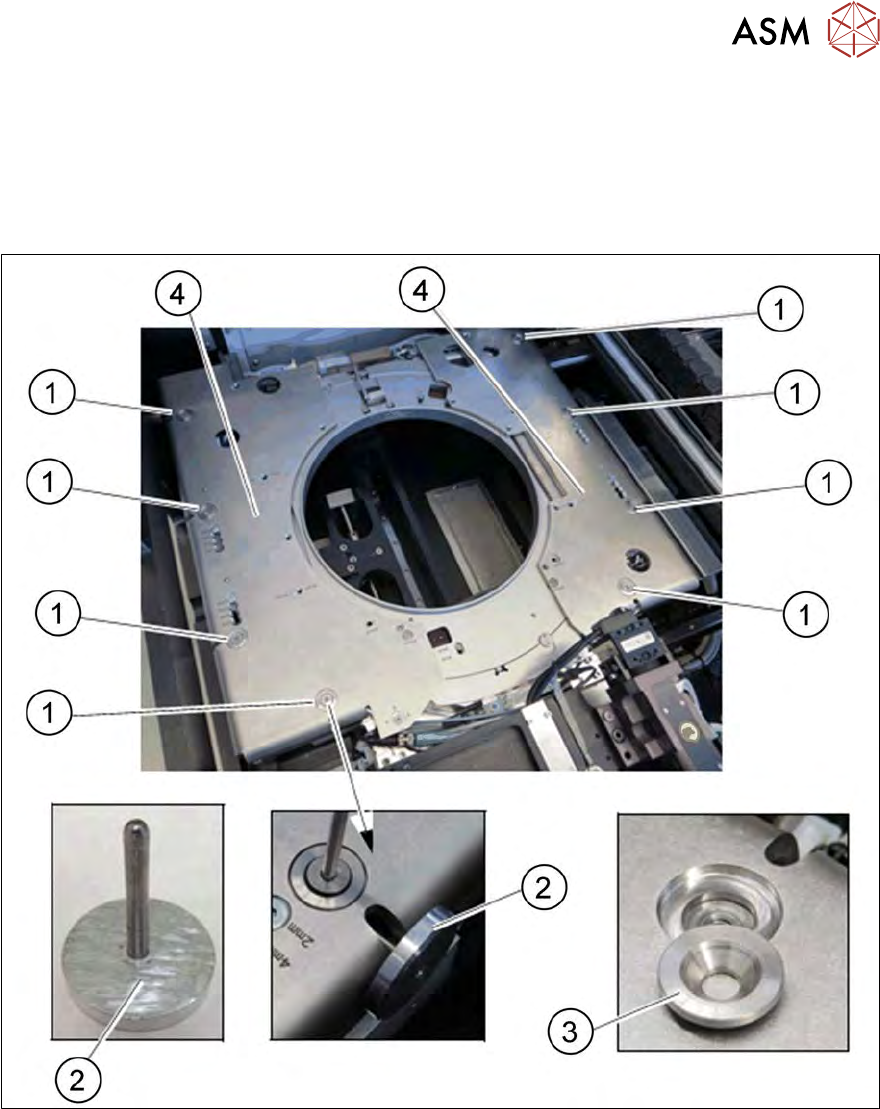
Fig.440: Wafer support - removing the downholder plate
► Insert the auxiliary tool for fixing the lifting piston (2) into the opening and fix the lifting piston
inside with it.
► Remove the four screws (1) on each of the two downholder plates(4), one after the other.
► Remove the conical fixing disk (3). Make sure that you do not lose it as you will need it later
on for refitting.
► Remove the two downholder plates (4).
12 Wafer stretcher
12.7 Wafer stretcher - configuration changes
312 Service Manual SIPLACE Wafer System (SWS) 11/2018
Releasing the clamp
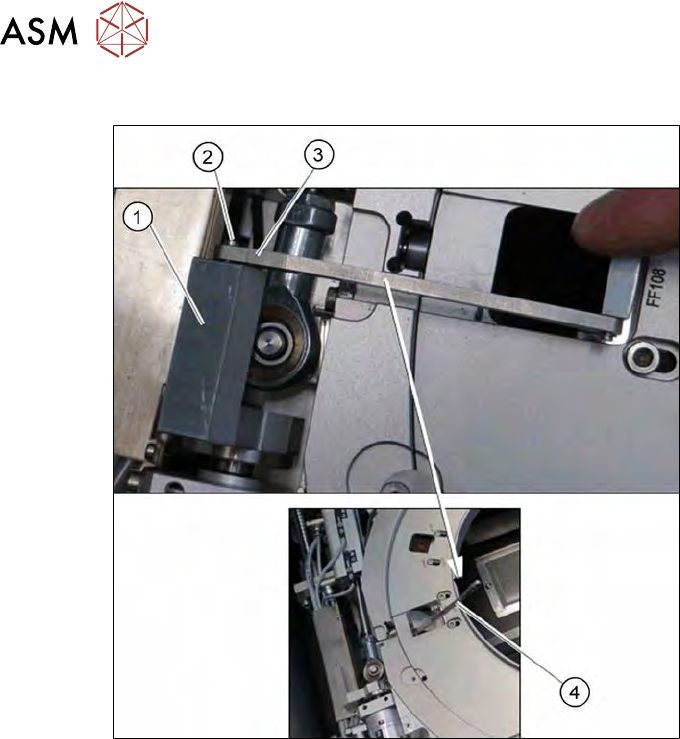
Fig.441:
► Remove the circlip on the shaft (2) of the clamp (1).
► Unhook the clamp, so that the clamping lever (3) is free (4).
12 Wafer stretcher
12.7 Wafer stretcher - configuration changes
Service Manual SIPLACE Wafer System (SWS) 11/2018 313
Removing the lifting ring for the 8" wafer stretcher
The lifting ring for the relevant wafer support needs to be replaced.
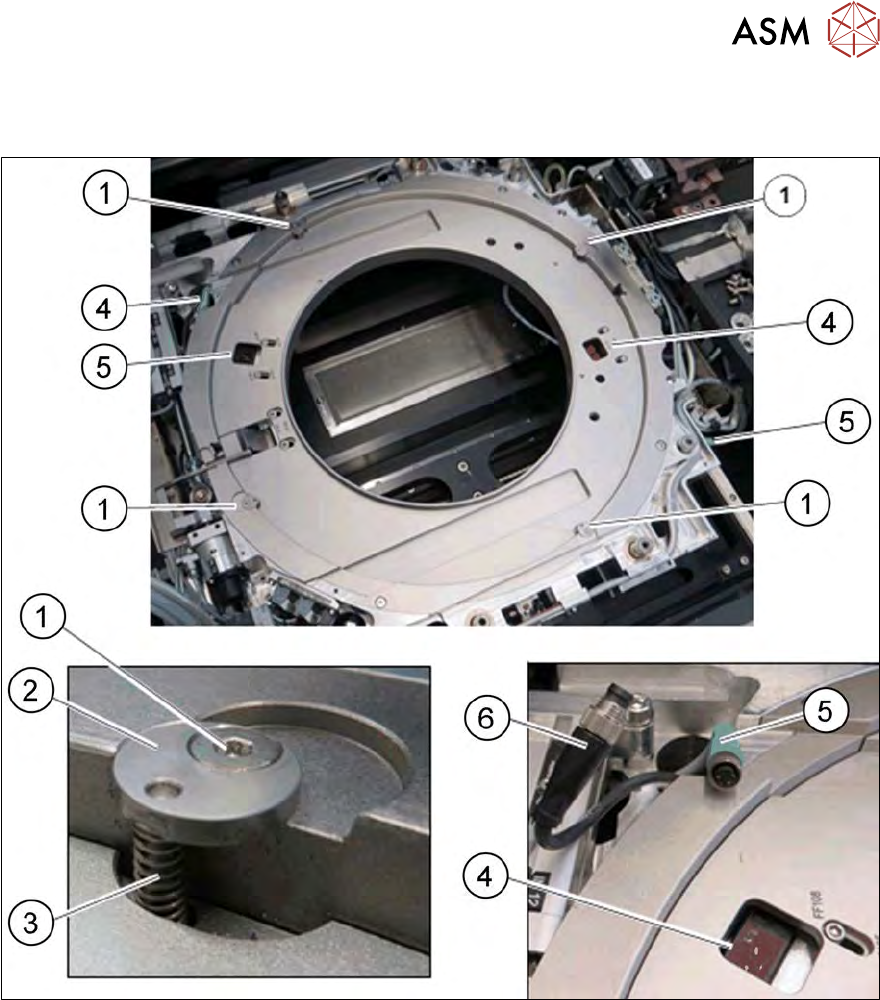
Fig.442: Wafer support - removing the lifting ring
► Remove the four screws (1) (fixing the lifting ring).
► Remove the fixing disk (2) and the spring (3). Take care that the fixing disk (2) and the
spring (3) are not lost, as you will need them later on for refitting.
► Disconnect the two sensors (4) by unplugging the connector (5) for the cable extension (6).
► Remove the lifting ring.