00195982-03_SM_SWS_EN.pdf - 第368页
15 Calibration 15.3 Calibration die handling - flip unit 368 Service Manual SIPLACE Wafer System (SWS) 11/2018 15.2.5 Rules for the Setup mode - safety relevant issue! HIGH RISK OF SERIOUS INJURIES ► Setup mode must be a…
15 Calibration
15.2 Activation of setup operation at the SWS (hard and software)
Service Manual SIPLACE Wafer System (SWS) 11/2018 367
Fig.527:
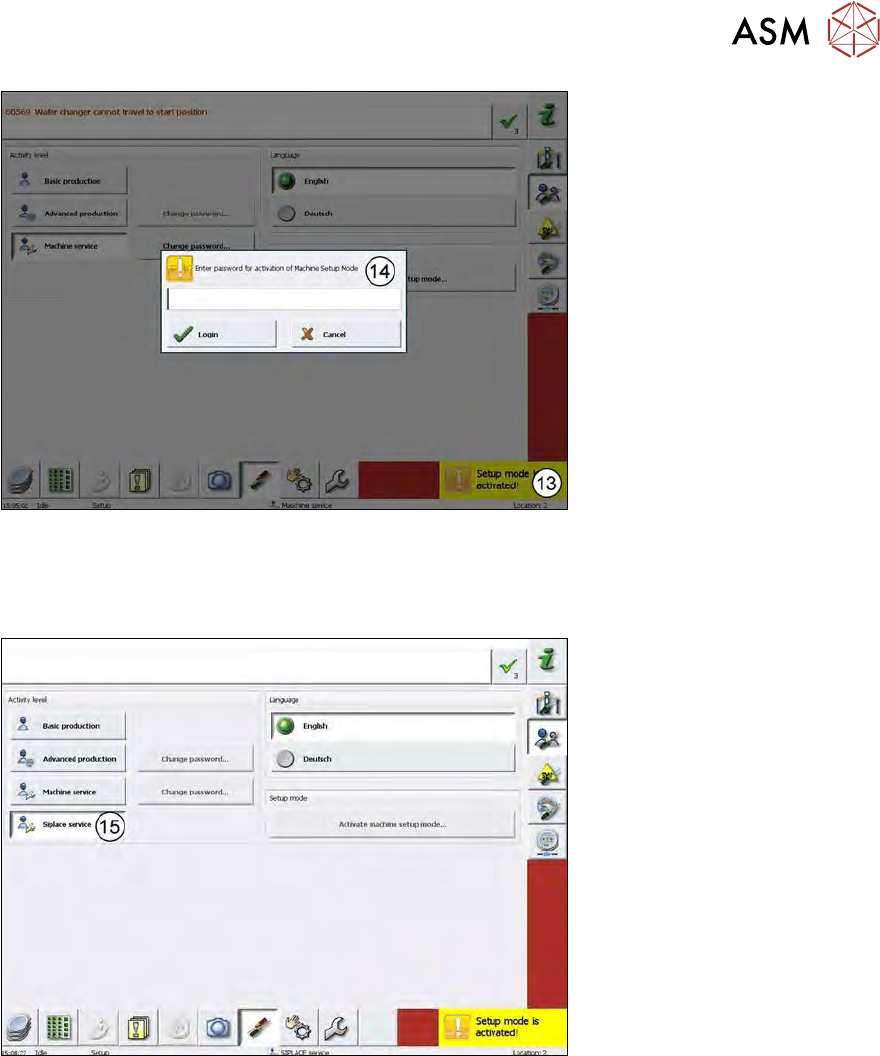
► After changing the cable connections, the Setup mode is activated (Setup mode is activ-
ated!(13)).
► You have to enter the password (14) for the Setup mode → SetupTools.
Fig.528:
► SIPLACE Service (15) is activated after entering the password!
15 Calibration
15.3 Calibration die handling - flip unit
368 Service Manual SIPLACE Wafer System (SWS) 11/2018
15.2.5 Rules for the Setup mode - safety relevant issue!
HIGH RISK OF SERIOUS INJURIES
► Setup mode must be activated!
NO RISK OF SERIOUS INJURIES
► Setup mode not activated!
Machine covers are closed!
WARNING
► No matter, if the Setup mode is activated or not, the magazine lift must be closed and
folded in, the tower lock screw must be tightened!
► To access the screw, the magazine lift has to be in the change position!
15.3 Calibration die handling - flip unit
15.3.1 Preparation – adjusting the holding cylinder Z axis
Before starting the calibration, the holding cylinder for the flip Z axis and the Die Attach transfer X
motor (optional) must be adjusted!
This is necessary to ensure a smooth moving of the Z axis ball bearing in the DP axis raceway in
powerless condition.
When referencing the flip rotation axis, the flip Z axis and the transfer X axis of the Die Attach Unit
(optional) are powerless.
In this condition, these two axes are held in position by the holding cylinders.
Before initialization of the Z axis and the transfer X axis, the holding cylinder is released and the
axis can move.
Procedure to check for smooth movement
► To check the position of the holding cylinders, open the emergency loop (e.g. push the emer-
gency stop (standalone) or open the cover of the SIPLACE machine (installed SWS)), so that
all axes are powerless.
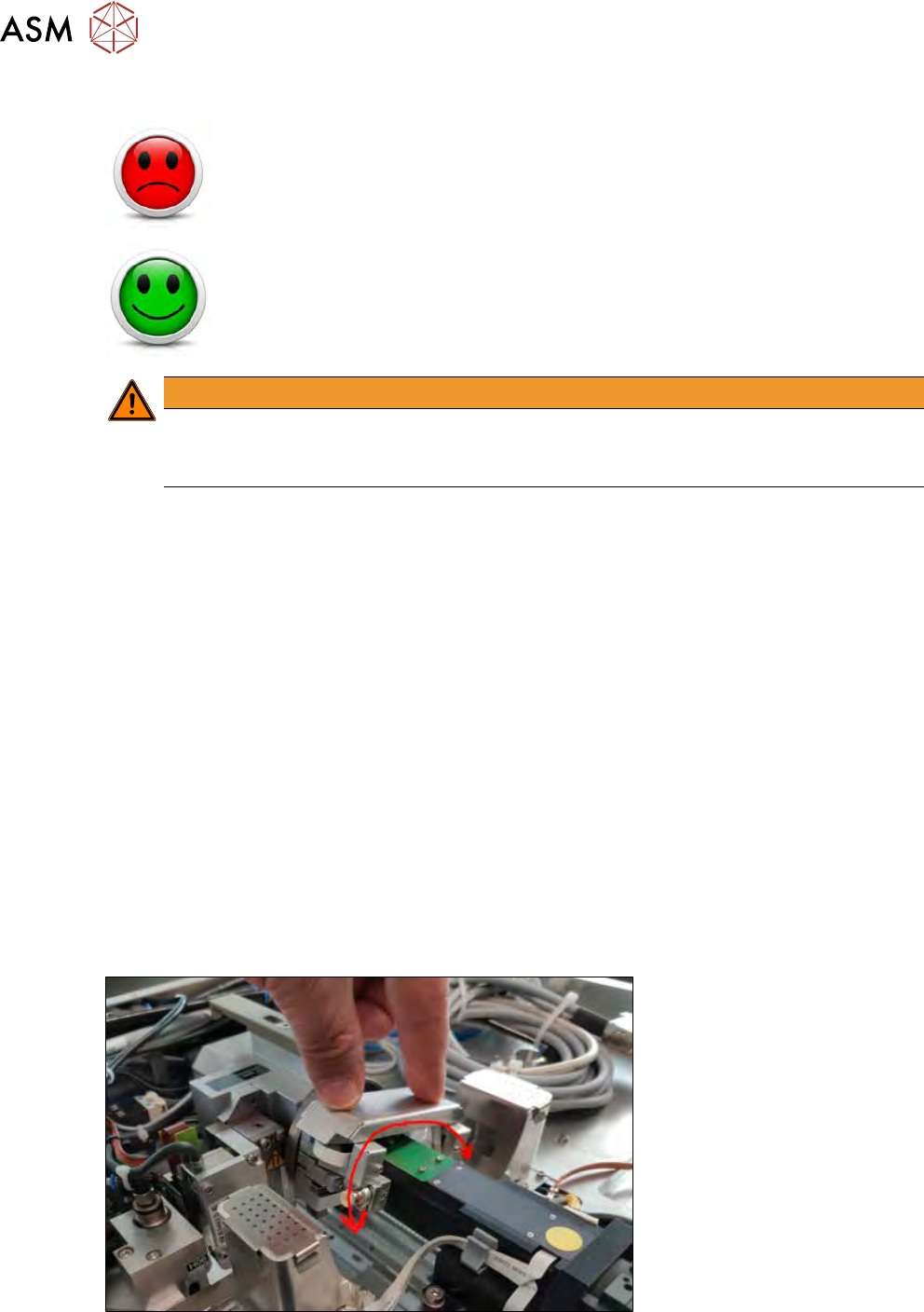
► Then move the rotation axis of the flip head by hand in both directions.
Fig.529:
► Rotate the axis in both directions from one end to the other to ensure that both ball bearings
smoothly move over the transfer position.
15 Calibration
15.3 Calibration die handling - flip unit
Service Manual SIPLACE Wafer System (SWS) 11/2018 369
Fig.530:
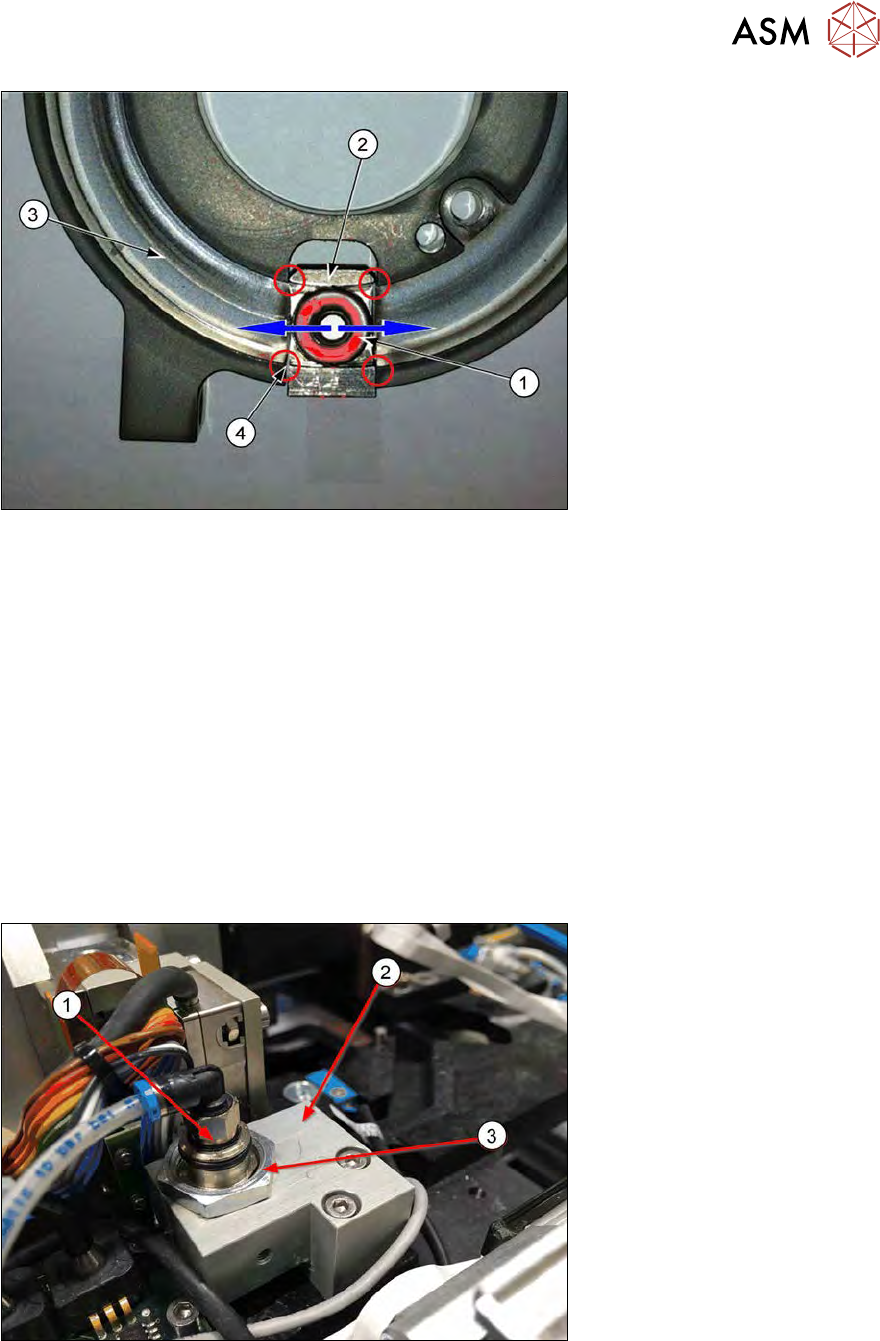
► The ball bearing of the Z axis (1) has to move smoothly over the edges (4) between the race-
way (3) and the actuator of the Z axis (2).
► The holding cylinder of the Z axis keeps the actuator in the upper position to prevent a crash
of the Z axis when the SWS is powered off.
► If this position is too low or too high, the ball bearing hits the edges between the actuator (2)
and the raceway (3) and the rotary axis cannot move smoothly.
► The position of the holding cylinder Z axis must be adjusted.
The difference between the old and the current version for locking the holding cylinder is only the
locknut or grub screw.
The procedure to adjust the position of the holding cylinder is identical (see next chapter).
15.3.1.1 Different locking systems for the holding cylinder
Holding cylinder of the Z axis – old version with locknut
Fig.531:
Old SWS are equipped with a locknut to fix the position of the holding cylinder Z axis.
1. Holding cylinder (cartridge cylinder [00385277-xx])
2. Cylinder holder [00385089-xx]
3. Locknut (for locking the holding cylinder), open-end wrench size 19