00195982-03_SM_SWS_EN.pdf - 第190页
8 Flip unit 8.4 Calibration – flip unit 190 Service Manual SIPLACE Wafer System (SWS) 11/2018 8.4.5 Overview of offset correction in X and Y direction Segment Moving the print Mechanical correction Correct per SW entry 1…
8 Flip unit
8.4 Calibration – flip unit
Service Manual SIPLACE Wafer System (SWS) 11/2018 189
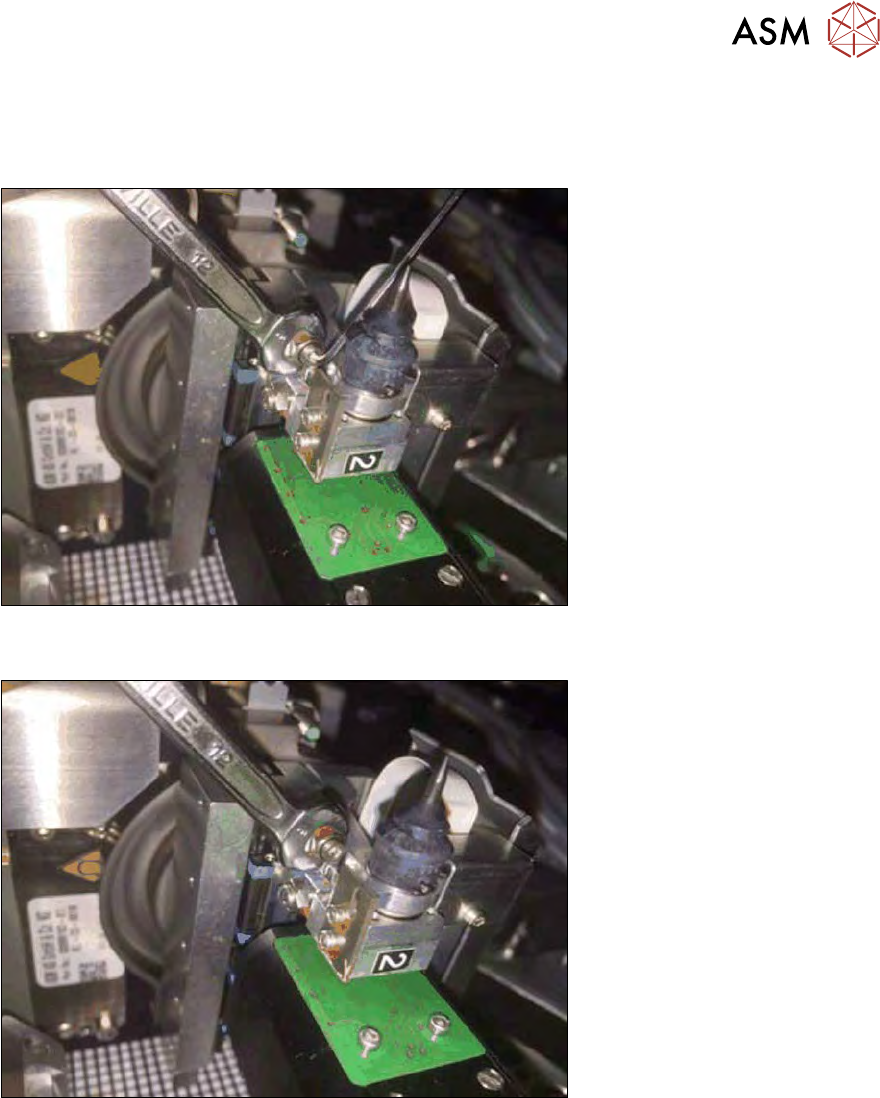
8.4.4.4 Correction in Y direction (segment 1)
In the Y direction, the offset can only be corrected via the adjusting nut at the relevant segment.
To adjust the adjusting nut, you first need to loosen the counternut (see below).
Fig.248: Segment 2 - loosening/tightening the counternut (Y direction)
► Hold the adjusting nut with the fork wrench and loosen the counternut with the Allen key.
Fig.249: Segment 2 - turn the adjustment screw (Y direction)
Effect of Y adjusting nut:
●
Moving the print downwards -> turn the Y adjusting nut clockwise.
●
Moving the print upwards -> turn the Y adjusting nut anticlockwise.
► After successful correction, hold the adjusting nut in position with the fork wrench and tighten
the counternut with the Allen key.
8 Flip unit
8.4 Calibration – flip unit
190 Service Manual SIPLACE Wafer System (SWS) 11/2018
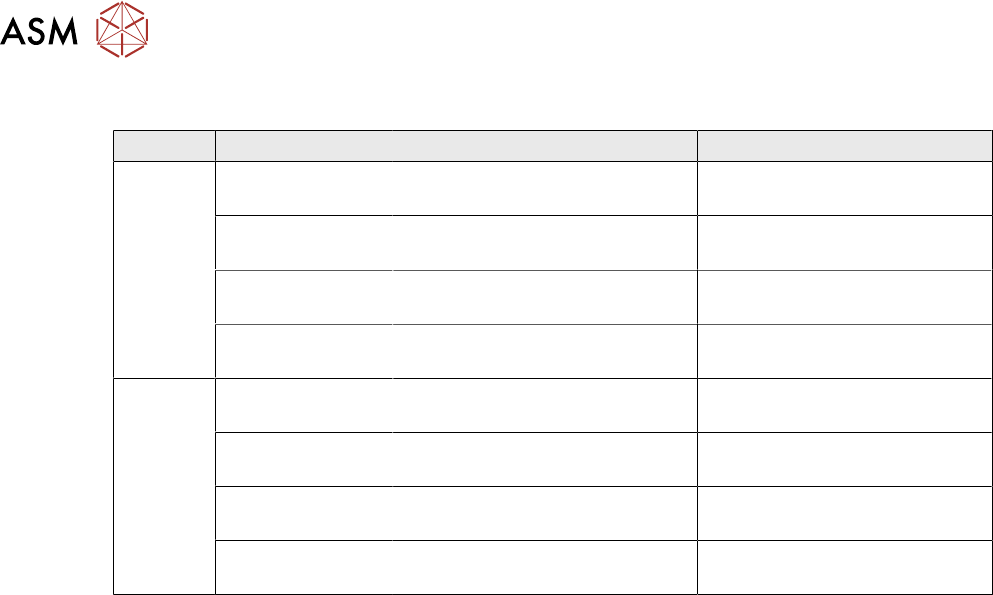
8.4.5 Overview of offset correction in X and Y direction
Segment Moving the print Mechanical correction Correct per SW entry
1 to the right (X) Turn the X adjusting nut anti-
clockwise
Negative offset entry
To the left (X) Turn the X adjusting nut clock-
wise
Positive offset entry
Downwards (Y) Turn the Y adjusting nut clock-
wise
No correction per SW possible
Upwards (Y) Turn the Y adjusting nut anti-
clockwise
No correction per SW possible
2 to the right (X) Turn the X adjusting nut clock-
wise
Negative offset entry
To the left (X) Turn the X adjusting nut anti-
clockwise
Positive offset entry
Downwards (Y) Turn the Y adjusting nut clock-
wise
No correction per SW possible
Upwards (Y) Turn the Y adjusting nut anti-
clockwise
No correction per SW possible
9 Wafer change system
Service Manual SIPLACE Wafer System (SWS) 11/2018 191
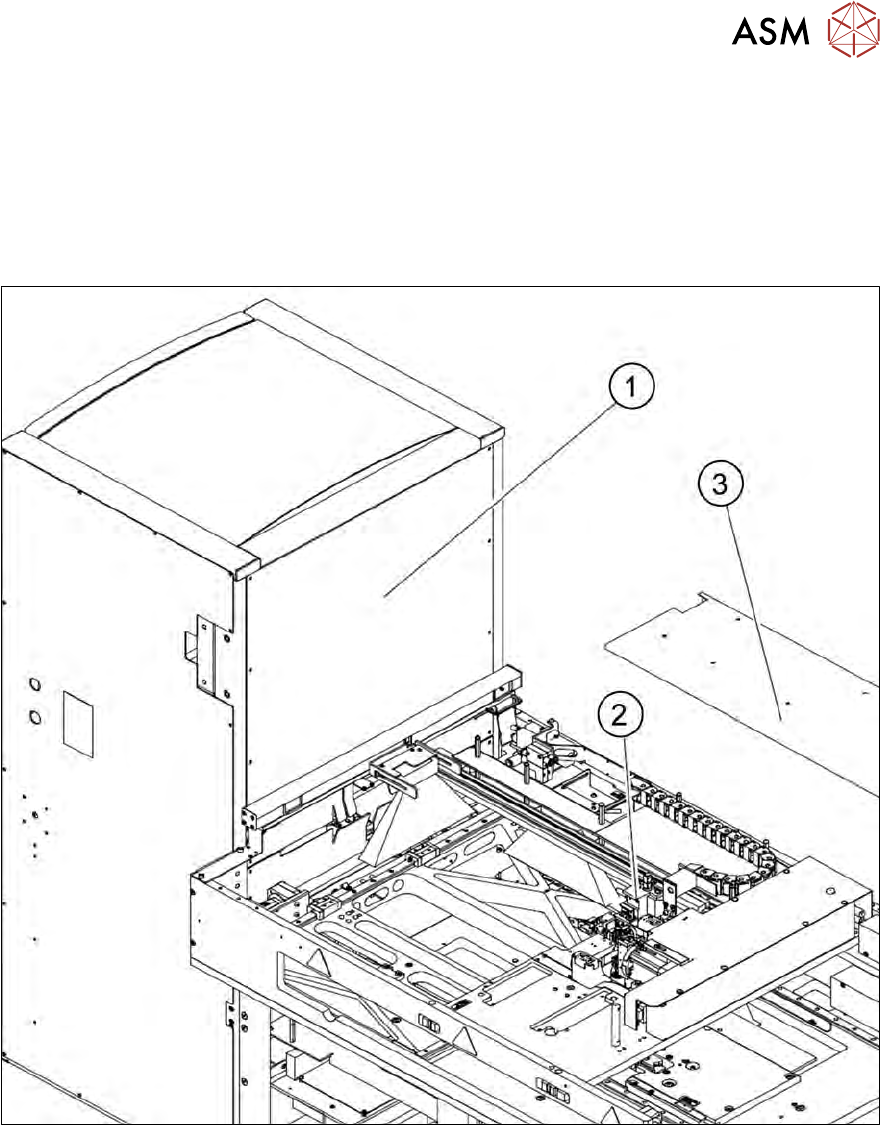
9 Wafer change system
There are two different versions, which vary only in their mirrored arrangement of the modules, and
that depend on the location. There are two different versions for the gripper, for locations 1/3 and
location 2/4.
●
Wafer change system SWS12 (1/3) [00387216-xx]
●
Wafer change system SWS12 (2/4) [00386432-xx]
Fig.250: Wafer change system
1. Magazine lift
2. Gripper
3. Gripper cover