00195982-03_SM_SWS_EN.pdf - 第399页
15 Calibration 15.4 Calibration of the complete wafer handling Service Manual SIPLACE Wafer System (SWS) 11/2018 399 All in one calibration ► Choose One-magic-button calibration beneath Full calibration . ð The center an…
15 Calibration
15.4 Calibration of the complete wafer handling
398 Service Manual SIPLACE Wafer System (SWS) 11/2018
15.4.2 Wafer table calibration menu
Fig.580:
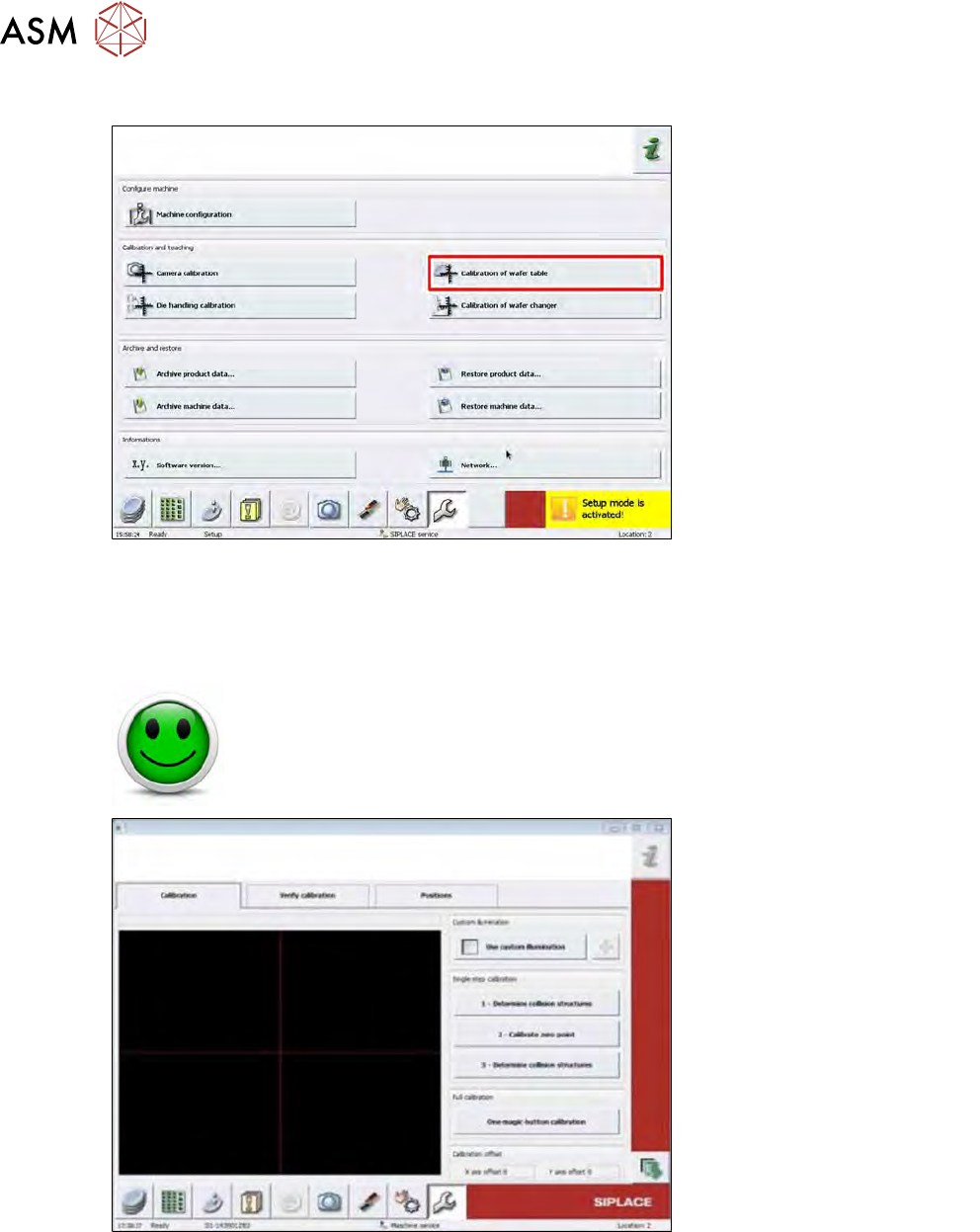
► To start the calibration, first choose the Service menu button in the bottom menu bar and
then choose the Calibration of wafer table button.
15.4.2.1 Wafer table calibration
NO RISK OF SERIOUS INJURIES
► Setup mode not activated!
Machine covers are closed!
Fig.581:
The standard procedure is to perform all single steps of the wafer table calibration in one process.
This procedure contains the same sequence of calibration steps as the Single step calibration.
In case of problems, the wafer table calibration can be done with the single-step calibration.
15 Calibration
15.4 Calibration of the complete wafer handling
Service Manual SIPLACE Wafer System (SWS) 11/2018 399
All in one calibration
► Choose One-magic-button calibration beneath Full calibration.
ð The center and the collision contours of the wafer table are calibrated all at once.
Single Step Calibration
First step
1 – Determining the collision structures
●
In a first step, the table is moved to detect the collision structures.
●
To prevent a crash, the collision structures of the wafer table are checked compared to the
result of the old zero position result.
Second step
2 – Calibrating the zero point
●
In the second step, the reference position of the wafer table is calibrated by using the pin (as
a fiducial for calculating the position of the table).
●
The wafer frame center is calibrated.
Third step
3 – Determining the collision structures
●
The third step repeats the collision structure determination to refine the result.
●
The collision contours of the wafer table are calibrated with the new zero position result.
15.4.2.2 Wafer table positions
NO RISK OF SERIOUS INJURIES
► Setup mode not activated!
Machine covers are closed!
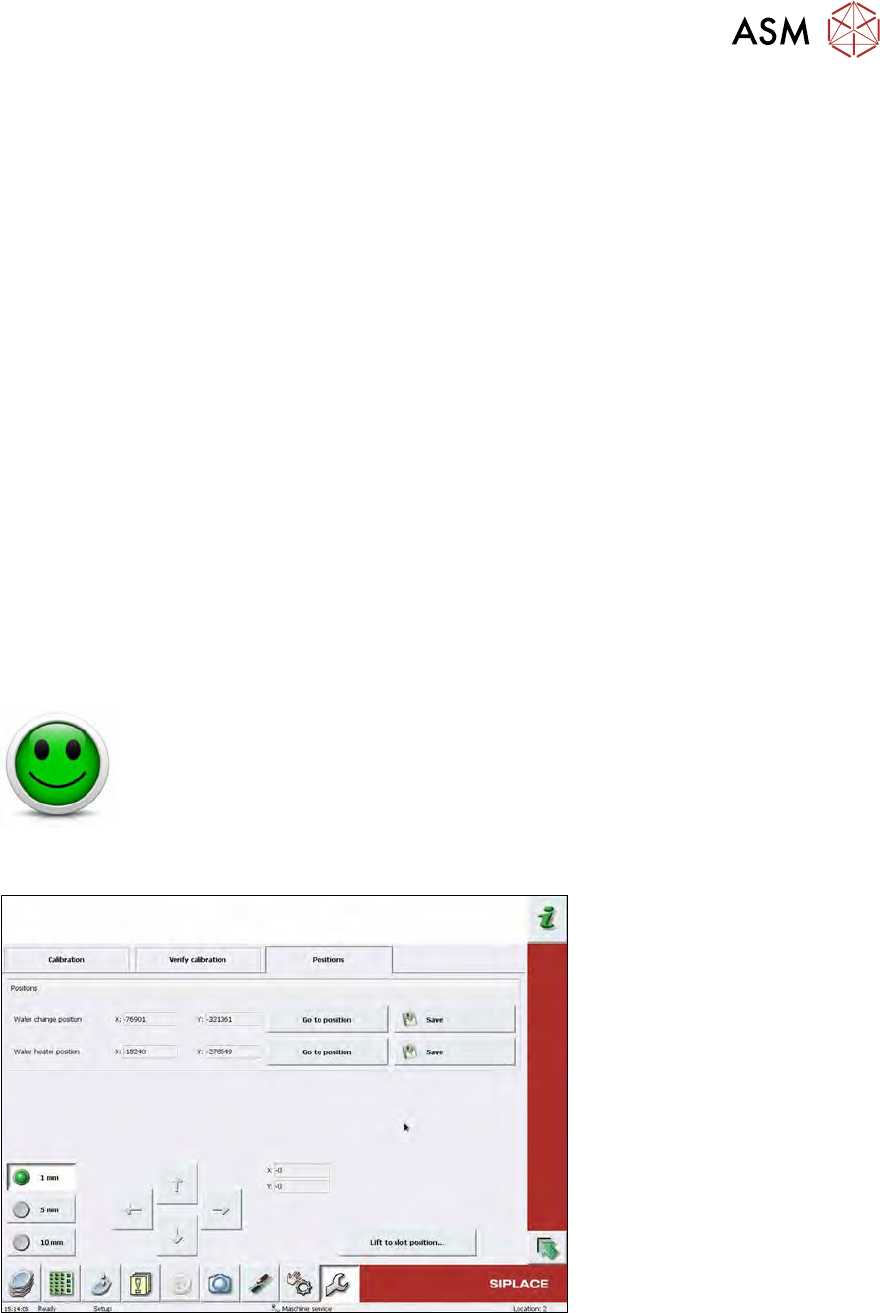
This calibration adjusts the wafer table in such a way that it is aligned with the wafer magazine and
that a position for the optional wafer heater is defined.
Fig.582:
Wafer change position adjustment
Precondition
●
Magazine with one wafer set up in, at least, one slot.
●
Magazine and wafer must be assigned to each other in the software.
15 Calibration
15.4 Calibration of the complete wafer handling
400 Service Manual SIPLACE Wafer System (SWS) 11/2018
Manual operations – manual operations subsystems – wafer handling
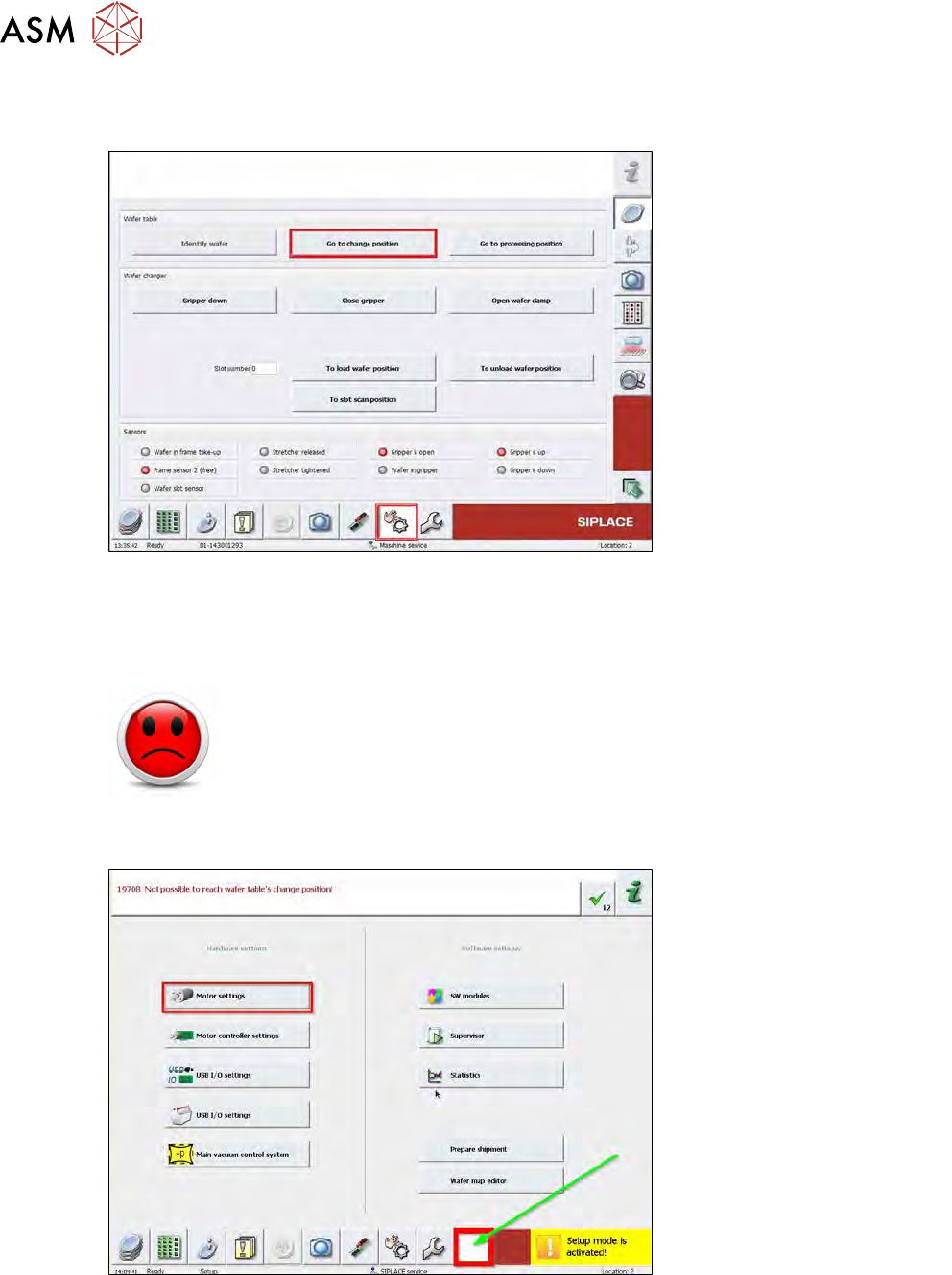
► Choose Wafer handling from the Manual operations menu.
Fig.583:
► Choose Go to change position for the wafer table to move to the loading position.
► Enter the slot number of a slot which is occupied by a wafer. Choose To load wafer position.
► Activate the Setup mode.
HIGH RISK OF SERIOUS INJURIES
► Setup mode must be activated!
► Choose Open wafer lock to open the wafer frame clamping.
► Choose Gripper down.
Fig.584:
► Choose the white button and open the Motor settings.