00195982-03_SM_SWS_EN.pdf - 第170页
7 Die ejector 7.6 Converting the bayonet needle ejector unit (old version) to the magnetic needle ejector unit (current 170 Service Manual SIPLACE Wafer System (SWS) 11/2018 Fig.219: ► Remove the two screws (5) (Allen s…
7 Die ejector
7.6 Converting the bayonet needle ejector unit (old version) to the magnetic needle ejector unit (current
version)
Service Manual SIPLACE Wafer System (SWS) 11/2018 169
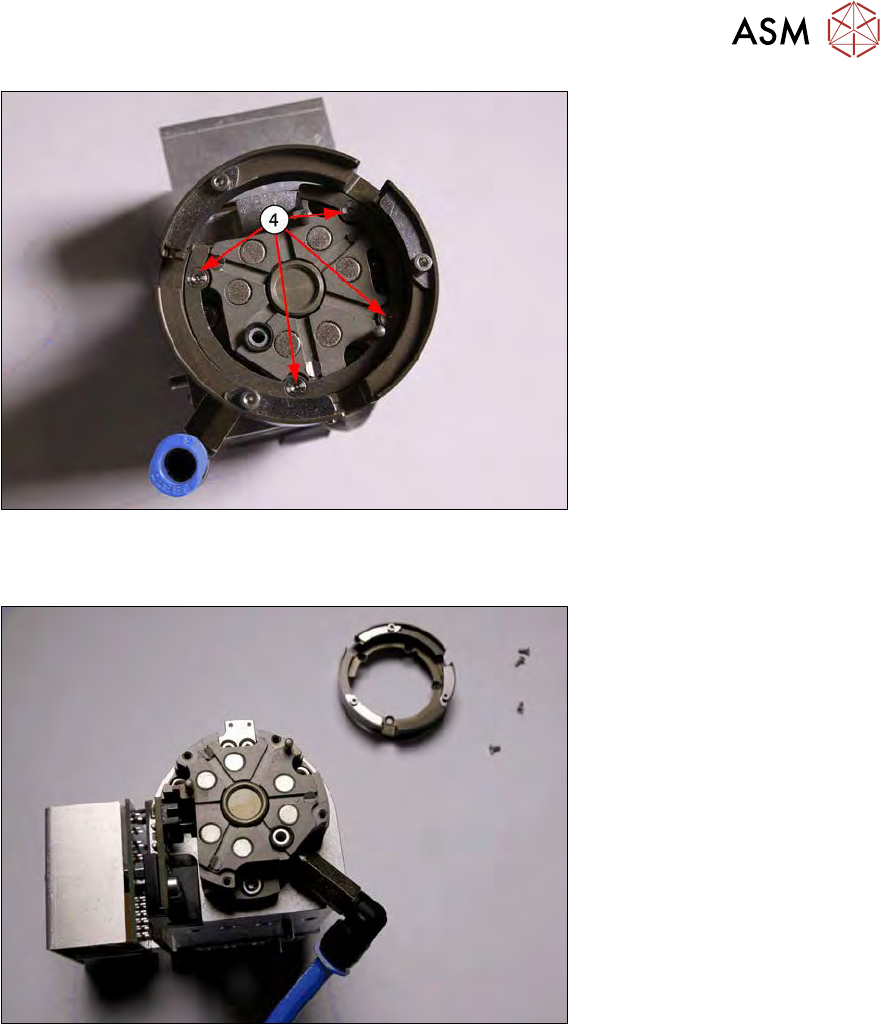
Fig.217:
► Remove the four screws (4) (Allen 1.27 or 1.5, depending on the screw type) holding the bay-
onet ring (2).
Fig.218:
► Lift the bayonet ring (2) up and off.
7 Die ejector
7.6 Converting the bayonet needle ejector unit (old version) to the magnetic needle ejector unit (current
170 Service Manual SIPLACE Wafer System (SWS) 11/2018
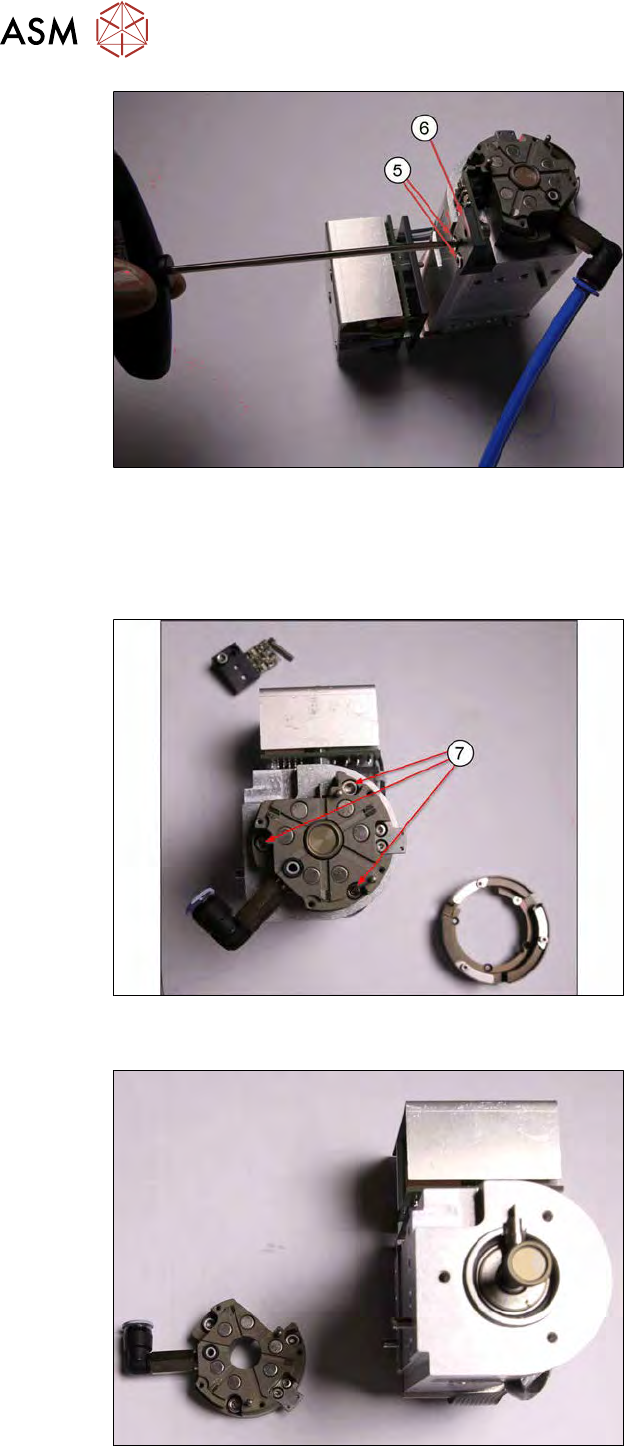
Fig.219:
► Remove the two screws (5) (Allen screw 2.5) fastening the fork light barrier board (6).
The cable to the fork light barrier does not need to be unplugged (the diagram without cable is
just an example).
► Pull the vacuum hose (blue) off.
Fig.220:
► Remove the three screws (7) (Allen screw 2.5) holding the base unit of the bayonet fastening.
Fig.221:
► Dismantle the base unit of the bayonet fastening.
7 Die ejector
7.6 Converting the bayonet needle ejector unit (old version) to the magnetic needle ejector unit (current
Service Manual SIPLACE Wafer System (SWS) 11/2018 171
7.6.3 Fitting the needle ejector unit magnetic table
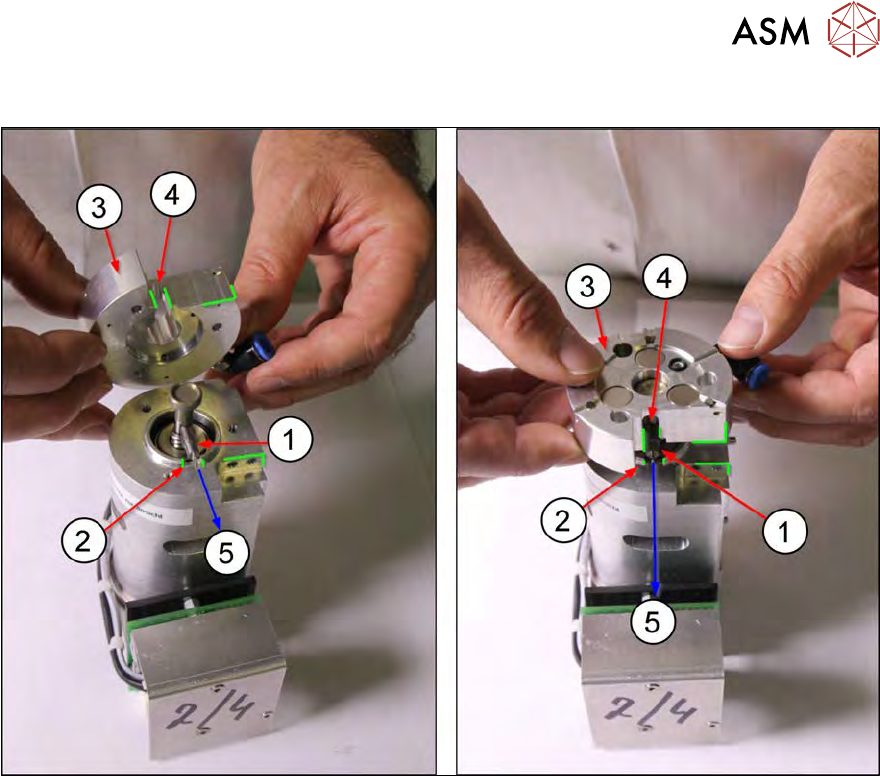
Fig.222:
► Observe the alignment of the switch flag (1) and the centering unit (3) to the Z axis of the die
ejector (direction (5))!
Make sure that the switch flag (1) is flush with the groove (2) in the housing of the Z axis for
the die ejector.
► Lift the centering unit (3) over the die ejector Z axis.
Make sure that the switch flag (1) points in the direction (5) of the groove (2).
► When positioning the centering unit (3), the switch flag (1) should fit into the groove (4) of the
centering unit and also into the groove(2) of the die ejector Z axis.