00195982-03_SM_SWS_EN.pdf - 第72页
5 Basic frame – X/Y unit 5.3 Replacing parts 72 Service Manual SIPLACE Wafer System (SWS) 11/2018 Fig.50: 24V and GND are run on the supply connections (disordered). 5.3 Replacing parts Preparation ► Use the software to…
5 Basic frame – X/Y unit
5.2 Complete overview
Service Manual SIPLACE Wafer System (SWS) 11/2018 71
Item Item no. Designation Comments
1 00379046-xx Adapter board wafer table AD-WT Rev.0
2 00386343-xx Proximity switch, inductive, PNP/1OE RL1
3 00386343-xx Proximity switch, inductive, PNP/1OE FL1
4 00384820-xx Fork light barrier (home sensor X axis) HO1
5 Actuator for proximity switch X axis
6 00386343-xx Proximity switch, inductive, PNP/1OE RL2
7 00386343-xx Proximity switch, inductive, PNP/1OE FL2
8 00384820-xx Fork light barrier (home sensor Y axis) HO2
9 Actuator for proximity switch Y axis
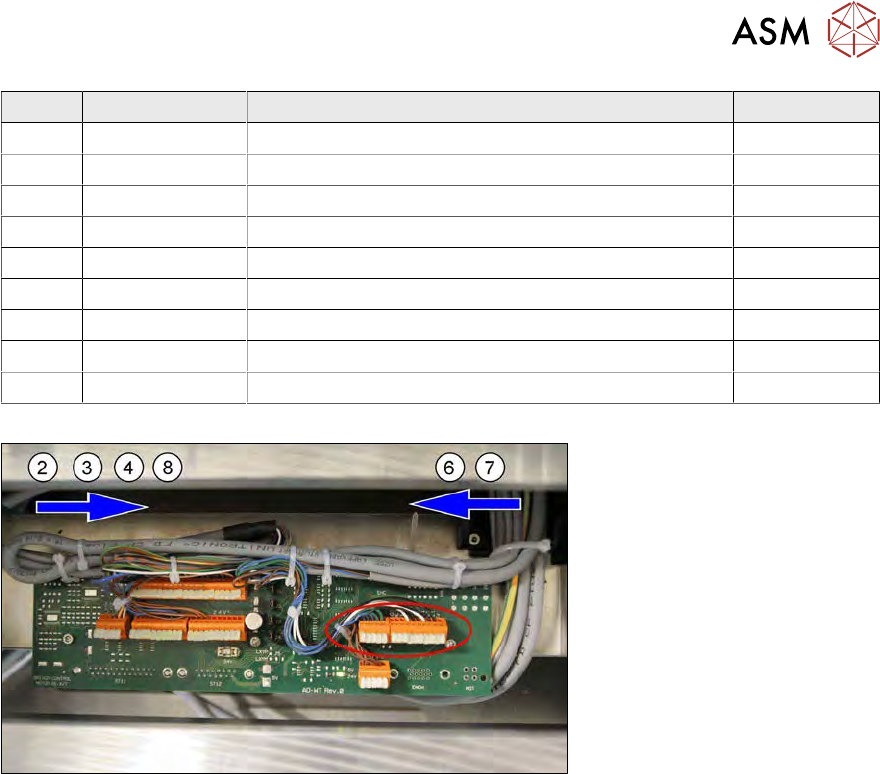
The sensors run together on the wafer table adapter board AD-WT REv.0 [00379046-xx].
Fig.49:
The proximity switches RL1 and FL1 and the two home sensors HO1 and HO2 come from one side
(from the left in the example SWS 2/4).
The proximity switches RL2 and FL come from one side (from the right in the example SWS 2/4).
The sensor cables run under the thick base plate.
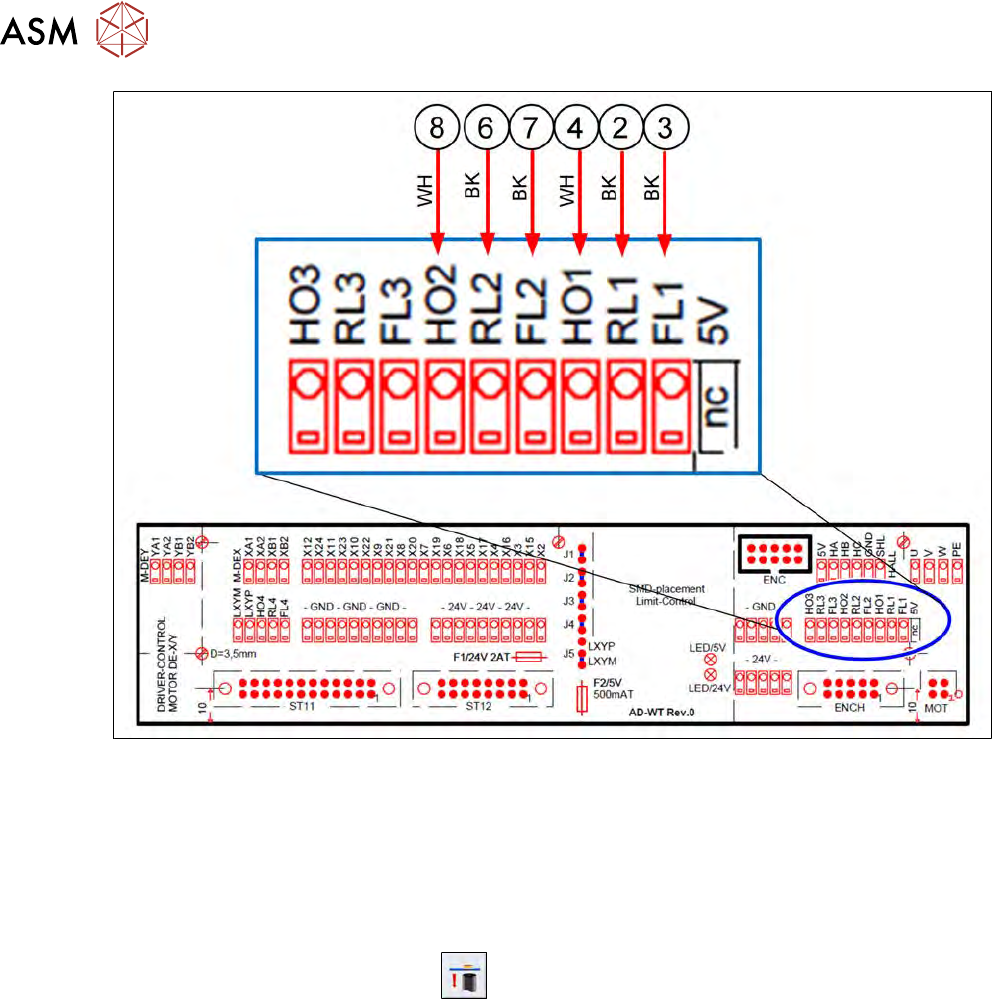
The sensor cables are connected as follows:
5 Basic frame – X/Y unit
5.3 Replacing parts
72 Service Manual SIPLACE Wafer System (SWS) 11/2018
Fig.50:
24V and GND are run on the supply connections (disordered).
5.3 Replacing parts
Preparation
► Use the software to move the die ejector to the bottom position.
► Use the software button for this
.
► Then shut down the SWS using the Shut Down machinebutton and switch it off.
Tools
●
Standard tooling
●
Cable tie
●
Detailed circuit diagrams folder
●
[00334892-xx] Loctite 243 screw locking varnish, medium strength
Special auxiliary equipment
●
T-Allen key 2.5mm
●
Allen key 3mm, shortened
5 Basic frame – X/Y unit
5.3 Replacing parts
Service Manual SIPLACE Wafer System (SWS) 11/2018 73
5.3.1 Replacing the Y motor with coupling
To replace the Y motor, the die ejector must be in the bottom secure position and the SWS must be
switched off.
► Disconnect the SWS from the power supply!
► Manually move the whole wafer table until you have access to the Y motor on the base unit
and the wafer table is in the next position to the wafer lift (Y axis wafer lift stop)!
This ensures that the spindle and the bearing are as freely accessible as possible towards the Y
motor. This enables you to later lift the motor-coupling unit for removal purposes.
5.3.1.1 Removing the Y motor with coupling
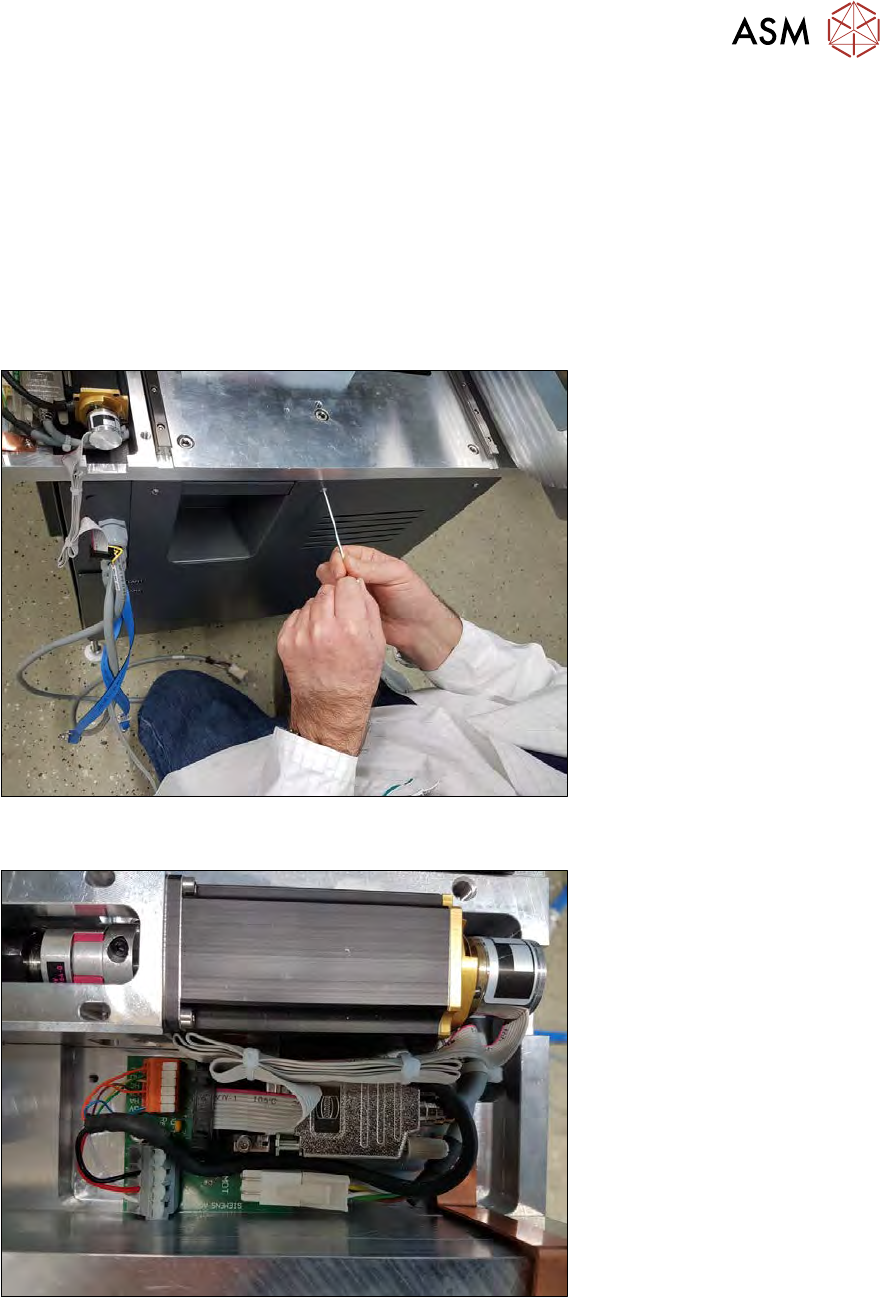
Fig.51:
► Remove the front plate and disconnect the internal CAT5 cable.
Fig.52:
► Remove the cover plate on the "AD-MOT Rev.0 Sub-D board = angled", next to the Y motor.