00195982-03_SM_SWS_EN.pdf - 第256页
11 Extension groups 11.1 Wafer supports 256 Service Manual SIPLACE Wafer System (SWS) 11/2018 11.1.2 Overview of spare parts Fig.349: Spare parts on the wafer support (example for 12") Item Item no. Designation 1 0…
11 Extension groups
11.1 Wafer supports
Service Manual SIPLACE Wafer System (SWS) 11/2018 255
11 Extension groups
11.1 Wafer supports
The spare parts apply for the following wafer supports:
●
Wafer support 8" SWS12 (1/3) [00387217-xx]
●
Wafer support 12" SWS12 (1/3) [00387020-xx]
●
Wafer support 8" SWS12 (2/4) [00387411-xx]
●
Wafer support 12" SWS12 (2/4) [00387412-xx]
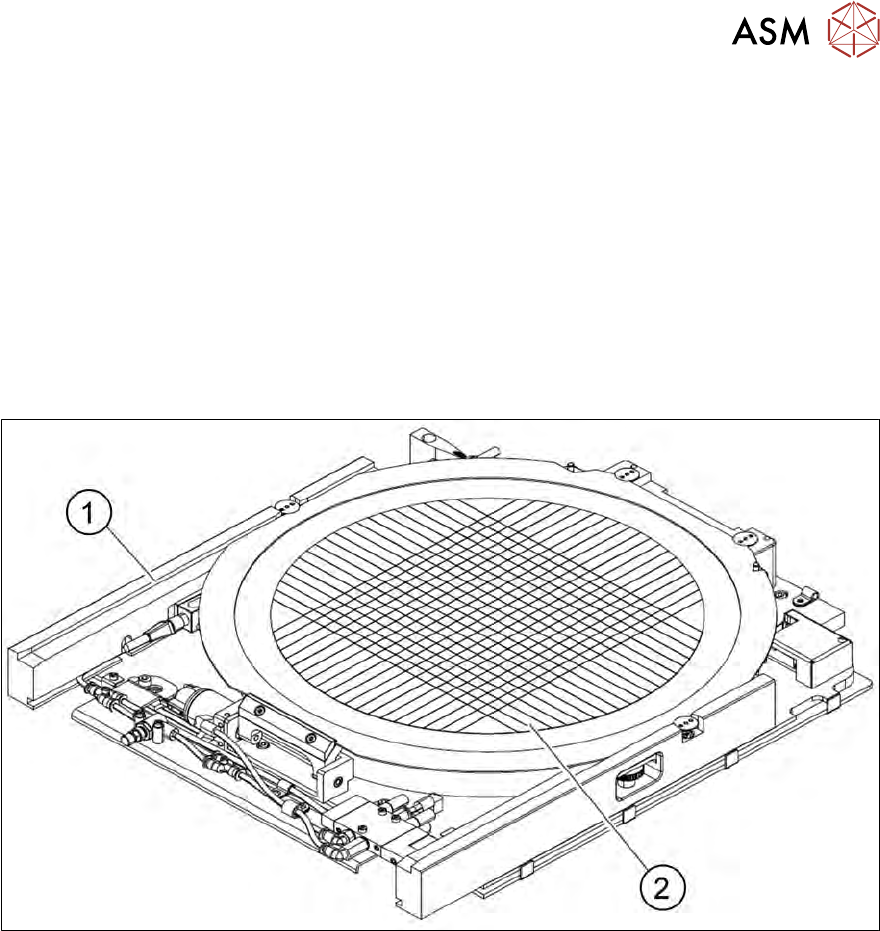
11.1.1 Overview
Fig.348: Wafer support with wafer inserted (example for 12")
1. Wafer support
2. Wafer
11 Extension groups
11.1 Wafer supports
256 Service Manual SIPLACE Wafer System (SWS) 11/2018
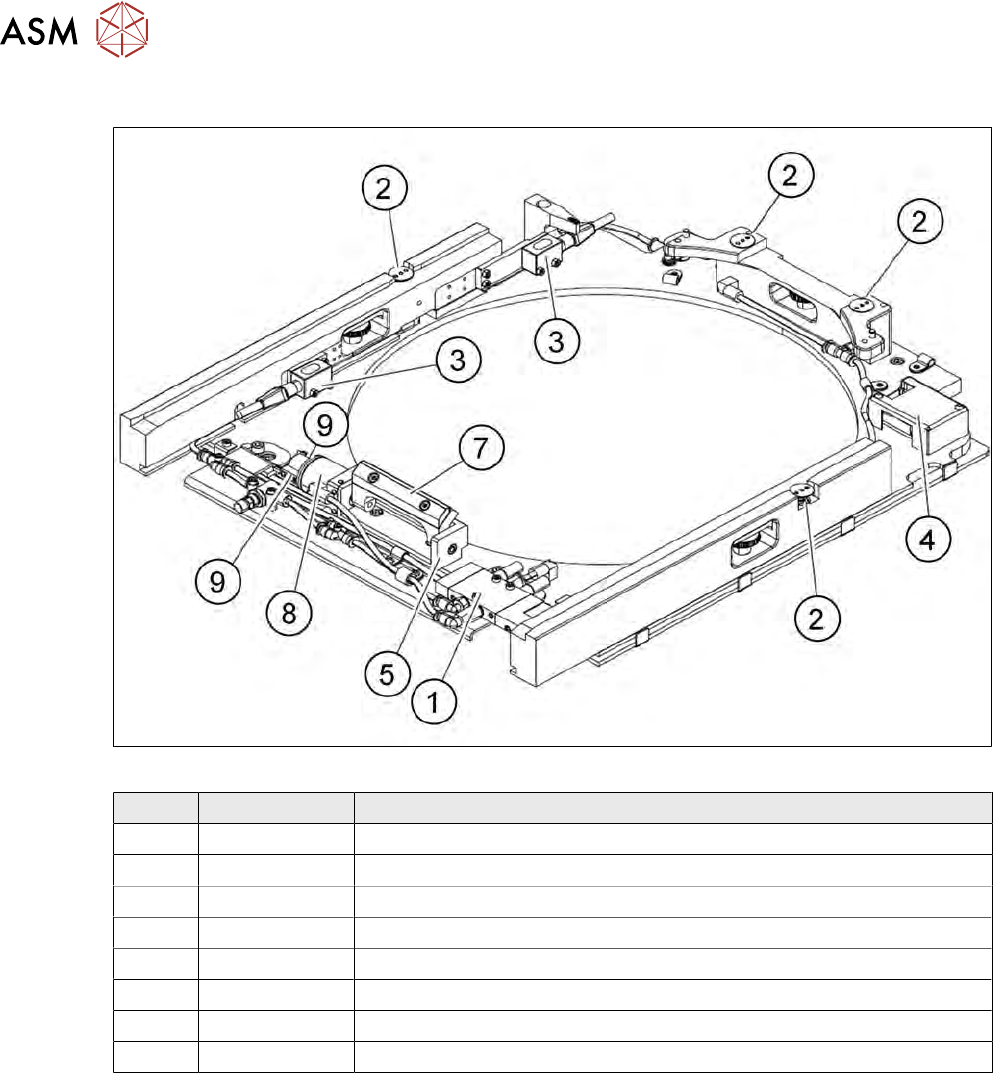
11.1.2 Overview of spare parts
Fig.349: Spare parts on the wafer support (example for 12")
Item Item no. Designation
1 03066721-xx Solenoid valve CPE10-M1BH-5L-M7
2 00385357-xx Screw-in cylinder EGZ-6-5
3 03066505-xx Diffuse mode sensor
4 00386142-xx AD board 12-pin connector pin strip 55x35mm MS-E543
5 00386209-xx Clamp
6 00386560-xx Driver
7 00386242-xx Swivel cylinder DSM-6-180-P-A-FF
8 03063134-xx Proximity switch SME-10-KL-LED-24
11 Extension groups
11.1 Wafer supports
Service Manual SIPLACE Wafer System (SWS) 11/2018 257
11.1.3 Replacing spare parts
The wafer support can remain installed when spare parts on it are replaced. You can fit either a
wafer support for 12" or for 8" wafer frames.
11.1.3.1 Replacing the complete wafer support
► Move the wafer table to the wafer change position.
► If an LDU is fitted, you will need to remove it.
► Shut down the SWS GUI and switch the machine off.
CAUTION
Disconnect the SWS from the compressed air supply.
► Switch off the compressed air supply.
► Disconnect the SWS from the compressed air supply.
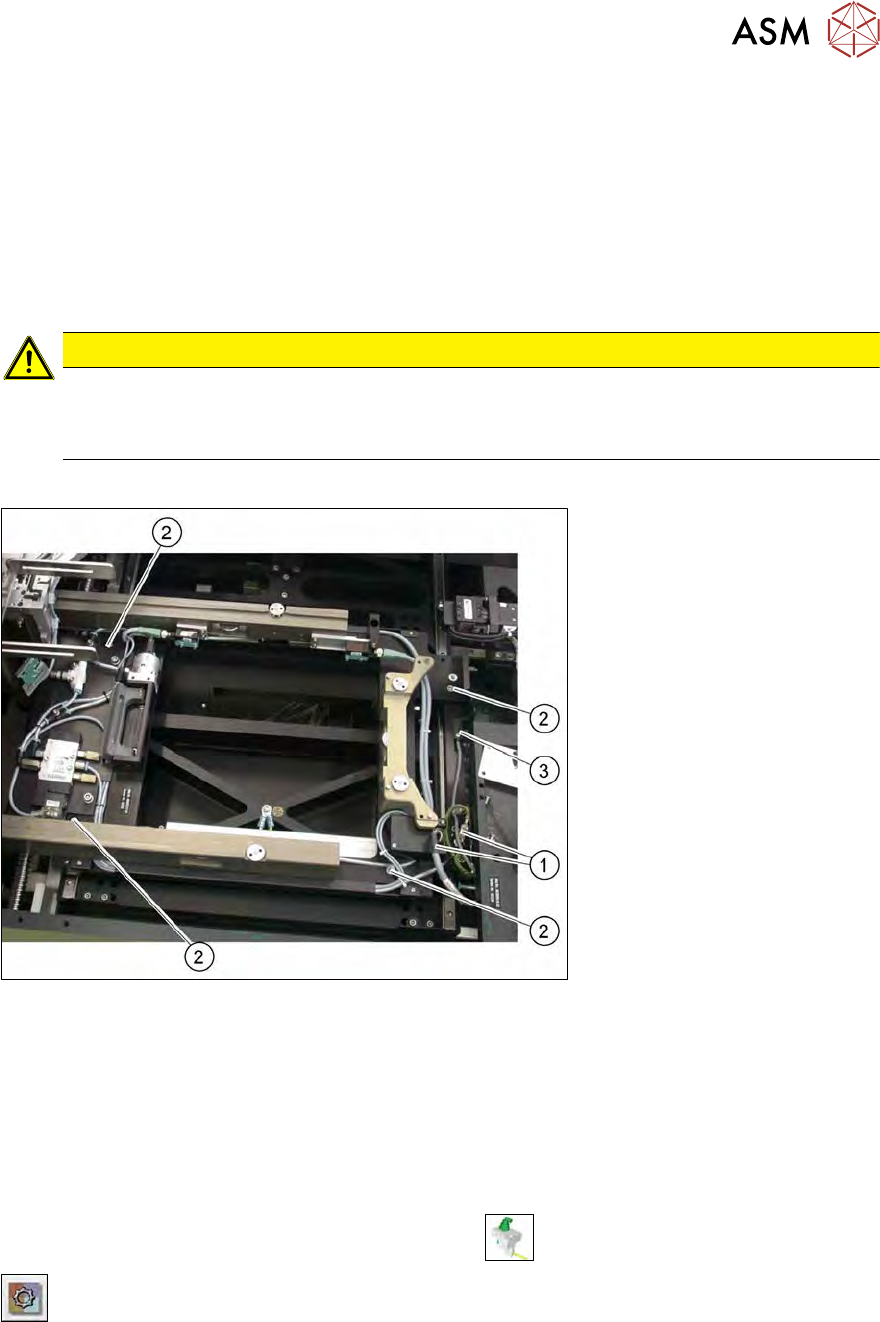
► Open the cable clamps and unplug the connection and ground cables.
Fig.350: Replacing the complete wafer support
► Remove the four fastening screws (2) and lift the wafer support out of the locating pins.
► Pay attention to the black O-rings under the wafer support rails. The O-rings must stay in the
openings and may not be lost. Replace with new ones, if necessary.
12" sensor monitor
The sensor (3) monitors whether there is a 12" or 8" wafer support fitted.
► Check the input signals of the proximity switch.
► In the toolbar, select the button Manual Settings
.
► Go to the Manual Settings view and select the button Manual Subsystems and then select
IOs (see 14.2 "Manual settings" [}358]).
► Select the Wafertabletab.
ð The displays will shine:
DI11 12" adapter
The connection cable is clamped to the large wafer table adapter board.