00195982-03_SM_SWS_EN.pdf - 第330页
12 Wafer stretcher 12.8 Setting the sag sensor IN 19 330 Service Manual SIPLACE Wafer System (SWS) 11/2018 Fig.467: ► Now place the expansion plate onto the plate (or pieces of paper). Pay attention to the following poi…
12 Wafer stretcher
12.8 Setting the sag sensor IN 19
Service Manual SIPLACE Wafer System (SWS) 11/2018 329
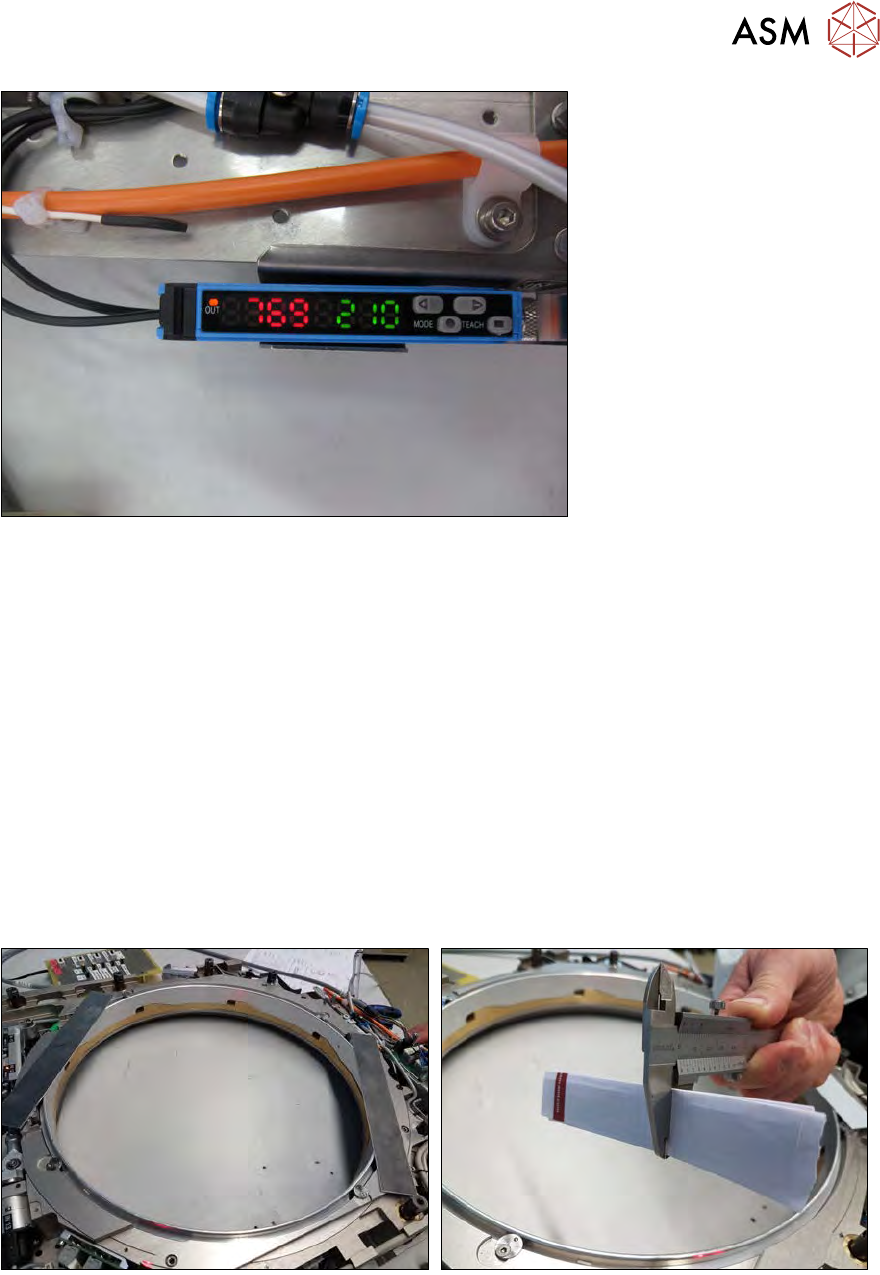
Fig.465:
●
The analysis unit now shows a light intensity value (our example shows 769 red).
●
The switching threshold value is still from the old calibration (in our example 210 green).
●
It is important that in general a light intensity value of >500 must be achieved!
The optimum alignment is now set between transmitter S and receiver R. The maximum possible
light = maximum light intensity reaches receiver R.
12.8.3 Setting the switching threshold value
The switching threshold is set below so that a reliable wafer change with sagging wafer foil is guar-
anteed.
The minimum permissible distance is simulated with the help of the 1 mm plates (or, alternatively,
with folded paper).
A dismantled expansion palte is then placed over this. This plate influences the light beam and
thereby minimizes the intensity of the light arriving at the receiver (R). This value then serves as
the switching threshold value in the evaluation unit.
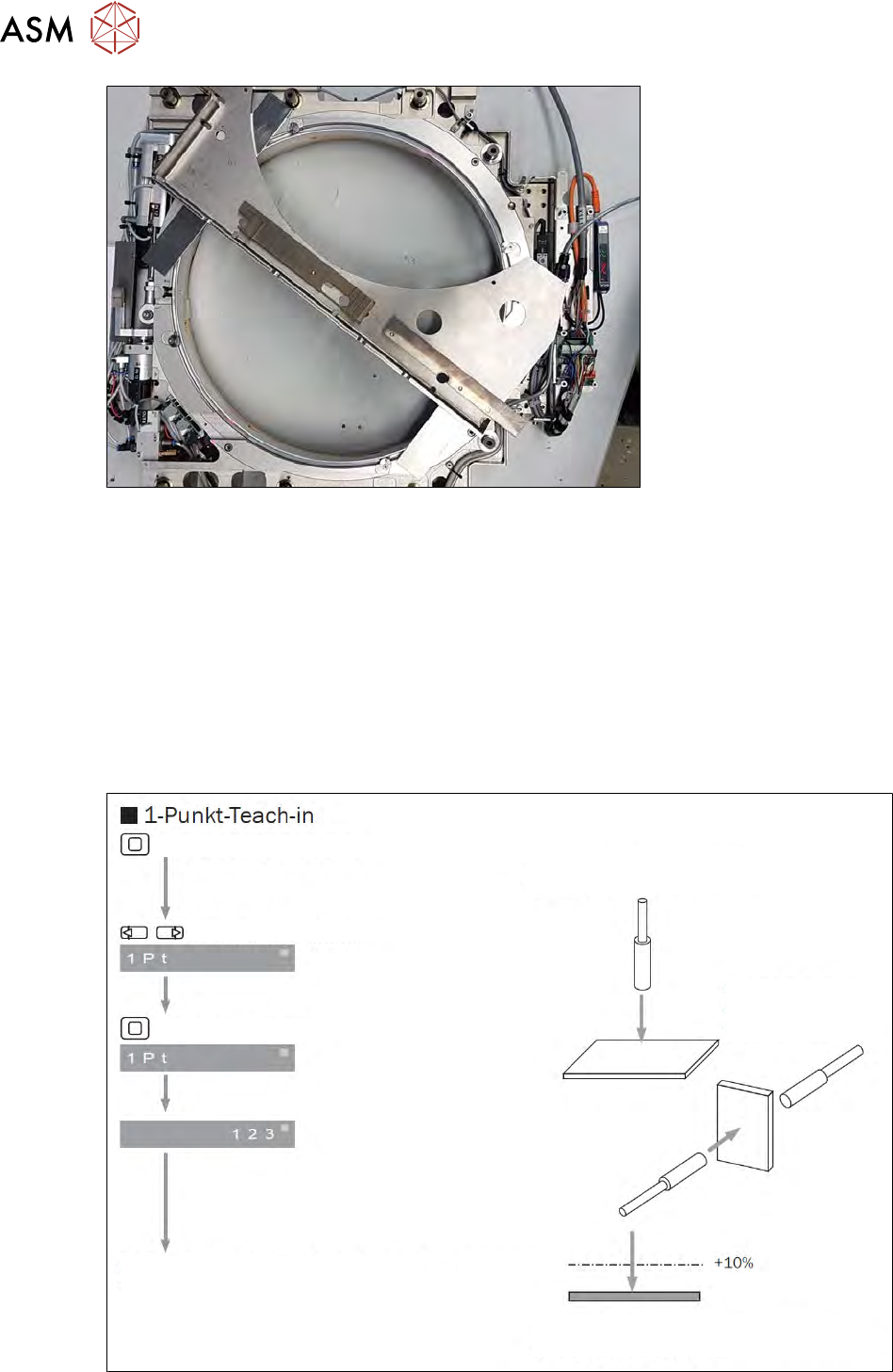
Fig.466:
► Position the 1 mm plate parallel to the light beam.
► Alternatively, if there is no plate available, you could also fold a piece of paper so that it is 1
mm thick.
► Depending on the stability of the paper, you could also fold it to a thickness of 1.2 mm, as it
may be pressed together somewhat by the relatively heavy expansion plate.
► Place the two folded pieces of paper, like the plates, parallel to the light beam, on the expan-
sion ring.
12 Wafer stretcher
12.8 Setting the sag sensor IN 19
330 Service Manual SIPLACE Wafer System (SWS) 11/2018
Fig.467:
► Now place the expansion plate onto the plate (or pieces of paper).
Pay attention to the following points:
– The two plates must sit flush on the surface.
– The expansion plate must sit completely on the two plates.
– The expansion plate may not be on any other parts.
The calibration of the switching threshold value at the Sensick WLL180T evaluation unit is de-
scribed below.
For an overview and explanation of the buttons, refer to the section 12.8.1.2 "Sag sensor assembly
function" [}321].
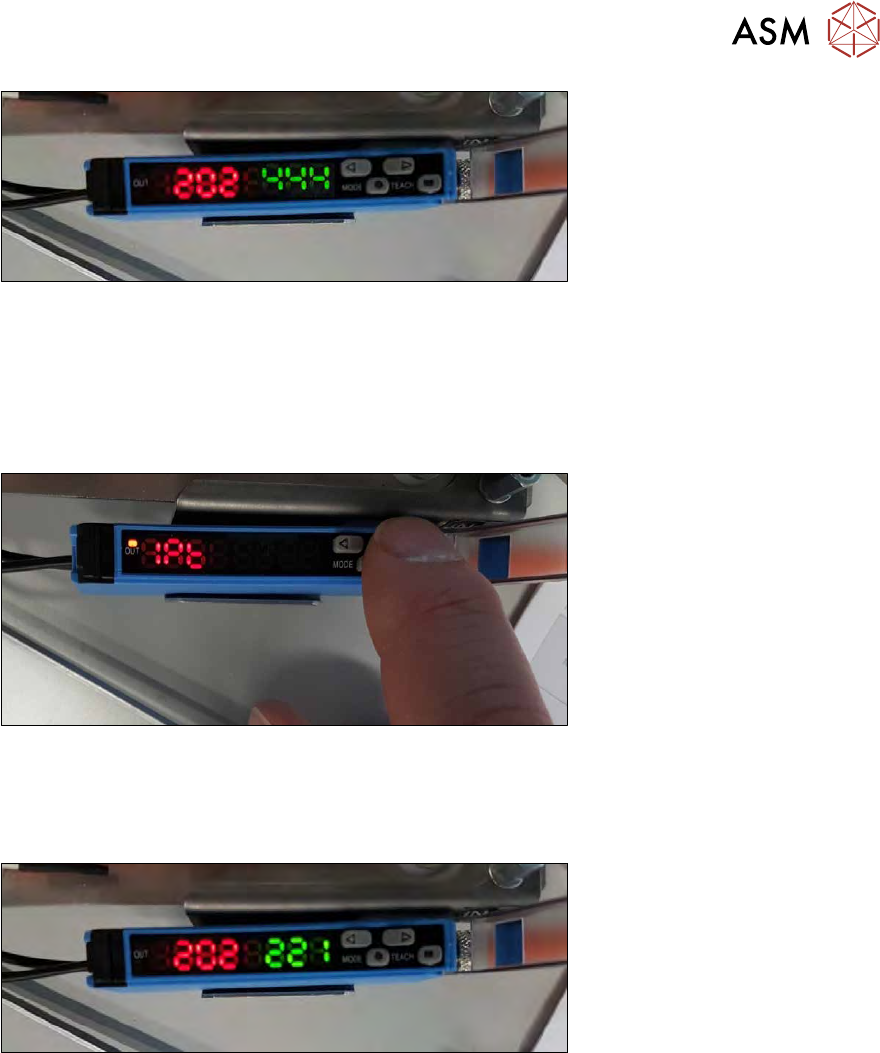
We use the "1 point teach-in" procedure for setting the switching threshold.
Press teach-in-button for 3 s.
Choose 1-point-teach-in.
Press teach-in-button.
The switching threshold flashes shortly and
the basic display is shown.
Button: adjust to background without objekt.
One way system:
Adjust if object is
present.
Adjusts the switching threshold with +10%
according to the received light.
Switching
threshold
Fig.468:
12 Wafer stretcher
12.8 Setting the sag sensor IN 19
Service Manual SIPLACE Wafer System (SWS) 11/2018 331
Fig.469:
●
The diagram shows the old value taught for the switching threshold 444 (green).
●
The current value for the light intensity at the receiver (R) is 202 (red).
The expansion plate with the 1 mm distance plates impairs the light emitted by the transmitter (S)
to such a degree that only a residual light intensity of 202 arrives at the receiver (R).
► Press the teach-in button for 3 seconds.
Fig.470:
► Press the arrow key until the display shows 1Pt.
ð The "1 point teach-in" calibration is now active.
► Press the teach-in button again.
Fig.471:
●
The switching threshold display (green) will flash.
●
The switching threshold (green) is calibrated to the light intensity value 202 (red).
●
After successful calibration, the display will change again to fixed values.
●
The light intensity on the receiver will still show 202 (red).
●
A value of 221 (green) will be shown for the calibrated switching threshold.
●
The switching threshold is calculated internally from the light received at the receiver (R) plus
10% → light intensity 202 + 10% (ca. 20) → 221 (green).
●
The values are calculated more accurately internally, which leads to slightly different values.