00195982-03_SM_SWS_EN.pdf - 第221页
10 Option Die Attach Unit SWS 10.1 Installing the Option Die Attach Unit SWS Service Manual SIPLACE Wafer System (SWS) 11/2018 221 Fig.288: ► Remove the sealing plugs from the compressed air connections. Fig.289: ► Tak…
10 Option Die Attach Unit SWS
10.1 Installing the Option Die Attach Unit SWS
220 Service Manual SIPLACE Wafer System (SWS) 11/2018
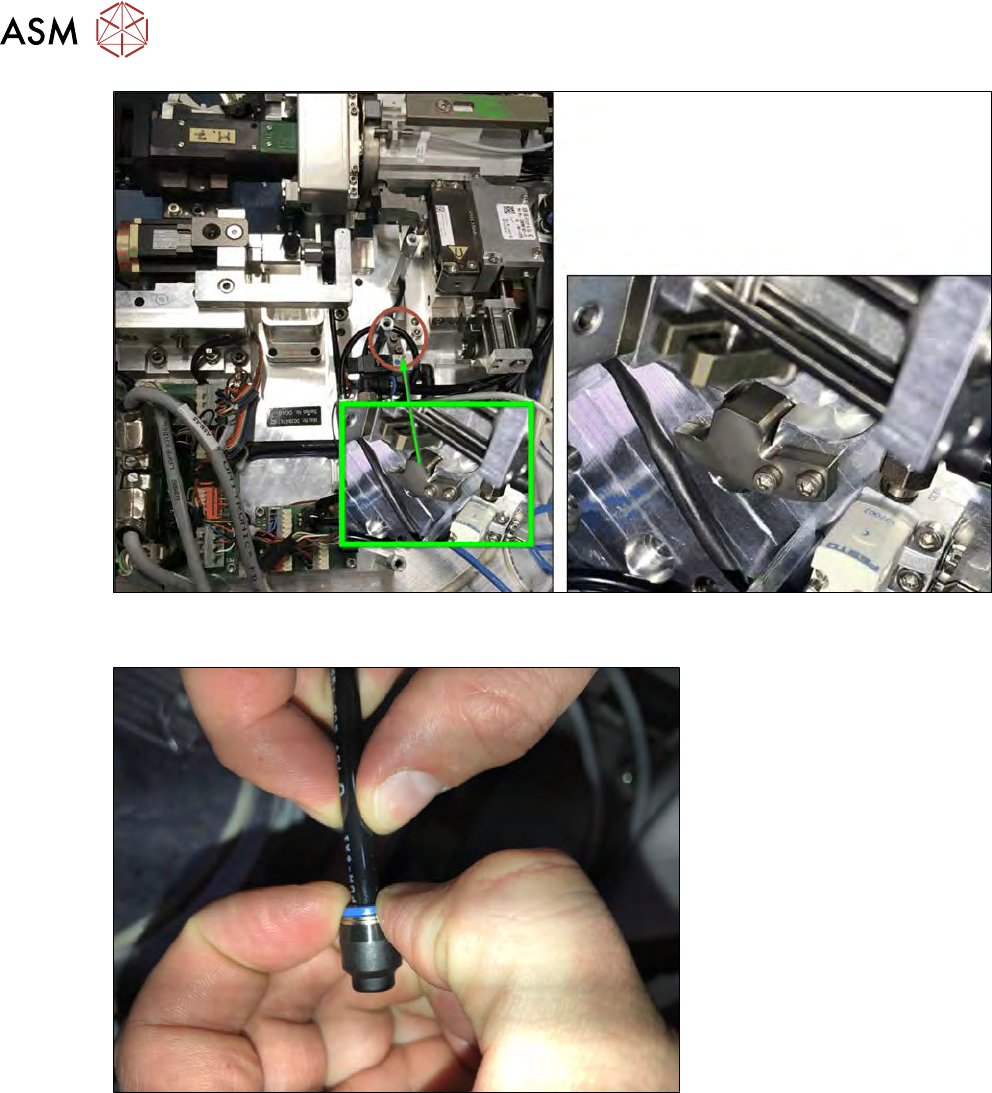
Fig.286:
► Store the filling piece by mounting it on the Die Attach Unit as shown.
Fig.287:
► Remove the sealing cap from the black vacuum tube.
10 Option Die Attach Unit SWS
10.1 Installing the Option Die Attach Unit SWS
Service Manual SIPLACE Wafer System (SWS) 11/2018 221
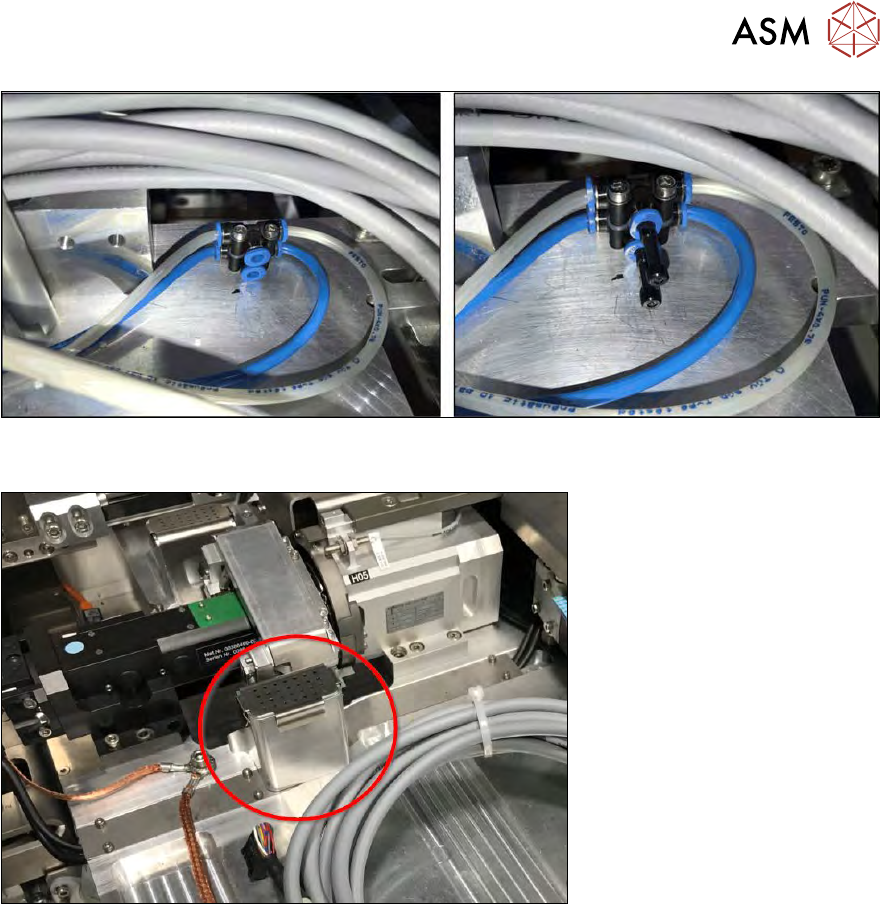
Fig.288:
► Remove the sealing plugs from the compressed air connections.
Fig.289:
► Take the flip chip reject bin for segment 1 out.
10 Option Die Attach Unit SWS
10.1 Installing the Option Die Attach Unit SWS
222 Service Manual SIPLACE Wafer System (SWS) 11/2018
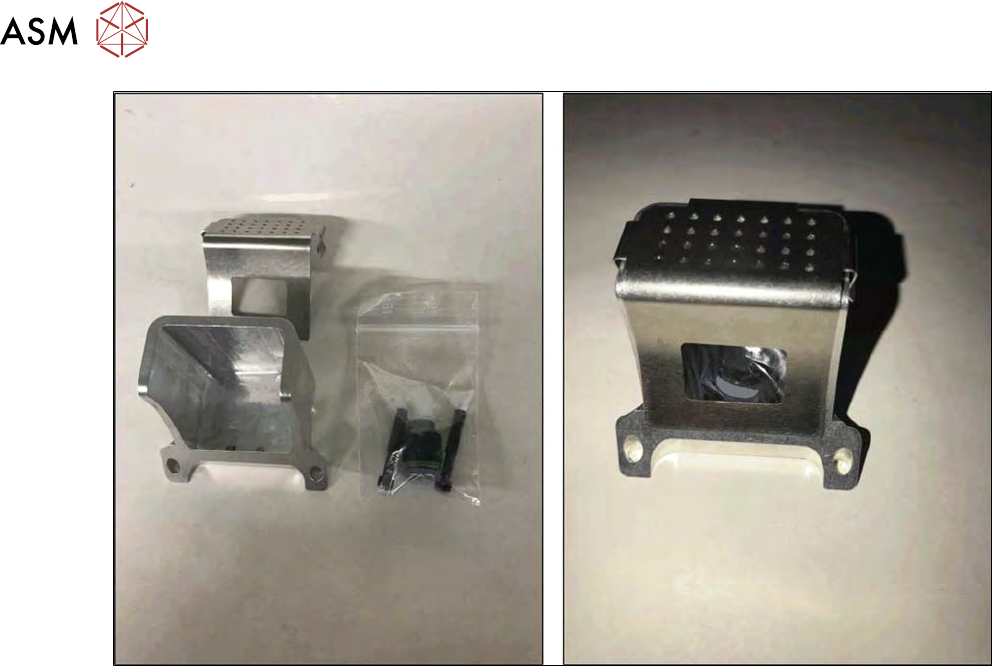
Fig.290:
► Put the removed parts into a bag and store the bag in the flip chip reject bin. Store all parts in-
side the SWS service box to have them available when removing the Die Attach Unit again.