00195982-03_SM_SWS_EN.pdf - 第203页
9 Wafer change system 9.2 Gripper Service Manual SIPLACE Wafer System (SWS) 11/2018 203 Fig.264: Spare parts on the gripper (for location 1/3) Spare parts on the gripper Item Item no. Designation 1 00385526-xx Toothed b…
9 Wafer change system
9.2 Gripper
202 Service Manual SIPLACE Wafer System (SWS) 11/2018
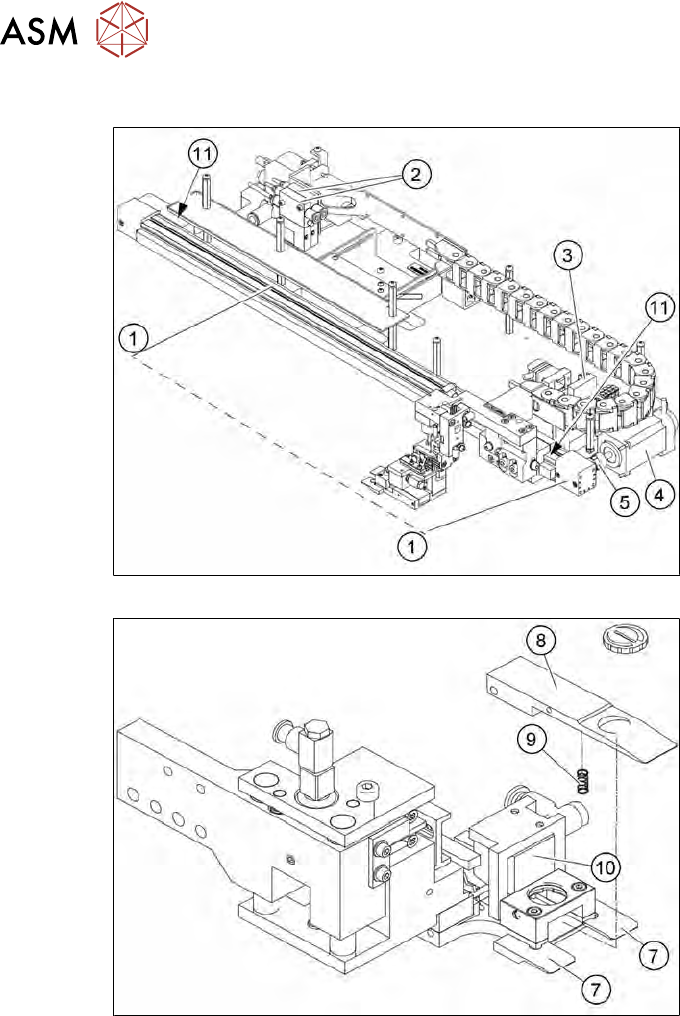
9.2.2 Overview of spare parts
Fig.262: Spare parts on the gripper unit (example for location 2/4)
Fig.263: Spare parts on the gripper (for location 2/4)
9 Wafer change system
9.2 Gripper
Service Manual SIPLACE Wafer System (SWS) 11/2018 203
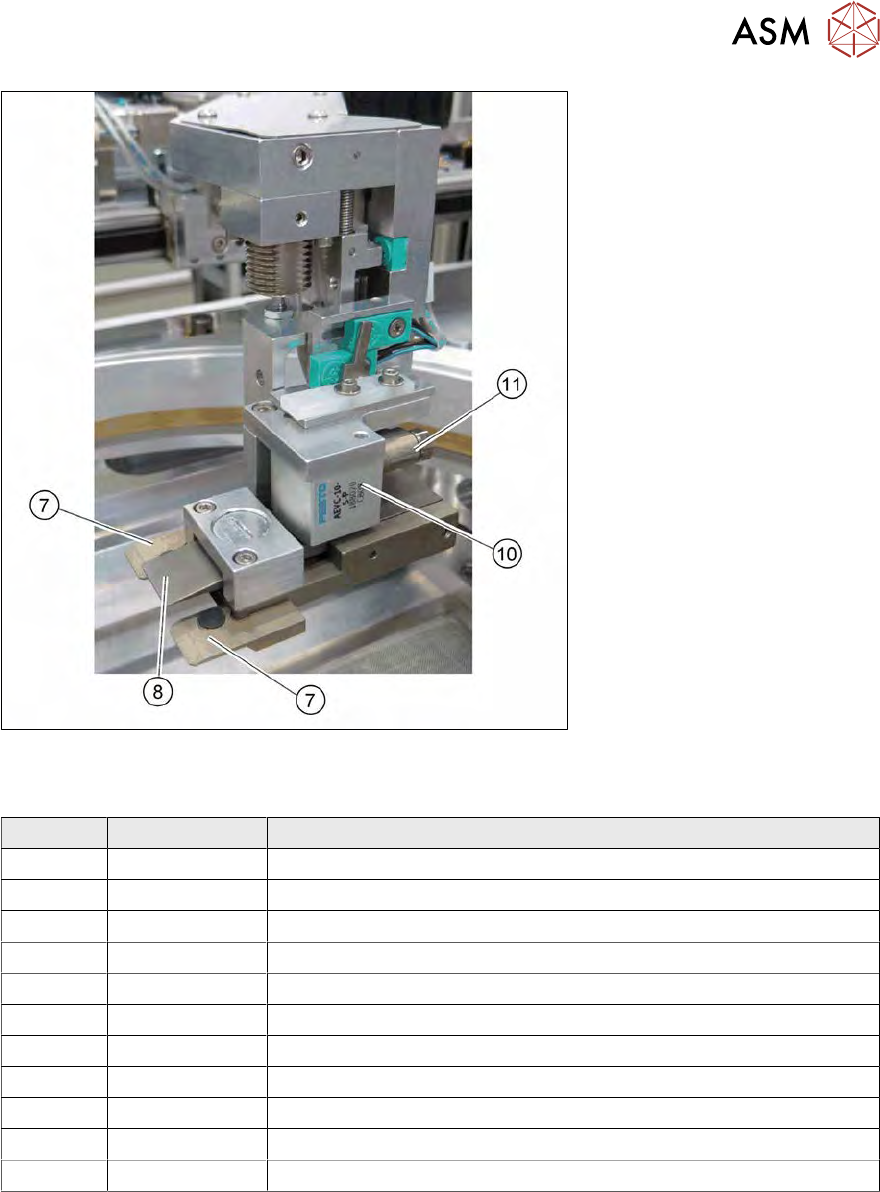
Fig.264: Spare parts on the gripper (for location 1/3)
Spare parts on the gripper
Item Item no. Designation
1 00385526-xx Toothed belt axis DGE-12-439
2 00384850-xx Solenoid valve CPE10-M1BH-3GL-QS-4
3 00384600-xx Board AD-MOT Rev.0 Sub-D = angled (under the cover)
4 00385452-xx Brushless cybermotor - wafer handler
5 03106449-xx Elastomer coupling without play d4,d6
6 03093951-xx Barcode scanner VB12-220-S-R (option)
7 00384823-xx Clamps, lower
8 00386153-xx Flexible clamps for gripper
9 00384901-xx Compression spring
10 00384879-xx Short-stroke cylinder AEVC-10-5-P
11 03095116-xx Proximity switch inductive
9 Wafer change system
9.2 Gripper
204 Service Manual SIPLACE Wafer System (SWS) 11/2018
9.2.3 Replacing spare parts
9.2.3.1 Requirements/preparations
The SWS can stay in the placement machine for all work to the gripper.
► Switch off the machine and the SWS at the main switch and disconnect these from the mains
power supply.
Observe the section 1.2 "Preparatory work..." [}15].
► Remove the large, black gripper cover (see 9 "Wafer change system" [}191]).
9.2.3.2 Tools
●
Standard tooling
●
Cable tie
●
Detailed circuit diagrams folder
9.2.4 Replacing the proximity switch on the toothed belt axis
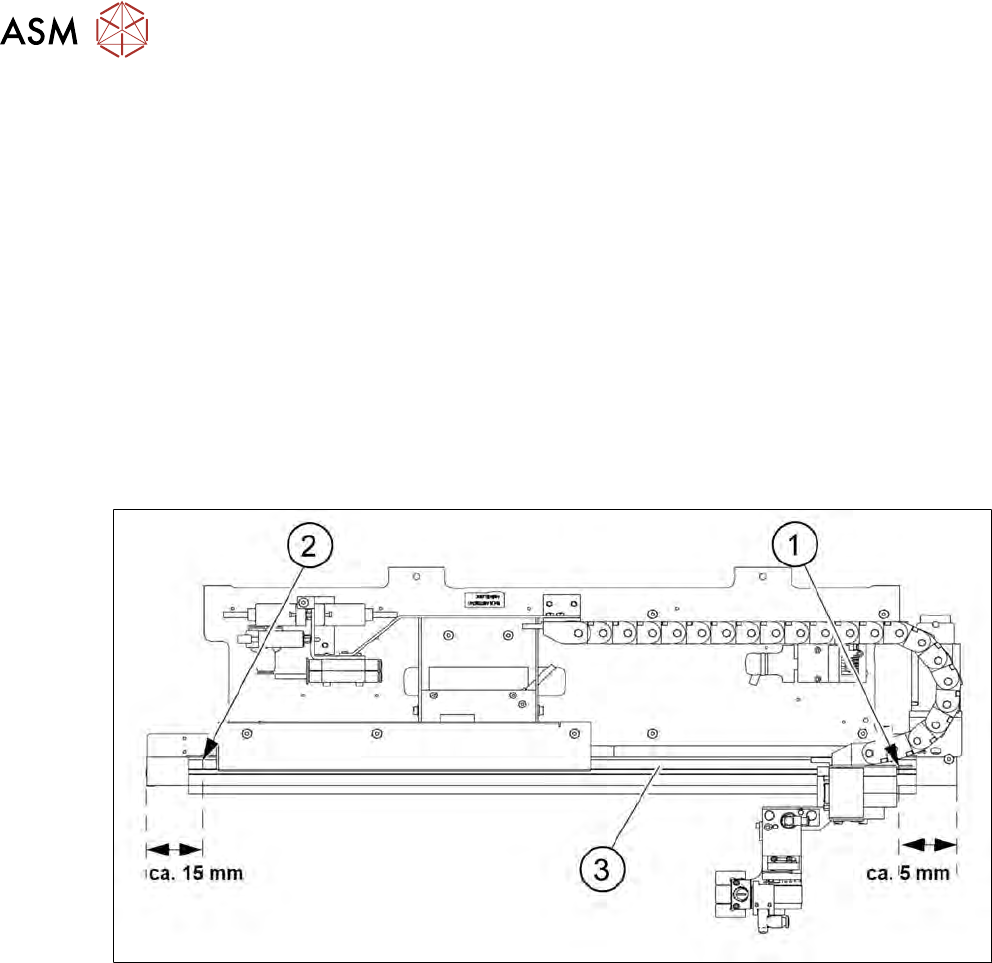
Fig.265: Position of proximity switch on the toothed belt axis
The two proximity switches monitor the front and back end position stops for the toothed belt axis
of the gripper.
The two proximity switches (1) and (2) are located on the inside, on the toothed belt axis (3). The
cable for the relevant proximity switch is connected to the wafer table adapter board (see 5.2.1 "Ba-
sic frame – design and spare parts [00386774-xx] (example SWS 1/3)" [}68]).
1. Proximity switch for Forward Limit
2. Proximity switch for Reverse Limit
3. Toothed belt axis