00195982-03_SM_SWS_EN.pdf - 第231页
10 Option Die Attach Unit SWS 10.1 Installing the Option Die Attach Unit SWS Service Manual SIPLACE Wafer System (SWS) 11/2018 231 10.1.4 Mechanical alignment of the Die Attach segment – flip head segment 1 ► At the Die …
10 Option Die Attach Unit SWS
10.1 Installing the Option Die Attach Unit SWS
230 Service Manual SIPLACE Wafer System (SWS) 11/2018
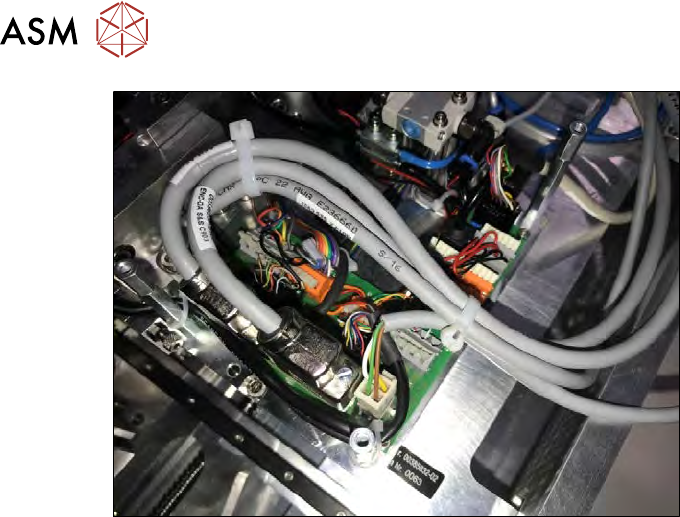
Fig.304: Cable routing in the SWS at locations 2 and 4.
► Tighten the safety screws of the encoder cables (ENC-DA).
► Align the cables according to the figure and secure these with cable ties.
10 Option Die Attach Unit SWS
10.1 Installing the Option Die Attach Unit SWS
Service Manual SIPLACE Wafer System (SWS) 11/2018 231
10.1.4 Mechanical alignment of the Die Attach segment – flip head segment 1
► At the Die Attach segment and the flip head segment 1, insert nozzles with a sharp tip (e.g.
nozzle 906).
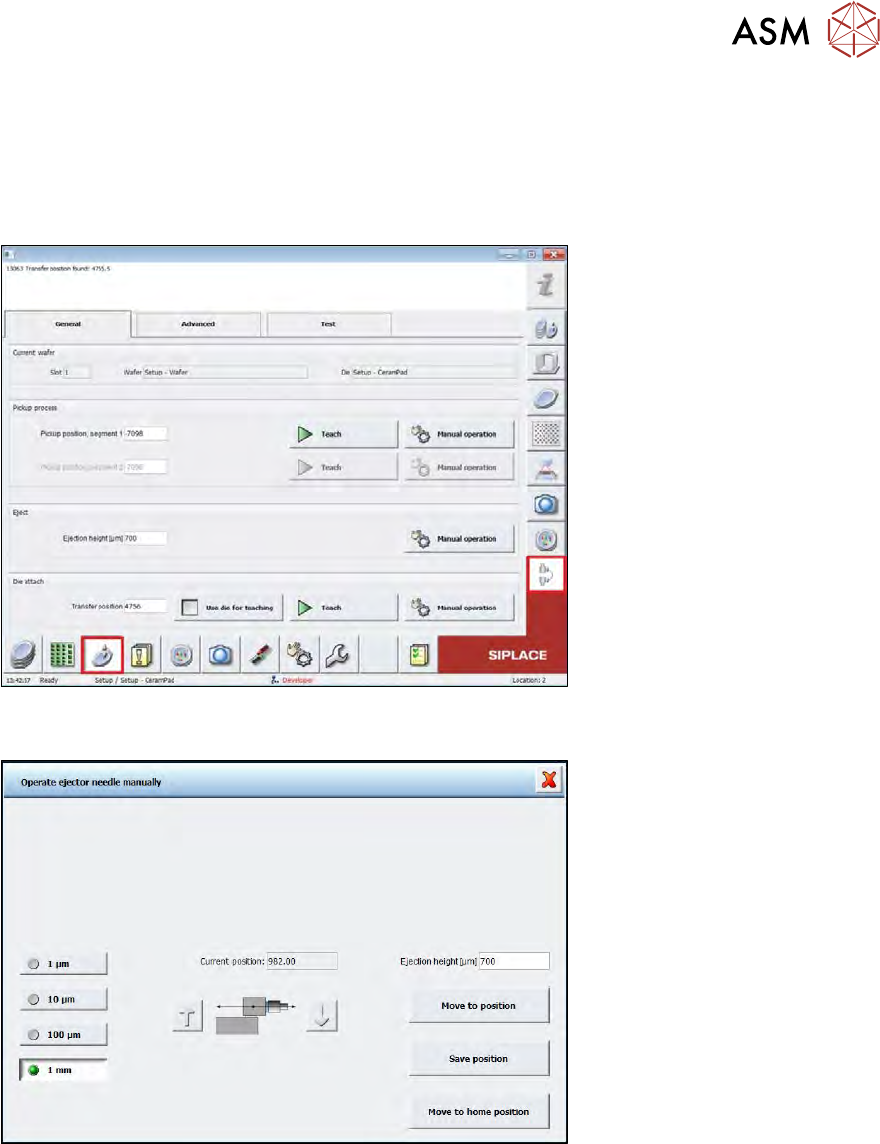
► To align the Die Attach and flip head segment, in the GUI, select the Process view.
► Load a wafer on the table.
Fig.305:
► Choose the Die handling parameters menu.
Fig.306:
► Move segment 1 close to the transfer position with the arrow buttons and the appropriate step
increment.
10 Option Die Attach Unit SWS
10.1 Installing the Option Die Attach Unit SWS
232 Service Manual SIPLACE Wafer System (SWS) 11/2018
10.1.4.1 Alignment in y direction
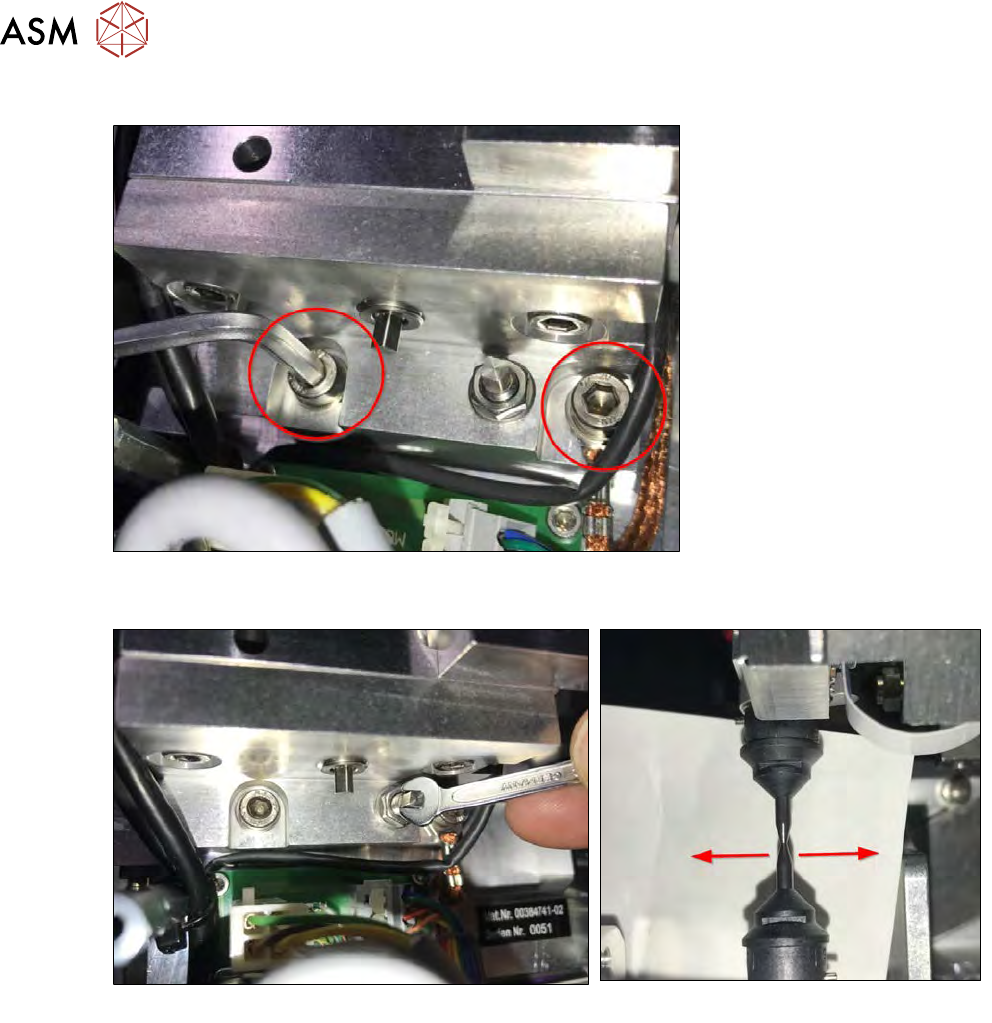
Fig.307:
► Loosen the two safety screws of the block for horizontal alignment.
Fig.308:
► Loosen the locking nut of the adjustment screw and correct the nozzle offset in Y direction by
turning the adjustment screw (see figures).
► After the Die Attach segment and the flip head segment have been successfully aligned,
tighten the locking nut of the adjustment screw.
► Tighten the two safety screws of the block for horizontal Y alignment.
► After tightening, re-check the alignment.