00195982-03_SM_SWS_EN.pdf - 第319页
12 Wafer stretcher 12.7 Wafer stretcher - configuration changes Service Manual SIPLACE Wafer System (SWS) 11/2018 319 Fitting the downholder plates Fig.450: Wafer support - removing the downholder plate ► Use the auxili…
12 Wafer stretcher
12.7 Wafer stretcher - configuration changes
318 Service Manual SIPLACE Wafer System (SWS) 11/2018
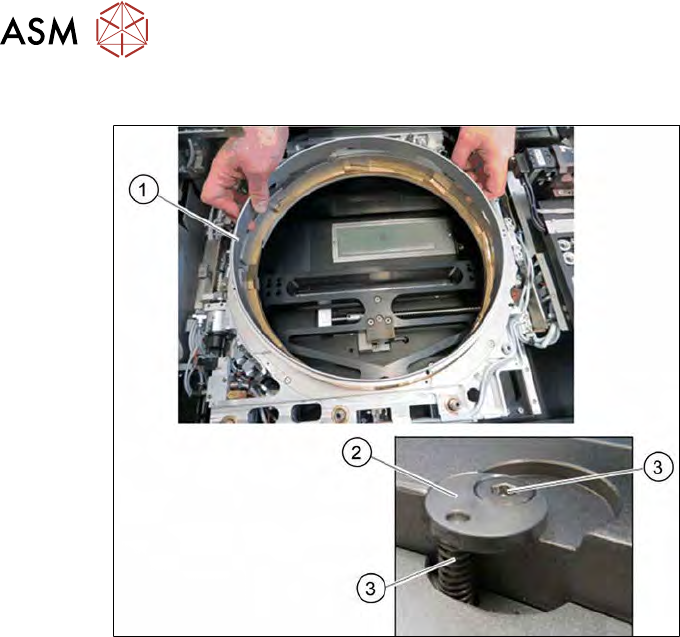
Fitting the lifting ring
Fig.449: Wafer support - fitting the lifting ring
► Insert the lifting ring (1).
► Insert the four springs (3) into the four holes.
► Position the four fixing disks (2) on these.
► Fasten the fixing disks with the fastening screws (4).
12 Wafer stretcher
12.7 Wafer stretcher - configuration changes
Service Manual SIPLACE Wafer System (SWS) 11/2018 319
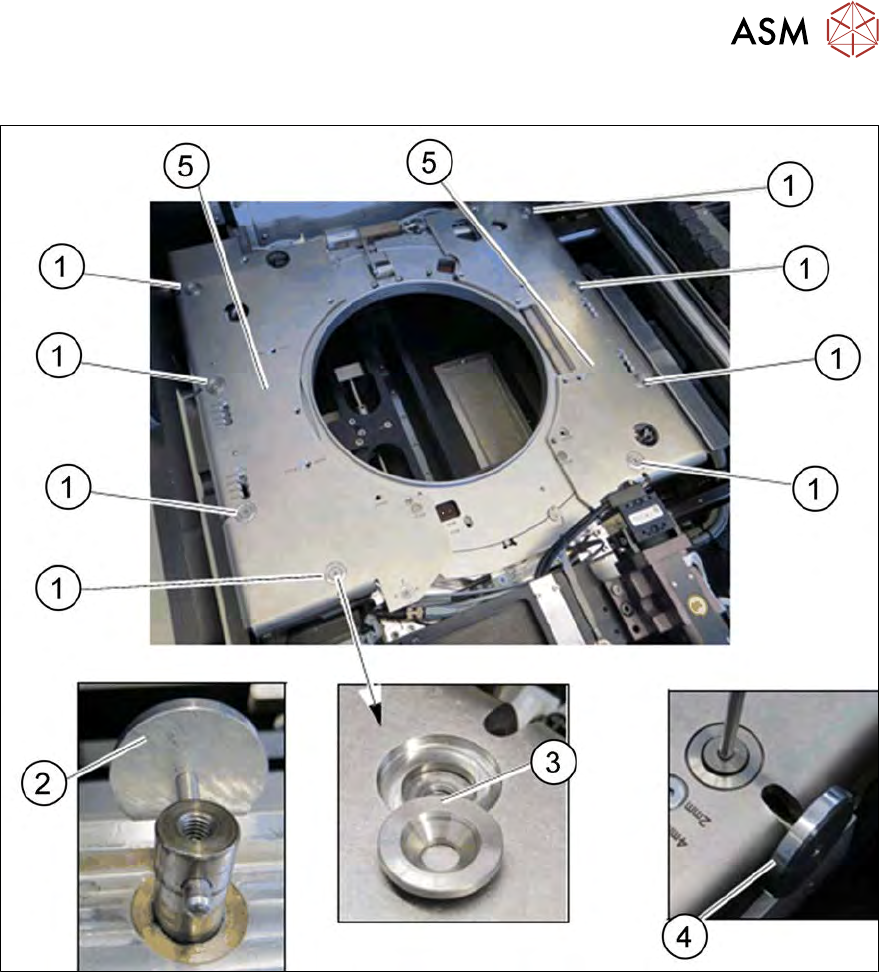
Fitting the downholder plates
Fig.450: Wafer support - removing the downholder plate
► Use the auxiliary tool (2) to align the lifting piston, so that the openings point outwards.
► Place the downholder plates form the 12" retrofit kit onto the wafer support.
► Place the conical fixing disks (3) into the holes provided.
► Loosely tighten the downholder plates with the screws.
► Insert the auxiliary tool (4) into the opening and fix the lifting piston inside with it.
► Tighten the four screws (1) on each of the two downholder plates(5), one after the other.
12.7.3.4 Difference when converting the 12" to the 8"
The sensors need to be removed from the wafer support and fitted to the 8" expansion plates (see
12.7.3.3.3 "Removing the lifting ring for the 8" wafer stretcher" [}313]).
The block needs to be removed from the clamp and hooked up in place of the clamping lever (see
12.7.3.3.2 "Releasing the clamp" [}312]).
12 Wafer stretcher
12.8 Setting the sag sensor IN 19
320 Service Manual SIPLACE Wafer System (SWS) 11/2018
12.8 Setting the sag sensor IN 19
12.8.1 General information about the sag sensor
12.8.1.1 Sag sensor assembly structure
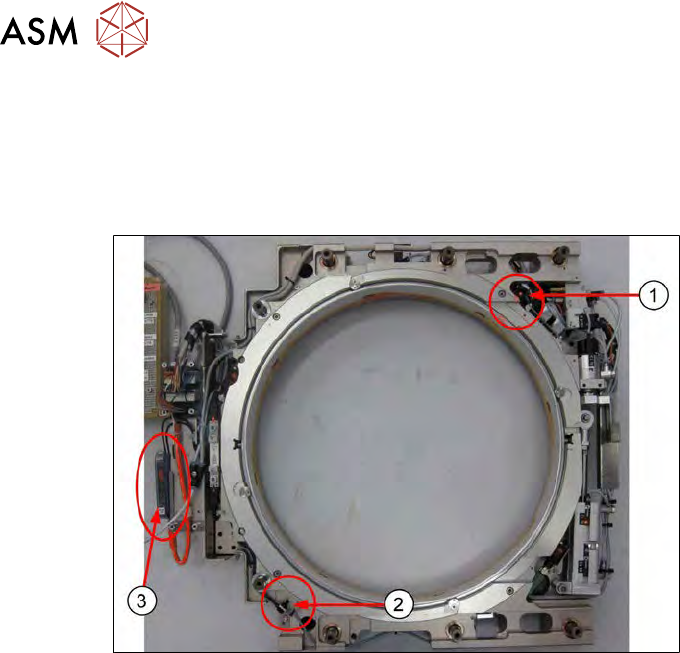
Fig.451:
The sag sensor assembly consists of:
1. Transmitter S
2. Receiver R
3. Sensick WLL180T analysis unit