00195982-03_SM_SWS_EN.pdf - 第380页
15 Calibration 15.3 Calibration die handling - flip unit 380 Service Manual SIPLACE Wafer System (SWS) 11/2018 Fig.547: ► Choose Manual Operation (1) . ► Choose Manualop Subsystems (2) . ► Choose Die handling (3) . Fig.…
15 Calibration
15.3 Calibration die handling - flip unit
Service Manual SIPLACE Wafer System (SWS) 11/2018 379
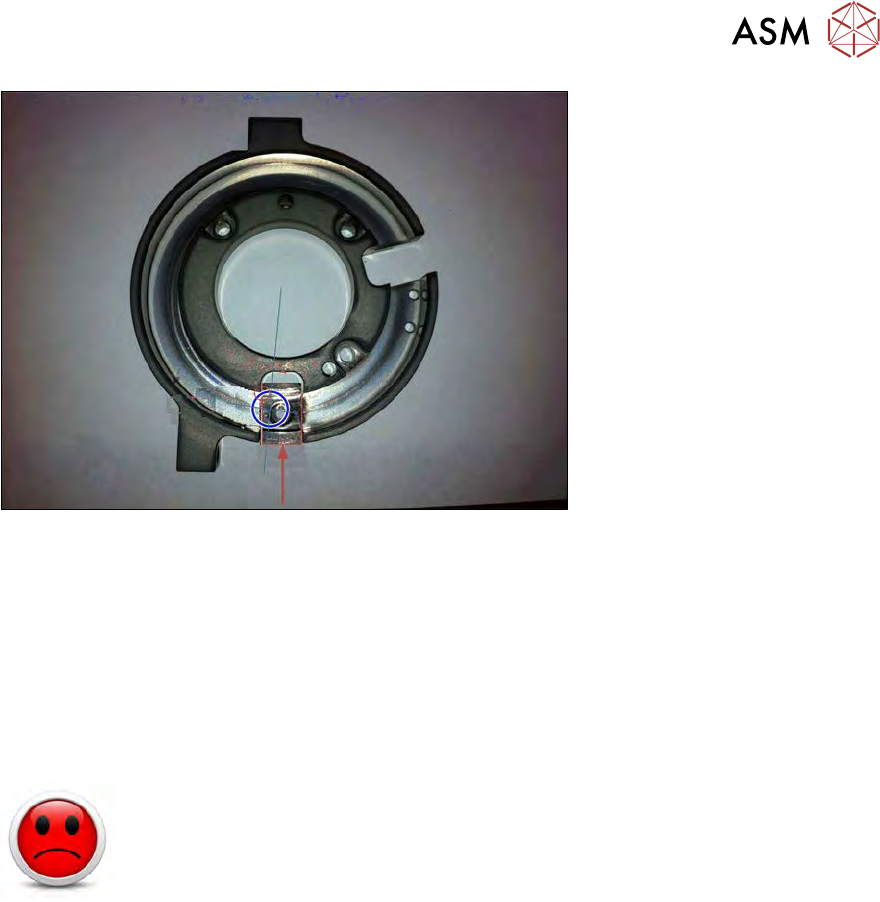
Fig.546:
●
The Z axis is moved up until the the time-out when the bearing touches a segment.
●
This value is saved.
●
From these two values, the home position for the Z axis is calculated (average value).
●
Based on this four detected values, the exact mean value for Z axis zero point correction can
be calculated.
●
The Z axis zero point is now exactly in the center of the raceway!
15.3.2.4 Calibration – segment offset calibration in X direction
HIGH RISK OF SERIOUS INJURIES
► Setup mode must be activated!
Tools required
●
Teflon tape (local source → plumbing workers / hardware store) → no ASM part number
●
Nozzle 906 or equal nozzles with a sharp tip (2x nozzles required for each segment)
Procedure
This calibration detects and compensates for the offset between segment 1 and segment 2 in X dir-
ection.
Ejector needle, camera center (red cross in vision view) and both segment centers should be in
one point!
With the following calibration procedure, only the software correction in X direction (rotation of the
flip head) can be done!
Should your segments also show a significant offset in Y direction, a mechanical adjustment might
be necessary. Sometimes it helps to turn the nozzle on the related segment by 180° (some nozzles
can have tolerances in X or Y up to 70µm). If the offset in Y direction cannot be improved in that
way, please contact your local service partner for further assistance.
► Manually place the nozzles on the segments (nozzle type 906 in the example).
15 Calibration
15.3 Calibration die handling - flip unit
380 Service Manual SIPLACE Wafer System (SWS) 11/2018
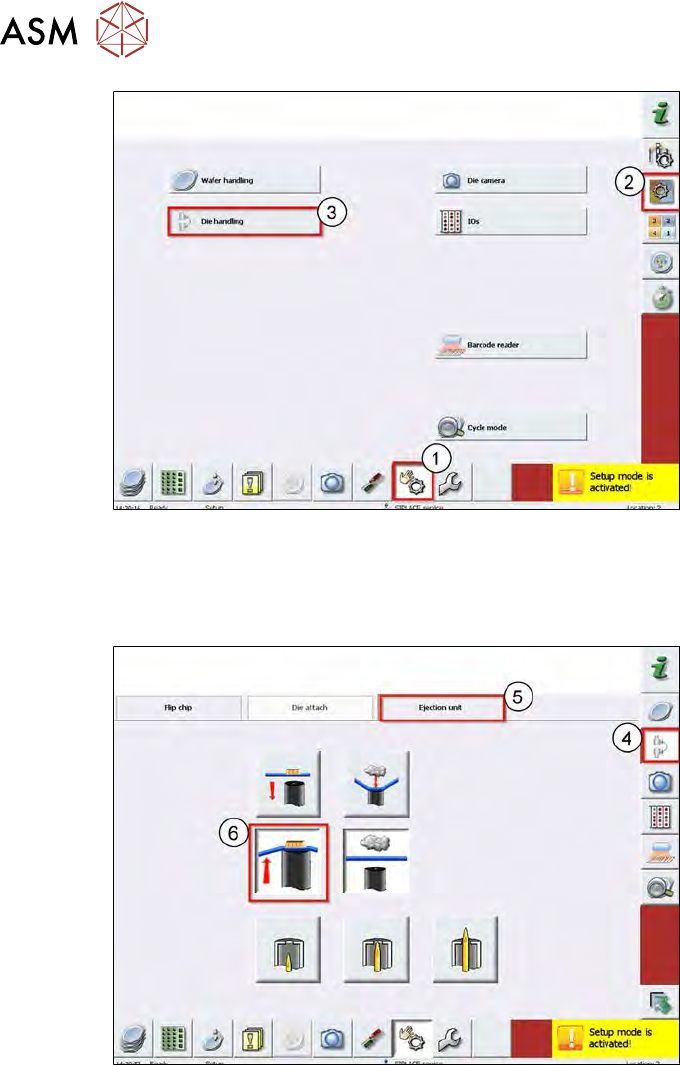
Fig.547:
► Choose Manual Operation (1).
► Choose Manualop Subsystems (2).
► Choose Die handling (3).
Fig.548:
► Choose Manualop Dietransfer (4).
► Choose Ejection unit (5).
► Check if any objects are lying on the die ejector.
If yes, remove these.
► Carefully move the wafer table manually.
► Move up the die ejector (6).
15 Calibration
15.3 Calibration die handling - flip unit
Service Manual SIPLACE Wafer System (SWS) 11/2018 381
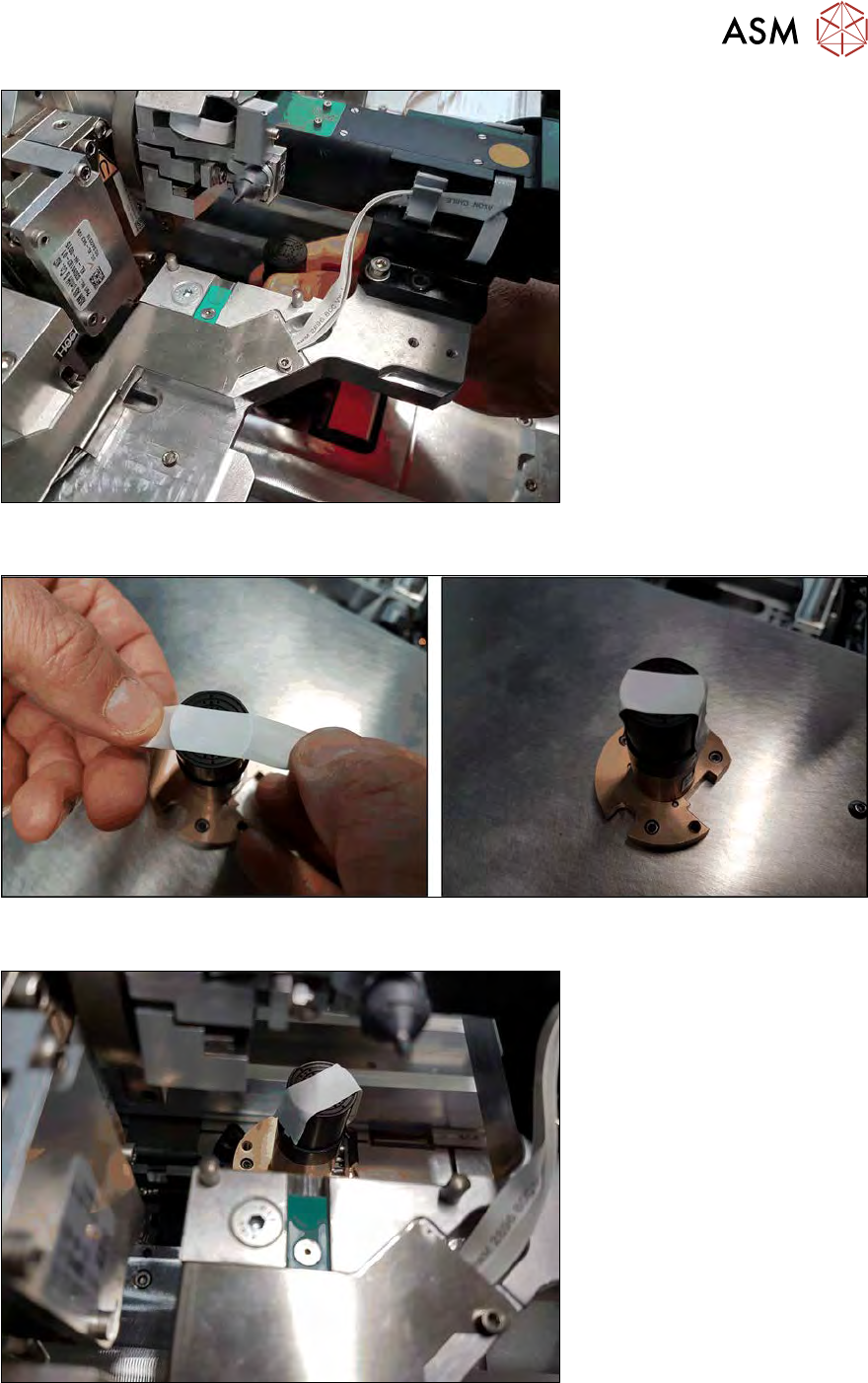
Fig.549:
► Take out the die ejector unit.
Fig.550:
► Put a strip of Teflon tape over the center of the die ejector.
Fig.551:
► Re-insert the die ejector into the SWS.
► Switch back to the service menu Die handling calibration.