00195982-03_SM_SWS_EN.pdf - 第405页
15 Calibration 15.4 Calibration of the complete wafer handling Service Manual SIPLACE Wafer System (SWS) 11/2018 405 Fig.593: ► Choose Save . 15.4.3 Calibration wafer changer menu To access the calibration menu, choose …
15 Calibration
15.4 Calibration of the complete wafer handling
404 Service Manual SIPLACE Wafer System (SWS) 11/2018
Alignment of the wafer heater position (optional only with installed stretcher)
NO RISK OF SERIOUS INJURIES
► Setup mode not activated!
Machine covers are closed!
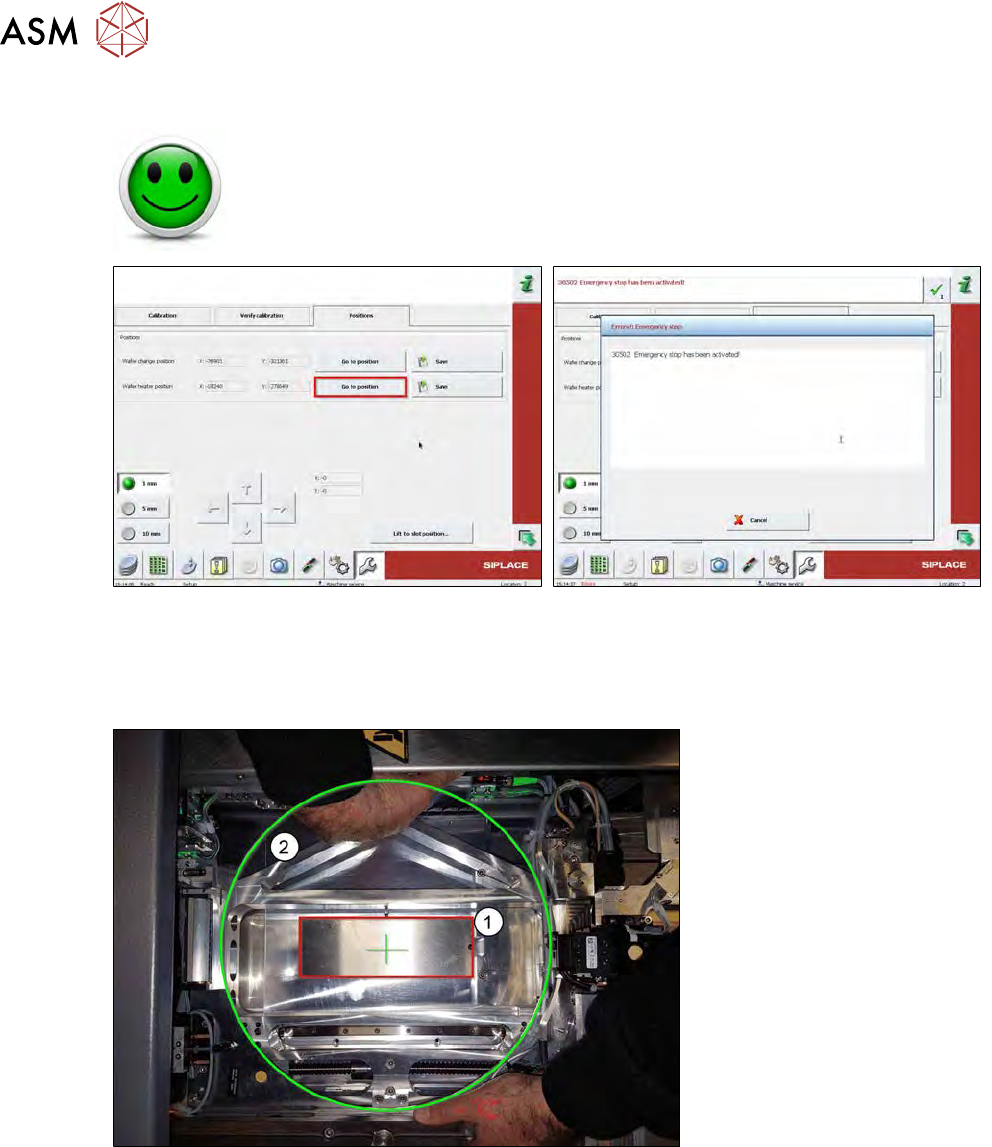
Fig.591:
► Choose Go to Position to move the wafer table to the estimated wafer heater position.
► Activate the emergency stop by opening the machine covers of the CA machine!
ð All axes of the SWS are powerless.
Fig.592:
► Move the wafer table manually until the wafer table (2) is centered above the wafer heater (1).
Our example is only for demonstration purposes. Normally, a stretcher unit is mounted to the wafer
table instead of the cover shield (1) if a wafer heater installed.
15 Calibration
15.4 Calibration of the complete wafer handling
Service Manual SIPLACE Wafer System (SWS) 11/2018 405
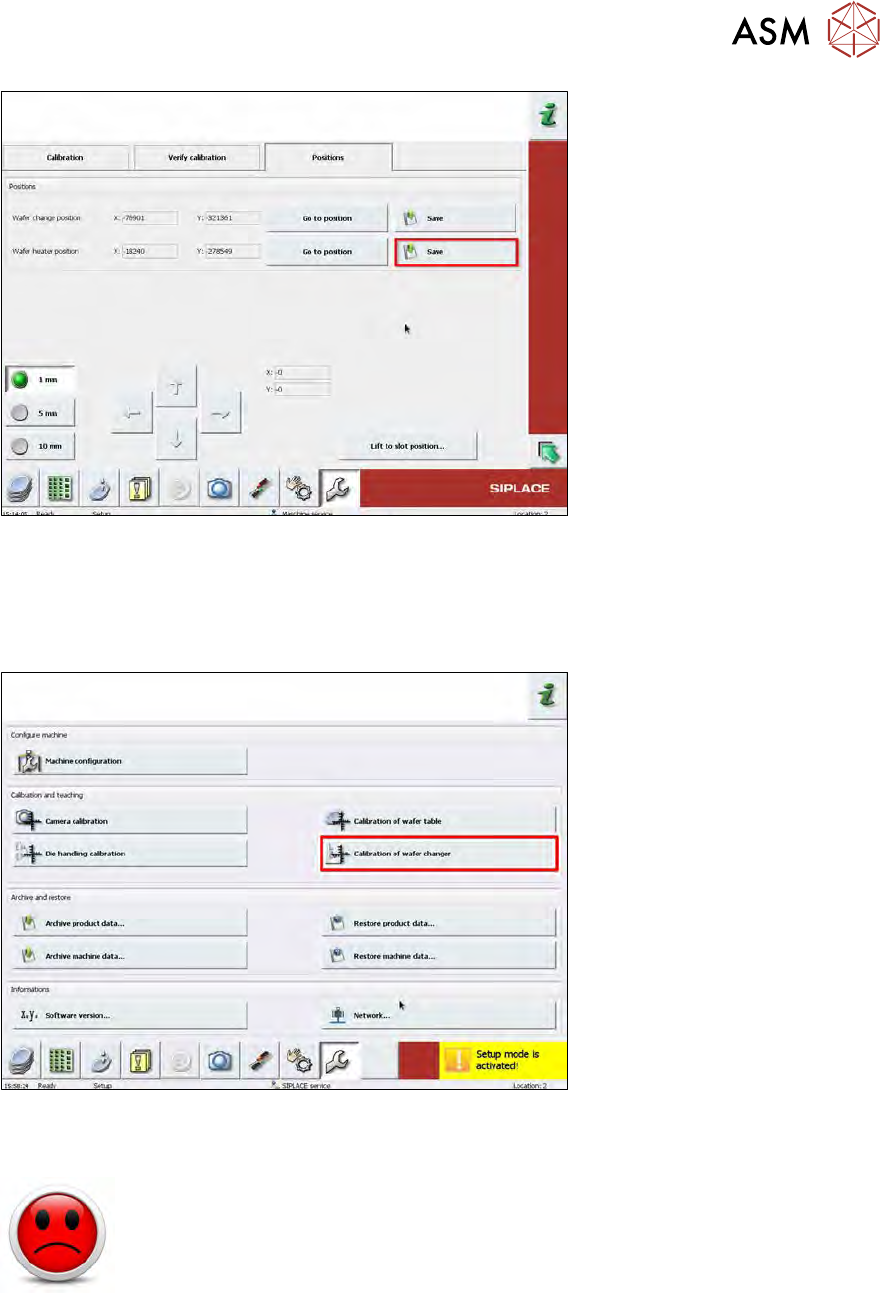
Fig.593:
► Choose Save.
15.4.3 Calibration wafer changer menu
To access the calibration menu, choose Calibration of wafer changer.
Fig.594:
Wafer changer calibration
HIGH RISK OF SERIOUS INJURIES
► Setup mode must be activated!
As a precondition for this calibration, the wafer transfer position must be correctly adjusted (see
chapter 15.4.1.3 "Calibrating the wafer transfer position of the magazine with respect to the wafer
table" [}394]).
With this calibration, the wafer changer zero point and the limits of the wafer changer axis are calib-
rated.
Follow the sequence of calibration as shown below:
15 Calibration
15.4 Calibration of the complete wafer handling
406 Service Manual SIPLACE Wafer System (SWS) 11/2018
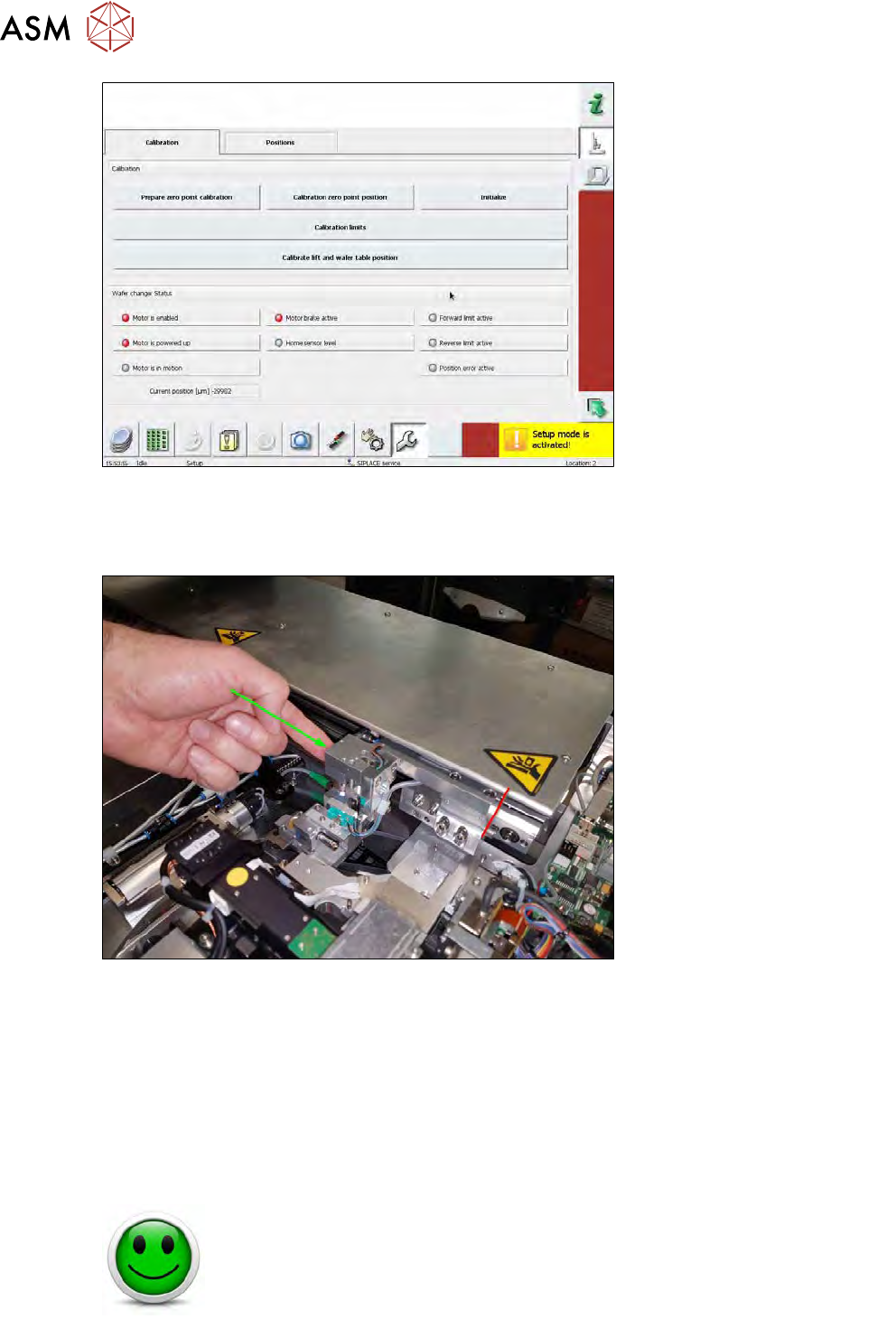
Fig.595:
► Choose Prepare zero point calibration
The power of the wafer changer axis is initialized and then switched off. As a result, the wafer
changer can be moved.
Fig.596:
► Manually move the powerless wafer changer to the mechanical lock next to the nozzle
changer.
► Choose Calibrate zero point position. With this, the zero point position is saved.
► Choose Initialize. After that, the axis is initialized and the calibration data are transferred to
the software.
► Choose Calibration limits.
► Deactivate the Setup mode.
For this calibration, the wafer table has to be moved into a defined position using the software.
NO RISK OF SERIOUS INJURIES
► Setup mode not activated!
Machine covers are closed!