00195982-03_SM_SWS_EN.pdf - 第286页
12 Wafer stretcher 12.4 Removing the wafer stretcher 286 Service Manual SIPLACE Wafer System (SWS) 11/2018 Fig.398: ► Swivel the lifting cylinder (1) to one side. If needed, also unthread the connection at the piston en…
12 Wafer stretcher
12.4 Removing the wafer stretcher
Service Manual SIPLACE Wafer System (SWS) 11/2018 285
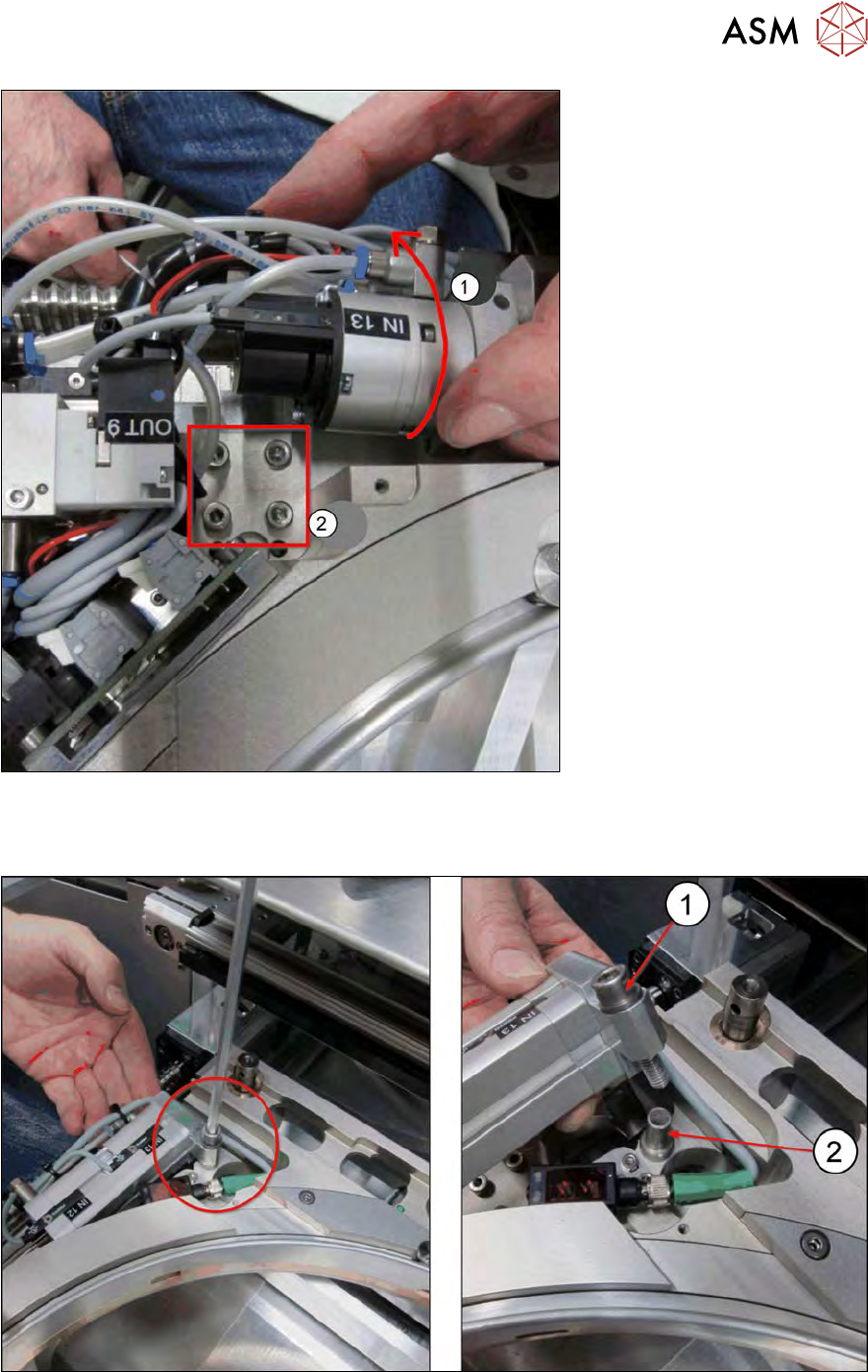
Fig.396:
► Fold the clamping cylinder (1) outwards.
► Remove the four screws (2) fastening the wafer stretcher from the guide trolley below.
Fig.397:
► Release the lifting cylinder.
► Lift off the lifting cylinder and remove the Allen screw (1) and the guide sleeve(2).
12 Wafer stretcher
12.4 Removing the wafer stretcher
286 Service Manual SIPLACE Wafer System (SWS) 11/2018
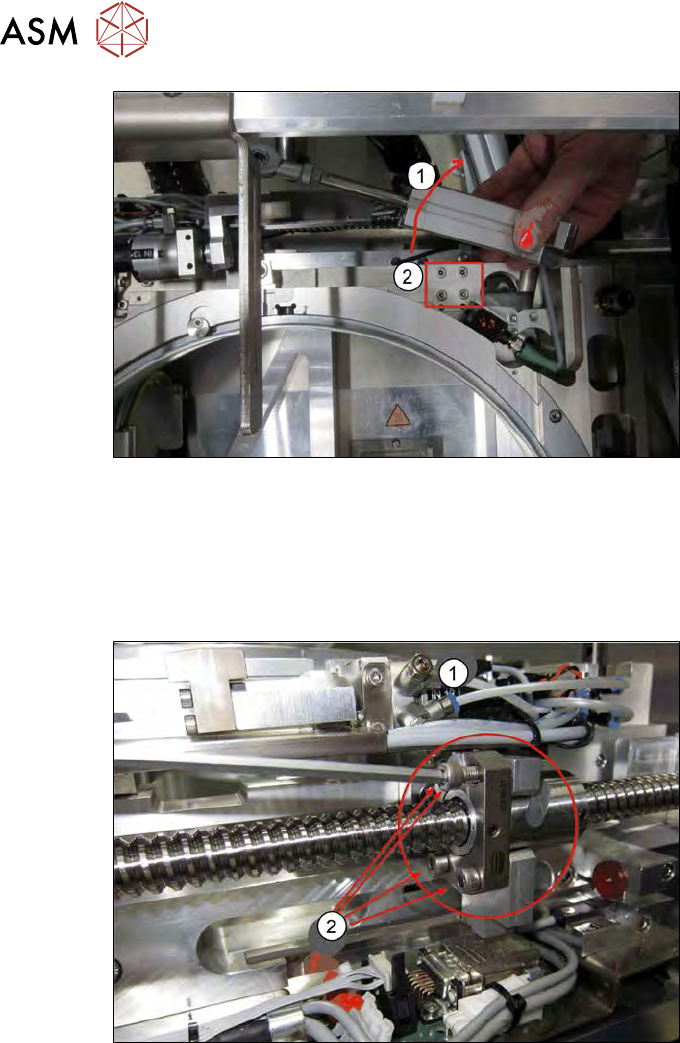
Fig.398:
► Swivel the lifting cylinder (1) to one side. If needed, also unthread the connection at the piston
end.
► Remove the four screws (2) fastening the wafer stretcher from the guide trolley below.
The connection to the spindle in the X direction is still on this side of the wafer stretcher. To discon-
nect the connection, proceed as follows:
Fig.399:
► Remove the four screws on the spindle nut (2) underneath the clamping cylinder (1).
12 Wafer stretcher
12.4 Removing the wafer stretcher
Service Manual SIPLACE Wafer System (SWS) 11/2018 287
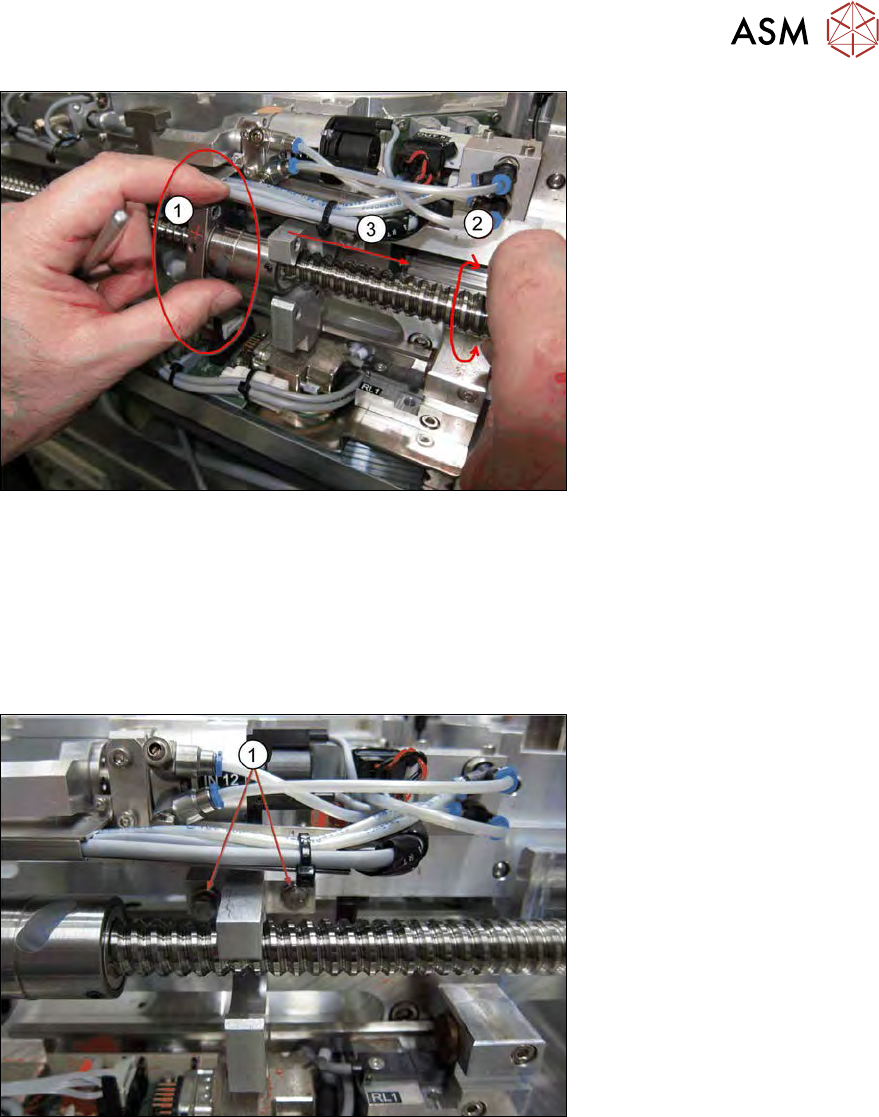
Fig.400:
► Mark the position of the spindle nut e.g. with a pen (1).
► Hold the spindle nut tight (1) and turn the spindle (2), so that the spindle nut is released from
the drive block of the wafer table.
OR
► Manually push the wafer stretcher away from the spindle nut (3).
ð There should now be a space between the spindle nut and the drive block.
Fig.401:
► Remove the two hexagonal screws (1) with a fork wrench or a ratchet.
ð The drive block is now separate from the wafer table.