00195982-03_SM_SWS_EN.pdf - 第93页
5 Basic frame – X/Y unit 5.3 Replacing parts Service Manual SIPLACE Wafer System (SWS) 11/2018 93 Fig.89: ► Push the coupling as far as the stop, onto the spindle shaft! The label on the coupling should point in the dir…
5 Basic frame – X/Y unit
5.3 Replacing parts
92 Service Manual SIPLACE Wafer System (SWS) 11/2018
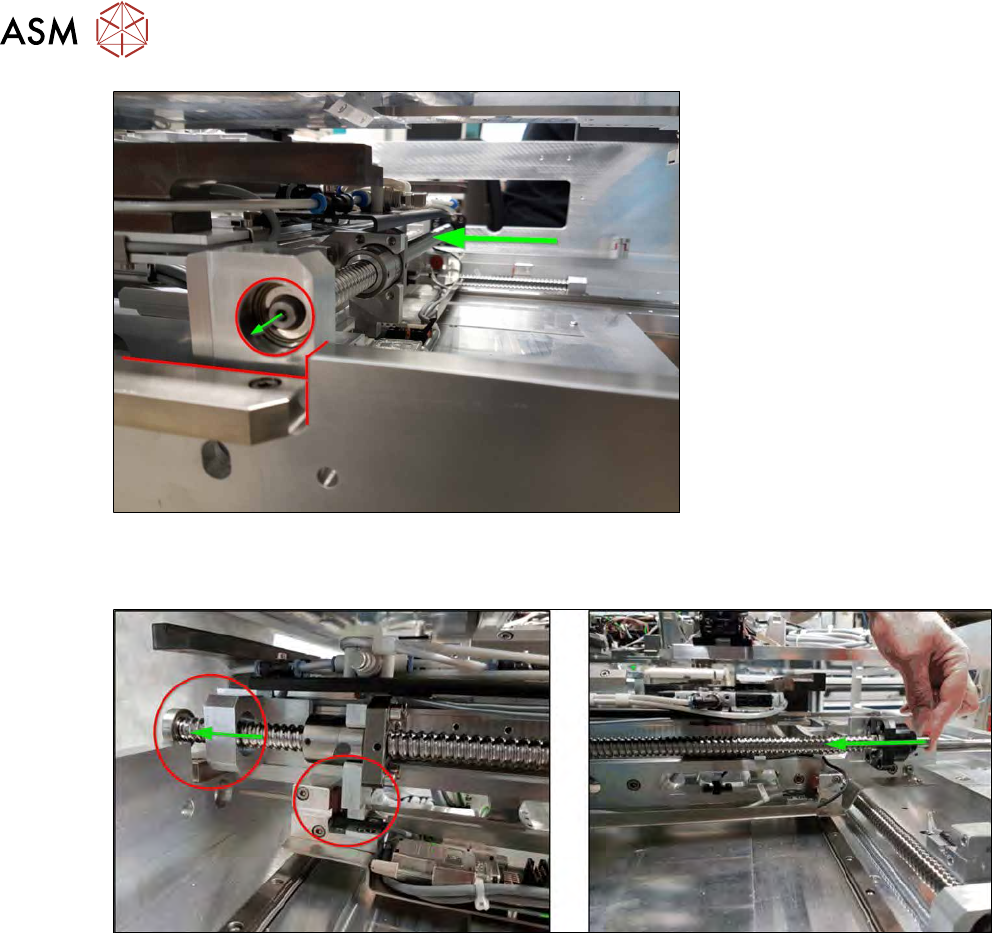
Fig.87:
► Push the wafer table towards the back until there is no interfering edge in front of the spindle
bearing!
Fig.88:
► Carefully press the whole spindle out of the bearing, until the stop is reached.
Make sure that no cables or similar parts are damaged when you push the spindle.
5 Basic frame – X/Y unit
5.3 Replacing parts
Service Manual SIPLACE Wafer System (SWS) 11/2018 93
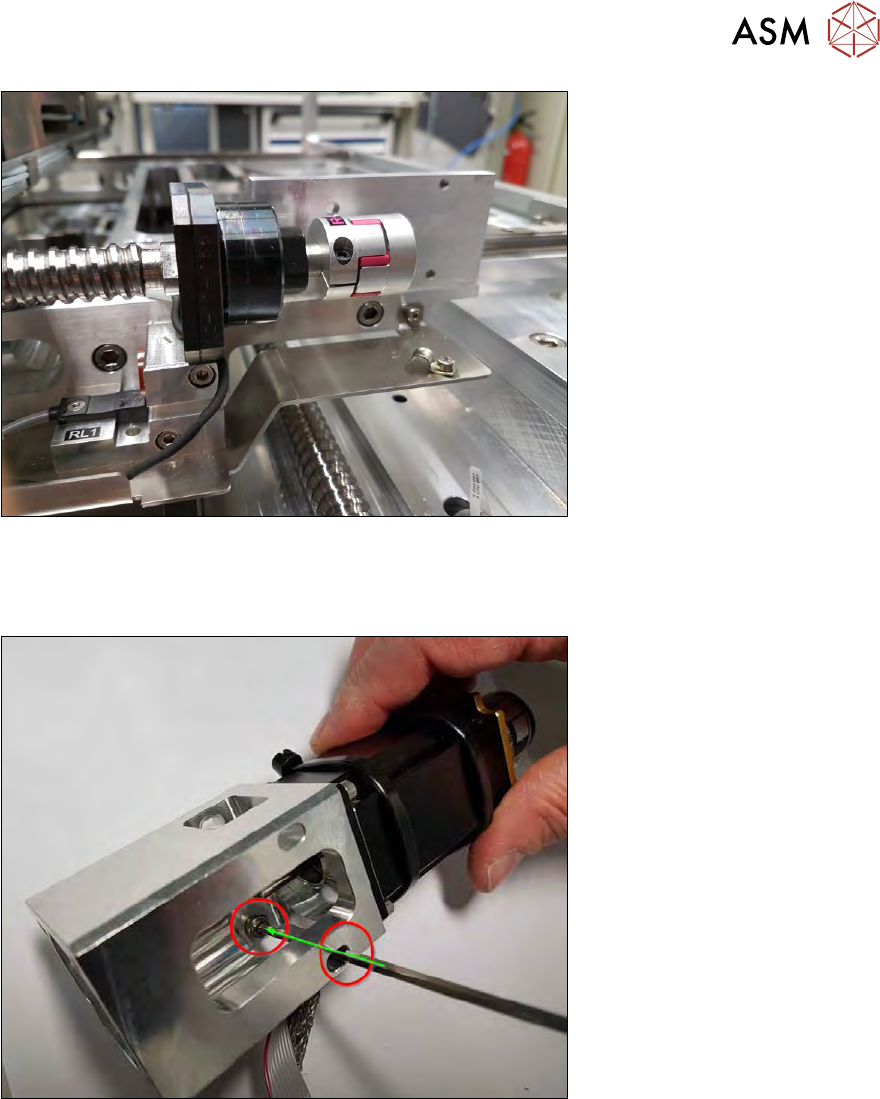
Fig.89:
► Push the coupling as far as the stop, onto the spindle shaft!
The label on the coupling should point in the direction of the spindle.
The writing on the spindle plate should point to the wafer lift, as shown in the diagram!
Fig.90:
► Place the lower front fastening screw into the coupling plate and hold it in position with an
Allen key!
5 Basic frame – X/Y unit
5.3 Replacing parts
94 Service Manual SIPLACE Wafer System (SWS) 11/2018
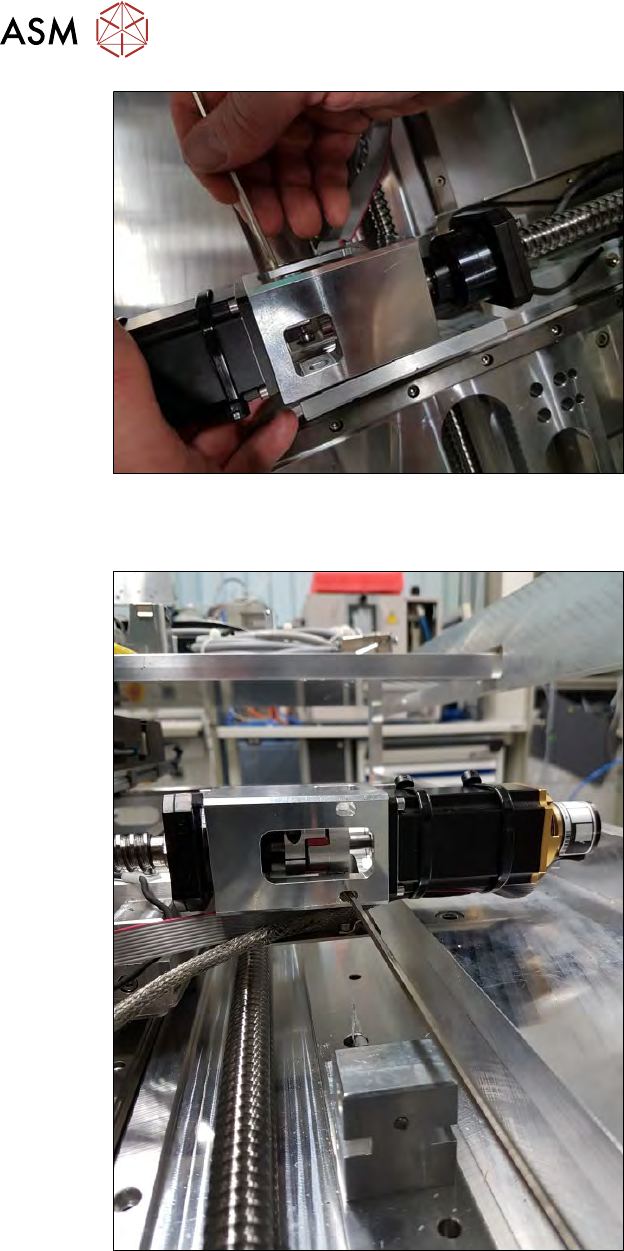
Fig.91:
► Thread the coupling plate X motor unit over the coupling and onto the spindle.
Always hold the fastening screw in position with the Allen key.
Fig.92:
► Now push the system together, so that the motor shaft slides into the coupling.
Always hold the fastening screw in position with the Allen key, so that the screw does not fall
out of the hole.
► Push the coupling plate back and forth until you find the threaded hole.
► Loosely tighten the fastening screw so that the coupling plate can still be moved.
► Now slightly tighten the second fastening screw on the coupling plate from the front. Secure
the screw with Loctite243.